KE2010.Instruction Manual.Ver.2.01,Rev.08.pdf - 第93页
3 − 20 3.6.3 Overwrite & Save Operation 1: Select t he [File] com mand on the m enu bar , t hen [Overwrite & Save] command on the File m enu. Operation 2: Select t he butt on on the tool bar . This operation save…
3 − 19
3.6 File Operation
This section describes how to operate a production program file.
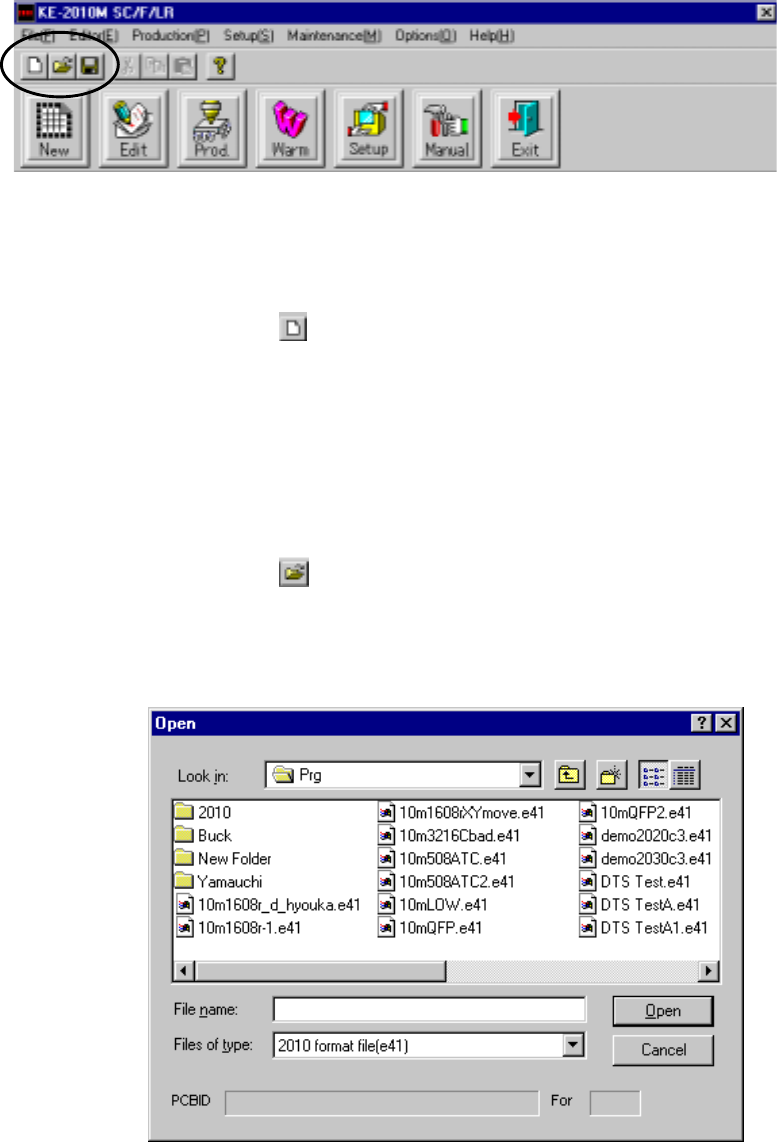
3.6.1 Create New
Operation 1: Select the [File] command on the menu bar, then [Create New]
command on the File menu.
Operation 2: Select the
button on the tool bar.
This operation clears production program data.
3.6.2 Open
Operation 1: Select the [File] command on the menu bar, then [Open] command on
the File menu.
Operation 2: Select the
button on the tool bar.
This operation selects a production program, then loads it to the system.
Figure 3.6.2 File load dialog box
)
3 − 20
3.6.3 Overwrite & Save
Operation 1: Select the [File] command on the menu bar, then [Overwrite & Save]
command on the File menu.
Operation 2: Select the
button on the tool bar.
This operation saves a production program with the current name.
Note: Only if you change data on the Basic setting screen of PWB data, move to
another screen, then save the data.
Even though you perform the save operation for the changed data on the Basic
setting screen, the machine does not save it.
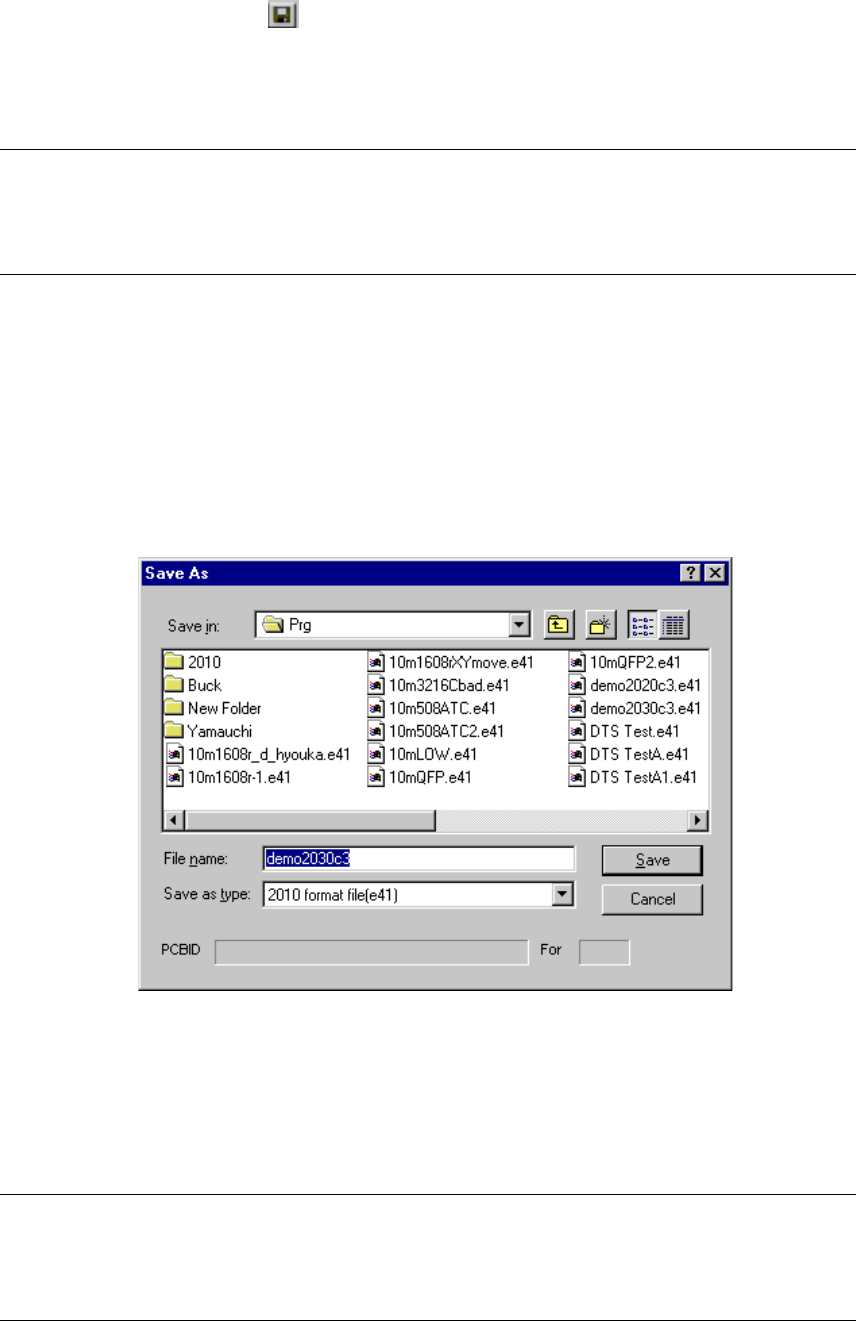
3.6.4 Save As
Operation: Select the [File] command on the menu bar, then [Save As] command
on the File menu.
This operation renames the current production program, then saves it.
Figure 3.6.4 <Save As> dialog box
As long as you follow the Windows file name conventions, you can assign a long file
name or Japanese file name to a program. However, to maintain the compatibility
with the KE-700 series of products, we recommend that you assign to a production
program an English file name whose length is eight characters or less.
Note: Only if you change data on the Basic setting screen of PWB data, move to
another screen, then save the data.
Even though you perform the save operation for the changed data on the Basic
setting screen, the machine does not save it.
3 − 21
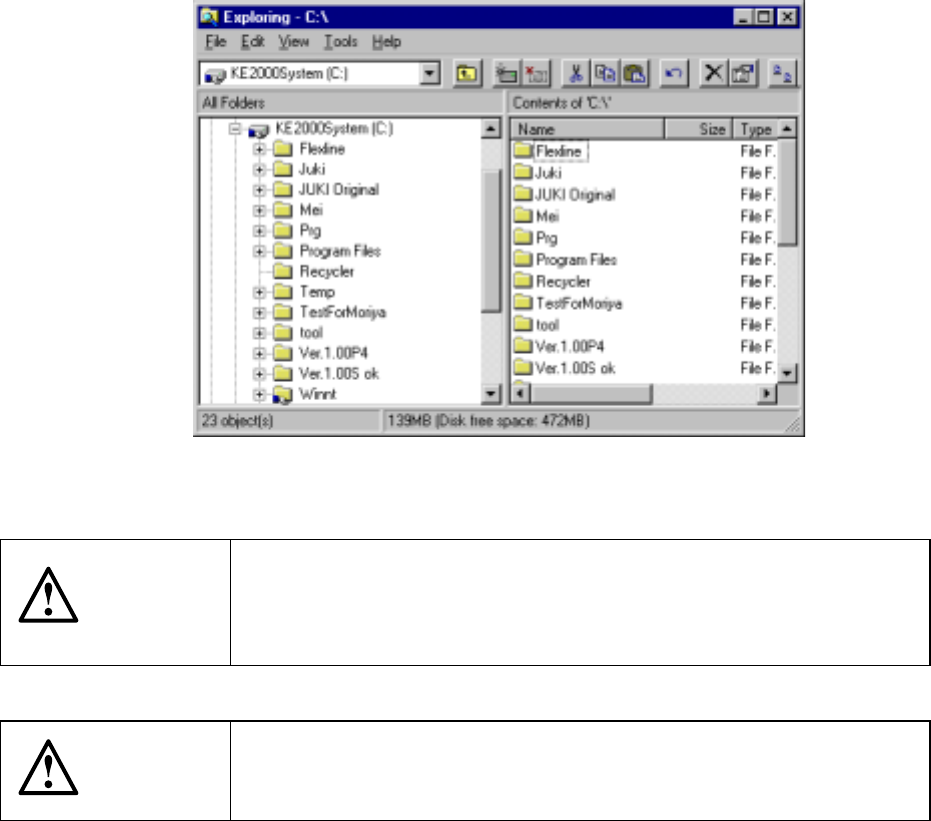
3.6.5 File management
Start up Explorer to manage files.
CAUTION
Explorer allows you to delete or move a file other than a production
program. However, if you delete or move a file other than a production
program, you may not be able to restart the machine. Never delete
nor move files other than those in the PRG folder.
CAUTION
If you change the extension of a production program, the machine
cannot recognize the production program. Never change the
extension of any production program.