1OM-1603-006_w.pdf - 第147页
1OM-1603 3-22 2. Pattern Program Change : Chap.3 1 108-006 2.3 Program Change Operation 2.3.1 Selection of Run Mode Set the "Run Mode" on the "Run Mode" tab sheet in the "OPERATION" window. …
1OM-1603
3-21
2. Pattern Program Change : Chap.3
2.2.6.2 Tape Feeder Detachment
Procedure
(1) Conrm that the tape feeder operation has been stopped.
(Make sure that the tape feeding or cover tape taking-up operation is
stopped).
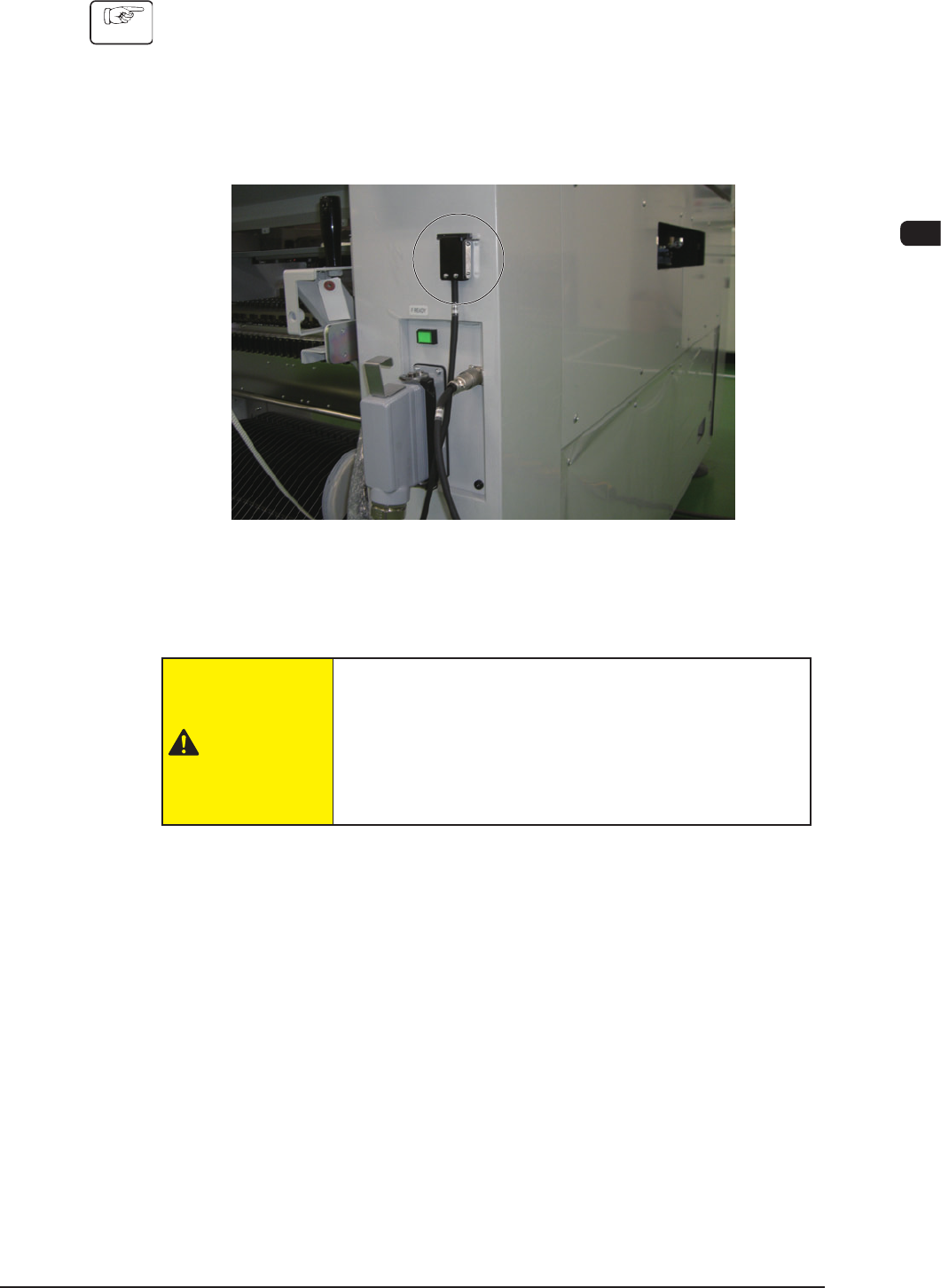
(2) Remove the tape feeder connecting cable from the tape feeder and attach it
onto the main machine using a magnet.
F1C13-6
(3) Remove the tape feeder from the tape feeder holding guide and attach it onto
the bank feeder change cart.
CAUTION
There are some heavy feeder models. When such
feeders are removed with one hand, the weight of the
feeder removed from the guide cannot be supported
by one hand and the feeder might drop. Remove the
feeder using both hands to support it.
1108-001
1OM-1603
3-22
2. Pattern Program Change : Chap.3
1108-006
2.3 Program Change Operation
2.3.1 Selection of Run Mode
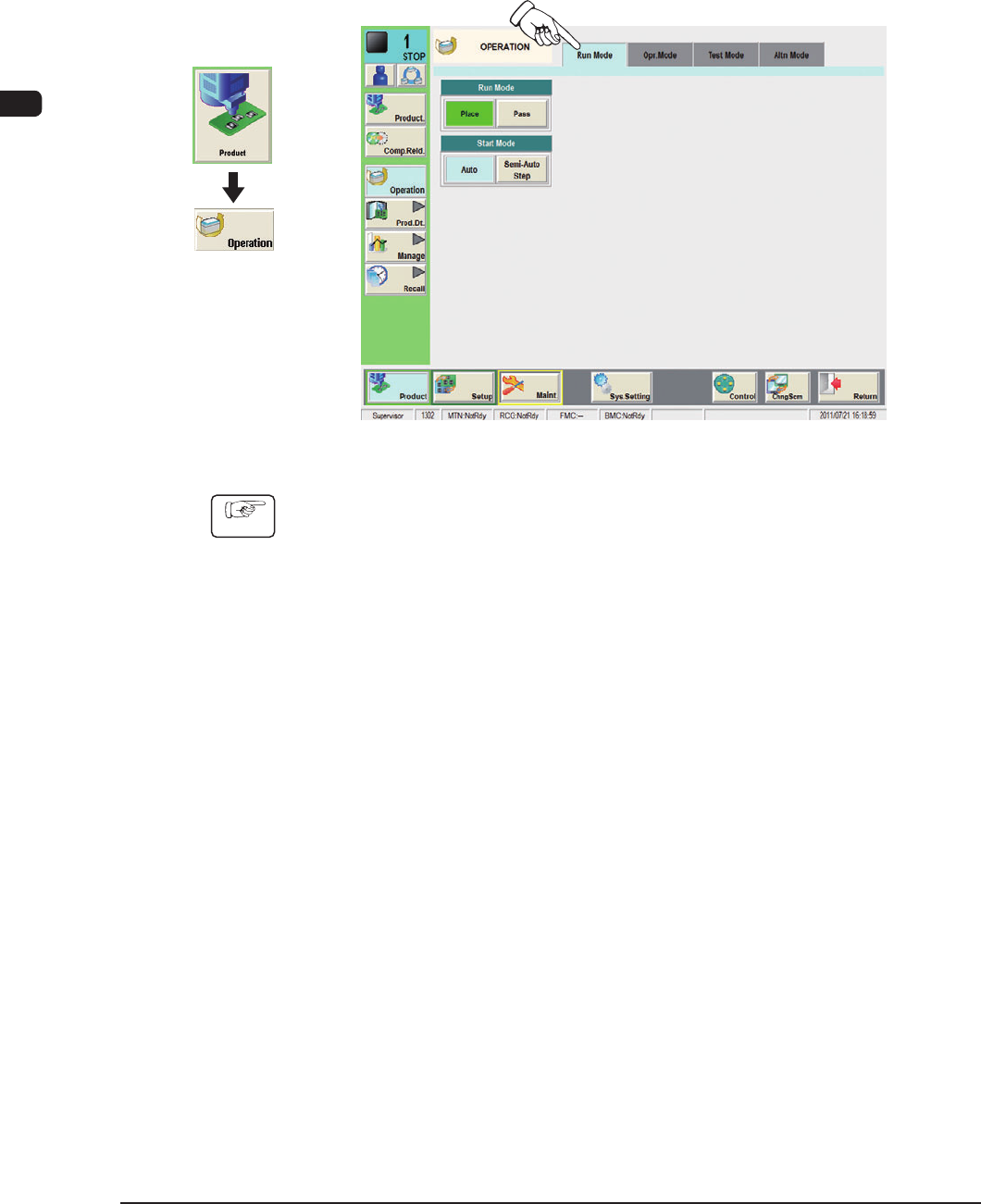
Set the "Run Mode" on the "Run Mode" tab sheet in the "OPERATION" window.
Normally, select "Place".
F1C14
Procedure
(1) Press the [Run Mode] tab on the "OPERATION" window.
(2) Press the [Place] button on the "Run Mode" tab sheet.
Graphic
Development
1OM-1603
3-23
2. Pattern Program Change : Chap.3
1108-006
2.3.2 Selection of Operation Mode
Using this window, the pattern program is changed.
Perform the support pin stock area editing before the pattern program change.
Reference
Refer to "Chapter 6: Product Change Menu" in Volume 2, for the details of the
stock area editing.
Procedure
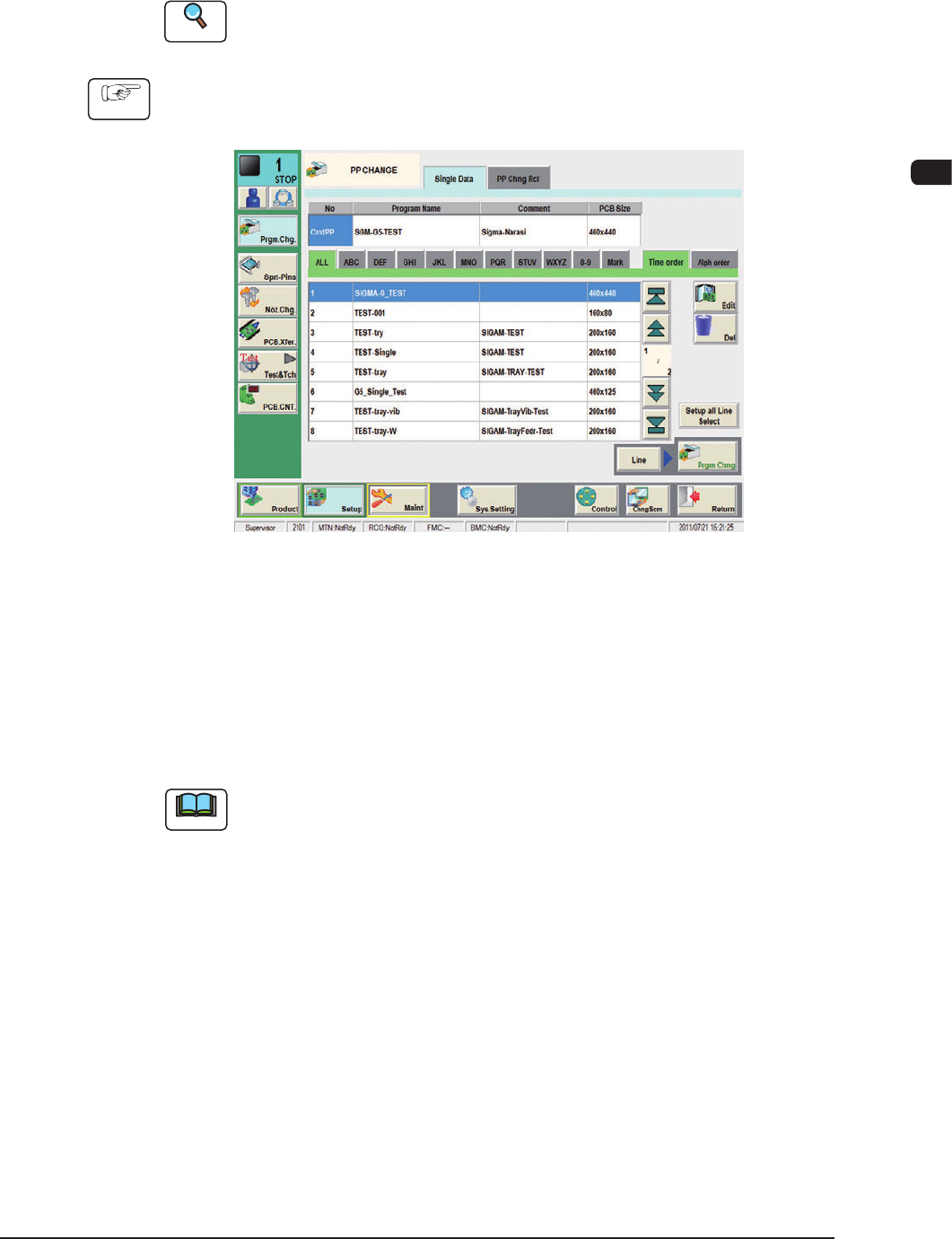
(1) Press the [Setup] button on the common menu bar.
(The "PP CHANGE" window appears.)
F1C15
(2) Select the program name to be specied as a current one (production model).
(The corresponding pattern program will be selected and the line turns blue.)
(3) Press the [Prgm. Chng] button.
Within 10 seconds, press the [START] button on the operation panel.
(The current pattern program will be changed to the selected one.)
Note
(a) If an error is found in the pattern program, the program change operation is
not executed.
In this case, correct the pattern program and perform the program change
operation again.
(b) When the conveyor width change, support pin change and nozzle change
are performed at the same time, press the [Setup all Line Select] button and
set each of them as required.
(c) When the pattern program change is performed in the entire line, press the
[Line] button and them press the [Prgm Chng] button.