1OM-1603-006_w.pdf - 第154页
1OM-1603 3-29 2. Pattern Program Change : Chap.3 (7) Open the transparent cover (door type). CAUTION The load power to the motors, etc., is turned OFF but the setup operation must be performed carefully when you put your…
1OM-1603
3-28
2. Pattern Program Change : Chap.3
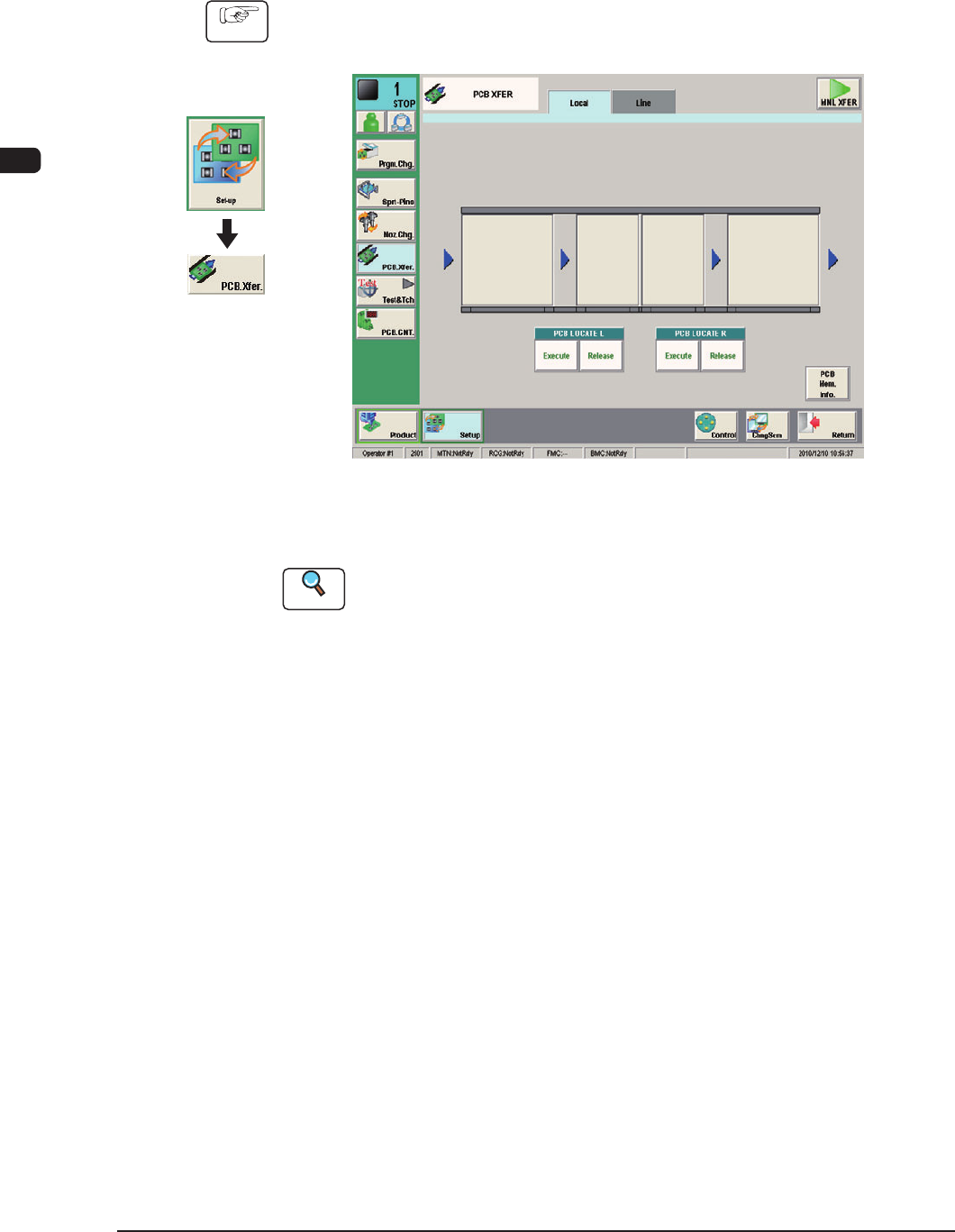
2.3.5 ConrmationofPCBTransferandPositioning
The following describes how to check the status of the PCB transfer and
positioning in the "PCB XFER" window (a menu of "Set-up").
Procedure
(1) Display the "PCB XFER" window using the following icon procedure.
F1C19
(2) Input the PCB from the input machine.
Reference
When the PCB is to be input manually, refer to "4.1.1 PCB Manual Input
Procedure", in Chapter 3.
(3) Select a desired block button (expressed graphically) for "PCB LOCATE L".
Within 10 seconds, press the [START] button on the operation panel to
transfer the PCB.
(4) Conrm that the PCB can be transferred normally and move smoothly
without falling down during the transfer.
(5) Press the [Execute] button (entitled "PCB LOCATE L").
Within 10 seconds, press the [START] button on the operation panel.
(The backup base moves up.)
(6) Press the cover lock switch to turn off the lamp.
(The transparent cover (door type) is unlocked.)
Graphic
Development
1012-005

1OM-1603
3-29
2. Pattern Program Change : Chap.3
(7) Open the transparent cover (door type).
CAUTION
The load power to the motors, etc., is turned OFF
but the setup operation must be performed carefully
when you put your hand inside the machine. Avoid
handandngerinjuries.
(8) Slightly push the PCB by nger to conrm that there is no problem in the
location of the support pins.
(9) Close the transparent cover (door type).
(10) Press the cover lock switch to turn on the lamp.
1007-003
1OM-1603
3-30
2. Pattern Program Change : Chap.3
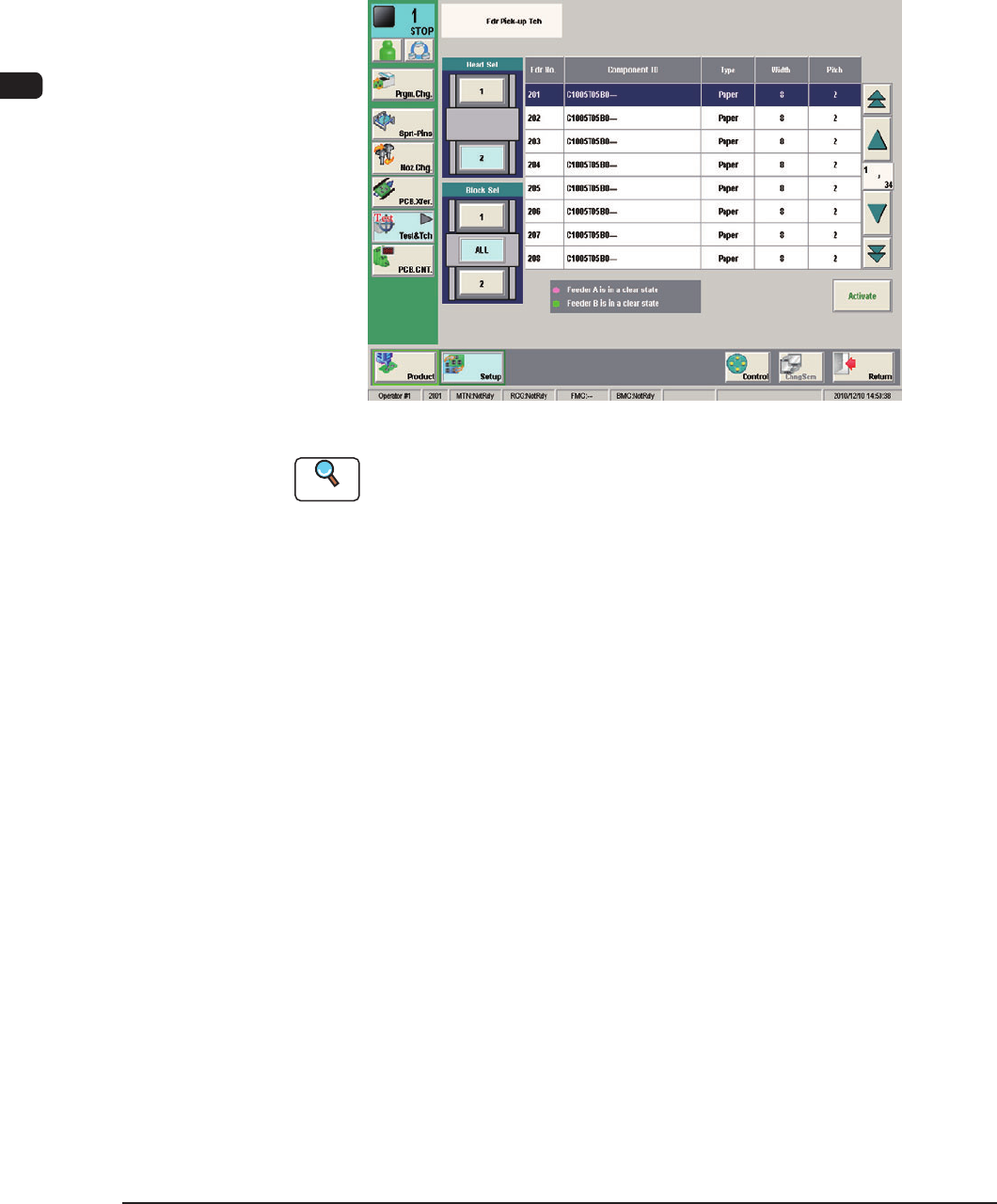
2.3.6 ConrmationofComponentPickupPosition
In normal cases, it is not necessary to check the pickup position because slightly
shifted position is automatically adjusted.
However, when a component that requires to be positioned precisely cannot be
picked up correctly for the rst time, a teaching operation must be performed on
the feeder Pickup Position.
F1C19-1
Reference
Refer to "7.5 "PU Pos Ofst Tch" Window" in Chapter 6, Volume 2 for the details.
1012-004