1OM-1603-006_w.pdf - 第165页
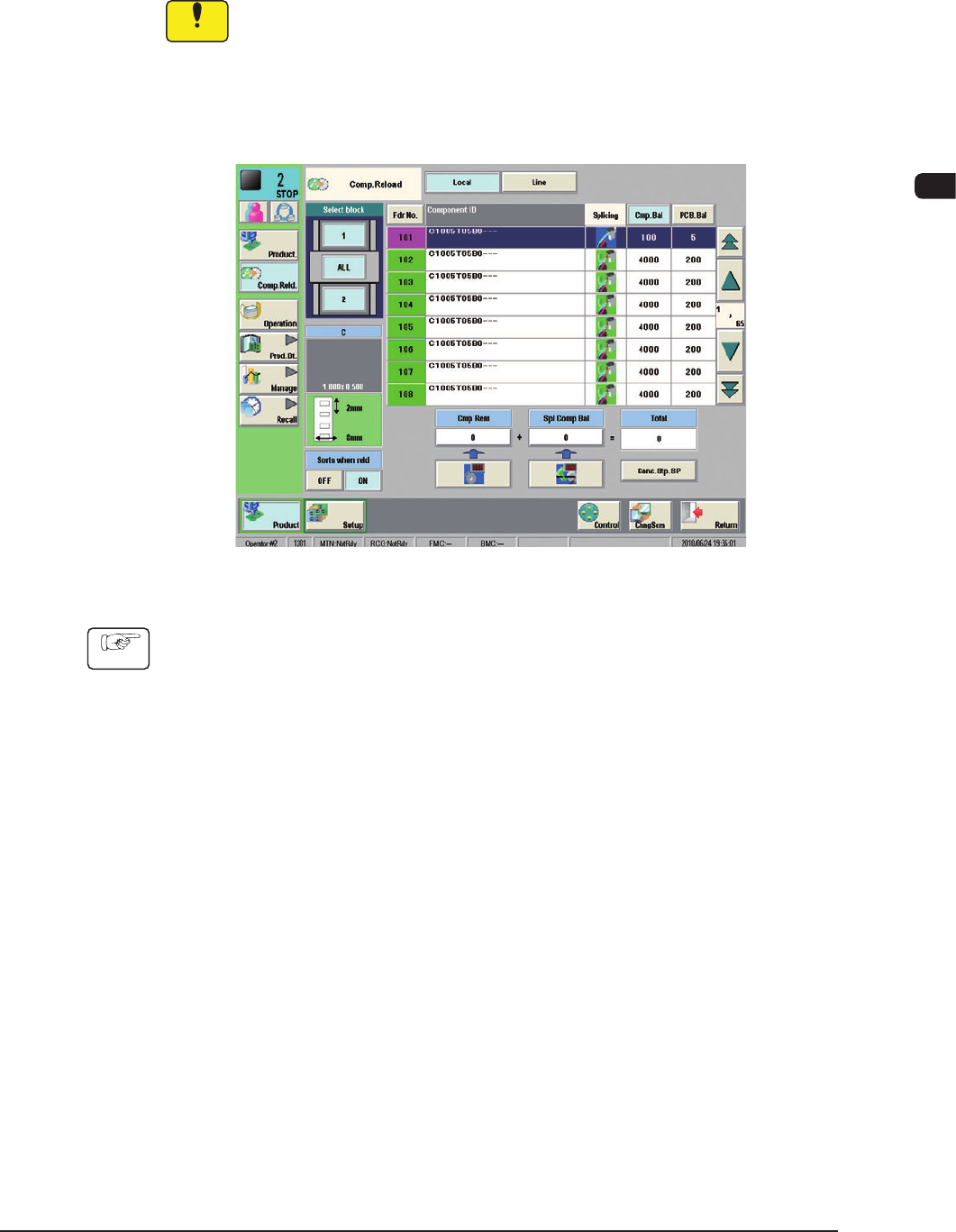
1OM-1603 3-40 3. Component Replenishment : Chap.3 (3) Press the "Fdr . No." button which corresponds to the feeder No. (FDR. No. to be set ready for splicing) displayed in the "Machine Information (Alarm f…
1OM-1603
3-39
3. Component Replenishment : Chap.3
3.3 Component Replenishment with Splicing Function
The splicing function makes it possible to replenish the supply of taped
components without stopping the automatic operation.
Notice
A splicing tape and a tape cutting jig are also required for splicing.
When [Operation], [Opr. Mode] and [Splicing] are selected in this order to open
the "Splicing" window, and the specied conditions are fullled, the "Machine
Information (Alarm for Splicing)" window opens.
F1C26
Procedure
(1) Check the contents of the machine information and press the [OK] button.
The "Machine Information" window closes.
(2) Press the [Comp.Reld] button on the submenu bar of the "Comp.Reload"
window to open the "Product" window.
1012-005
1OM-1603
3-40
3. Component Replenishment : Chap.3
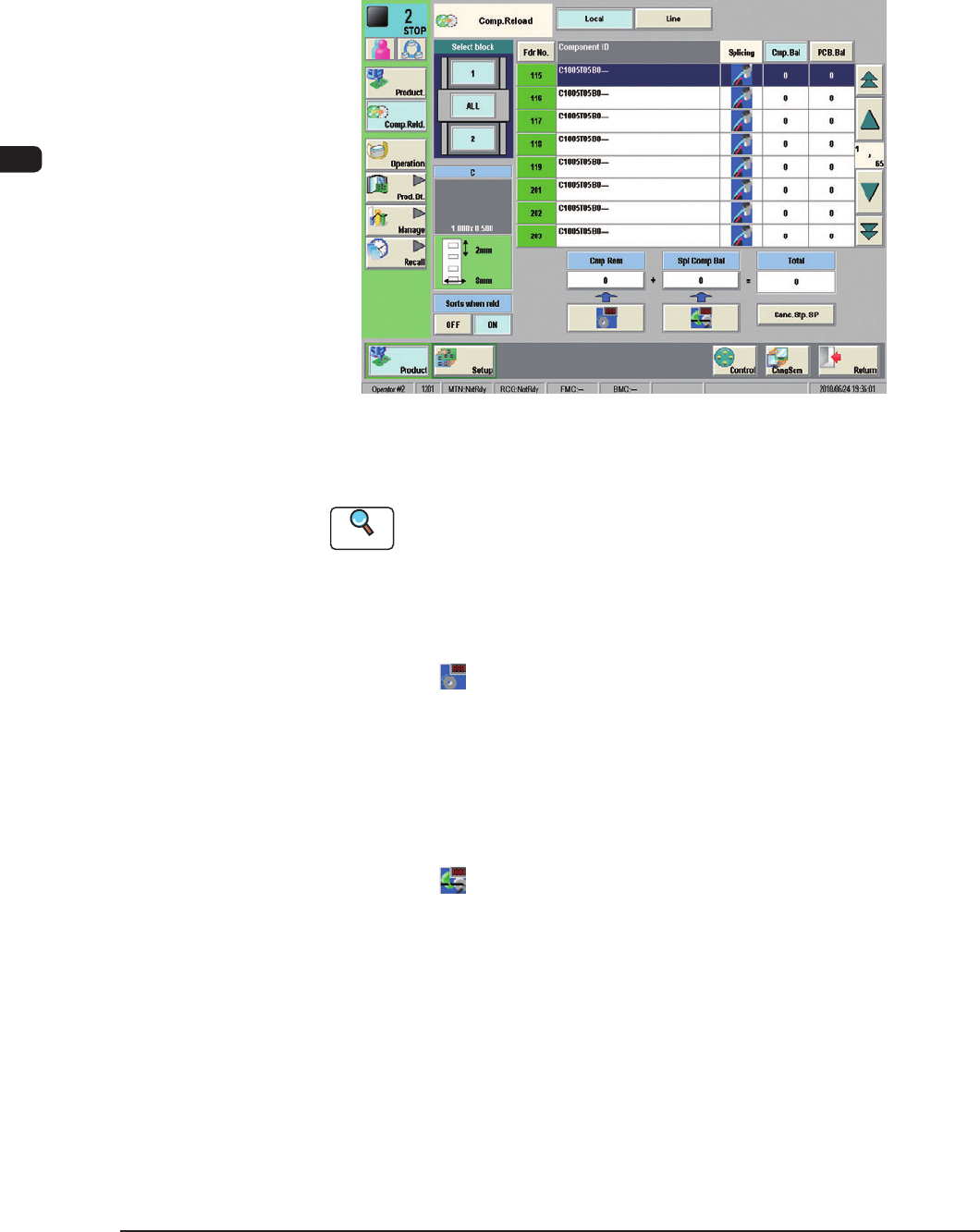
(3) Press the "Fdr. No." button which corresponds to the feeder No. (FDR. No.
to be set ready for splicing) displayed in the "Machine Information (Alarm
for Splicing)" window and check the scope of the component data.
(For the component, for which the preparation for splicing is required, the
splicing icon is displayed in red).
F1C27
(4) Perform the splicing operation and replenish the feeder with components.
Reference
Refer to "6. Splicing" in the "SIGMA-G4/G5 Tape Feeder" instruction
manual, for the details of the splicing operation.
(5) Follow the step below to set the replenished components.
•
When a new tape is spliced:
Press the [
] (Component Replenish) button.
Check the remaining number of components in the feeder list and conrm
that the feeder is replenished with components
.
•
Splicing of Used Tape
(when the number of taped components differs from the number of
componentsspeciedinthecomponentlibrarydata)
Press the [
] (Splicing Component Remainder) button. The "Splicing
Component Remainder" window opens.
Enter the number of reloaded components.
Check the remaining number of components in the feeder list and conrm
that the feeder is replenished with components.
1108-006
1OM-1603
3-41
3. Component Replenishment : Chap.3
3.4 Component Reload using the Feeder Hot Swap Function
The components can be reloaded onto the feeder without stopping the automatic
operation using the feeder hot swap function.
3.4.1 Feeder Hot Swap Function Setting
Procedure
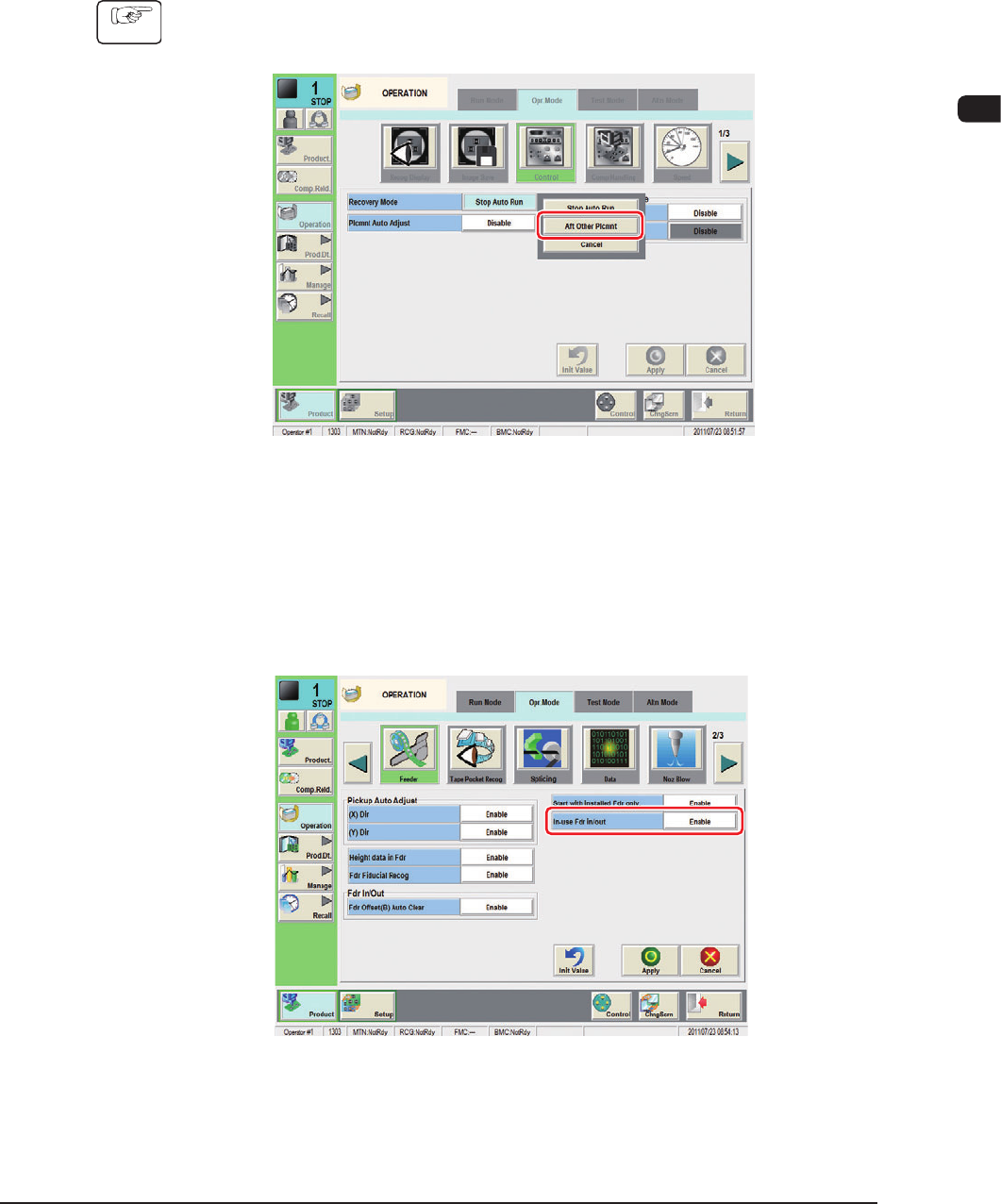
(1) Press the [Control] button on the "Opr. Mode" tab sheet in the
"OPERATION" window to display the "Control" window.
F1C27-1
(2) Select "Aft Other Plcmnt" in the "Recovery Mode" selection box in the
"Control" window.
(3) Select the [Feeder] button on the "Opr. Mode" tab sheet to open the "Feeder"
window.
F1C27-2
(4) Select "Enable" in the "In-use Fdr in/out" selection box and press the [Apply]
button.
1108-001