1OM-1603-006_w.pdf - 第169页
1OM-1603 3-44 4. PCB Replenishment : Chap.3 4. PCB Replenishment When the machine gets short of PCBs during automatic operation, the input machine produces an error alarm or the machine stops automatically. • When the in…
1OM-1603
3-43
3. Component Replenishment : Chap.3
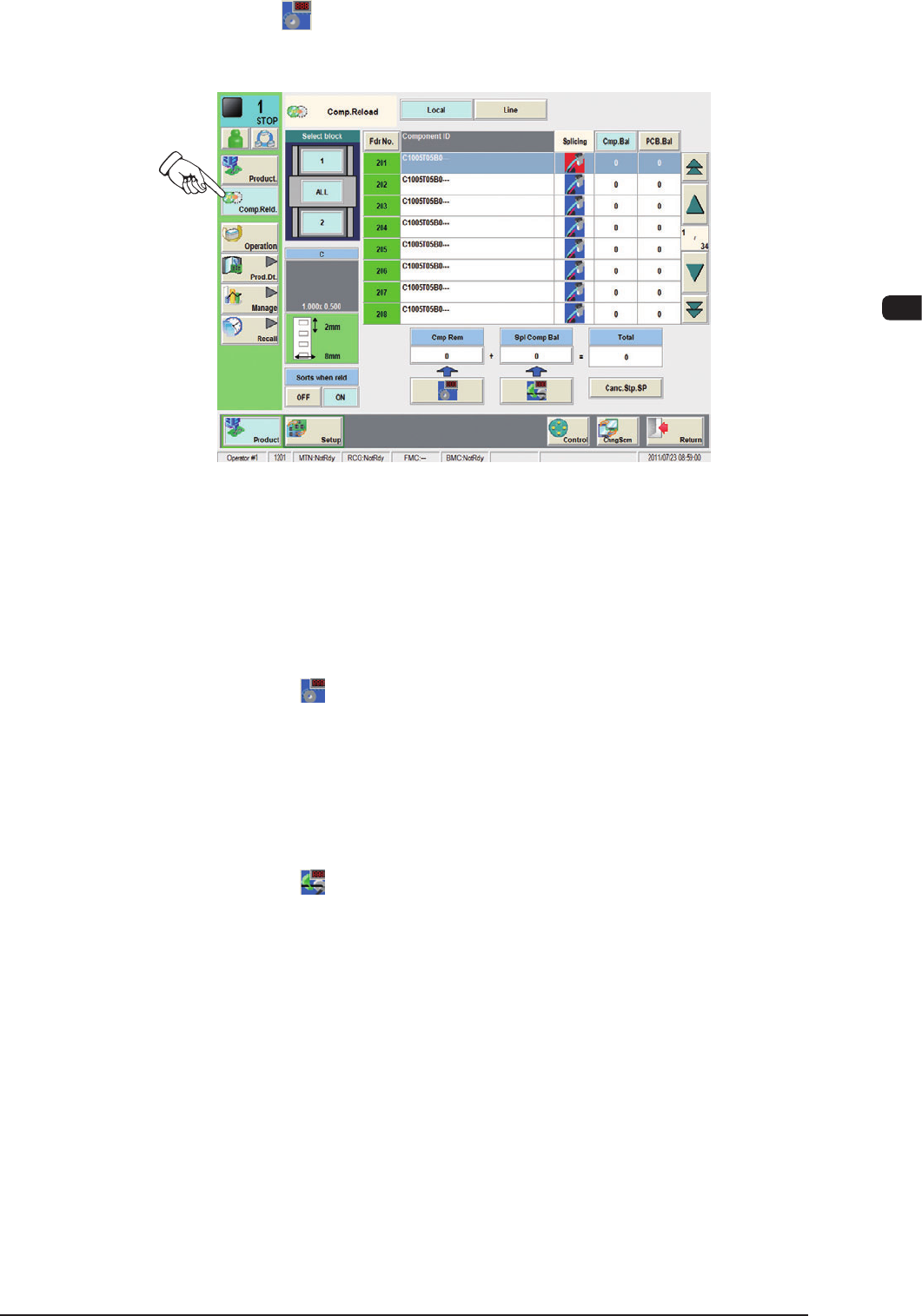
(4) Press the [ ] (Component Replenish) button in the "Product" menu. The
"Comp.Reload" window opens.
F1C27-3
(5) Press the "Fdr No." button corresponding to component-replenished feeder
base.
(6) Set the number of reloaded components.
•
Replenishment of New Tape
Press the [
] (Component Replenish) button.
Check the remaining number of components in the feeder list and conrm
that the feeder is replenished with components.
•
Replenishment of Used Tape
(when the number of taped components differs from the number of
componentsspeciedinthecomponentlibrarydata)
Press the [
] (Splicing Component Remainder) button. The "Splicing
Component Remainder" window opens.
Enter the number of reloaded components.
Check the remaining number of components in the feeder list and conrm
that the feeder is replenished with components.
1108-001
1OM-1603
3-44
4. PCB Replenishment : Chap.3
4. PCB Replenishment
When the machine gets short of PCBs during automatic operation, the input
machine produces an error alarm or the machine stops automatically.
•
When the input machine has issued an error alarm, follow the step
below.
Replenish the input machine with PCBs and re-start the automatic operation.
•
When the machine has stopped automatically, follow the step below
The input machine has stopped automatically in a normal condition.
In normal cases, it means that the production is completed.
4.1 PCB Manual Insertion and Removal Procedures
Before the PCB manual insertion or removal operation is performed, pay attention
to the following items.
CAUTION
Before operating the machine, conrm that there are no
people around the machine (especially, the other side of
the machine operation) and no objects such as tools and
parts are left around the machine.
4.1.1 PCB Manual Insertion Procedures
Procedure
(1) Stop the machine.
(2) Put the PCB on the conveyor belt in the buffer section.
•
When the PCB is to be put on, put the PCB on the belt gently.
Otherwise, the PCB might not be transferred correctly due to conveyer
belt sag or cut out.
Notice
Do not bump the PCB against the transfer PCB detection sensor. Doing
so might damage the sensor, which might disable the normal PCB
transfer.
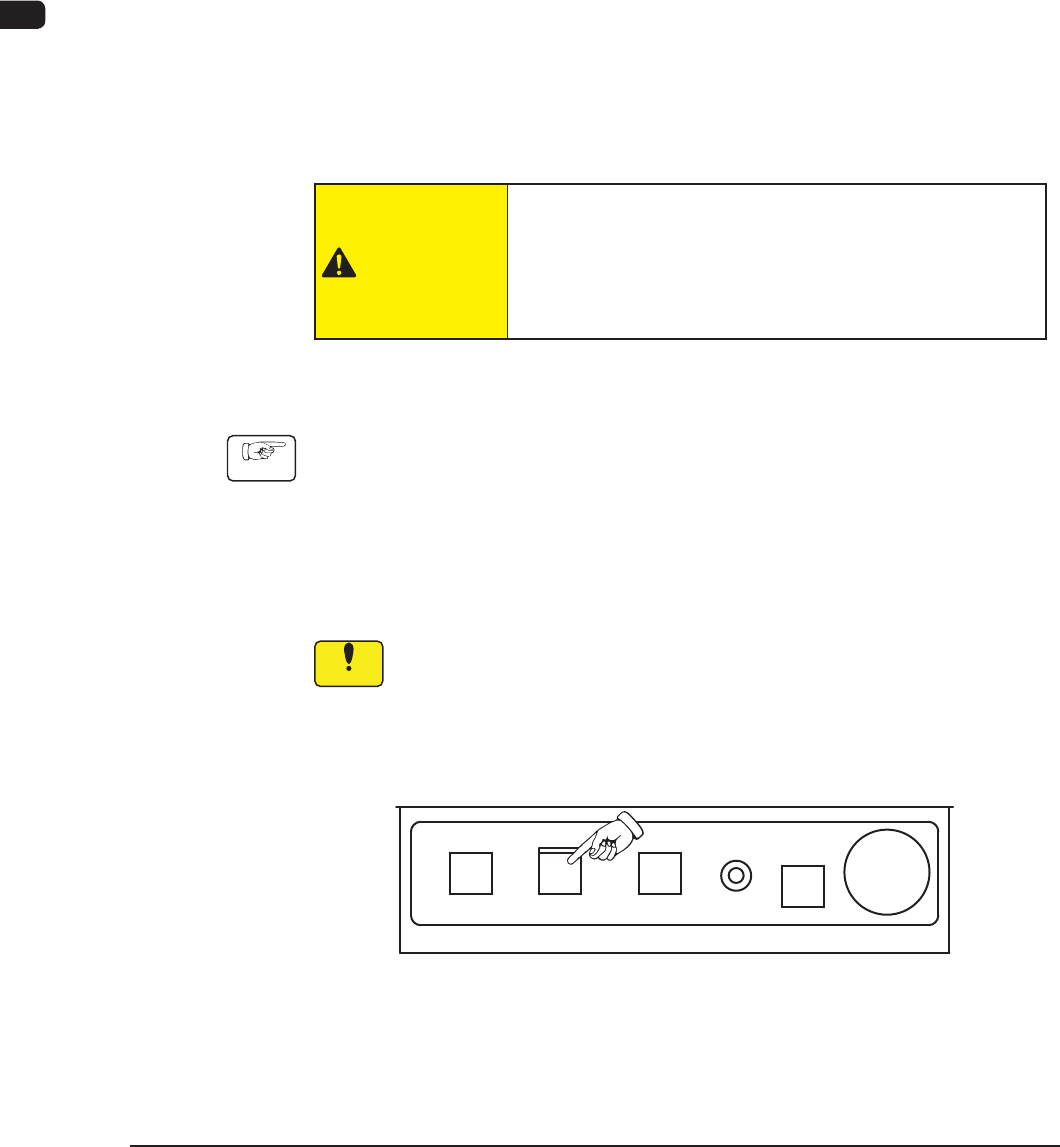
(3) Press the [START] button on the operation panel to start the PCB transfer.
F1C28
1108-005

1OM-1603
3-45
4. PCB Replenishment : Chap.3
4.1.2 PCB Manual Removal Procedures
Procedure
(1) Stop the machine.
(2) Remove the PCB from the buffer section.
Notice
Do not bump the PCB against the transfer PCB detection sensor. Doing
so might damage the sensor, which might disable the normal PCB
transfer.
1007-003