1OM-1603-006_w.pdf - 第176页
1OM-1603 3-51 5. Stop, Interruption, and Restart of Operation : Chap.3 5.4 Restart of Automatic Operation with Placement Step Recovery Function When the nozzle conrmation function is used and a foreign substance or a co…
1OM-1603
3-50
5. Stop, Interruption, and Restart of Operation : Chap.3
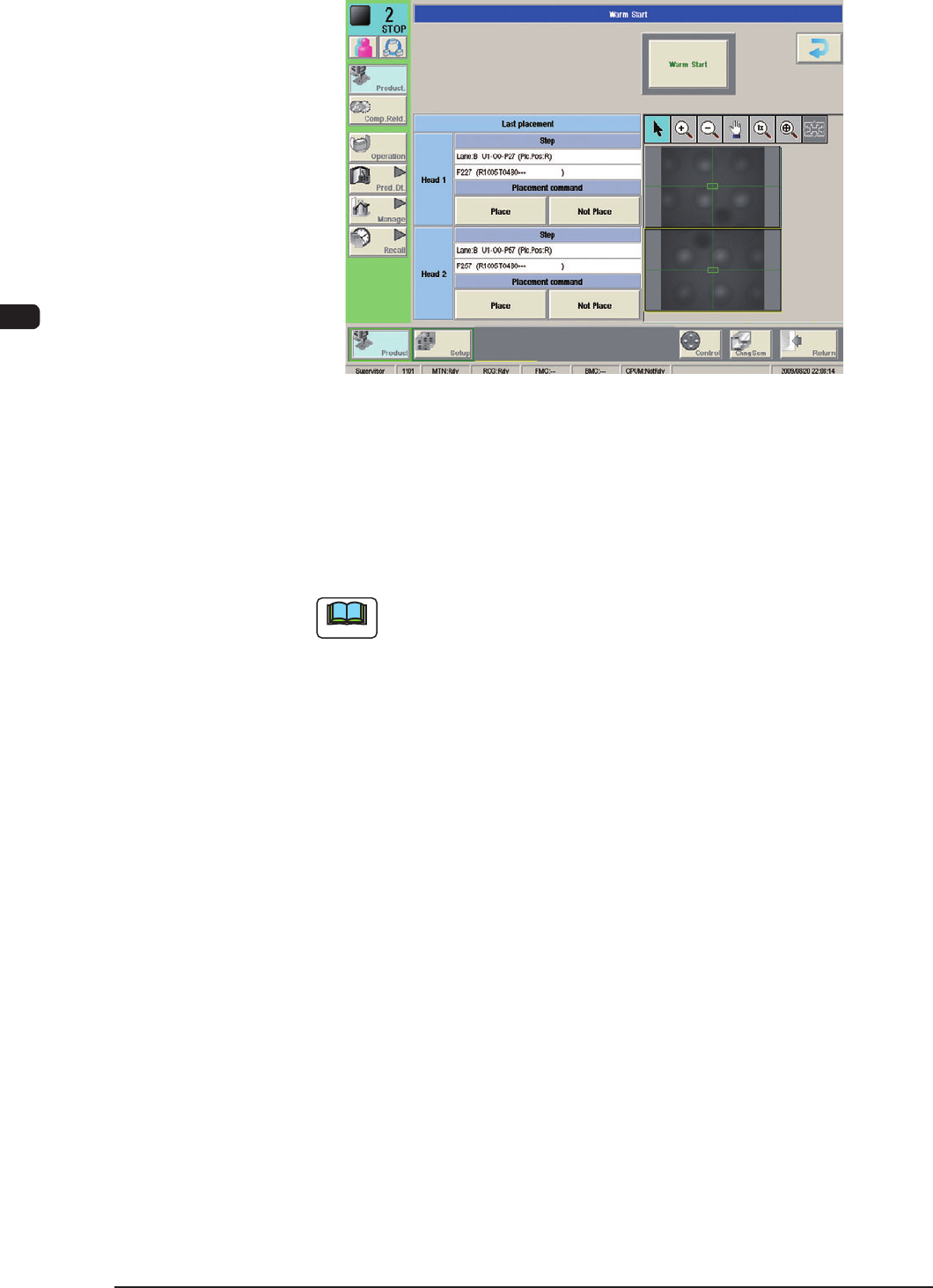
(2) Check if the last component (component placed last) on each head is placed.
F1C35
(3) Select one of the buttons entitled "Placement command".
(Select the [Not Place] button when components are placed on the PCB.
When no components are placed, select the [Place] button.)
(4) Press the [Warm Start] button to start the warm start sequence.
Note
If there is a head for which no button under "Placement command" is
selected, the warm start sequence cannot be started.
(5) As for the PCB produced through "Warm Start" sequence, be sure to conrm
that all components are correctly placed.
1007-004
1OM-1603
3-51
5. Stop, Interruption, and Restart of Operation : Chap.3
5.4 Restart of Automatic Operation with Placement Step
Recovery Function
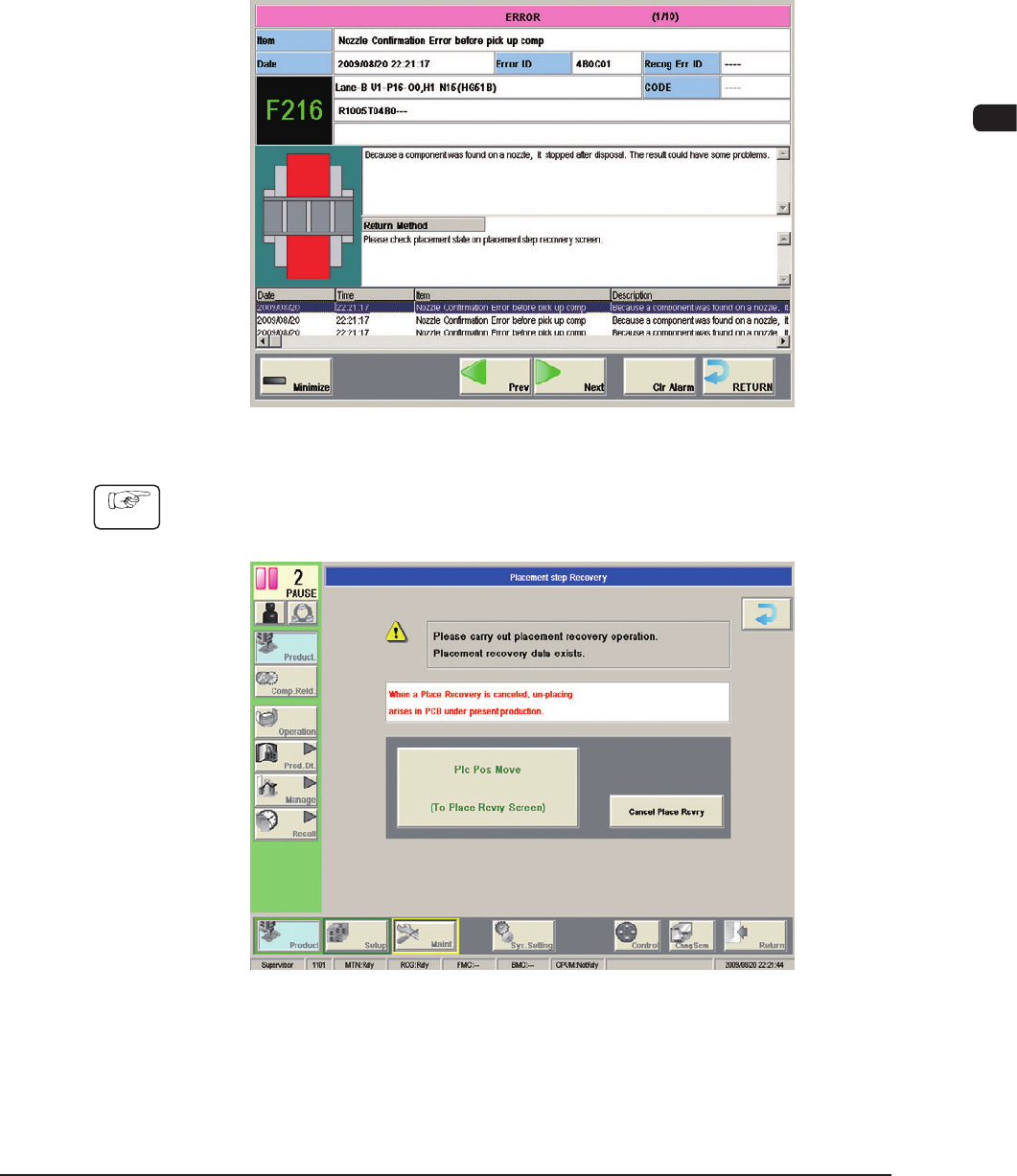
When the nozzle conrmation function is used and a foreign substance or a
component is detected in the nozzle point before component pickup,
an "ERROR" window appears, issuing a message "Nozzle Conrmation Error
before pick up comp" and making it possible to perform a placement recovery
operation.
F1C36
Procedure
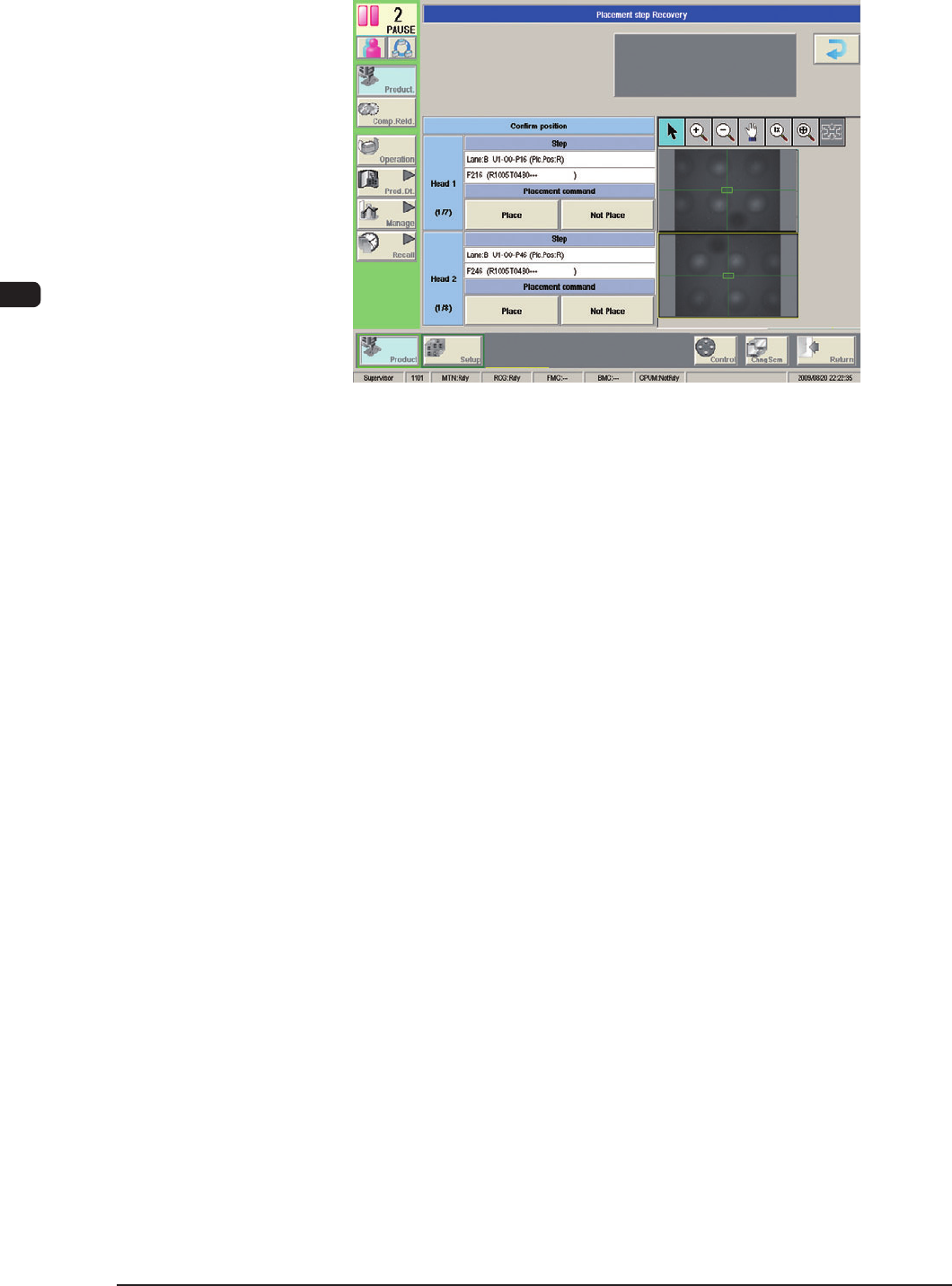
(1) Press the [RETURN] button.
(The "Placement step Recovery" window will be displayed.)
F1C37
1012-005
1OM-1603
3-52
5. Stop, Interruption, and Restart of Operation : Chap.3
(2) Press the [Plc Pos Move] button.
(The "Placement Position" window will be displayed.)
F1C38
1007-004