196396 Iss 2 Nov 2015 - Semi Appendix Manual.pdf - 第12页
6 POWER UP 1. Switch the Mains Isolator On. 3. When the System Initialisation page is displayed, press the System button. 2. Press the Start button. System Initialisation Press the System button on the outer cover , to i…
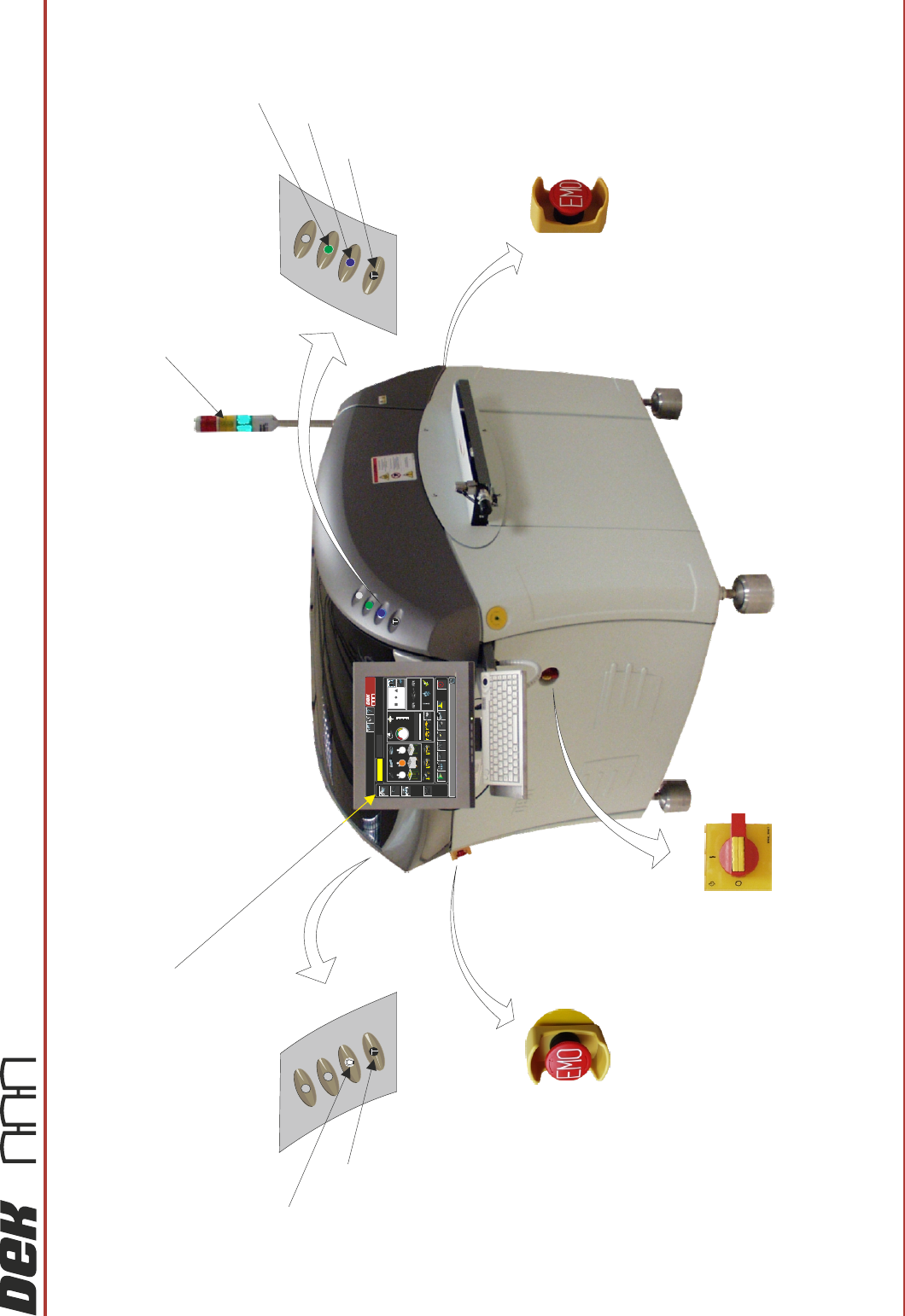
Tricolour Beacon
Two Button Control
Two Button Control
Monitor
Mains Isolator
Emergency Machine Off Button
Emergency Machine Off Button
(at rear of machine)
Internal Light
System Button
Start Button
60min
60min+
30min+
Current Product: DEK04
-
+
Cycle Time
9.6 sec
0%
25%
50%
75%
100%
Batch Limit
200
2323
Status
Process
Ready
Set up
Product
Maintenance
Paste Dispense Paper Solvent
30
Shut Down
23°C
Temperature
68%
Humidity
Net Files
Language Help
Adjust
90
20
60
Large
View
Board
View
Print
Load
Screen
Change
Operator
QC Calc
Product
Changeover
Open Cover
Commands
Dispenser
Clean 1
Clean 2
Clear
Board
Count
DEK
Interactiv
Host Comms
Board Count Batch Count
Change
Print Direction
Clean 1
0
0
4
MACHINE OVERVIEW
6
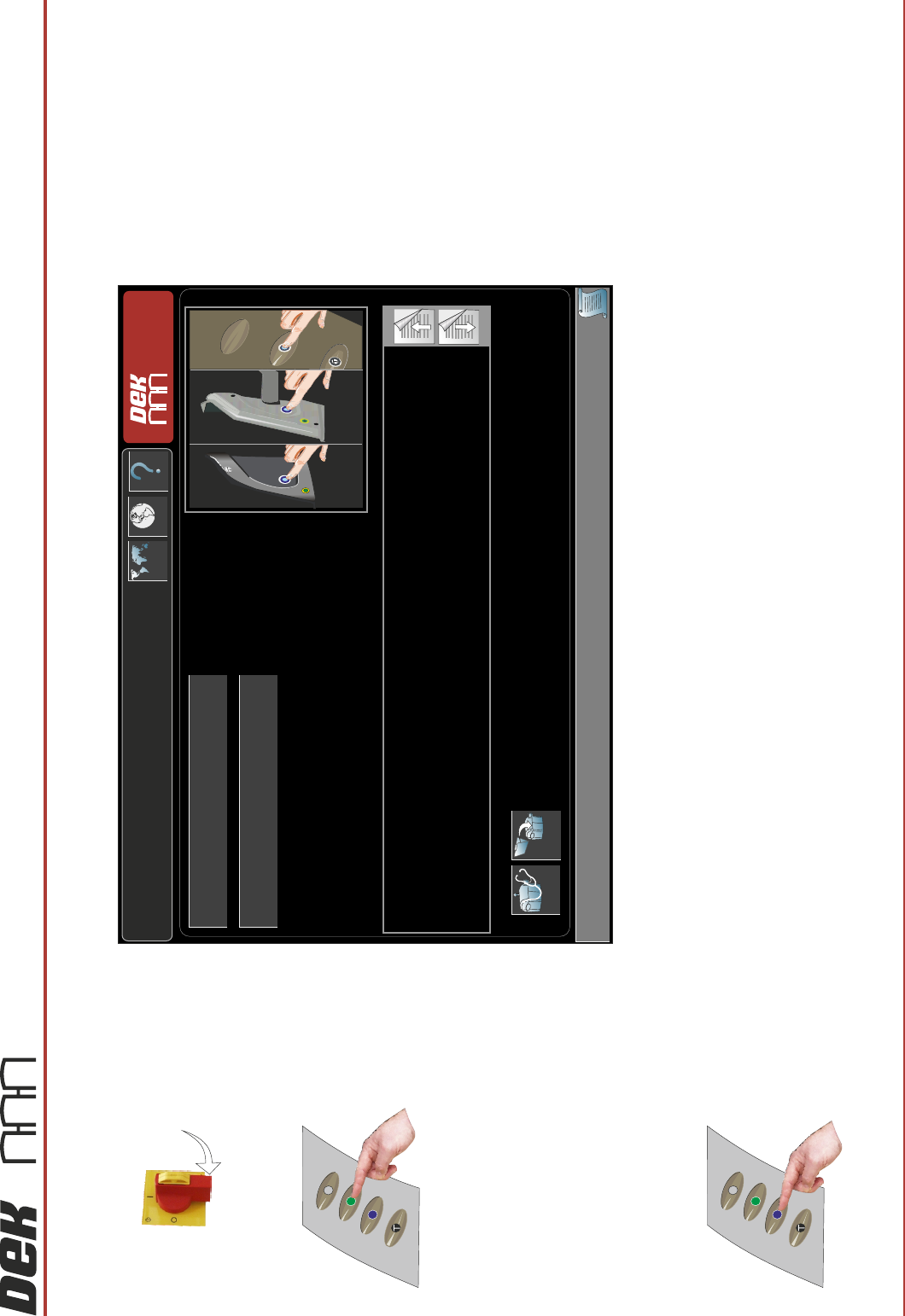
POWER UP
1. Switch the Mains Isolator On.
3. When the System Initialisation page is displayed, press the System button.
2. Press the Start button.
System Initialisation
Press the System button on the outer cover, to initialise the machine,
OR . . .
Select Diagnostics - to enter the machine’s diagnostic functions,
OR . . .
If the current product file needs to be changed, select Load Product to load another product file.
Diagnostics Load
Product Name
Product ID
DEK
Interactiv

Appendix to Micron Technical Manuals
APPENDIX B
Installation Information