196396 Iss 2 Nov 2015 - Semi Appendix Manual.pdf - 第136页
PREVENTIVE MAINTENANCE CLEANING, LUBRICATION A ND MAINTENA NCE DIAGRAMS Chapter Issue 5, Aug 14 Technical Reference Manual 28.75 VF35i V acuum Filtration Unit T o replace any of the filters in the V acuum Filtration Unit…
PREVENTIVE MAINTENANCE
CLEANING, LUBRICATION AND MAINTENANCE DIAGRAMS
28.74 Technical Reference Manual Chapter Issue 5, Aug 14
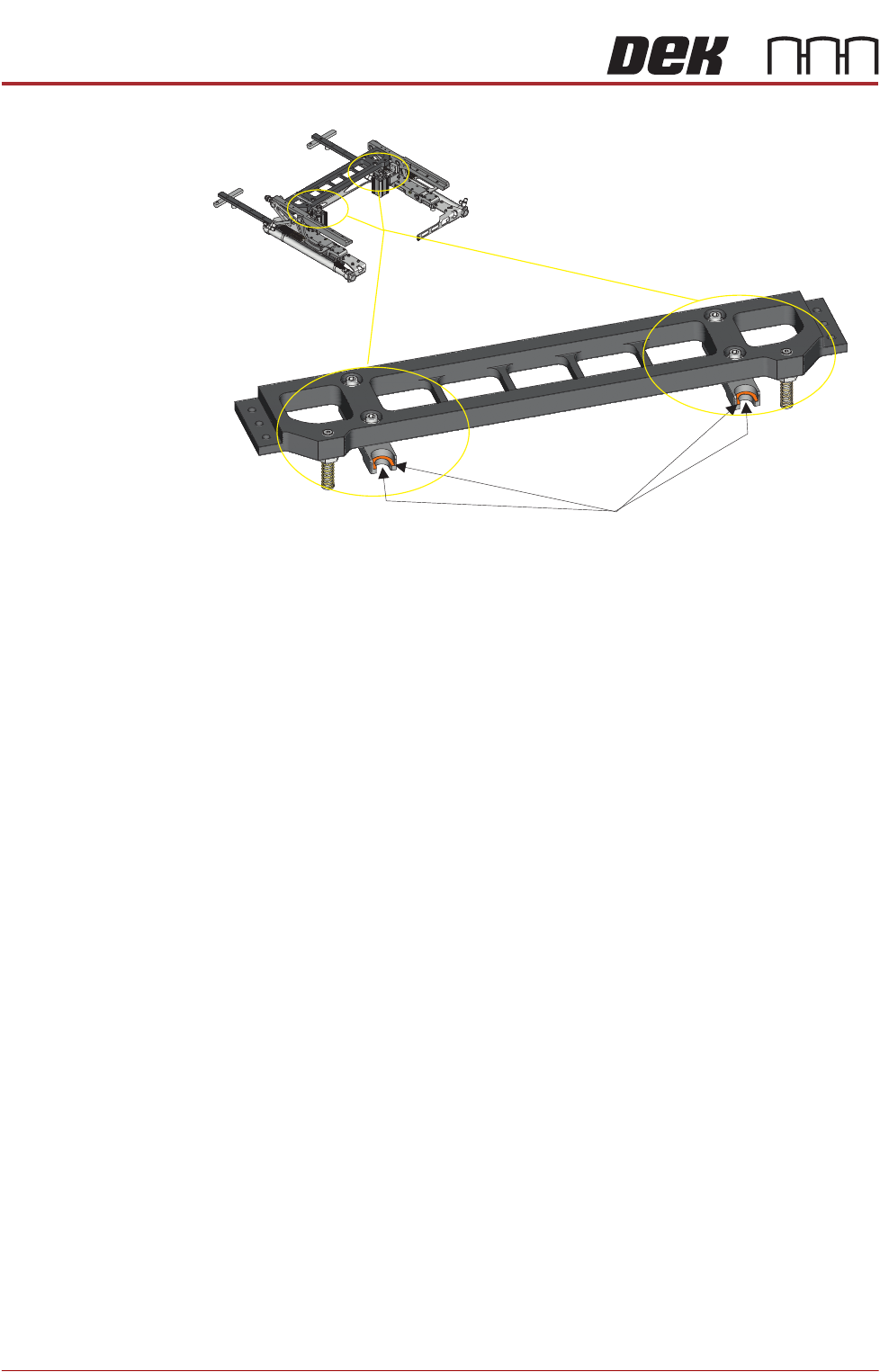
Figure 28-16 Grease the TRS Pull Down Reference Forks
Apply a small amount of grease to the cleaned fork groove and underside area
PREVENTIVE MAINTENANCE
CLEANING, LUBRICATION AND MAINTENANCE DIAGRAMS
Chapter Issue 5, Aug 14 Technical Reference Manual 28.75
VF35i Vacuum
Filtration Unit
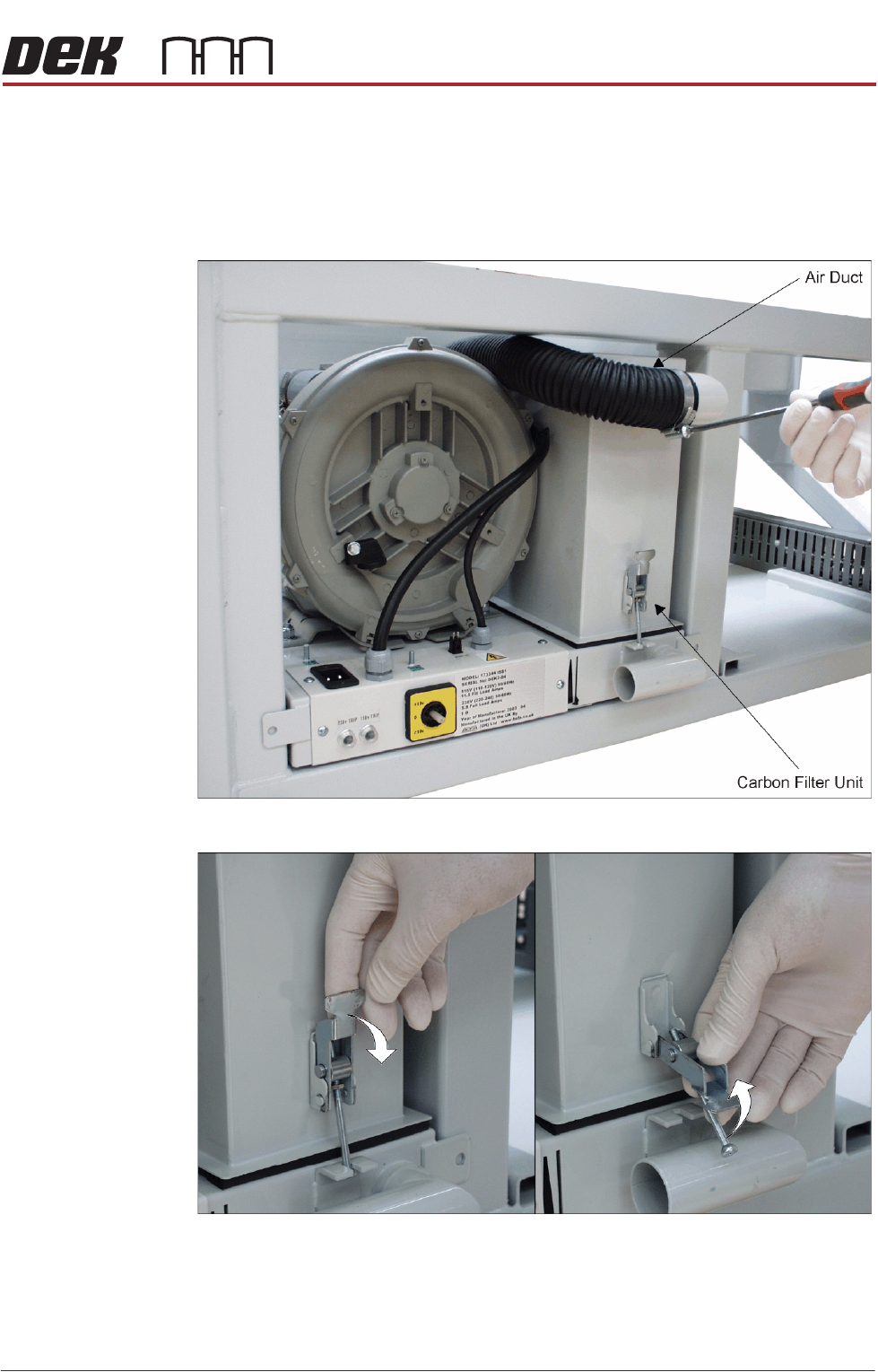
To replace any of the filters in the Vacuum Filtration Unit, carry out the following:
1. Ensure the machine is switched OFF.
2. Remove the machine front panel.
3. Remove the air duct from the carbon filter unit using a screwdriver or box
spanner to release the securing clip.
4. Release the filter retaining clip to detach the filters from the base unit.
PREVENTIVE MAINTENANCE
CLEANING, LUBRICATION AND MAINTENANCE DIAGRAMS
28.76 Technical Reference Manual Chapter Issue 5, Aug 14
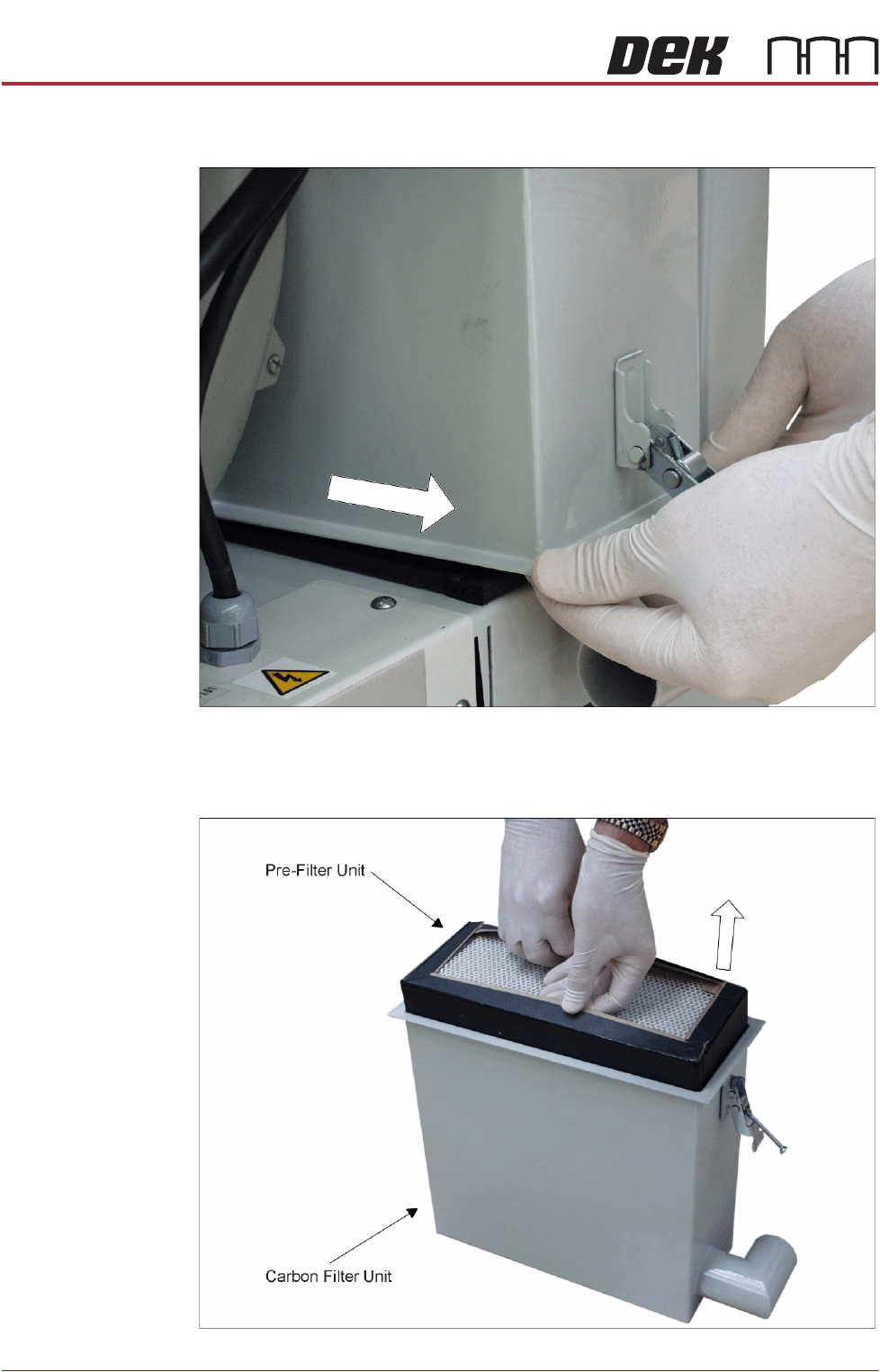
5. The back of the carbon filter unit is secured beneath a filter securing bracket.
To remove the filter, lift the front and pull the filter out of the machine.
6. Turn the filter unit upside down.
7. To separate the pre-filter unit from the carbon filter unit, pull the pre-filter
upwards using the pre-filter frame.