196396 Iss 2 Nov 2015 - Semi Appendix Manual.pdf - 第15页
SAFETY FEATURES GENERAL Chapter Issue 4, Nov 14 Installation Manual 1.7 GENERAL DEK printi ng machines incorporate safet y features that pr ovide a safe operating environment f or the operator and the machine. EMO The ma…

Appendix to Micron Technical Manuals
SAFETY FEATURES
GENERAL
Chapter Issue 4, Nov 14 Installation Manual 1.7
GENERAL DEK printing machines incorporate safety features that provide a safe operating
environment for the operator and the machine.
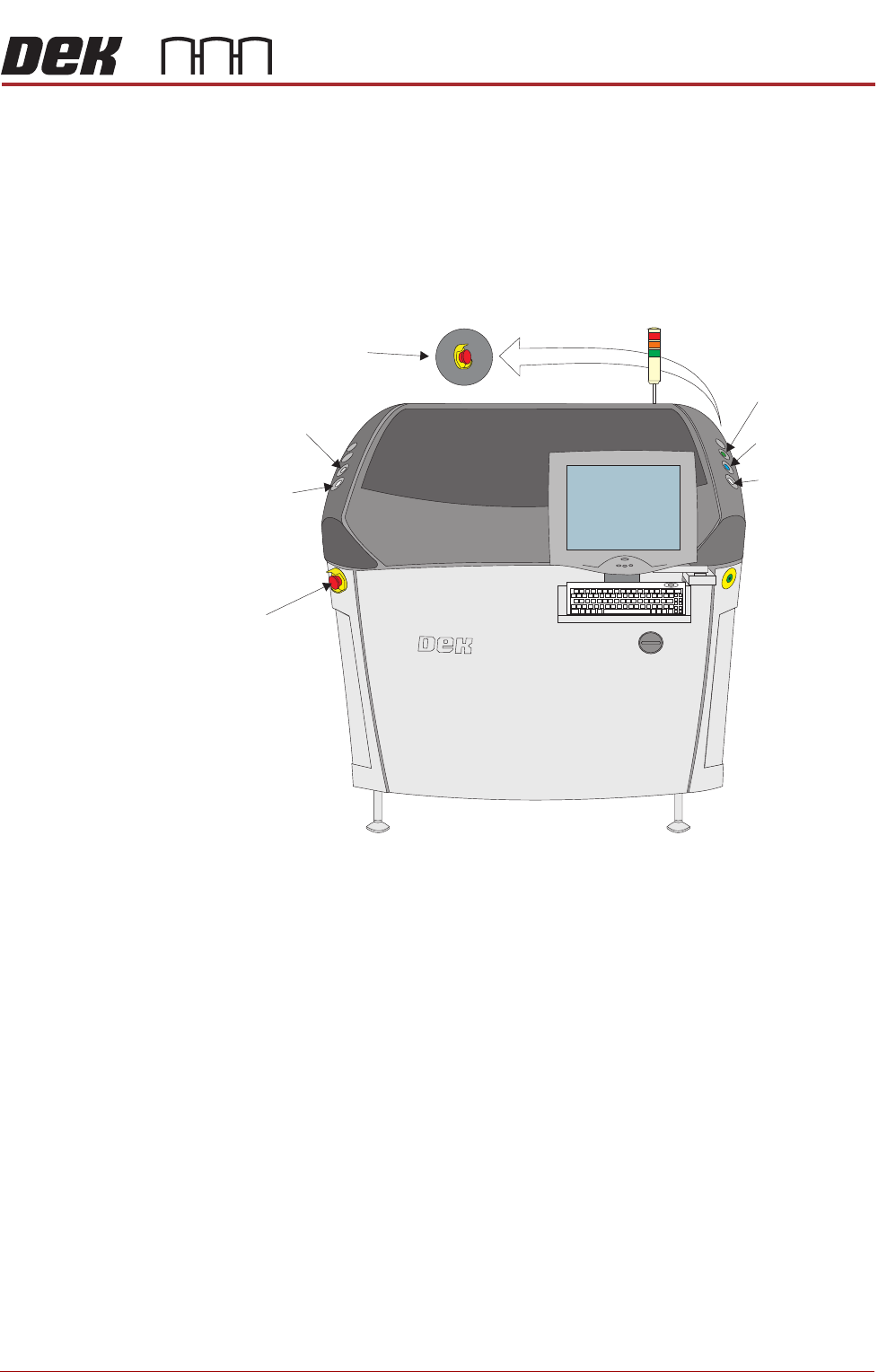
EMO The machine is fitted with two Emergency Machine Off push button control
switches (EMO’s) located at the front and rear of the machine. Operation of an
EMO shuts down the machine.
Cover The printhead cover is fitted with a cam interlock switch to protect personnel
from internal moving parts.
Figure 1-1 Machine Controls
Lid Bolt A pneumatically operated lid bolt is fitted to prevent the front printhead cover
from being raised during the print cycle.
The lid bolt is withdrawn and the printhead cover may be raised:
• When Open Cover is requested by software
• When pause or stop is selected during a print cycle
• When the EMO is pressed
Safety Devices The safety features designed into this machine are for the protection of all
operator and maintenance personnel. ASM strongly recommend safety
devices are never overridden.
Left
Jog Button
System Button
EMO
Right
Jog Button
View on Front of Machine
Start Button
EMO (at rear)
Internal Light
SAFETY FEATURES
GENERAL
1.8 Installation Manual Chapter Issue 4, Nov 14
Two Button
Control Switches
The two button control switches or jog switches are positioned such as to
maintain maximum safety for the operator whilst solvent priming or paper
feeding with the printhead cover open. This requires both buttons to be
depressed simultaneously for the function to become active. The use of these
buttons is dependent on the function selected on the machine monitor. During
normal operation these buttons control paper feed and solvent prime opera-
tions. When in maintenance mode, the two button control switches control the
following diagnostics:
• Print Carriage
• Squeegee Assembly
• Camera Axes
• Rail System
• Screen Alignment
• Rising Table
Only one button is required to drive the selected mechanism, the two buttons
are used to drive the mechanism in opposite directions, ie jog forward or jog
back.
Emergency
Shutdown
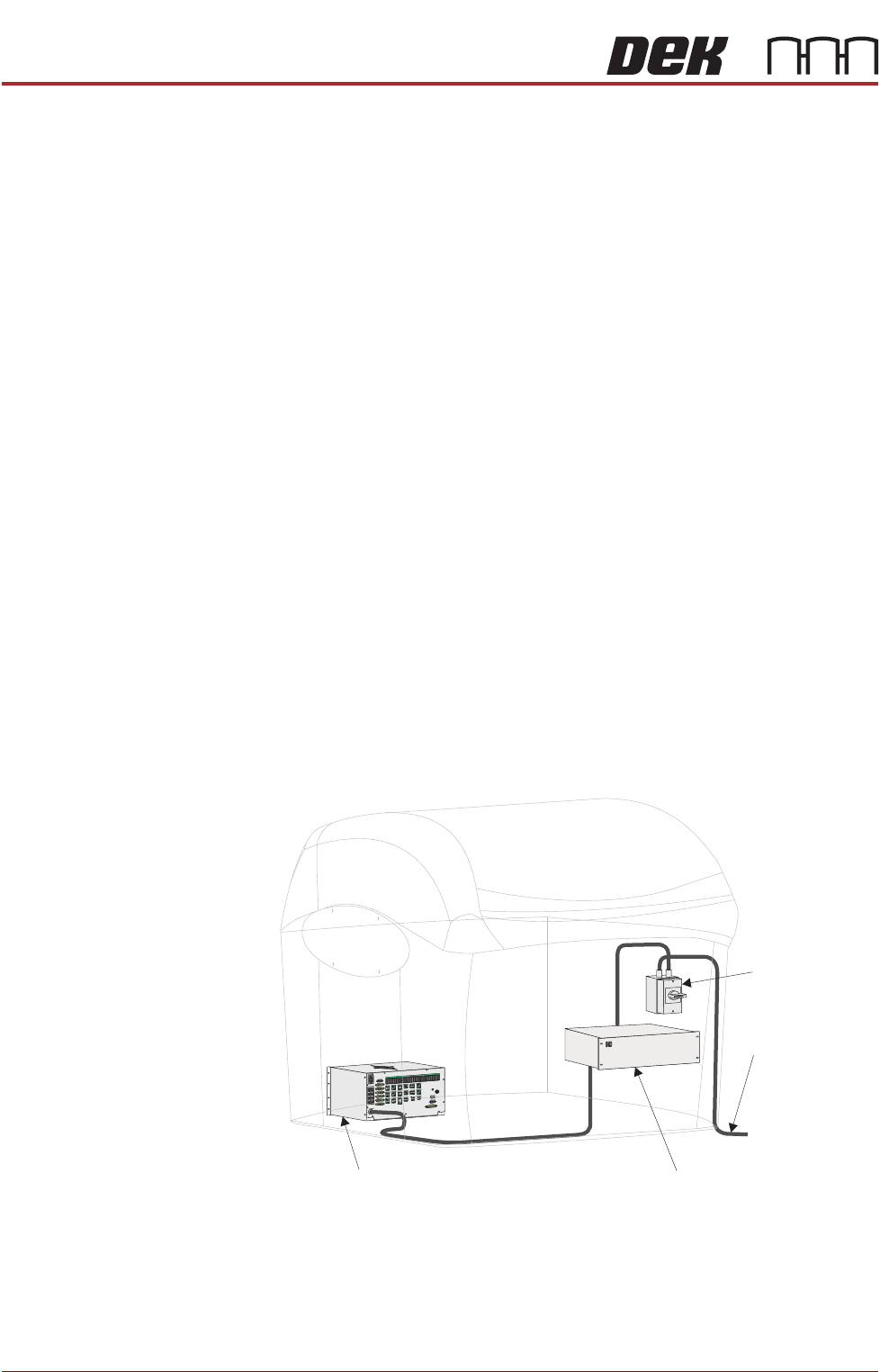
If an emergency stop is initiated via the EMO, all power and pneumatics to the
machine are removed. Electrical power remains to the M39 EMO enclosure via
the mains isolator but is removed from there to the M37 power supply unit.
Switching mains isolator to OFF removes electrical power from the M39 EMO
enclosure. Pneumatic supply is also closed off and any pressurised air remain-
ing within the machine’s system is vented via the pneumatic dump valve.
Figure 1-2 Mains Electrical Supply
From Factory
Mains Supply
Mains Isolator
Switch
M37 Power Supply Enclosure
M39 EMO Enclosure