196396 Iss 2 Nov 2015 - Semi Appendix Manual.pdf - 第25页
COVERS PRINTER COVERS Chapter Issue 4, Nov 14 Installation Manual 2.11 6. Leaving the switc h release tool in posi tion, pull the cont act assembly from the switc h body . 7. Remove the switch releas e tool from the cont…
COVERS
PRINTER COVERS
2.10 Installation Manual Chapter Issue 4, Nov 14
3. Remove the corresponding safety cover (as detailed previously).
NOTE
Before the upper side panel can be removed, the control switches (system
switch, jog switch etc.) must be disconnected in the following manner.
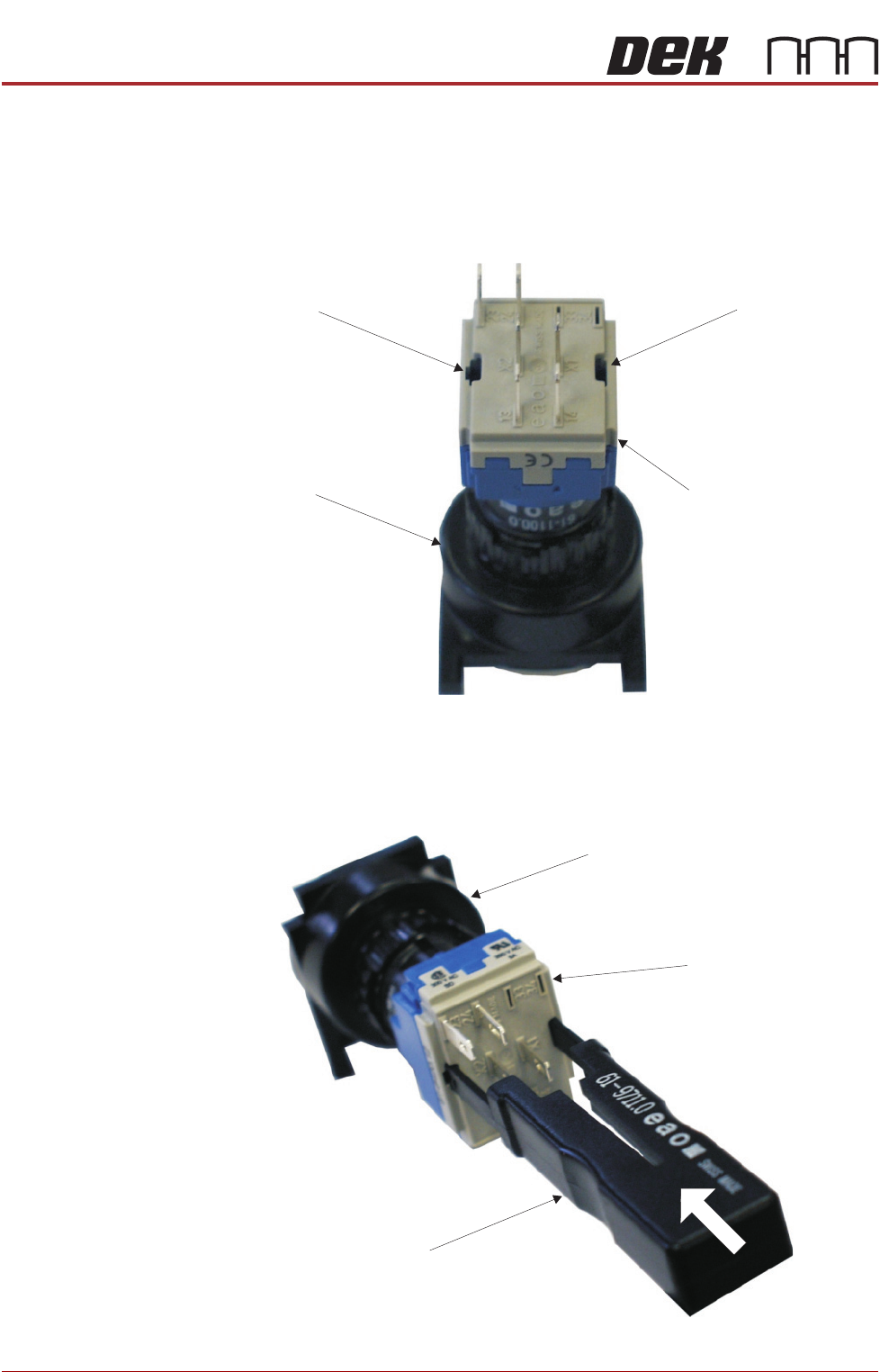
4. Locate the two release slots in the contact assembly part of the switch.
5. Insert the switch release tool (Part No 188647) into the slots and push until
the release tool clicks into place.
Contact AssemblySwitch Body
Release SlotRelease Slot
View on Rear of Switch
View on Rear of Switch
Switch Release Tool
Switch Body
Contact Assembly
COVERS
PRINTER COVERS
Chapter Issue 4, Nov 14 Installation Manual 2.11
6. Leaving the switch release tool in position, pull the contact assembly from
the switch body.
7. Remove the switch release tool from the contact assembly.
NOTE
To refit the contact assembly to the switch body, using the locating keyway,
push the two units together until they click into place.
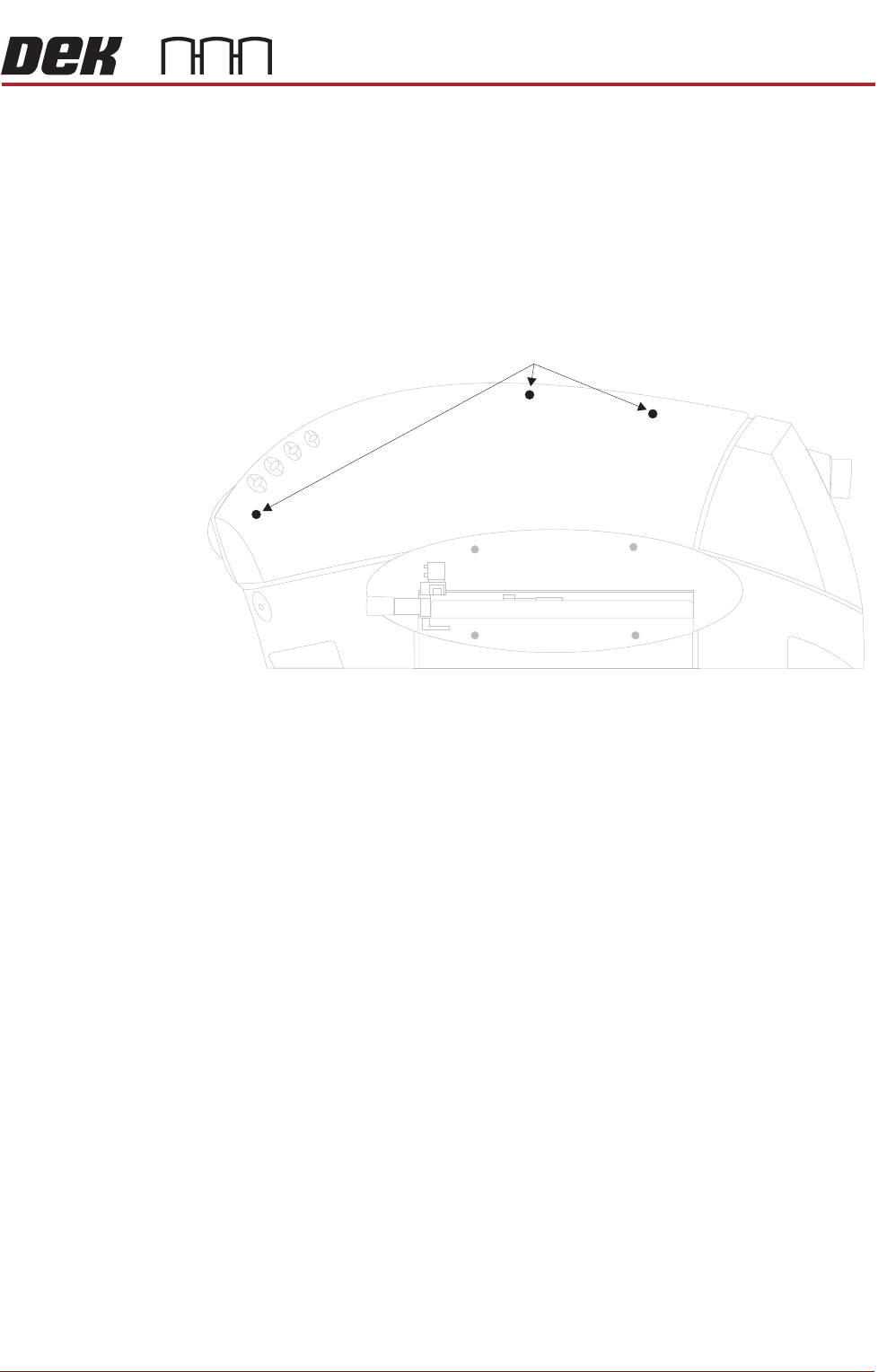
8. Release the three quarter-turn fasteners that secure the upper side panel
and remove the panel.
9. Repeat Steps 3 to 8 for the other side panel, if required.
Front Corner
Panels
To remove the front corner panels, carry out the following:
1. Remove the front panel.
2. Remove the corresponding upper side panel (as detailed previously).
Upper Side Panel Quarter-Turn Fasteners
COVERS
PRINTER COVERS
2.12 Installation Manual Chapter Issue 4, Nov 14
3. To remove the left hand front corner panel only, the front EMO switch must
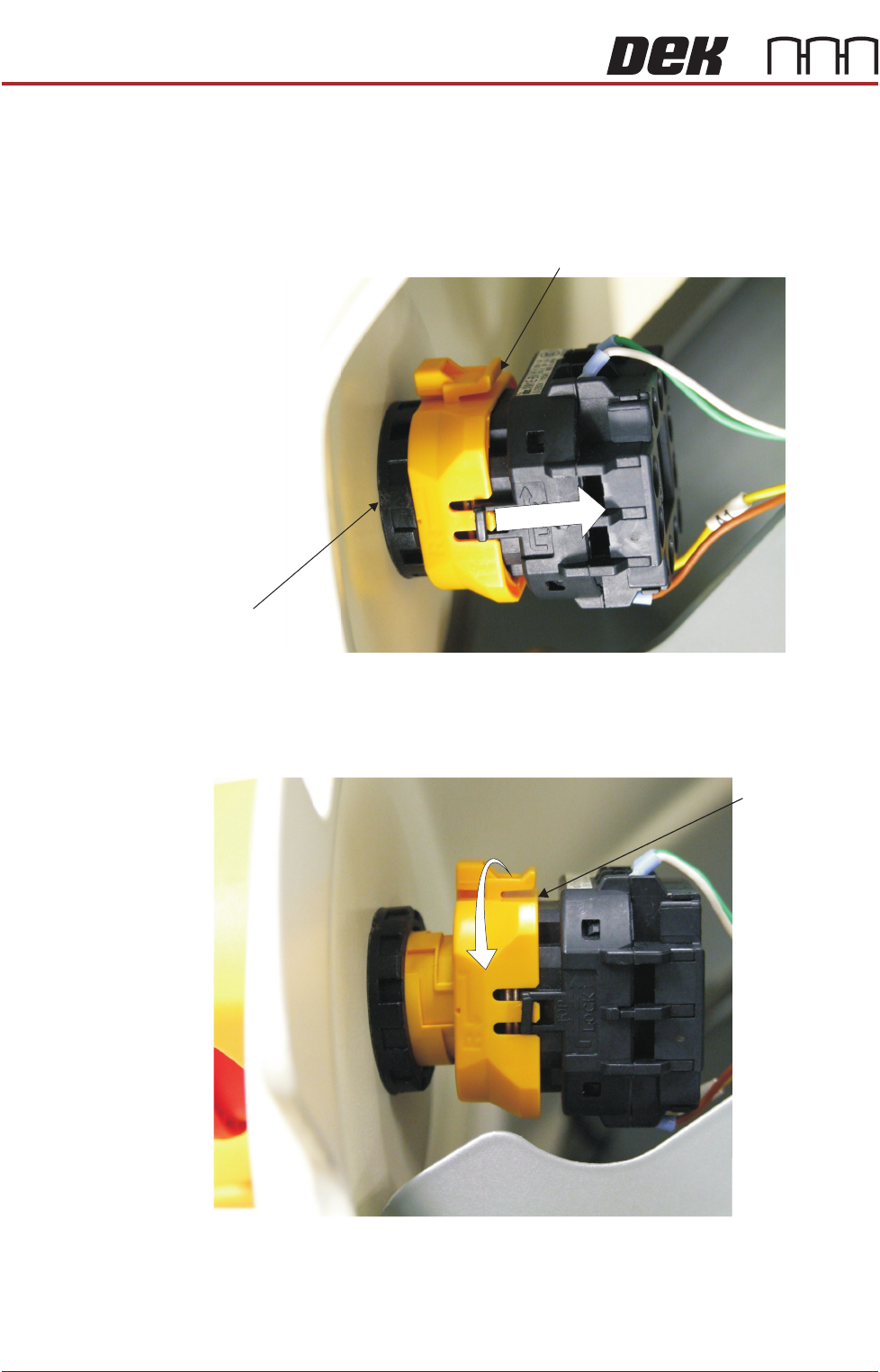
be disconnected. To disconnect the EMO carry out the following:
a. Locate the yellow locking collar at the rear of the switch.
b. Slide the collar rearwards towards the switch contact assembly against
spring pressure.
4. Viewed from the rear of the switch, rotate the locking collar anticlockwise
to release the contact assembly from the switch body.
Locking Collar
EMO Switch
View From Inside Front Left Hand Corner Panel
Locking Collar
View From Inside Front Left Hand Corner Panel