00197044-02_IM_706_1_DE_EN.pdf - 第40页
Station S oftware 706. 1 / Install ation Man ual Ausgabe 11/2012 E dit ion 40 ► To do this, open th e St art menu and s elect P rogra ms SIPL ACE Shutdown Vi sion_SR (all) . Figure 6-4 : Shutting down the machine com…
Station Software 706.1 / Installation Manual Ausgabe 11/2012 Edition
39
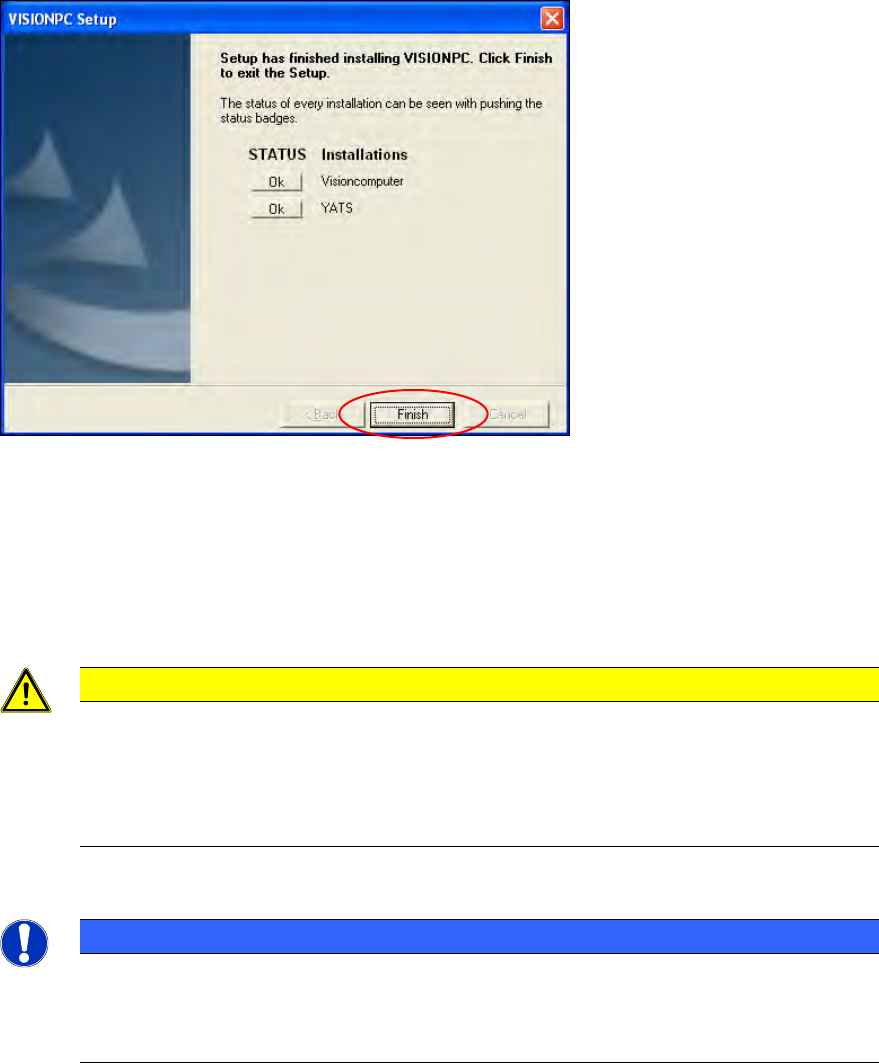
Figure 6-3: Finalizing the installation
► Click the Finish button.
► Reconnect the USB keyboard to the machine computer.
► Reconnect the USB DVD drive to the machine computer.
► Switch the video multiplexer from the Vision computer to the machine computer.
CAUTION
► Wait a few seconds after you have clicked the Finish button, before you shut down
and switch off the computer / the machine!
As some installation steps are not performed until the end of the installation by the
InstallShield, the installation might otherwise be incomplete, what may cause
problems during further installations.
NOTICE
To establish the connection between the SIPLACE Vision computer software and the
SIPLACE station software after installation has been completed, the Vision computer
and the machine computer must first be shut down and the machine must then be
switched off completely.
Station Software 706.1 / Installation Manual Ausgabe 11/2012 Edition
40
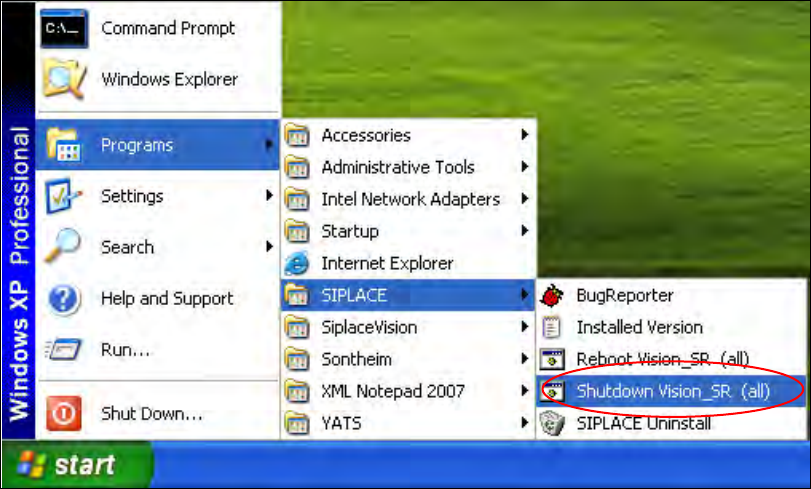
► To do this, open the Start menu and select Programs
SIPLACE
Shutdown Vision_SR
(all).
Figure 6-4: Shutting down the machine computer and Vision computer
► Switch the machine off when the computer systems have shut down.
► Switch the machine back on again. This then reboots the Vision computer and the machine
computer.
Station Software 706.1 / Installation Manual Ausgabe 11/2012 Edition
41
7 First Booting after Installation
When a machine is booted for the first time after installation, the station software detects which
hardware components are used via the Auto-configuration feature and configures itself accordingly.
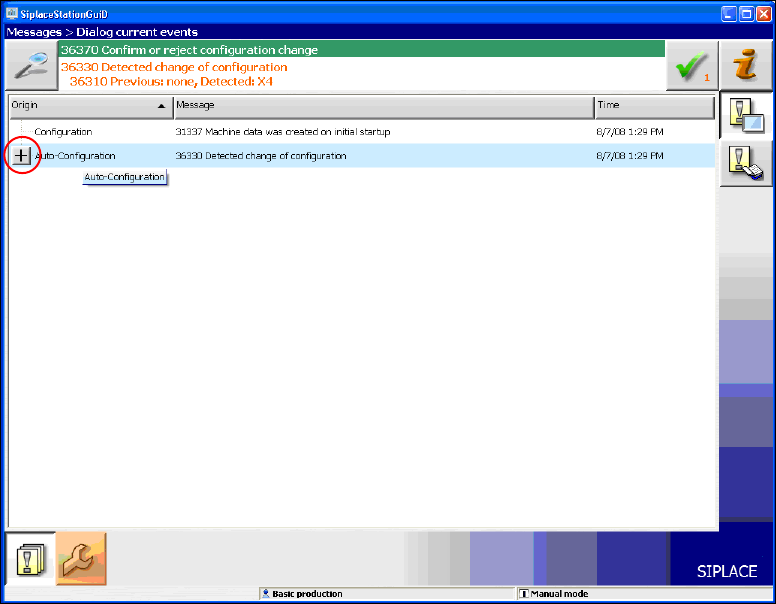
The operator is prompted to confirm or reject the Auto-configuration on the GUI.
Figure 7-1: Auto-configuration
► Click the + sign in front of Auto-configuration to open the configuration list.
The used hardware components are displayed.