00197044-02_IM_706_1_DE_EN.pdf - 第55页
Station S oftware 706. 1 / Install ation Man ual Ausgabe 11/2012 E dit ion 55 9 Uninsta lling the V ision C omputer S o f tw a r e If it is neces sar y to unins tall t he Vision c om puter sof tware m anuall y, this m us…
Station Software 706.1 / Installation Manual Ausgabe 11/2012 Edition
54
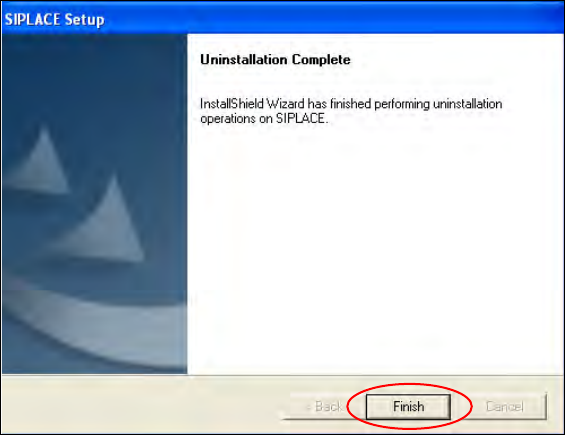
The installation program now uninstalls all SIPLACE software.
Figure 8-4: Finalizing uninstallation
► Click the Finish button.
The SIPLACE software has now been uninstalled correctly.
Station Software 706.1 / Installation Manual Ausgabe 11/2012 Edition
55
9 Uninstalling the Vision Computer Software
If it is necessary to uninstall the Vision computer software manually, this must be done in one of the
ways described below.
NOTICE
You must be logged in as Administrator to uninstall the software.
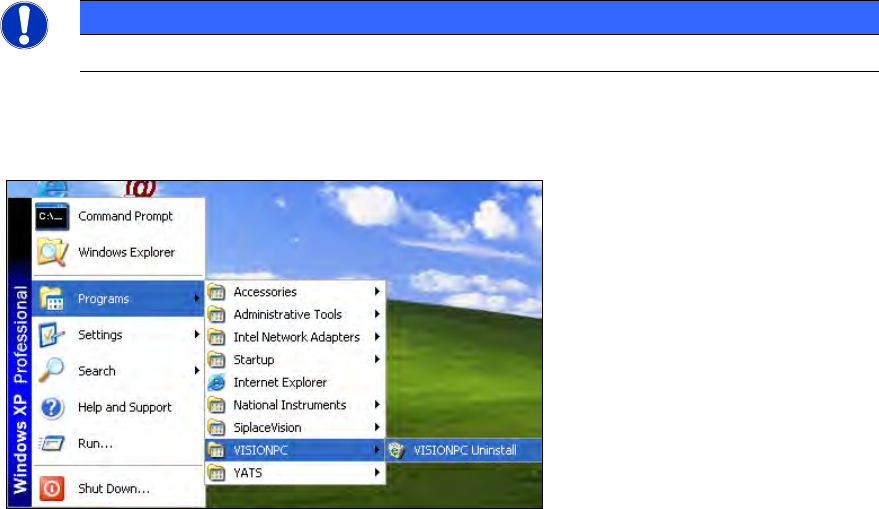
► Open the Start menu and select Programs
VISIONPC
VISIONPC Uninstall (or Coplan
VISIONPC Uninstall if Coplan is installed).
Figure 9-1: Starting uninstallation (alternative 1)
Or:
► Open the Start menu and select Settings
Control Panel.
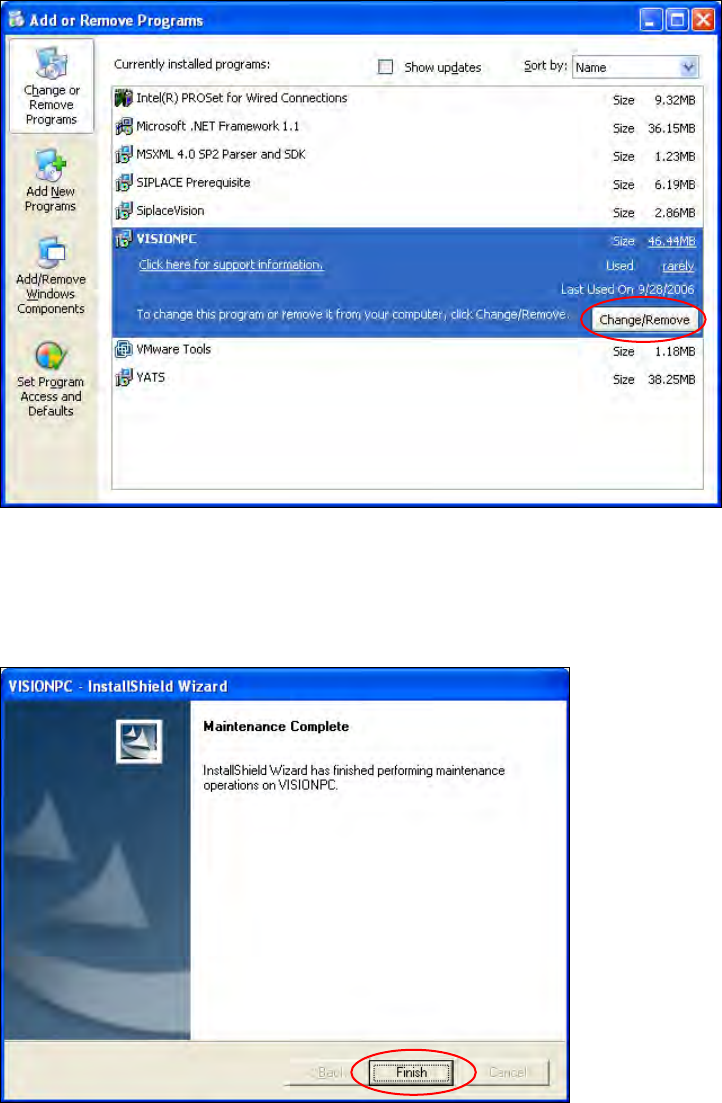
► Double-click Add/Remove Programs.
Station Software 706.1 / Installation Manual Ausgabe 11/2012 Edition
56
Figure 9-2: Starting uninstallation (alternative 2)
► Select VISIONPC (or Coplan VISIONPC if Coplan is installed) from the list of installed
programs.
► Click the Change/Remove button.
Figure 9-3: Finalizing uninstallation
► Click the Finish button.
The Vision computer software has now been uninstalled correctly.