00193431-03.pdf - 第42页
2 Assembly instructions Long Board Option SIPL ACE HS-50 HS-50 Modification Long Board Option 03/2007 Edition 42 2.2 Sof tware 2.2.1 SIT EST : Switch to the SITEST program. : Select “Conveyor” –> “PCB conveyor”. : Cha…
HS-50 Modification Long Board Option 2 Assembly instructions Long Board Option SIPLACE HS-50
03/2007 Edition
41
2
2
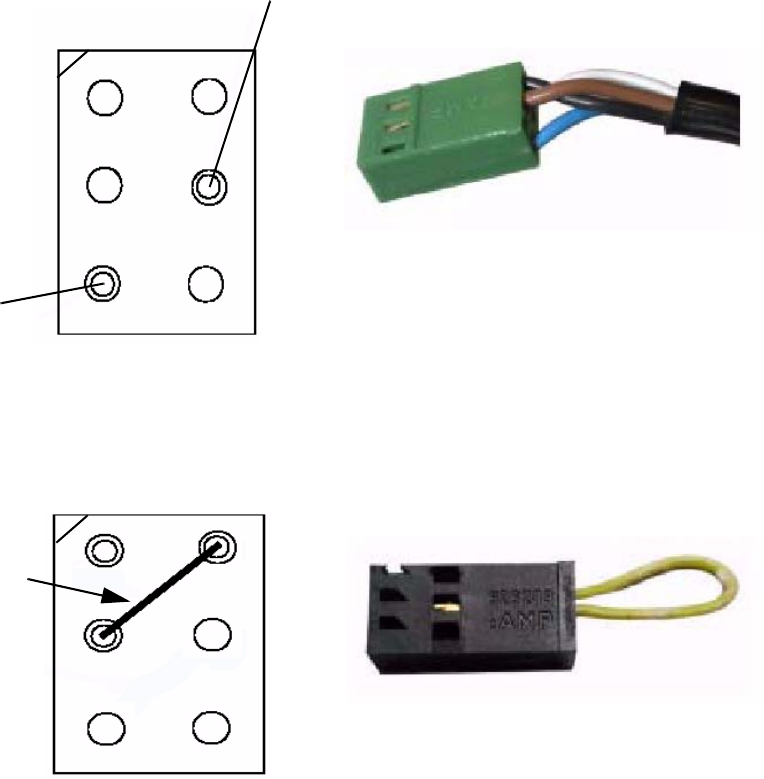
: Plug the cables in at the appropriate positions (see diagrams above and below).
: Close the protective covers.
: Switch the placement machine on at the main switch.
2
Light sensor WT4-2P330 connection
Plug: X16
cable length: 190 cm
White
Key
Coding plug: X19
Jumper
Brown
Black
Blue
Key
2 Assembly instructions Long Board Option SIPLACE HS-50 HS-50 Modification Long Board Option
03/2007 Edition
42
2.2 Software
2.2.1 SITEST
: Switch to the SITEST program.
: Select “Conveyor” –> “PCB conveyor”.
: Change the transport mode: Select “Long PCB with additional stopper” and confirm your sel-
ection.
: Start the station software.
2.2.2 Line computer
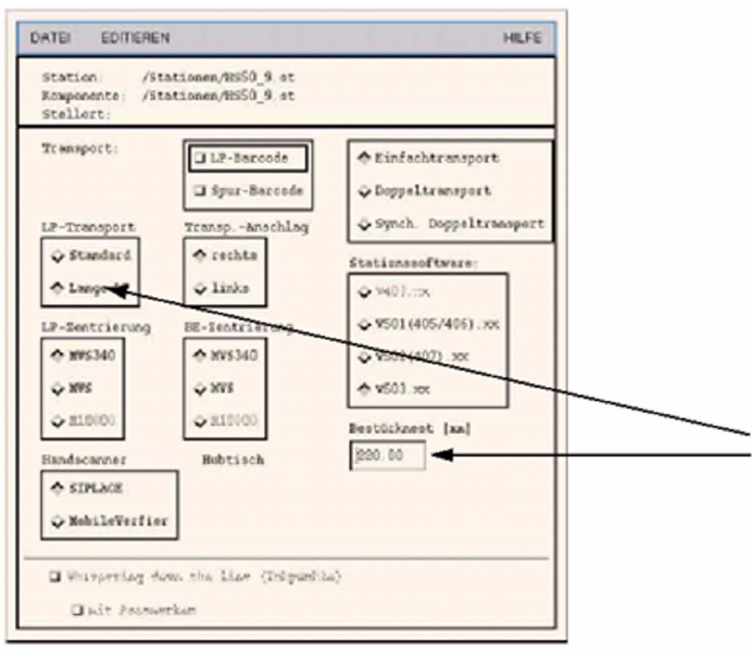
: Load the options from the CD-ROM.
: In the station configuration / component editor, activate “Long PCB” under PCB conveyor.
2
2
HS-50 Modification Long Board Option 2 Assembly instructions Long Board Option SIPLACE HS-50
03/2007 Edition
43
: Enter the placement offset (= distance old stopper – new stopper).
Press “Enter” to confirm.
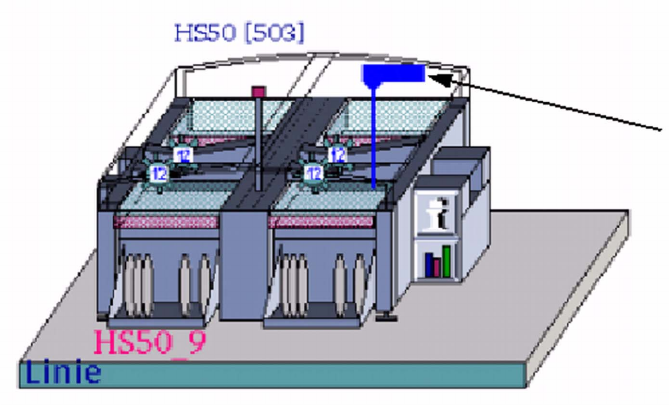
A blue flag with the offset value then appears on the output conveyor in the machine display on
the desktop. 2
2
2
A large PCB must be programmed with a correspondingly large number of fiducials (up to 6 per
fiducial set). 3 2
2
2
2
2
Blue flag