00194440-10_SM_X-Series_Customer_en.pdf - 第181页
Service Work 3.6.16 Mapping Modular PCB Conveyor System Service Manual SIPLACE X Series 181 ► Select the Conveyor . ► Select the Mapping plate width as 30 0 mm. ► If you only have one mappin g plate available , select Pr…
Service Work
Modular PCB Conveyor System 3.6.16 Mapping
180 Service Manual SIPLACE X Series
3.6.16
3.6.16 Mapping
Mapping
Tools and Equipment
▪ Mapping test plate HF 508x450 [00373952-xx]
For X series single conveyor 450x508 mm, for dual conveyor rotated by 90°
▪ Mapping test plate 520x300 set [03076124-xx]
This special mapping plate was designed with a width of 300 mm for the quad lane machines. These
machines can only be mapped with this mapping plate, as the conveyor can not be set to a width of
450 mm.
Performing mapping
► Start SITEST.
► Start the overall reference run.
NOTICE
Use the calibration tool [03034148-xx] for the C&P20.
For all other placement heads and the glass mapping plate, use the new calibration tool version
3 [03010565-xx]. This applies for HF, X and D series machines plus for PCB mapping and com-
ponent mapping.
NOTICE
SW70x
The procedure for the SW70x is identical.
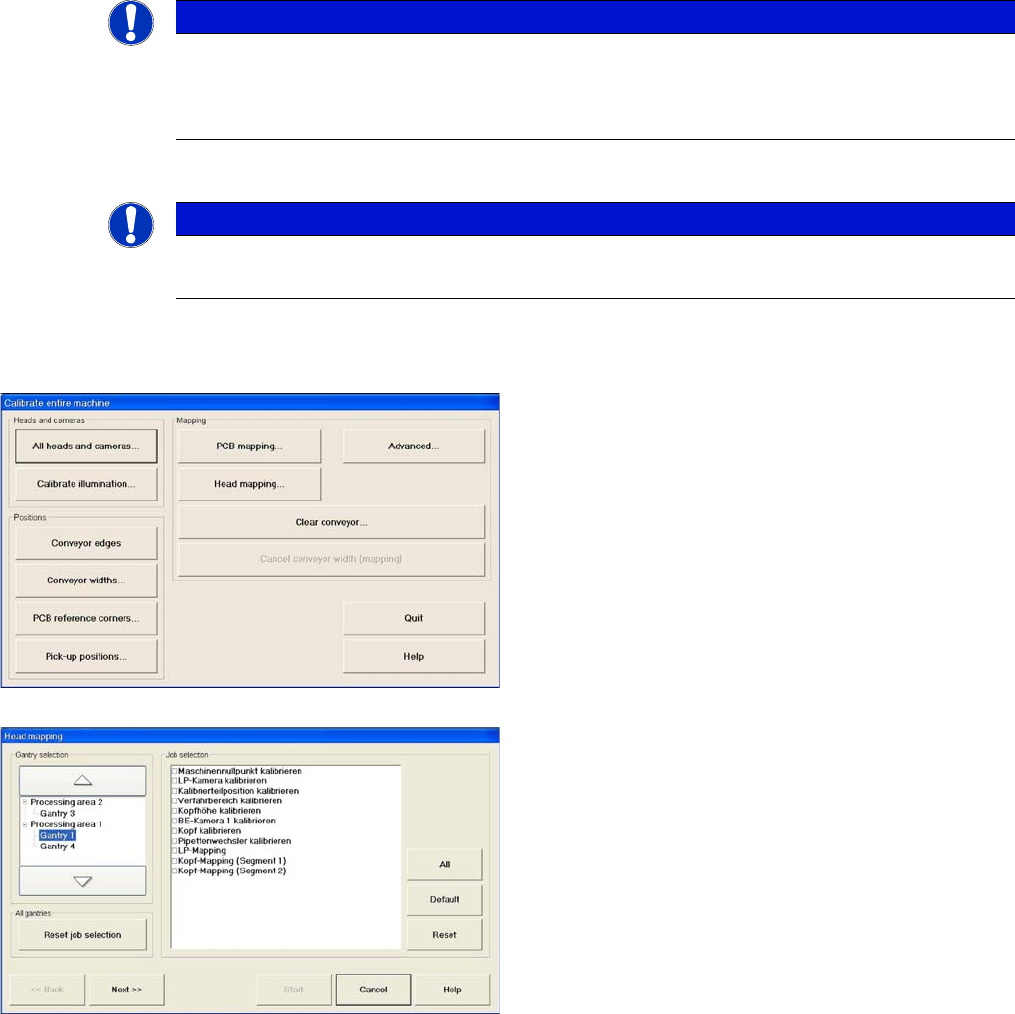
► Go to mode Calibrate machine and select Ad-
vanced... for advanced PCB mapping.
► Select the processing areas and the mapping func-
tions (jobs).
Service Work
3.6.16 Mapping Modular PCB Conveyor System
Service Manual SIPLACE X Series 181
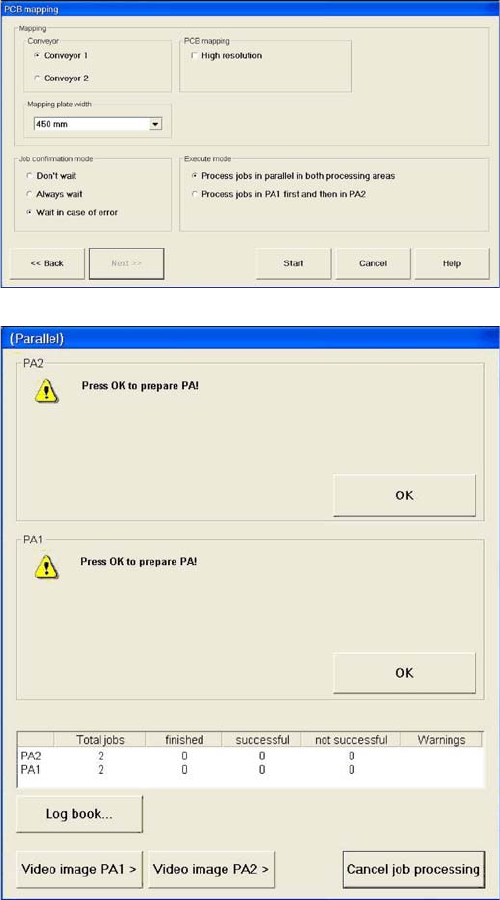
► Select the Conveyor .
► Select the Mapping plate width as 300 mm.
► If you only have one mapping plate available, select
Process jobs in PA1 first and then in PA2.
If you have two mapping plates available, select Pro-
cess jobs in parallel in both processing areas.
► Start the mapping procedure.
You will now be asked to prepare the placement are-
as.
Service Work
Modular PCB Conveyor System 3.6.16 Mapping
182 Service Manual SIPLACE X Series
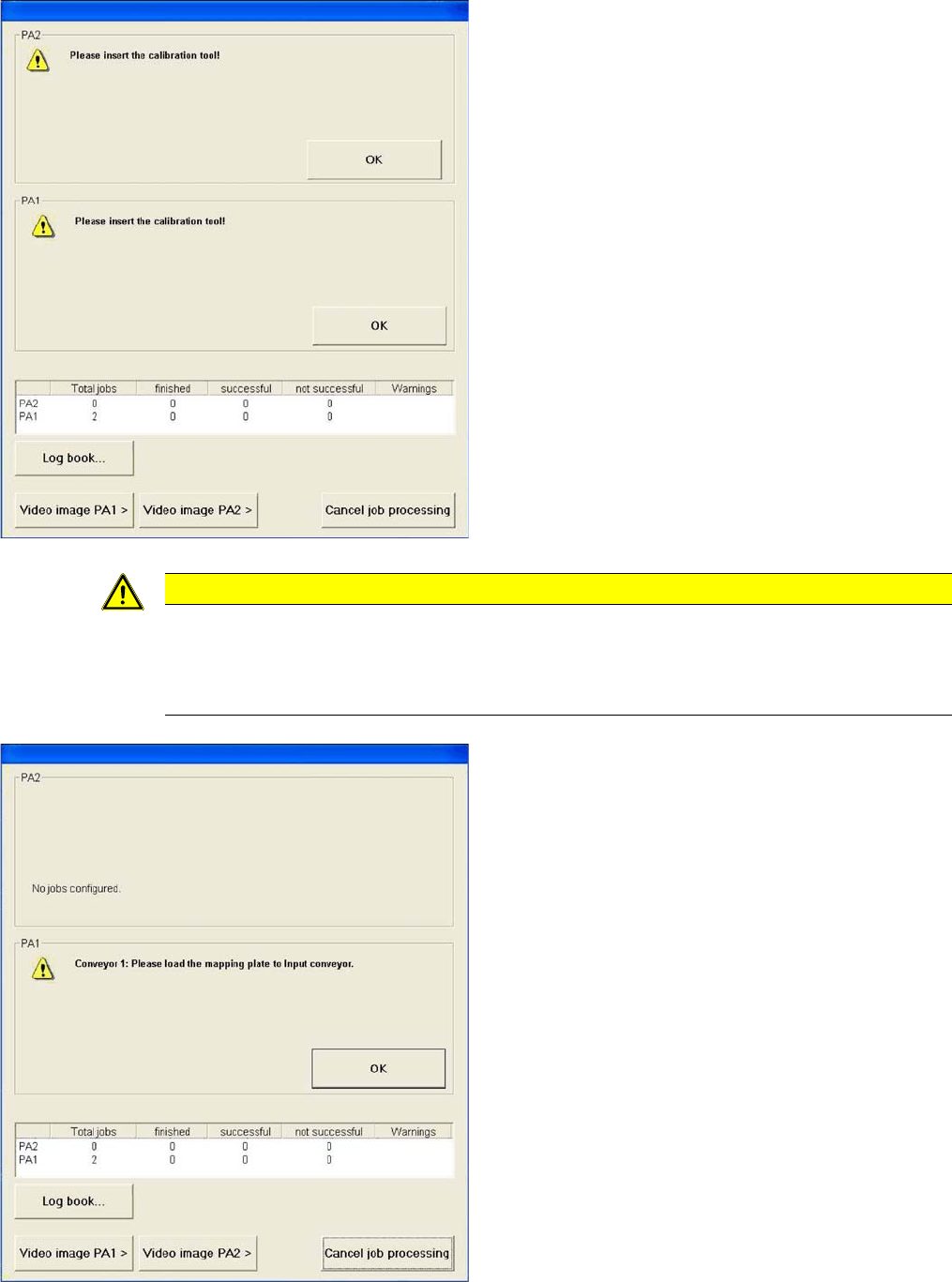
► You will now be asked to insert the calibration tool.
► The nozzle required for component mapping needs to
be set up on all heads.
If this is not the case, you will be asked to change the
nozzle accordingly.
► Read in the correction data.
CAUTION
► When you insert the mapping plate into the conveyor, always make sure that there are no
obstacles (e.g. board supports) on the conveyor lifting table!
► If options are fitted in the conveyor, always check first whether these could cause problems
for the mapping process, otherwise these might damage the mapping plate.
► Once the data is loaded, you will be asked to place
the mapping plate into the input conveyor.