00194440-10_SM_X-Series_Customer_en.pdf - 第189页
Service Work 3.6.21 Replacing and Setting the Stopper (QC) [03069271- xx] Modu lar PCB Conveyor System Service Manual SIPLACE X Series 189 3.6.21 3 . 6 . 2 1 R e p la c in g a n d S e t t in g t h e S t o p p e r ( Q C )…
Service Work
Modular PCB Conveyor System 3.6.20 Replacing the Sensor for the Lower End Position on the Stopper (QC)
188 Service Manual SIPLACE X Series
3.6.20
3.6.20 Replacing the Sensor for the Lower End Position on the Stopper (QC) [03066803-xx]
Replacing the Sensor for the Lower End Position on the Stopper (QC) [03066803-xx]
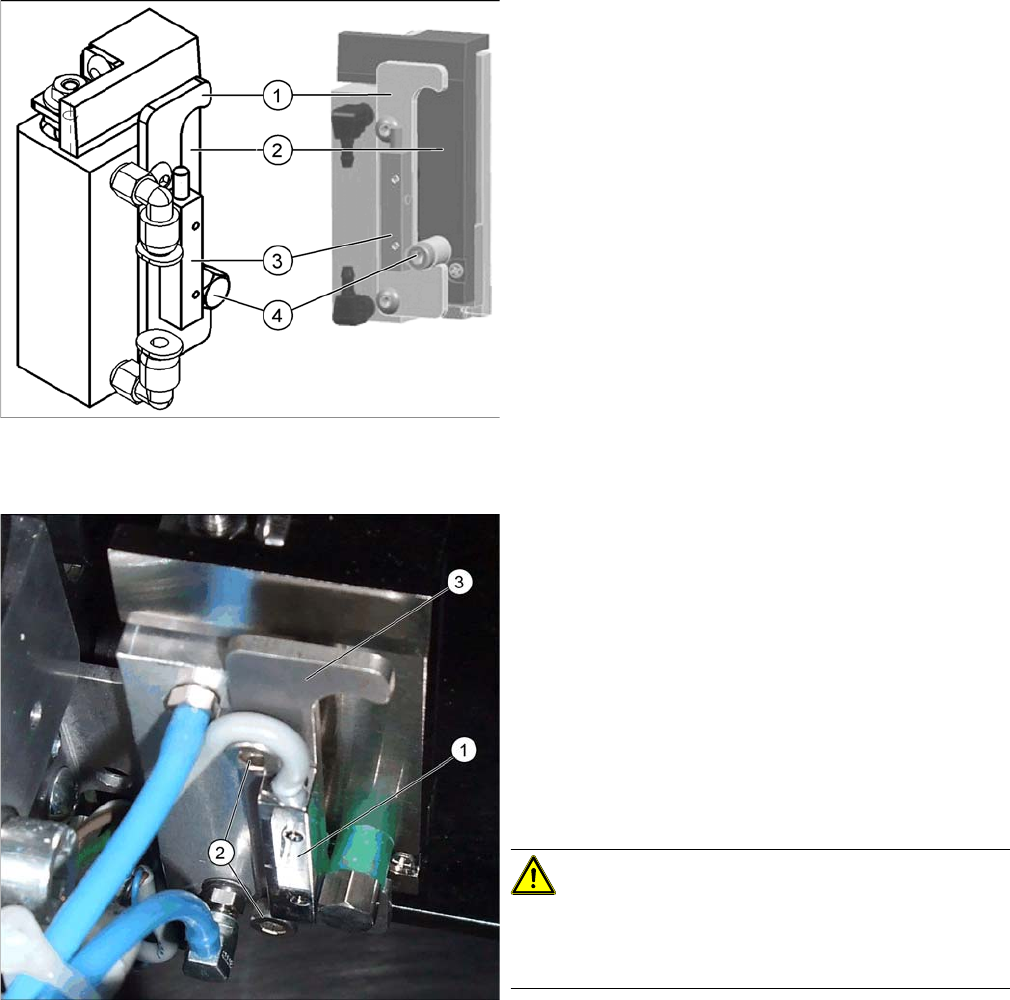
Overview
Removal/installation
1. Stroke limitation rail
2. Stop rail
3. Sensor lower end position stopper [03066803-xx]
4. Stopper bolt
1. Sensor for lower end position on stopper
2. Fastening screws for stop rail
3. Stop rail
► Switch off the machine.
► Loosen the two screws (2) fastening the stop rail.
► Loosen the two screws fastening the sensor to the
back of the stop rail.
► Unthread the sensor connection cable. If you need to
loosen cable clamps, mark their positions before re-
moval.
CAUTION!
Do not pull out the Z axis!
Do not pull the Z axis of the stopper too far out at the top,
otherwise the bearings could fall out!
► Fit the new sensor onto the stop rail. Fit the stop rail
but do not tighten the fastening screws (2) complete-
ly.
Service Work
3.6.21 Replacing and Setting the Stopper (QC) [03069271-xx] Modular PCB Conveyor System
Service Manual SIPLACE X Series 189
3.6.21
3.6.21 Replacing and Setting the Stopper (QC) [03069271-xx]
Replacing and Setting the Stopper (QC) [03069271-xx]
Overview
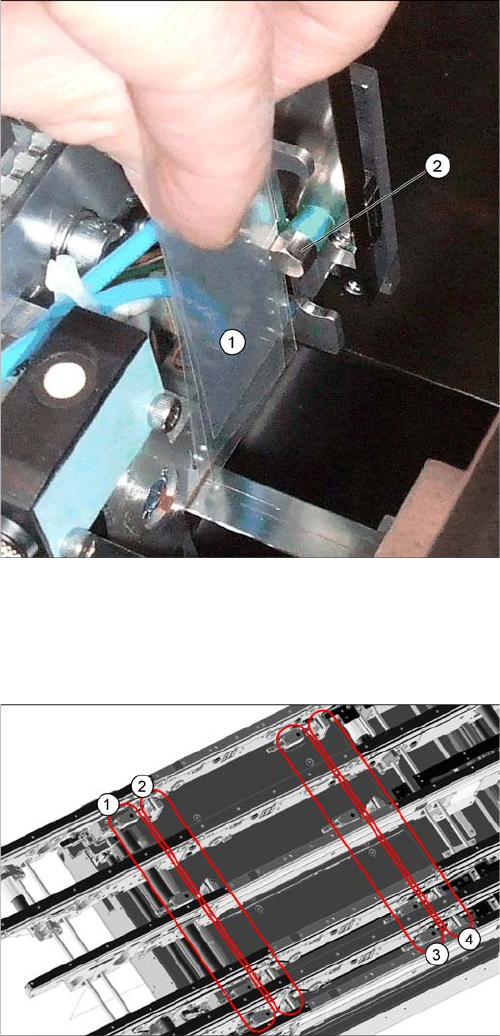
► Set the distance between the sensor and the stopper
bolts (2) over the entire length with a feeler gauge (1)
to 0.4 mm and then tighten the screws fastening the
stop rail.
► Reconnect the sensor and fasten the cable with cable
ties.
► Switch on the machine
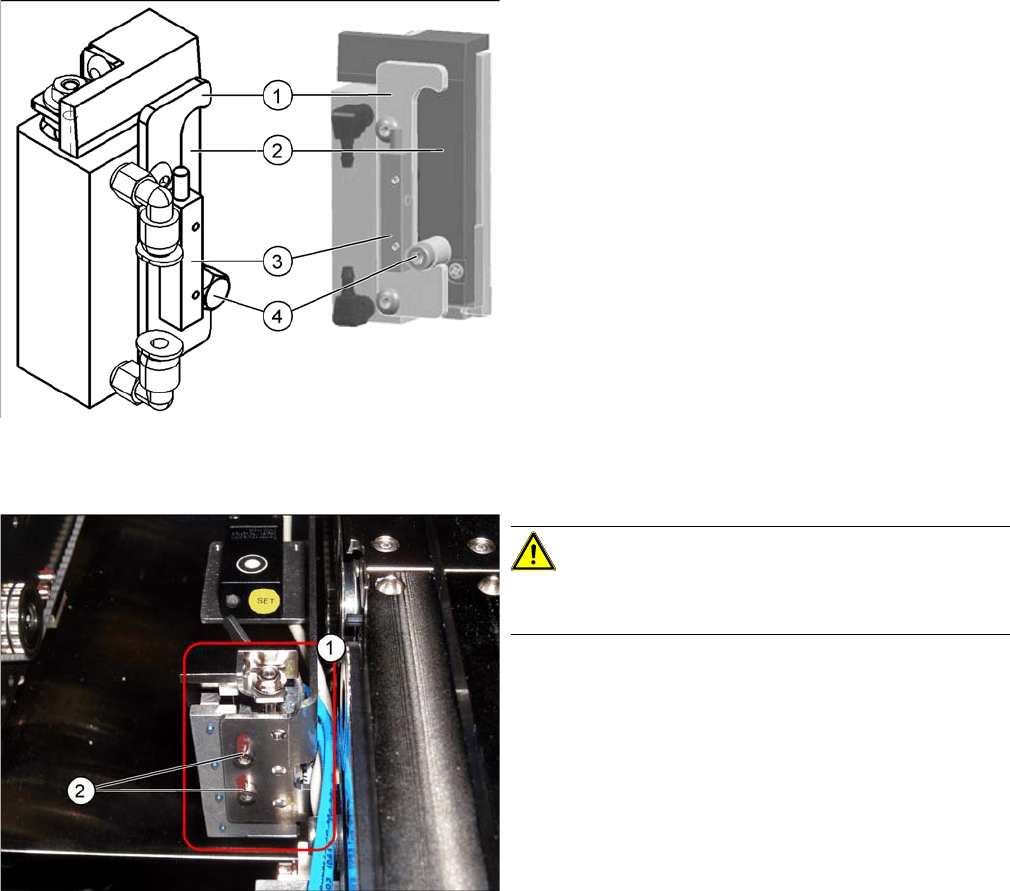
Quad lane conveyor – in the placement area
1. Stopper in input conveyor (four)
2. Stopper in placement area (four)
3. Proximity switches in input conveyor (four)
4. Proximity switches in placement area (four)
The stopper units in the input conveyor need to be dis-
mantled before you can replace spare parts. The stopper
units in the two placement areas may only be dismantled
from the assembly brackets if their positions are then re-
set with a setting gauge, after fitting. The screws need to
be sealed with locking varnish again.
Service Work
Modular PCB Conveyor System 3.6.21 Replacing and Setting the Stopper (QC) [03069271-xx]
190 Service Manual SIPLACE X Series
Removal
Basic stopper unit for quad lane [03069271-xx]
1. Stroke limitation rail
2. Stop rail
3. Sensor lower end position stopper [03066803-xx]
4. Stopper bolt
Stopper unit with sonar sensor in the placement area
CAUTION!
Dismantling is only possible if a setting gauge was used
for adjustment.
► Move the conveyor to a suitable position in which you
can easily access the stopper (1) . You may need to
undock the relevant component trolley.
► Loosen all electrical and pneumatic connections to
the stopper.
► Loosen the two screws (2) fastened with locking var-
nish and remove the stopper.