YS100_Mainte_E.pdf - 第104页
3-39 3 Periodic maintenance items 4.5 Checking spline shaft operation 4.5.1 Checking spline shaft Z-axis operation T he following describes the operation inspecting of the spline shaft Z-axis. e 1 Mo ve the head unit. 1.…
3-38
3
Periodic maintenance items
4.4.2 Checking the negative pressure
After cleaning the spline shafts, check the negative pressure.
1
After cleaning, check the vacuum
levels.
1. Leave nozzles detached from the heads.
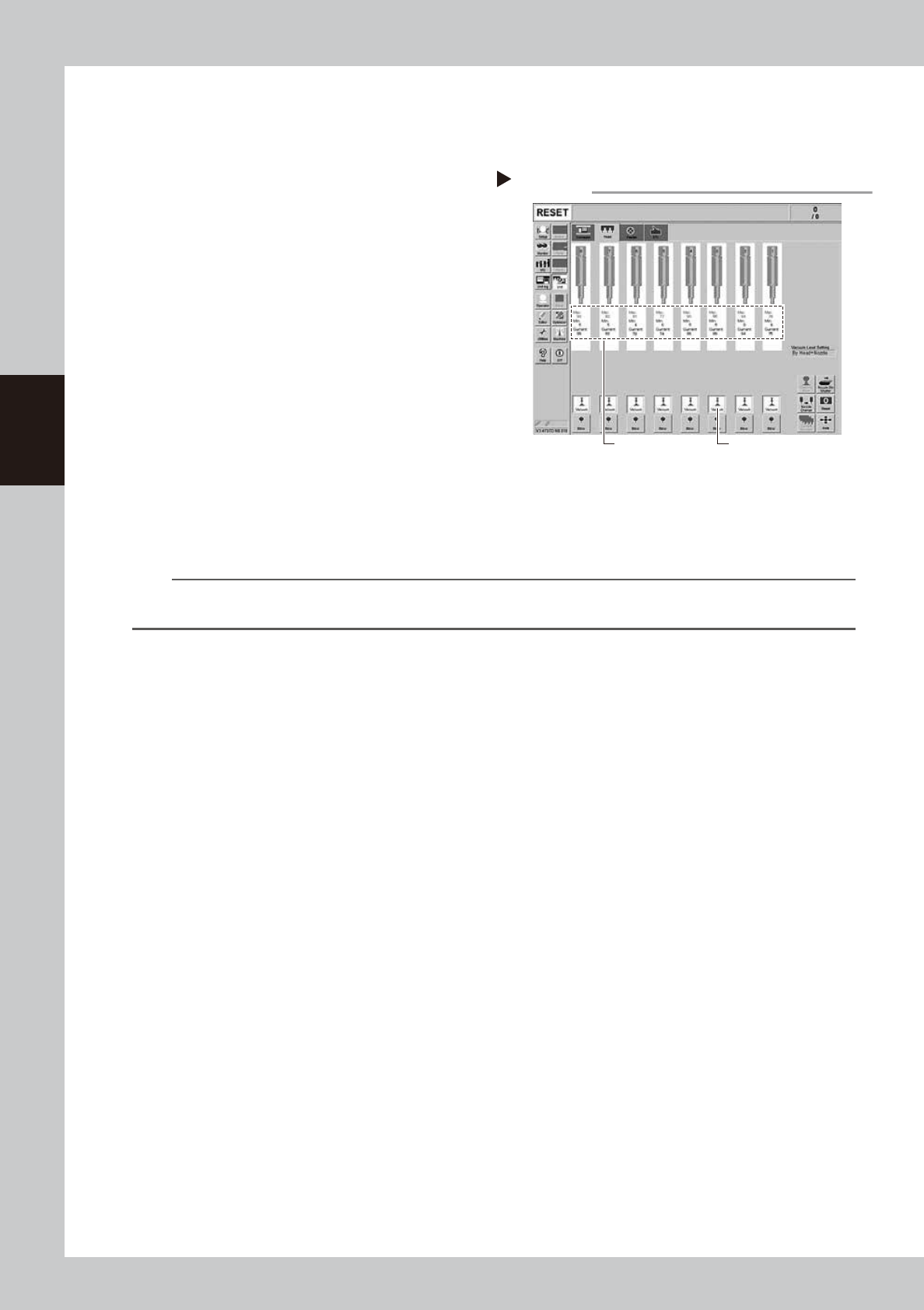
2. Press the [Vacuum] button in the [Unit]
– [Head] screen to generate a negative
pressure, and read the value displayed in
“Maximum Value” of the screen.
Check the value is the standard value or
less in the open state as shown below.
54309-L1-00
2
Reattach the nozzles.
Return the ANC nozzles to the nozzle station,
and attach the FNC nozzles back to the
heads by referring to "2.2.4 Reassembling
the FNC nozzle assembly".
n
Standard value in spline air path
When spline shaft is open : 80 or less
n
NOTE
The vacuum level in the spline shaft air path might sometimes differ slightly depending on the air source and operating
conditions. Use the above standard value for reference during maintenance.
Checking the vacuum level
Step 1
[Vacuum] button
Read "Max" values.
3-39
3
Periodic maintenance items
4.5 Checking spline shaft operation
4.5.1 Checking spline shaft Z-axis operation
The following describes the operation inspecting of the spline shaft Z-axis.
e
1
Move the head unit.
1. Press the emergency stop button and
then open the machine safety cover.
2. Move the head unit forward.
2
Move spline shaft Z-axis up or
down.
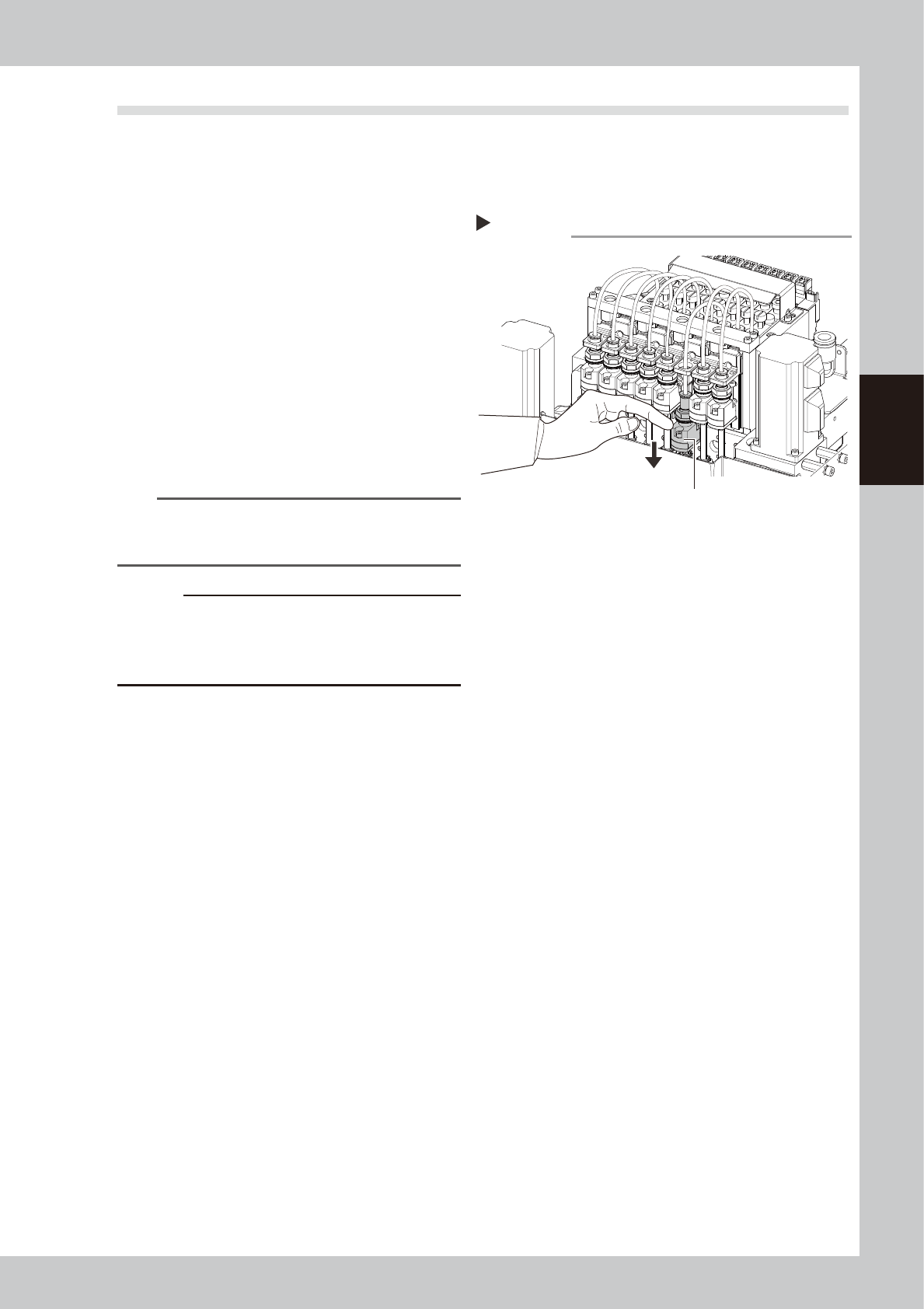
Push down the joint block of the spline Z axis
with your finger. The joint block returns to the
original position by releasing finger. Check
that no heaviness, unsteady movement, or
abnormal sound compare to the other spline
shaft is found.
53381-L1-00
n
NOTE
If lacking grease on the surface of the spline shaft, the
surface may get rusted. Make sure not to touch the
shaft area.
c
CAUTION
If operating machine with the unsteady movement of
the spline shaft may cause fatal accidents. Stop
operating the machine if any abnormality is noticed
and contact YAMAHA sales representative.
Step 2
Push down the joint block with finger.
Moving Z-axis
3-40
3
Periodic maintenance items
4.5.2 Checking and cleaning around spline shaft
In this section, checking and cleaning of the peripherals of the spline shaft are described.
e
1
Move the head unit.
1. Press the emergency stop button and
then open the machine safety cover.
2. Move the head unit forward.
2
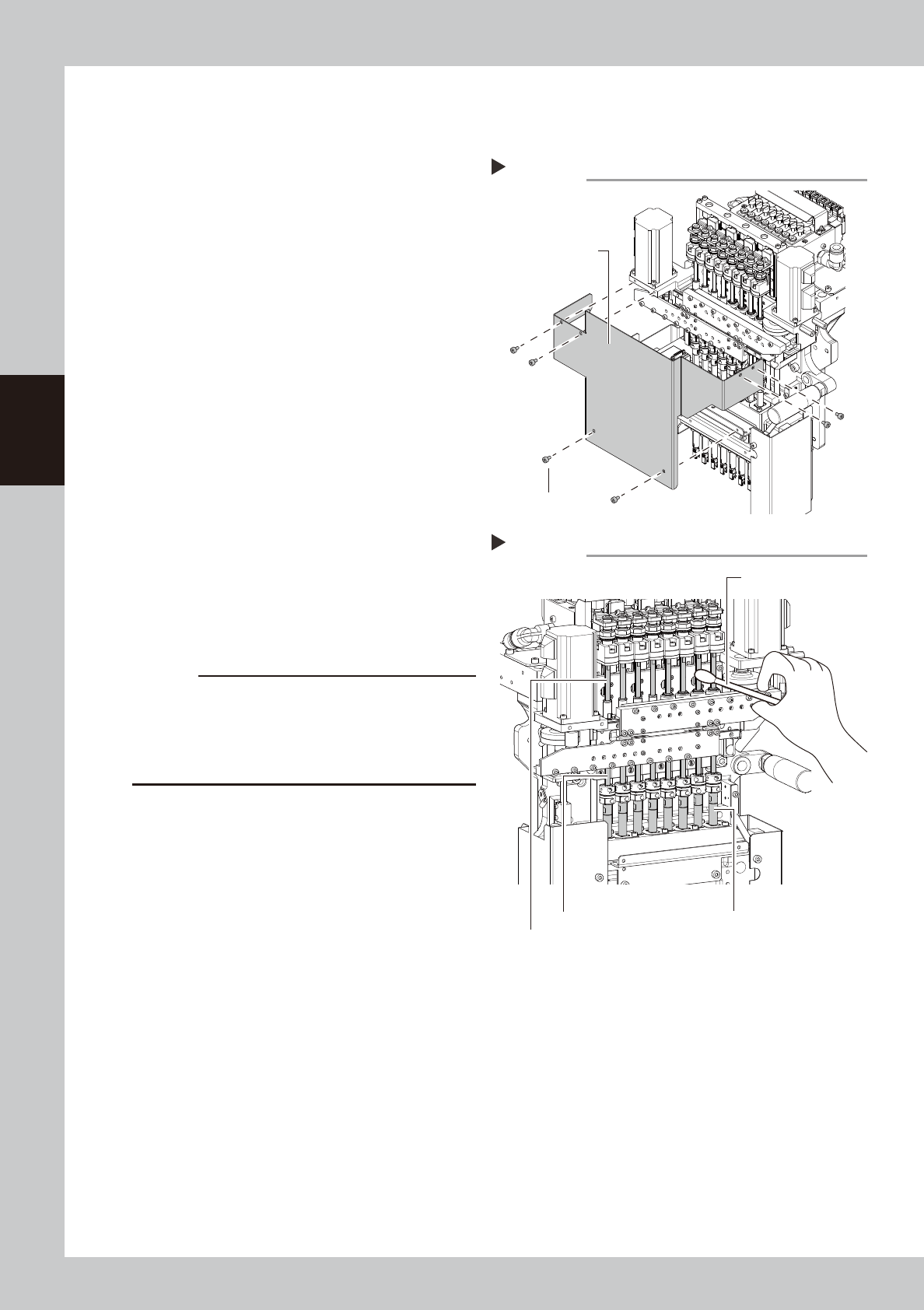
Remove the head cover.
Remove the fixing bolts (six locations) of the
head cover with the hex wrench (3).
53382-L1-00
3
Visually check around the spline
shaft.
Check that no dust or dirt is found on the
spline shaft.
4
Clean the spline shaft.
If dust or dirt is found on the spline shaft,
wipe it with a lint-free cloth or a cotton
swab.
Move the head up and down with your
hand, and wipe the dirt on the upper,
middle, and bottom sections of the spline
shaft respectively.
53383-L1-00
5
Put the head cover back.
c
CAUTION
If lacking grease on the surface of the spline shaft, the
surface may get rusted. Make sure not to wipe away
grease completely. However, if the grease is lacking
due to cleaning, apply anti-rust lubricant with the
procedure on the next page.
Removimg the head cover
Step 2
Head cover
Head cover
mounting bolt
Step 4
Spline shaft (upper section)
Spline shaft (middle section) Spline shaft (bottom section)
Cleaning the spline shaft
Cotton swab