YS100_Mainte_E.pdf - 第106页
3-41 3 Periodic maintenance items 4.5.3 Lubricating the spline shaft (as needed) n NOTE Basically, the lubricating the spline shaft (Z-axis) is not required. However , the grease on the spline shaft sur face is removed b…
3-40
3
Periodic maintenance items
4.5.2 Checking and cleaning around spline shaft
In this section, checking and cleaning of the peripherals of the spline shaft are described.
e
1
Move the head unit.
1. Press the emergency stop button and
then open the machine safety cover.
2. Move the head unit forward.
2
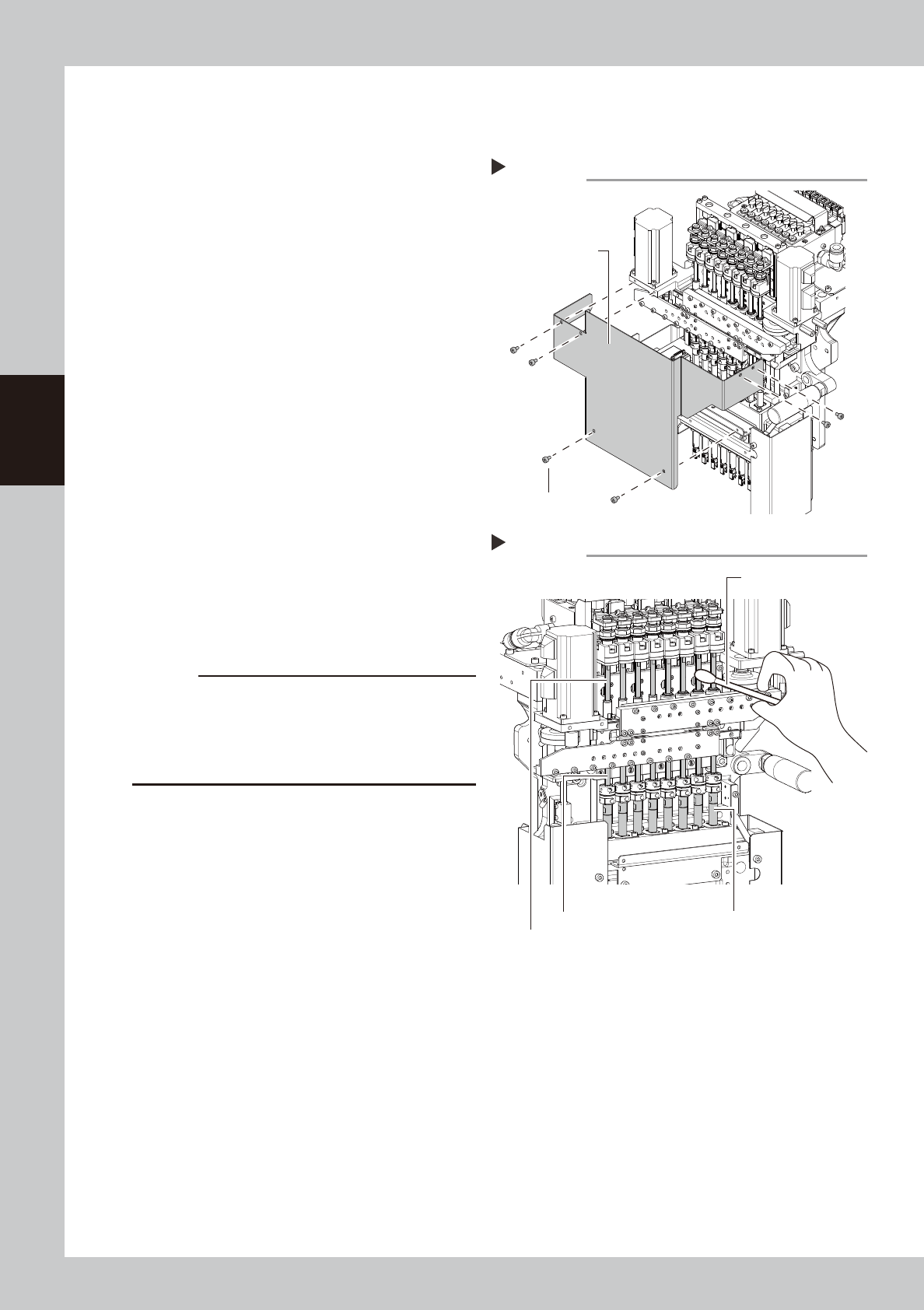
Remove the head cover.
Remove the fixing bolts (six locations) of the
head cover with the hex wrench (3).
53382-L1-00
3
Visually check around the spline
shaft.
Check that no dust or dirt is found on the
spline shaft.
4
Clean the spline shaft.
If dust or dirt is found on the spline shaft,
wipe it with a lint-free cloth or a cotton
swab.
Move the head up and down with your
hand, and wipe the dirt on the upper,
middle, and bottom sections of the spline
shaft respectively.
53383-L1-00
5
Put the head cover back.
c
CAUTION
If lacking grease on the surface of the spline shaft, the
surface may get rusted. Make sure not to wipe away
grease completely. However, if the grease is lacking
due to cleaning, apply anti-rust lubricant with the
procedure on the next page.
Removimg the head cover
Step 2
Head cover
Head cover
mounting bolt
Step 4
Spline shaft (upper section)
Spline shaft (middle section) Spline shaft (bottom section)
Cleaning the spline shaft
Cotton swab
3-41
3
Periodic maintenance items
4.5.3 Lubricating the spline shaft (as needed)
n
NOTE
Basically, the lubricating the spline shaft (Z-axis) is not required. However, the grease on the spline shaft surface is
removed by touching with hand or by sprinkling solvent. As a result, the spline shaft gets easily rusted. Apply the
specified grease (NSL) slightly for anti-rusting as needed.
e
1
Move the head unit.
1. Press the emergency stop button and
then open the machine safety cover.
2. Move the head unit forward.
2
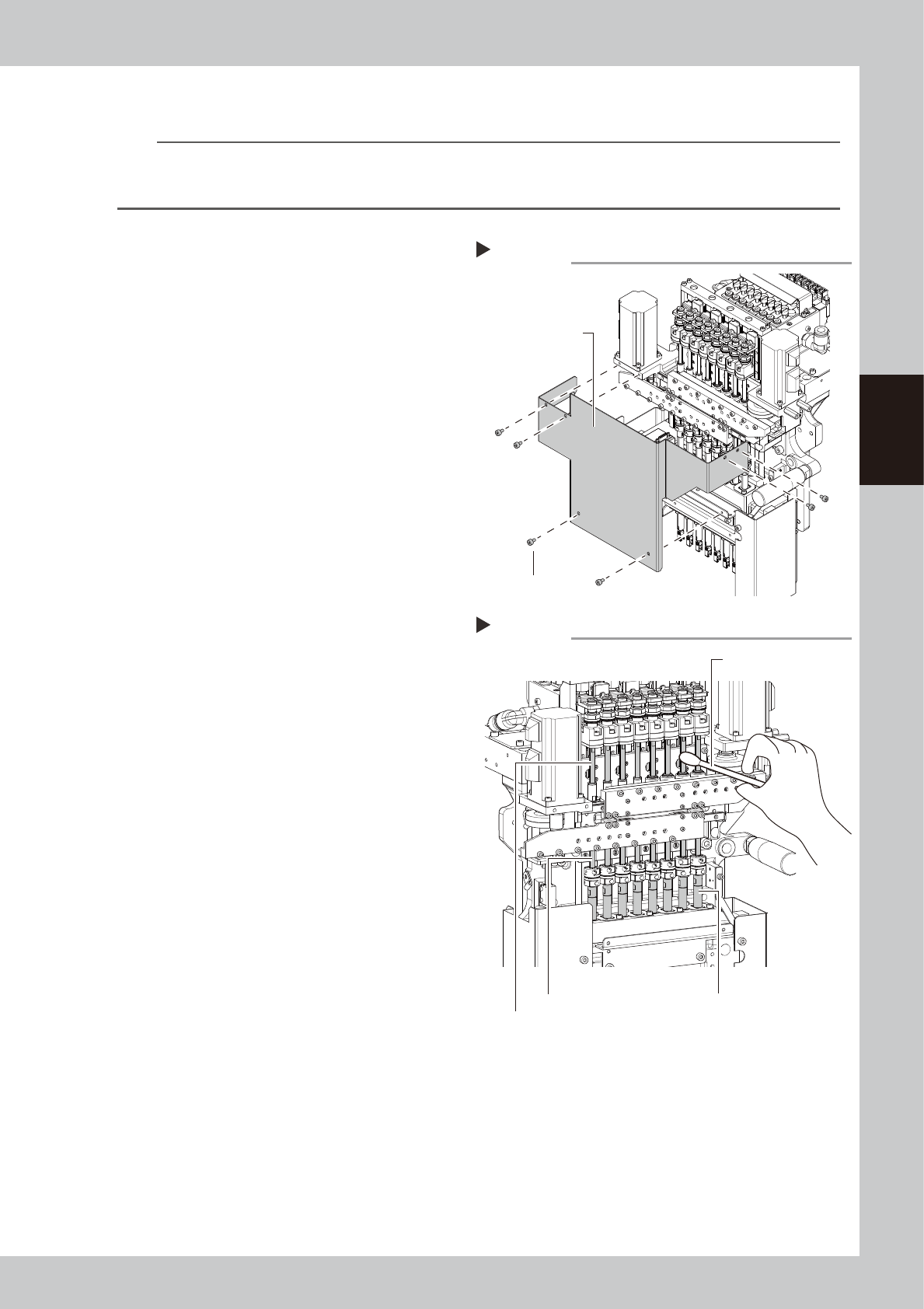
Remove the head cover.
Remove the fixing bolts (six locations) of the
head cover with the hex wrench (3).
53382-L1-00
3
Clean the spline shaft.
If dust or dirt is found on the spline shaft,
wipe it with a lint-free cloth or a cotton
swab.
Move the head up and down with your
hand, and wipe the dirt on the upper,
middle, and bottom sections of the spline
shaft respectively.
53384-L1-00
Removimg the head cover
Step 2
Head cover
Head cover
mounting bolt
Step 3
Cleaning the spline shaft
Cotton swab
Spline shaft (upper section)
Spline shaft (middle section) Spline shaft (bottom section)
3-42
3
Periodic maintenance items
4
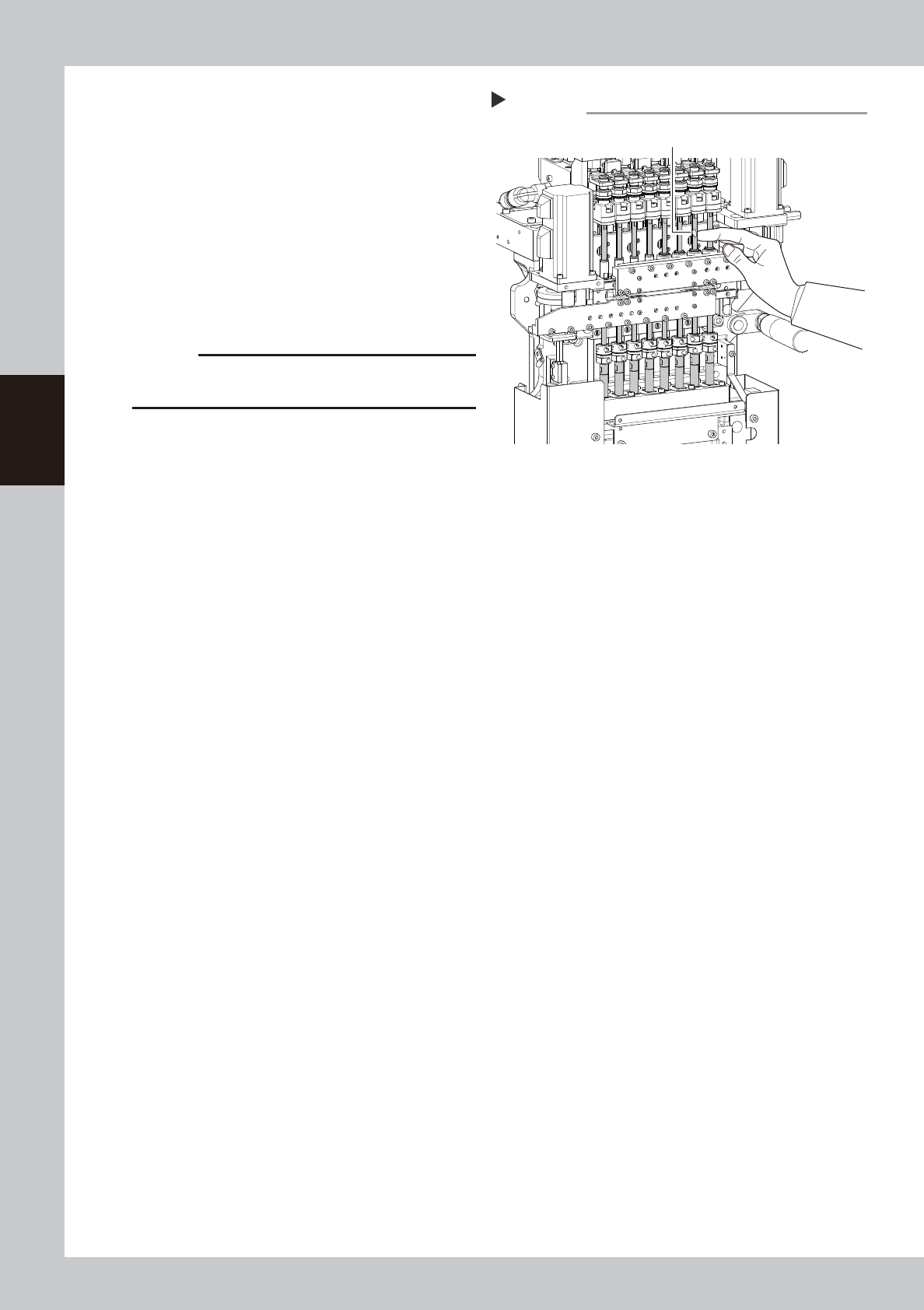
Apply grease to spline shaft.
Apply the specified grease to finger slightly.
Spread the grease uniformly over the
surface of the shaft.
53385-L1-00
5
Wipe away grease.
1. Move the spline shaft up or down
manually.
2. Wipe away excess grease on the upper
and lower area of the shaft with a
lint-free cloth or a cotton swab.
c
CAUTION
Make sure not to wipe away the grease on the surface
of the spline shaft completely.
6
Put the head cover back.
Lubricating the spline shaft
Step 4
Grease
(Apply grease in a uniform manner.)