00194702_SIPLACE Trace Config Assistant Setup Center RF.pdf - 第13页
Installation Manual – SIPLACE Trace Config Assistant SIPLACE Setup Center RF 2.1 - Tools Step 2: Component Selection In this step you can select what co mponents will be updat ed in the followin g steps. It is possible t…
SIPLACE Setup Center RF 2.1 - Tools Installation Manual – SIPLACE Trace Config Assistant
3.2 The Assistant Steps in Detail
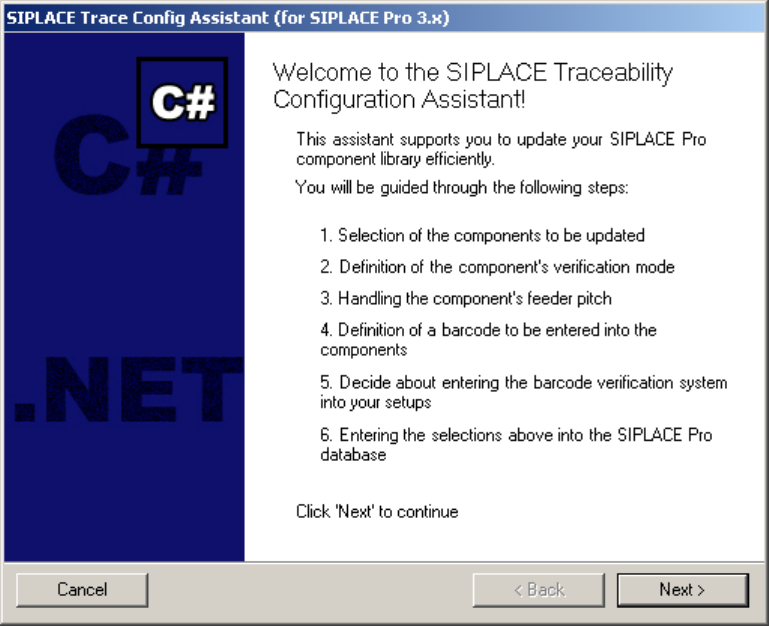
Step 1: Welcome
The assistant gives you a warm welcome and informs about the following steps:
Figure 6 "Welcome" page
12 von 20
Installation Manual – SIPLACE Trace Config Assistant SIPLACE Setup Center RF 2.1 - Tools
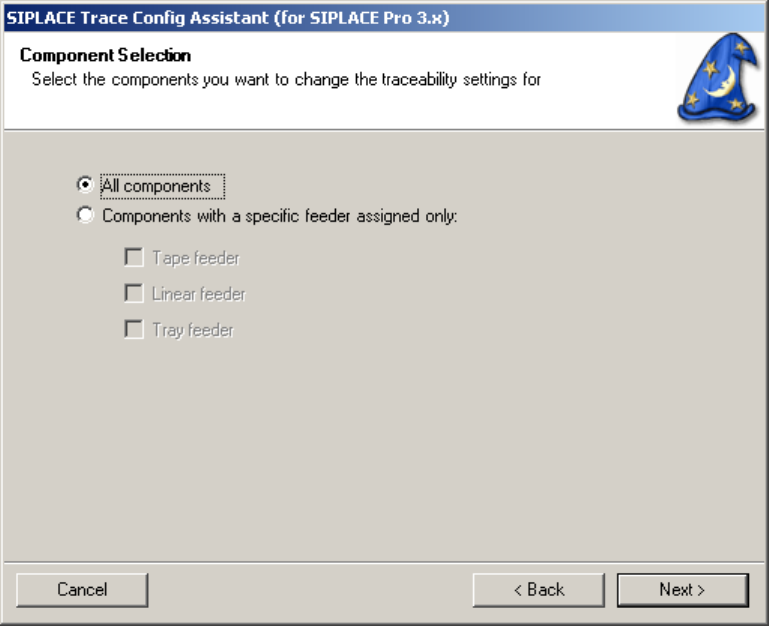
Step 2: Component Selection
In this step you can select what components will be updated in the following steps. It is possible to select
either all components or components that are used with a specific type of feeder.
Figure 6 "Component Selection" page
13 von 20
-
SIPLACE Setup Center RF 2.1 - Tools Installation Manual – SIPLACE Trace Config Assistant
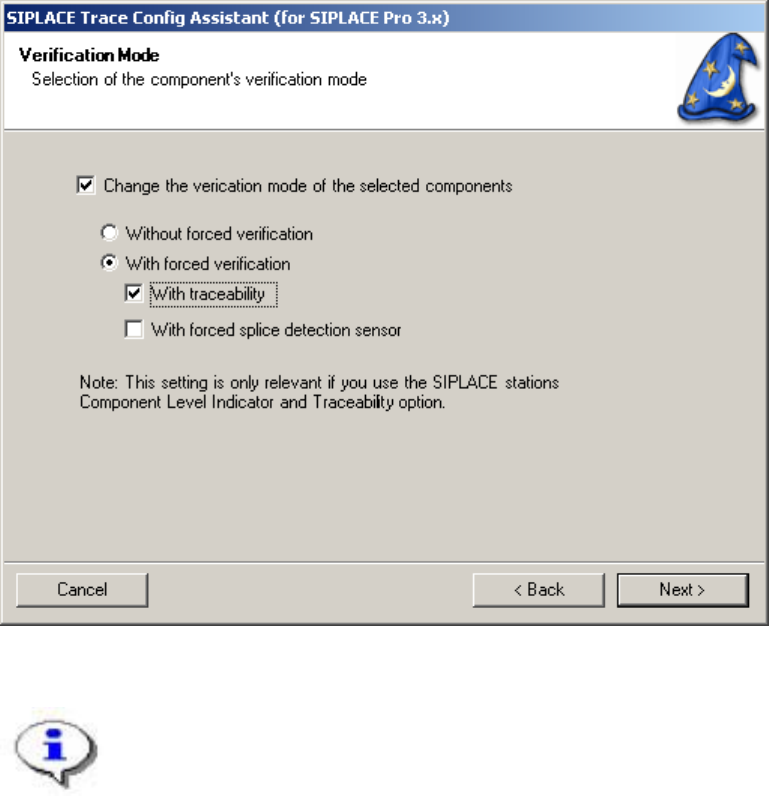
Step 3: Verification Mode
In this step you can select the verification mode settings for the components selected in the last step.
“Without forced verification” will clear the “Validate” flag in SIPLACE Pro, “With Forced Verification” will
set it. In addition to this you can set the traceability and splice detection flags.
Figure 6 "Verification Mode" page
These settings are relevant if you use the SIPLACE Component Level indicator and
Traceability options on the stations.
14 von 20