00194702_SIPLACE Trace Config Assistant Setup Center RF.pdf - 第3页
Installation Manual – SIPLACE Trace Config Assistant SIPLACE Setup Center RF 2.1 - Tools Contents Page 1 Introduction ......................................................................................................…

UNIX is a registered trademark of AT&T
X-Windows is a trademark
LINUX is a trademark
Microsoft and MS-DOS are registered trademarks of Microsoft Corporation
Microsoft Windows is registered trademark of Microsoft Corporation
Dragon is a trademark of DATALOGIC
.NET is a trademark of Microsoft
(The reproduction, transmission or use of this document or its contents is not permitted
without express written authority.
Offenders will be liable for damages. All rights, including rights created by patent grant or
registration of a utility model or design, are reserved.)
(We have checked the contents of the printed documentation to ensure that is in
agreement with the hardware and software described therein. However, since
discrepancies can not be ruled out, we can not assume responsibility for complete
agreement.
the information given in this printed documentation is however regularly reviewed and
necessary corrections included in subsequent editions. We would appreciate any
suggestions for improvements.)
Siemens AG 2005 All rights reserved Subject to change without prior notice
Item-No.: 00194702-01 Siemens Aktiengesellschaft
To be ordered from Siemens AG, Automation and Drives
Rupert-Mayer-Strasse 44
D-81359 Munich
Printed in the Federal Republic of Germany
Installation Manual – SIPLACE Trace Config Assistant SIPLACE Setup Center RF 2.1 - Tools
Contents
Page
1
Introduction ................................................................................................................................................4
1.1 Explanation of symbols .........................................................................................................................4
1.2 System requirements ............................................................................................................................4
1.3 Starting the Setup Wizard .....................................................................................................................5
2 Installation Steps .......................................................................................................................................6
2.1 Step 1: Welcome ...................................................................................................................................6
2.2 Step 2: Select Installation Folder ..........................................................................................................7
2.3 Step 3: Confirmation..............................................................................................................................8
2.4 Step 4: Installation Complete ..............................................................................................................10
3 Getting Started.........................................................................................................................................11
3.1 Scenarios for the Use of Siplace Trace Config Assistant ...................................................................11
3.2 The Assistant Steps in Detail ..............................................................................................................12
SIPLACE Setup Center RF 2.1 - Tools Installation Manual – SIPLACE Trace Config Assistant
1 Introduction
Please read this chapter carefully before you install SIPLACE Trace Config Assistant.
SIPLACE Pro Trace Config Assistant (separate installation) is a tool used to support the introduction
and installation of SIPLACE Setup Center in customer systems, particularly with regard to the
functions Verification and Traceability. In previous versions, thousands of component data had to be
manually changed in the line computer or in SIPLACE Pro.
This tool now supports the following Siemens setup verification systems: SmartScan, Siemens scanner
(cable connection only), Setup Center RF.
The following chapter describes the installation sequence for SIPLACE Trace Config Assistant.
1.1 Explanation of symbols
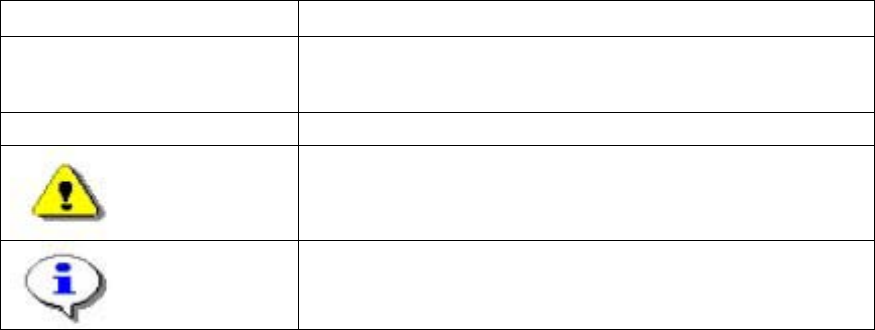
Various symbols and notes are used for making this document easier to read.
11
Words in bold/italics
These are dialog boxes and menu commands.
Step …
An installation step includes all the actions relating to a
specific dialog box. An installation step may be composed of
several actions.
→
Requires an action (e.g. mouse click, open file)
Corresponds to a warning. The information is critical to the
success of the installation process. The installation will be
cancelled if you do not comply with the warning.
Explanatory information about the installation sequence.
1.2 System requirements
The following is required for a successful SIPLACE Trace Config Assistant installation. 1
SIPLACE Trace Config Assistant
The same Hardware is recommended as used for SIPLACE Pro Client installations.
4 von 20