00196430-0102-AI_Head_Reconfiguration_Kit_SX_CPP_en_de - 第54页
Brief Description Sequence of the Placement Head Exchange Assembly Sequence 54 Assembly Instructions / Montageanleitung Head Reconfiguratio n Kit CPP
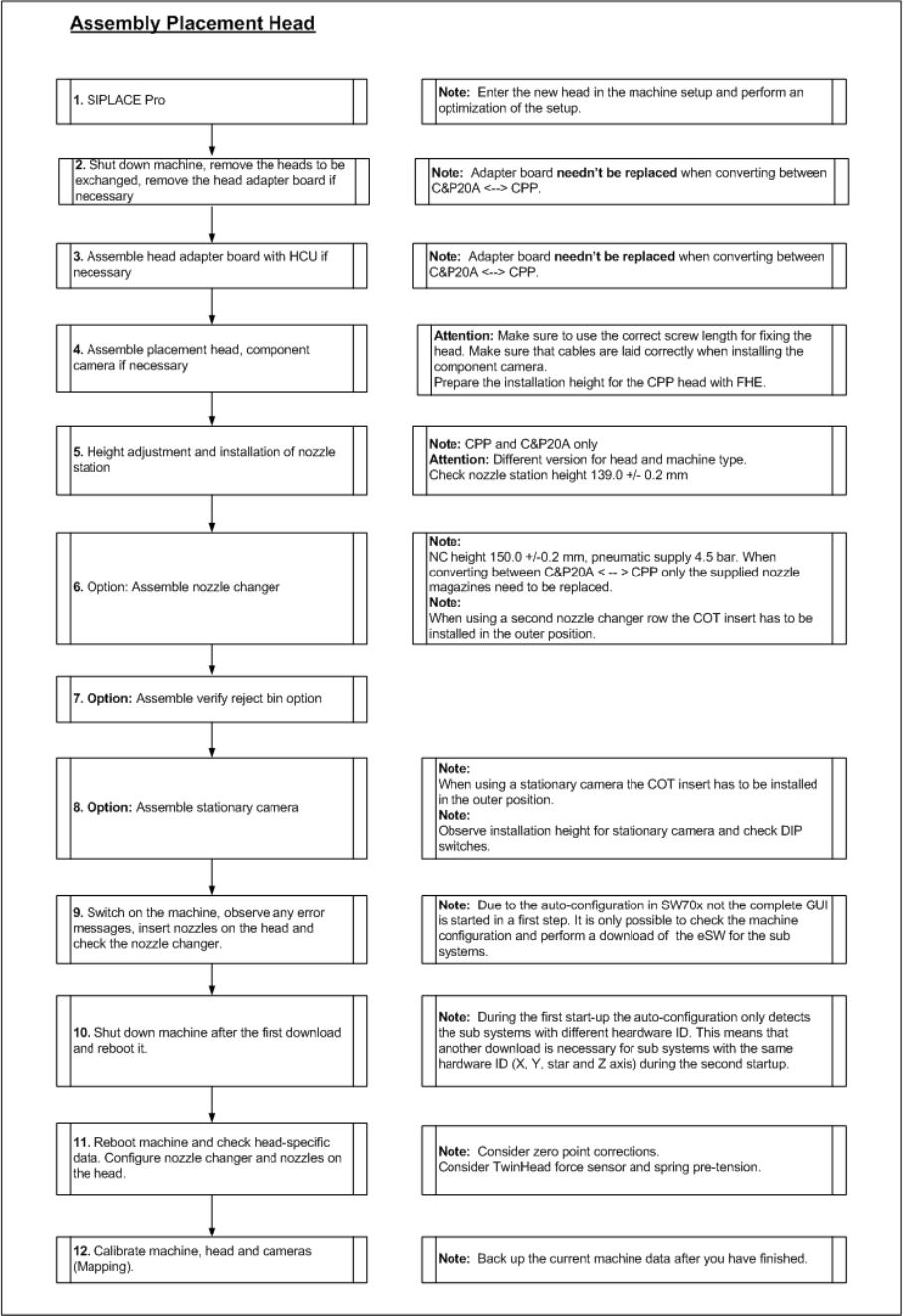
Brief Description
Assembly Sequence Sequence of the Placement Head Exchange
Assembly Instructions / Montageanleitung Head Reconfiguration Kit CPP 53
Assembly Sequence
2.5.2 Assembly Sequence
Brief Description
Sequence of the Placement Head Exchange Assembly Sequence
54 Assembly Instructions / Montageanleitung Head Reconfiguration Kit CPP
Installing the CPP Placement Head
Configuration of the Placement Heads in SIPLACE Pro Before Disassembling the Placement Head
Assembly Instructions / Montageanleitung Head Reconfiguration Kit CPP 55
Installing the CPP Placement Head
3 Installing the CPP Placement Head
Before installing the CPP placement head you have to save the current configuration and machine data
first and then remove the placement head to be replaced.
If you replace a C&P20A head by a CPP head, start with sections "3.1 Before Disassembling the Place
-
ment Head" [ ➙ 55] and "3.2 Disassembling the C&P20A Placement Head" [ ➙ 56].
If you replace a TwinHead head by a CPP head, start with sections "3.1 Before Disassembling the Place
-
ment Head" [ ➙ 55] and "3.3 Disassembling the TwinHead" [ ➙ 58].
If you install the CPP head on a gantry with no head installed so far, start with sections "3.1 Before Dis
-
assembling the Placement Head" [ ➙ 55] and LINK.
Before Disassembling the Placement Head
3.1 Before Disassembling the Placement Head
Configura tion of the Place ment Heads in SIPL ACE Pro
3.1.1 Configuration of the Placement Heads in SIPLACE Pro
► In SIPLACE Pro stop all jobs on the line.
► Back up all SIPLACE Pro data.
Saving the Existing Machine Data
3.1.2 Saving the Existing Machine Data
► Insert a USB stick or another appropriate storage medium into the USB slot of the station computer.
► Save the machine data to the storage medium. Select Service --> Archive machine data...
Docking Out the Component Trolley and Switching Off the Machine
3.1.3 Docking Out the Component Trolley and Switching Off the Machine
► Dock out the component trolleys.
► Shut down the station computer and switch off the machine at the main switch.
► Disconnect the machine from the main power and the pneumatic supplies.
► Always secure the machine against unauthorized reactivation. See "1.2 Preparatory Work..." [➙ 44].
NOTICE
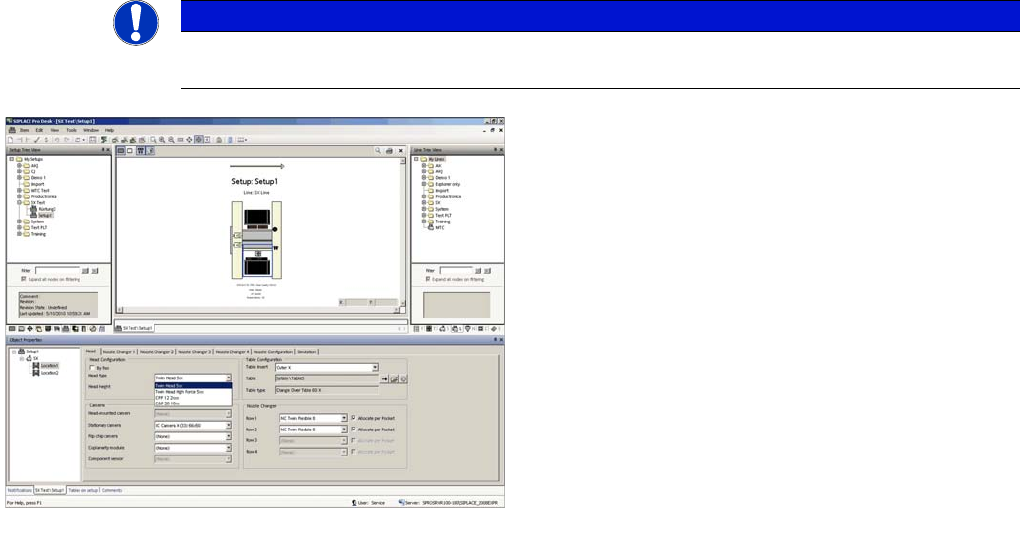
It is recommended to enter the new head (cameras and nozzles) into the setup at this point in
time and to perform an optimization for the setups.
dialogue
► In the Setup Properties dialogue enter the type of the
placement head, the camera type and the nozzle
changer configuration for the relevant machine loca
-
tion.
► Re-optimize the setup in SIPLACE Pro. Make sure to
set correct head height.