00196430-0102-AI_Head_Reconfiguration_Kit_SX_CPP_en_de - 第62页
Installing the CPP Placement Head Assembly of the CPP Placement Head Preparing the H ead for the In stallation Height 62 Assembly Instructions / Montageanleitung Head Reconfiguratio n Kit CPP Conversion to another instal…
Installing the CPP Placement Head
Preparing the Head for the Installation Height Assembly of the CPP Placement Head
Assembly Instructions / Montageanleitung Head Reconfiguration Kit CPP 61
Assembly of the CPP Placeme nt Head
3.4 Assembly of the CPP Placement Head
Preparing the Head for the Installation Heigh t
3.4.1 Preparing the Head for the Installation Height
Overview
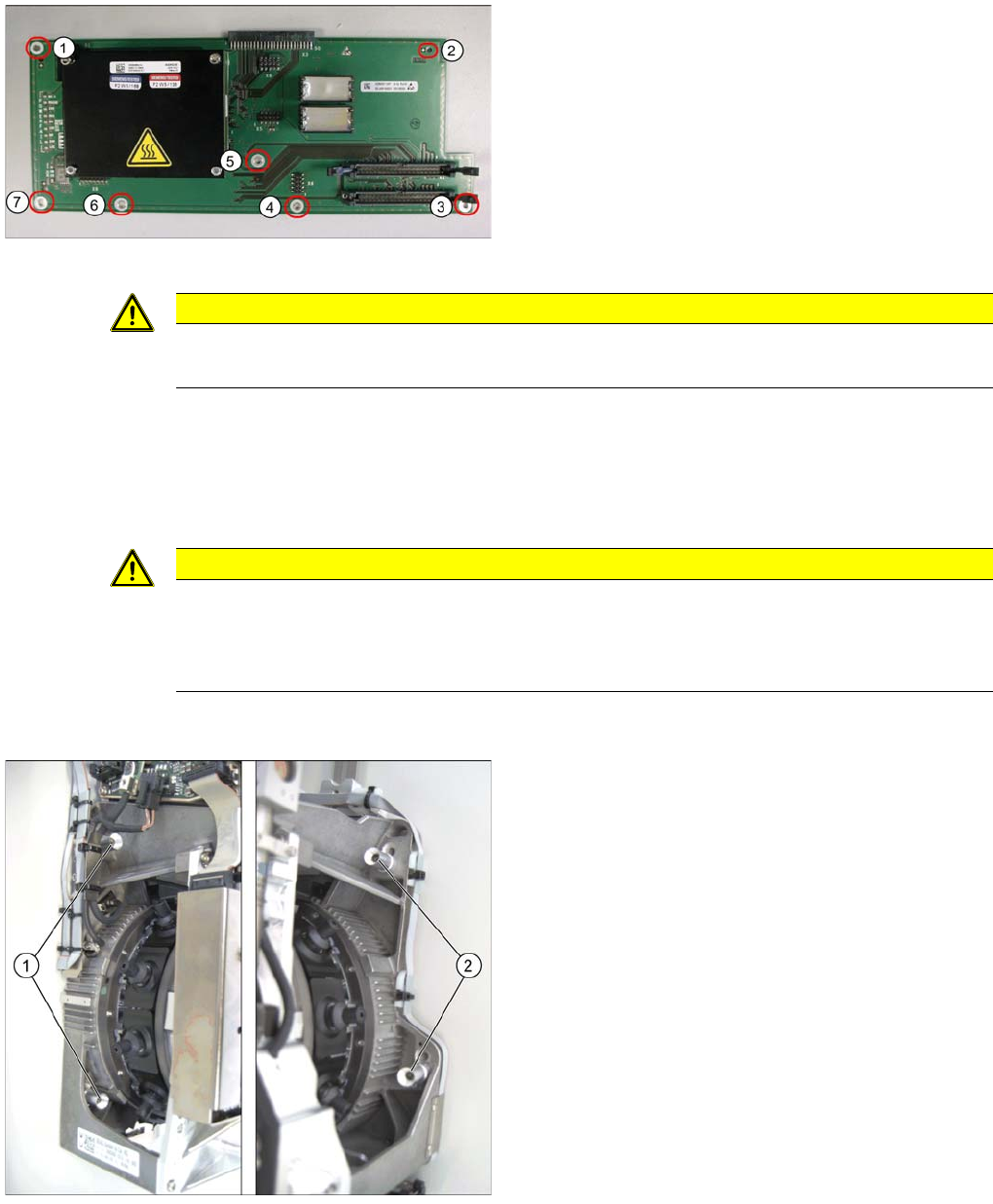
Head adapter
Legend
(1) – (7) Fastening points on the head adapter
► Place the head adapter onto the fastening bolts in the
mounting position and fasten it with the 7 screws.
► Connect the head interface board via the plug con
-
nector with the head interface.
CAUTION
Installation instructions
► Check the firmware and perform a download, if needed.
CAUTION
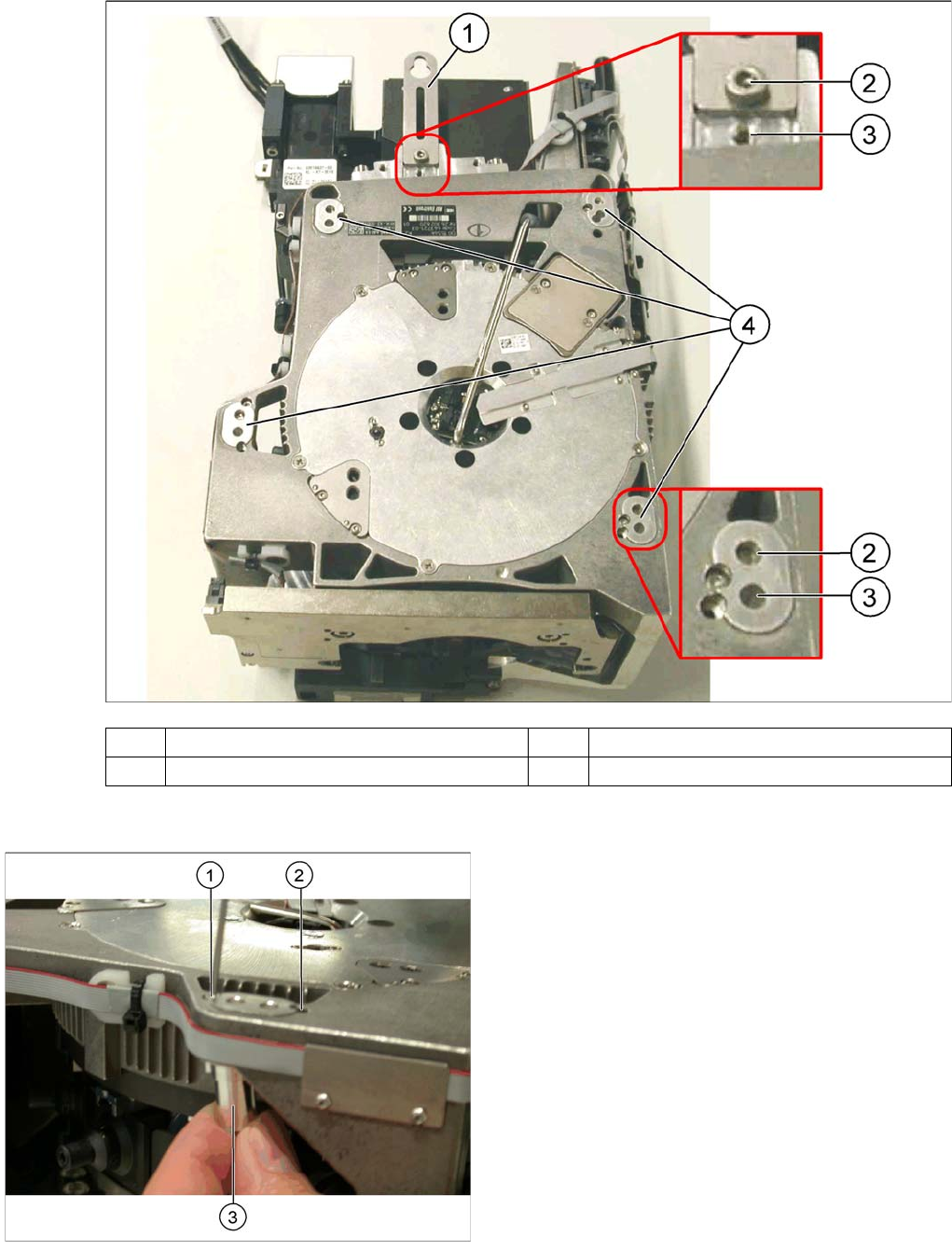
The placement head can be installed on two different heights. CPP_L corresponds to a com
-
ponent height of 6 mm. CPP_H corresponds to a component height of 11.5 mm.
If the CPP head is used in a placement area with stationary camera, TwinHead or WPC, it may
only be used in the upper position.
Legend
1. Fixing screws on the left side
2. Fixing screws on the right side
In this graphic the fixing screws are shown in the "head
top" position.
Installing the CPP Placement Head
Assembly of the CPP Placement Head Preparing the Head for the Installation Height
62 Assembly Instructions / Montageanleitung Head Reconfiguration Kit CPP
Conversion to another installation height
(1) Holding bracket (2) "Head bottom" position
(3) "Head top" position (4) Fixture holes with bushings
Legend
1. Drilling for the fixing screw of the bushing in "head
bottom" position
2. Drilling for the fixing screw of the bushing in "head
top" position
3. Bushing
All four bushings and the holding bracket must either be
fixed in top or bottom position.
Proceed as follows when replacing the bushings:
► Undo the fixing screws of the bushings.
► Insert the bushings in the correct position and re-
tighten them.
► Perform these steps for all four bushings and the
holding bracket of the head.
Installing the CPP Placement Head
Fitting the Component Camera Assembly of the CPP Placement Head
Assembly Instructions / Montageanleitung Head Reconfiguration Kit CPP 63
Fitting t he Component Camera
3.4.2 Fitting the Component Camera
The parts set does not include a component camera. The component camera must be ordered addition
-
ally.
Parts, Equipment and Tools
▪ Component camera [03018637-xx]
▪ Torque screwdriver 100-500 Ncm [03078400-xx]
▪ Extension/straight TX20 [03073256-xx]
▪ Bit holder for Torque Vario-S screwdriver [03078706-xx]
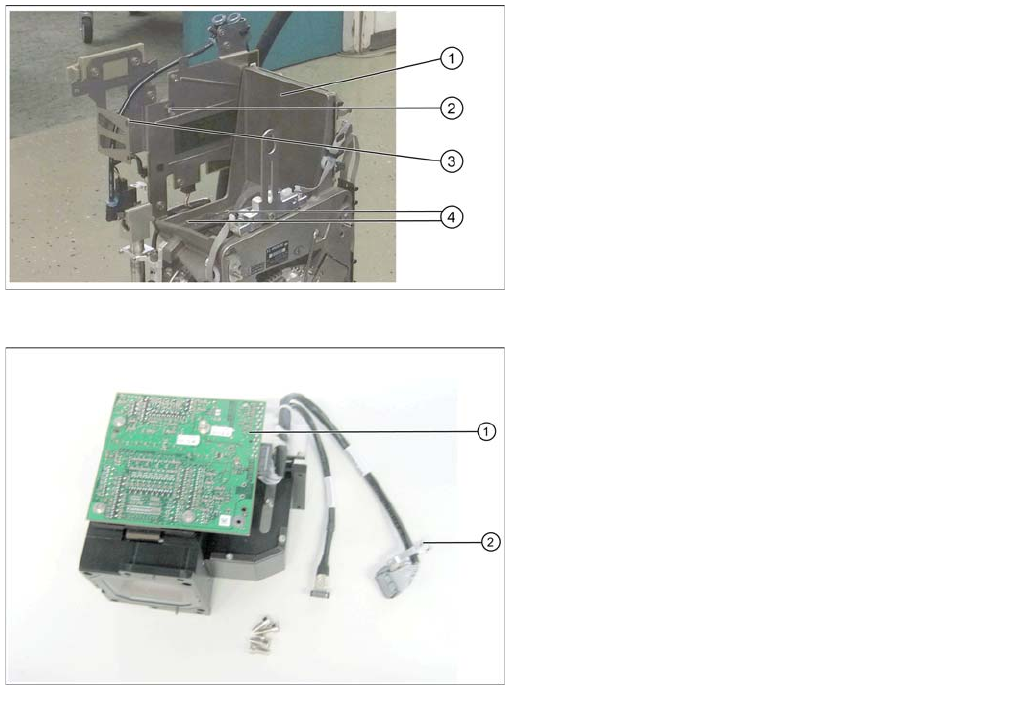
Overview
CPP head without component camera
Legend
1. Mounting position for the component camera
2. Fixing hole on the board holder
3. Fixing hole on the bracket
4. Fixing holes for the foot of the component camera
(two each on each side)
Component camera
Legend
1. Illumination control
2. Cable clamps