Machine Overview.pdf - 第4页
MACHINE OVERVIEW MODULE OVERVIEWS 4.4 Technical Reference Manual Chapter Issue 4 Nov 09 MODULE OVER VIEWS Man Machine Interface (MMI) Module The MMI module enables communicat ion and interaction between the user and the …
MACHINE OVERVIEW
OVERVIEW
Chapter Issue 4 Nov 09 Technical Reference Manual 4.3
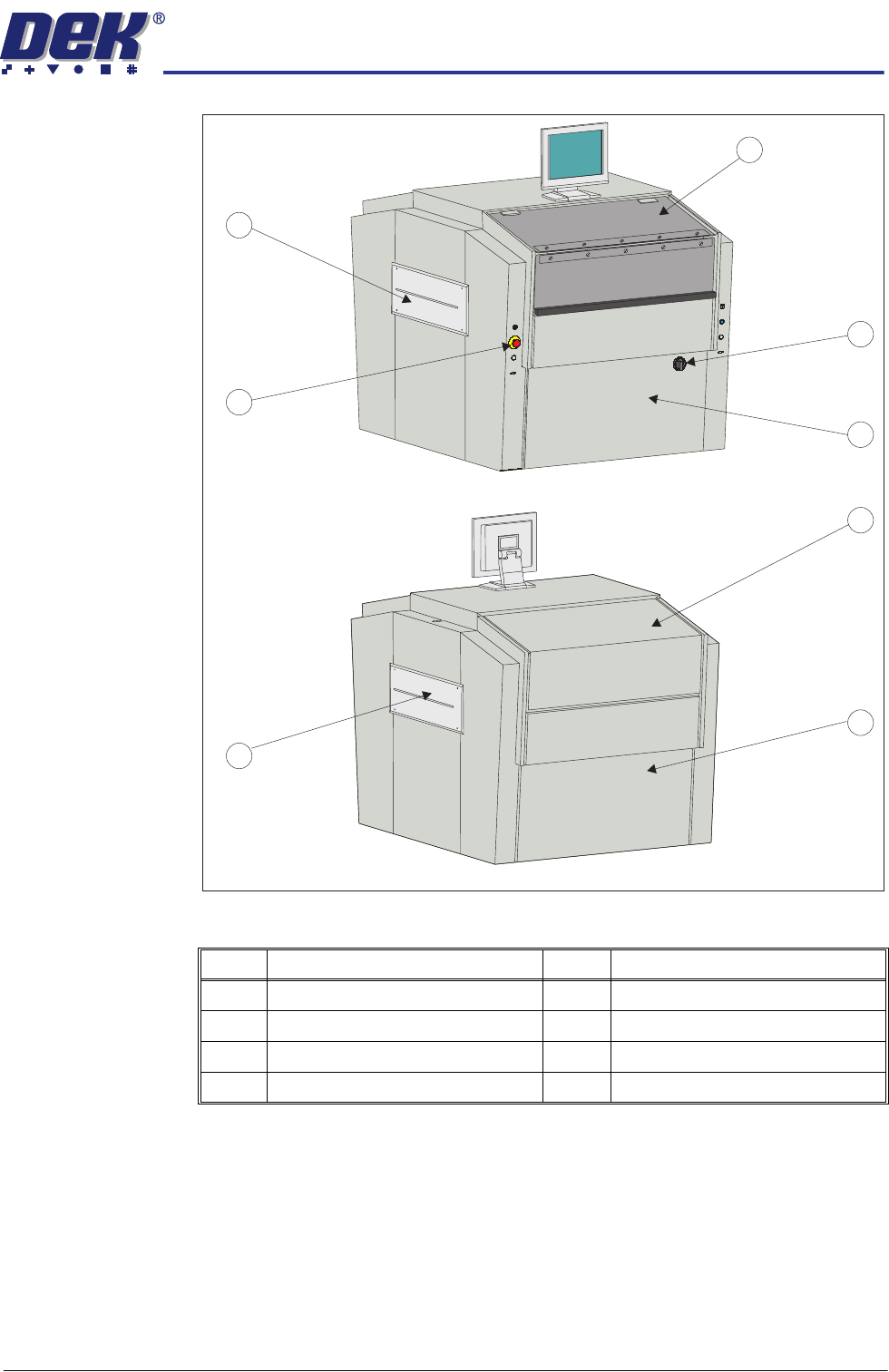
Figure 4-3 Metal Covers
This chapter describes the function and the purpose of each of the machine
modules and the relationship and interaction between modules, if applicable.
For detailed information regarding each module refer to the relevant module
chapter in this manual.
Item Description Item Description
1 Front Printhead Cover 5 Rear Panel
2 Mains Isolator Switch 6 Right Hand Safety Cover
3 Front Panel 7 Emergency Stop Button (E Stop)
4 Rear Printhead Fixed Cover 8 Left Hand Safety Cover
View on Front - Left Quarter
7
View on Rear - Right Quarter
2
3
8
1
6
5
4
MACHINE OVERVIEW
MODULE OVERVIEWS
4.4 Technical Reference Manual Chapter Issue 4 Nov 09
MODULE OVERVIEWS
Man Machine
Interface (MMI)
Module
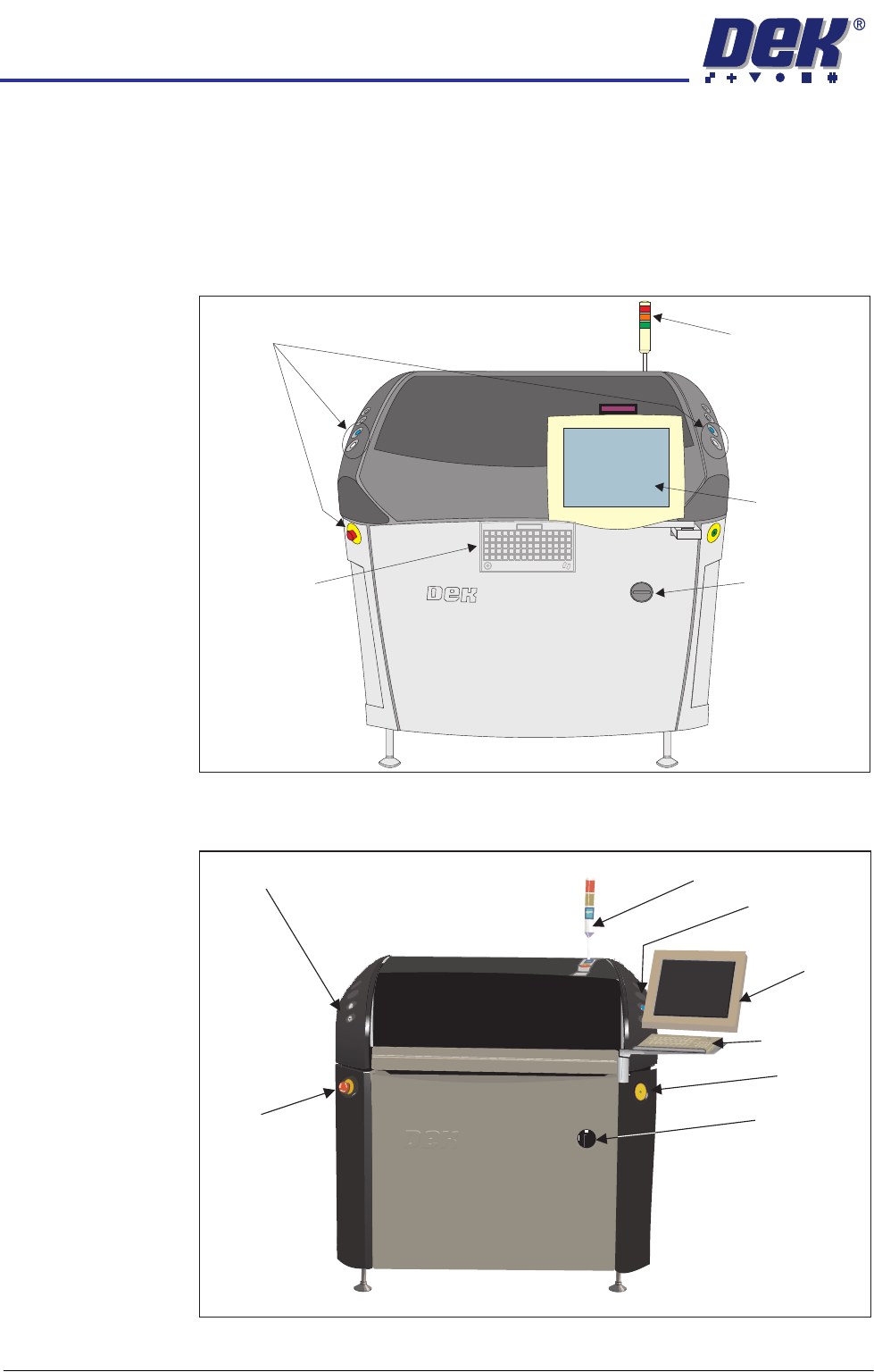
The MMI module enables communication and interaction between the user and
the machine. This is achieved by the use of the touchscreen or monitor, IR
keyboard/mouse or standard keyboard/mouse, tricoloured beacon, USB con-
nector(s) and the two button control system. The IR keyboard/mouse or
standard keyboard/mouse is also available for maintenance purposes.
Figure 4-4 MMI Sliding Glass Cover
Figure 4-5 MMI Sliding Glass Cover (iX)
Control Switches
Tricolour Beacon
Touchscreen
Monitor
IR Keyboard/
Mouse (stowed
inside front cover)
Mains Isolator
Switch
Programmable Beacon
ESD Point
Control Buttons
Control Buttons
E Stop
Touch Screen
Monitor
Mains Isolator
Switch
Keyboard
& Tracker Ball
Mouse

MACHINE OVERVIEW
MODULE OVERVIEWS
Chapter Issue 4 Nov 09 Technical Reference Manual 4.5
Figure 4-6 MMI Metal Covers
Left Jog Button
E Stop
Right Jog Button
System Button
Tricolour Beacon
Mains Isolator Switch
Monitor
USB ConnectorUSB Connector