Formflex Manual.pdf - 第31页
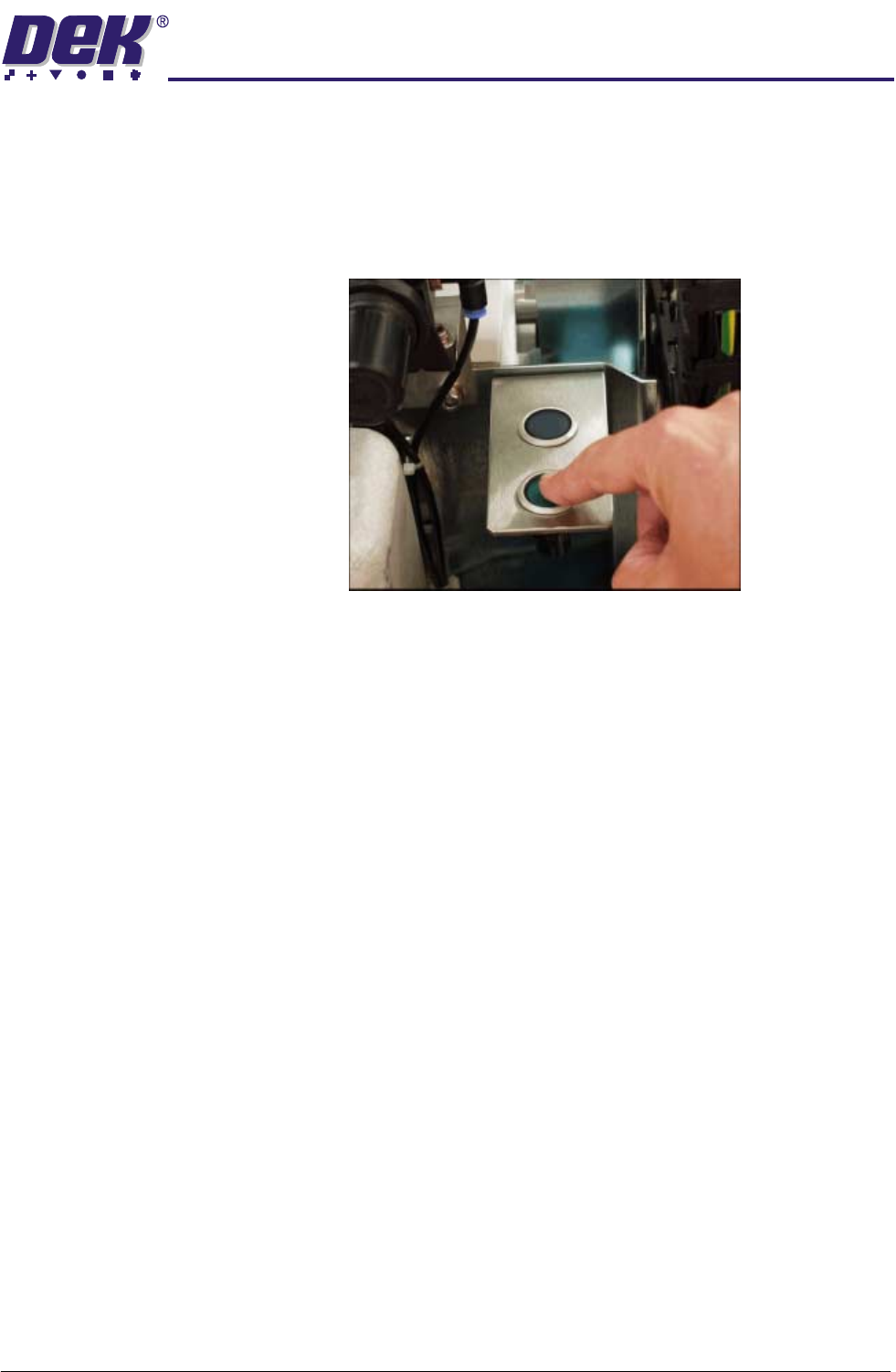
2.8 FormFlex Tooling Manual Chapter Issue 4 Jun 04 MACHI NE P ROGRA MMING EXERCISIN G FORMFLEX EXERCISING FORMFLEX In the event o f FormFlex pins s ticking on the to oling modules, carry out the following proc edure: 1. …
MACHINE PROGRAMMING
RESETTING FORMFLEX
Chapter Issue 4 Jun 04 FormFlex Tooling Manual 2.7
RESETTING FORMFLEX
1. Select Change Screen.
2. When prompted, open the front printhead cover/shutter.
3. Remove the stencil.
4. Press the green reset button to lower the pins on the tooling modules.
2.8 FormFlex Tooling Manual Chapter Issue 4 Jun 04
MACHINE PROGRAMMING
EXERCISING FORMFLEX
EXERCISING FORMFLEX
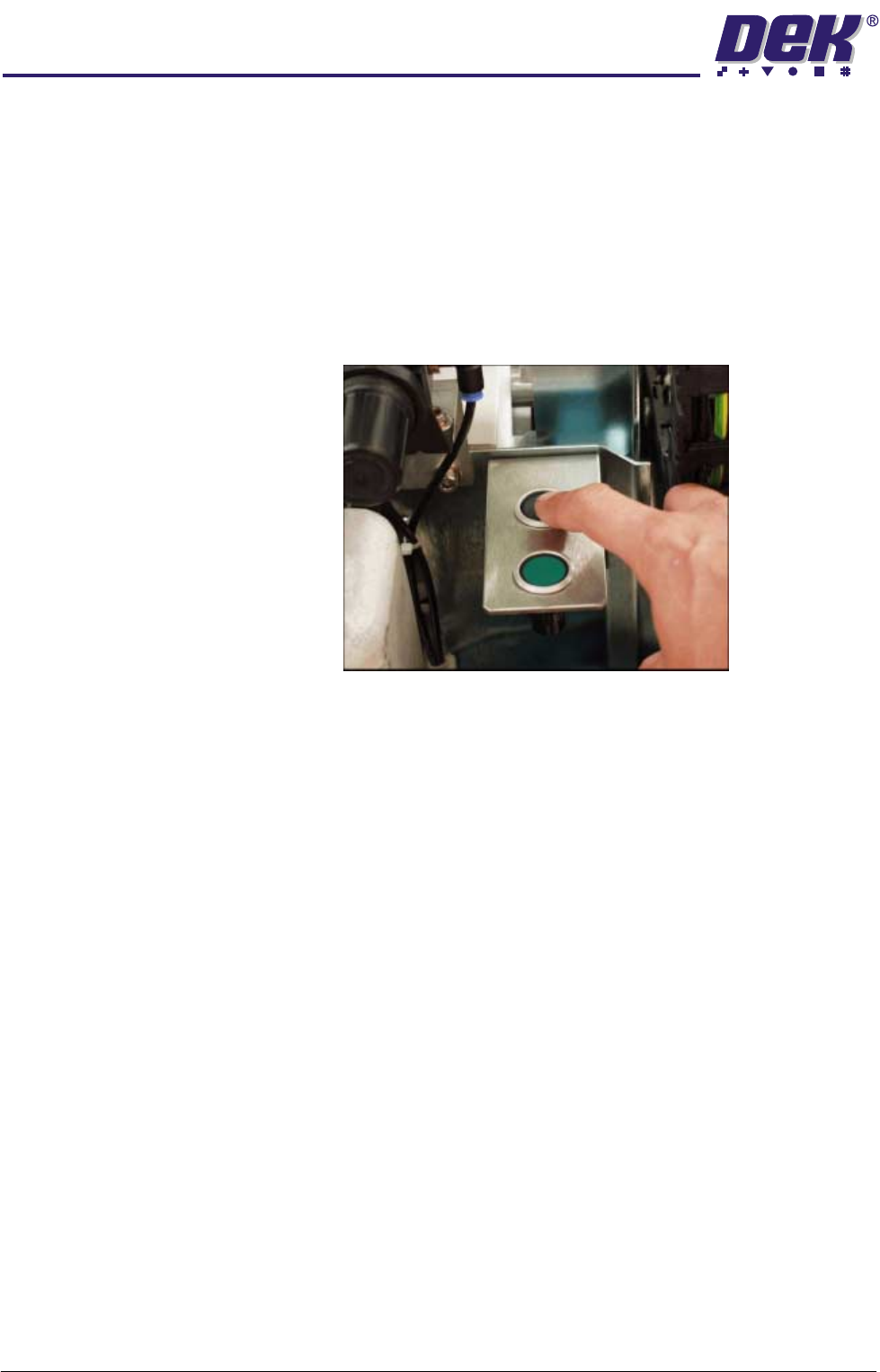
In the event of FormFlex pins sticking on the tooling modules, carry out the
following procedure:
1. Select Change Screen.
2. When prompted, open the front printhead cover/shutter.
3. Remove the stencil.
4. Press the green reset button.
5. Press the black exercise button.
The exercise routine cycles the tooling modules five times, raising and
lowering the pins. If the exercise routine does not free the sticking pins, refer
to the Technical Reference - Fault Finding - Exercise Procedure section of
this manual.
A3 DRAWINGS
GA LISTING
Chapter Issue 4 Jun 04 FormFlex Tooling Manual 3.1
CHAPTER 3 A3 DRAWINGS
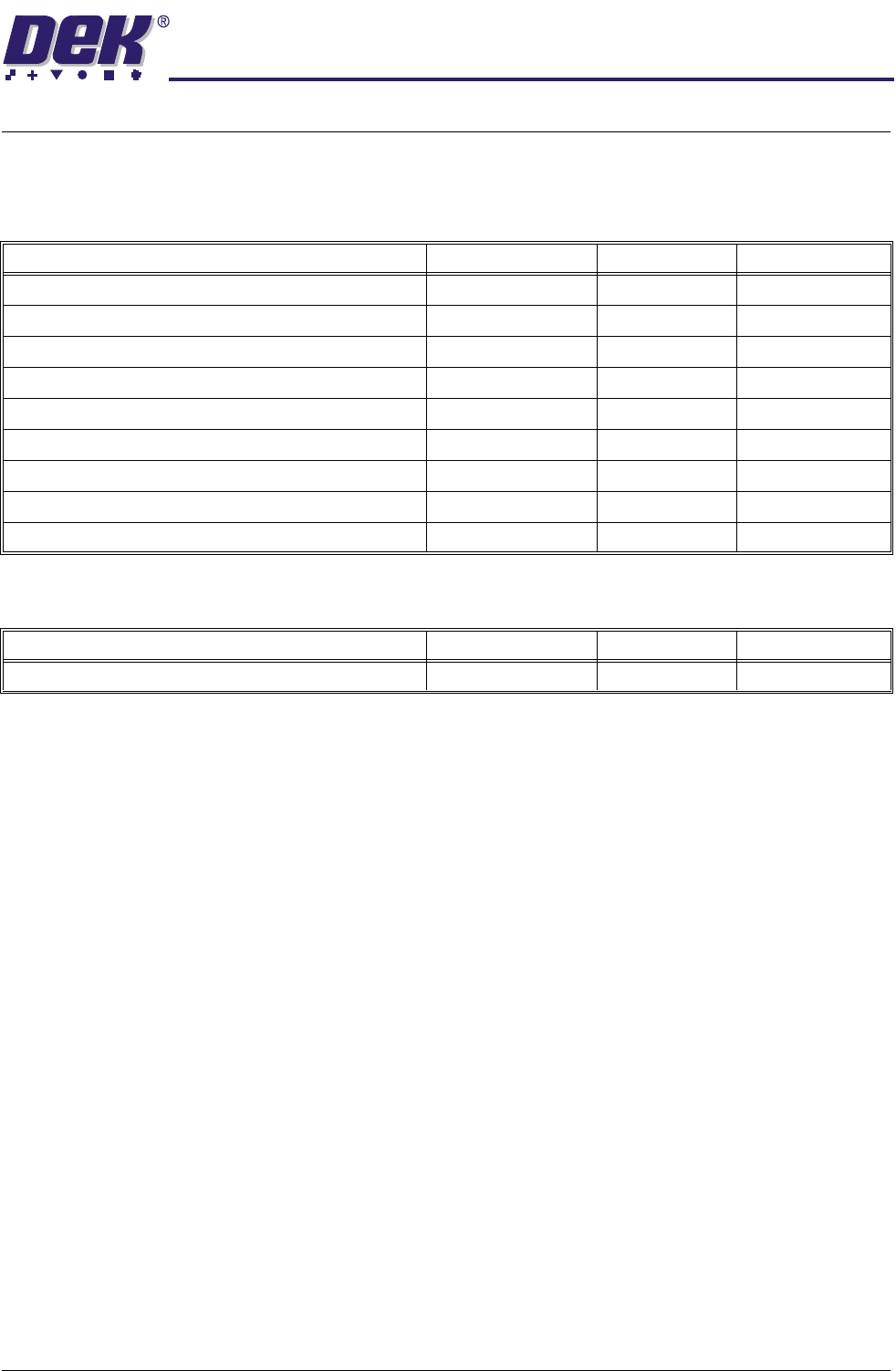
GA LISTING
Mechanical
Electrical
Description Drawing No. Sheets Issue State
FormFlex Blanking Plate Set 161756 1 01
GA Setting Plate 161843 1 02
Manifold Valve Override 600 177162 1 04
Manifold Valve Sequencer 600 177164 1 04
Reset and Exercise Switch Assembly 181428 1 02
GA Downhold Mechanism Inf 188638 1 01
GA Downhold Mechanism 600 188641 1 01
Description Drawing No. Sheets Issue State
Circuit Digram FormFlex Controller 181560 2 01