stopper for HF-series for processing area 1.pdf - 第23页
SIPLACE 1 Assembly instructions Special design Stopper for placement area 1 (00166322-01) SIPLACE HF-series 06/2007 Edition 23 : Choose “S topper” and click “Accept”. 1 : The V alue of the conveyor 1 is now “S topper”. 1
1 Assembly instructions Special design Stopper for placement area 1 (00166322-01) SIPLACE HF-series SIPLACE
06/2007 Edition
22
1.10 Firmware installation
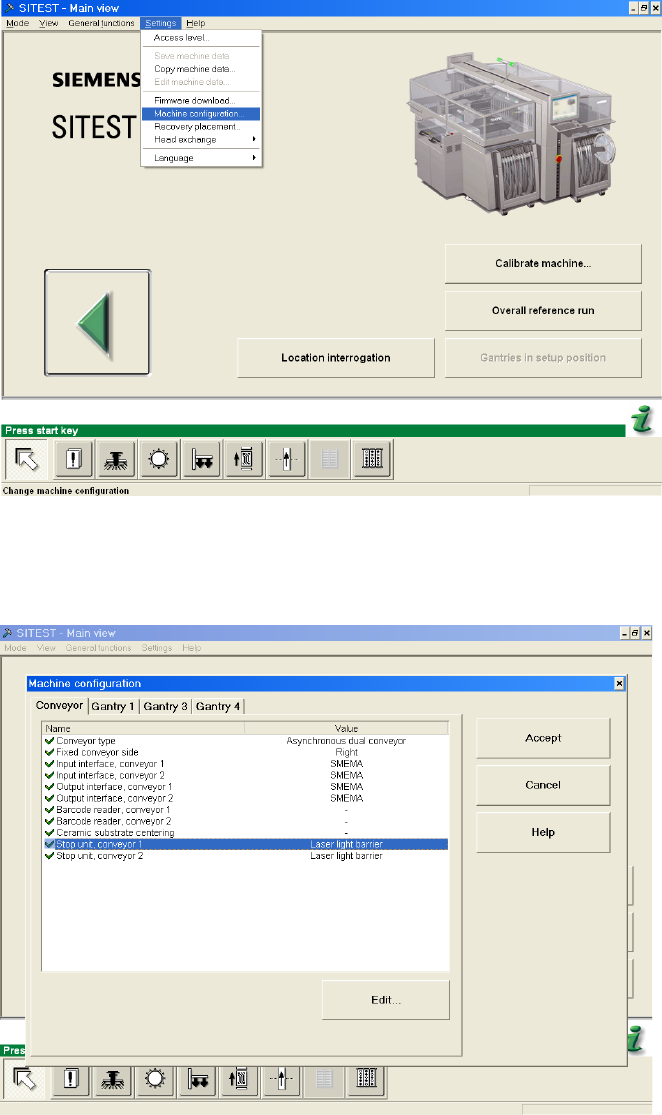
: Switch to SITEST and choose “Settings” -> “Machine configuration”.
1
1
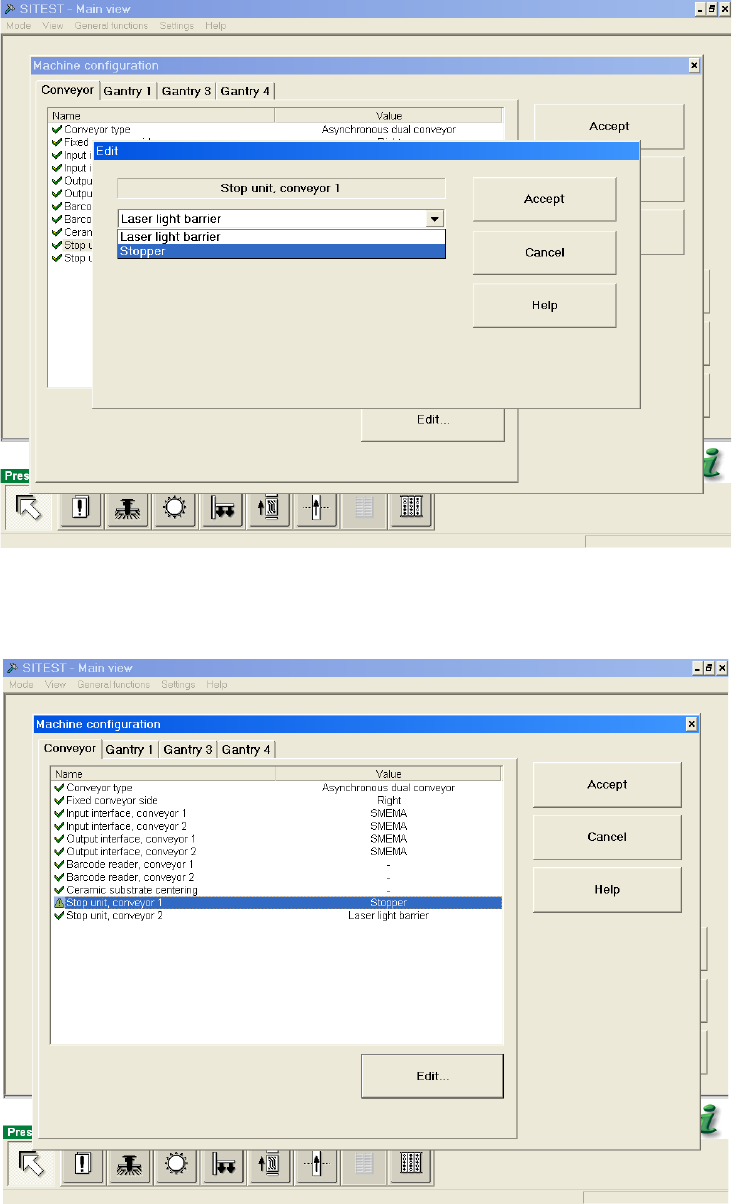
: Choose “Stop unit, conveyor 1” and click “Edit”.
1
SIPLACE 1 Assembly instructions Special design Stopper for placement area 1 (00166322-01) SIPLACE HF-series
06/2007 Edition
23
: Choose “Stopper” and click “Accept”.
1
: The Value of the conveyor 1 is now “Stopper”.
1
1 Assembly instructions Special design Stopper for placement area 1 (00166322-01) SIPLACE HF-series SIPLACE
06/2007 Edition
24
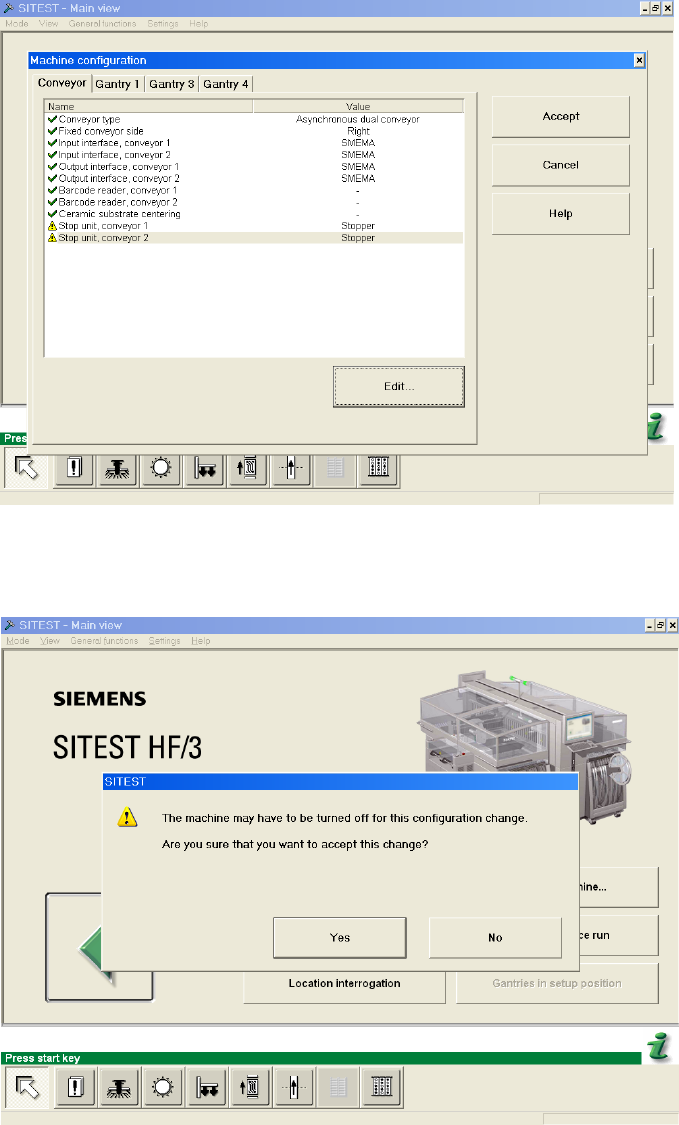
: Repeat the settings for conveyor 2 and click “Accept”.
1
: When you are asked, if you are sure that you want to accept this change, choose “Yes”.
1
: Shut down the machine and switch of the main switch.