stopper for HF-series for processing area 1.pdf - 第26页
1 Assembly instructions Special design Stopper for pl acement are a 1 (00166322-01) SIPLACE HF-series SIPLACE 06/2007 Edition 26 : Change to the actual setup. : Fill out the offset values for the "long board - place…
SIPLACE 1 Assembly instructions Special design Stopper for placement area 1 (00166322-01) SIPLACE HF-series
06/2007 Edition
25
1.11 Calibrating the PCB reference corner
: Switch to SITEST and recalibrate the PCB reference corner for PA1.
Whenever the stopper position is changed, the PCB reference corner will have to be recalibrated
in SITEST. 1
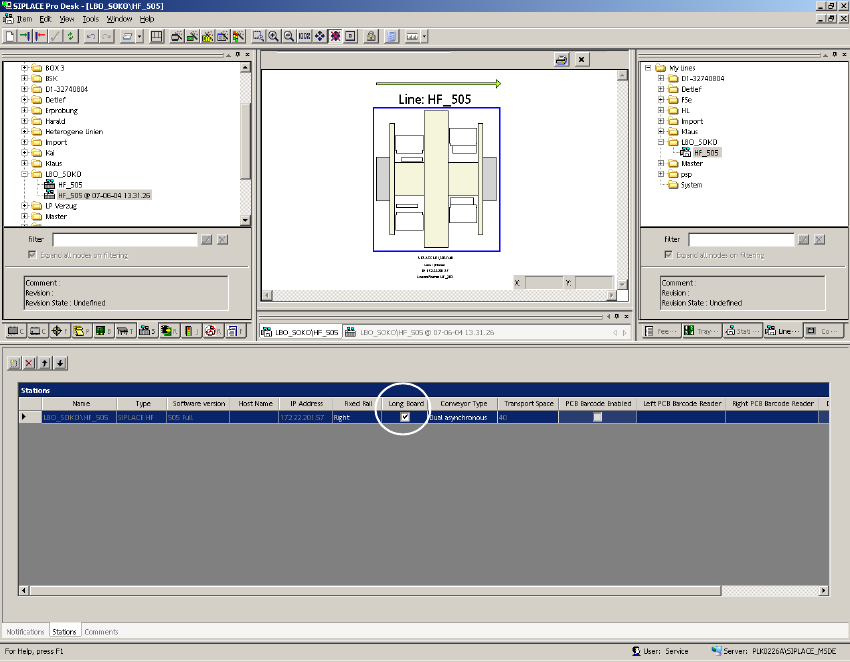
1.12 Description in SIPLACE Pro
: Set the flag "Long board" in the view "Line".
1
1
1
1
1
1 Assembly instructions Special design Stopper for placement area 1 (00166322-01) SIPLACE HF-series SIPLACE
06/2007 Edition
26
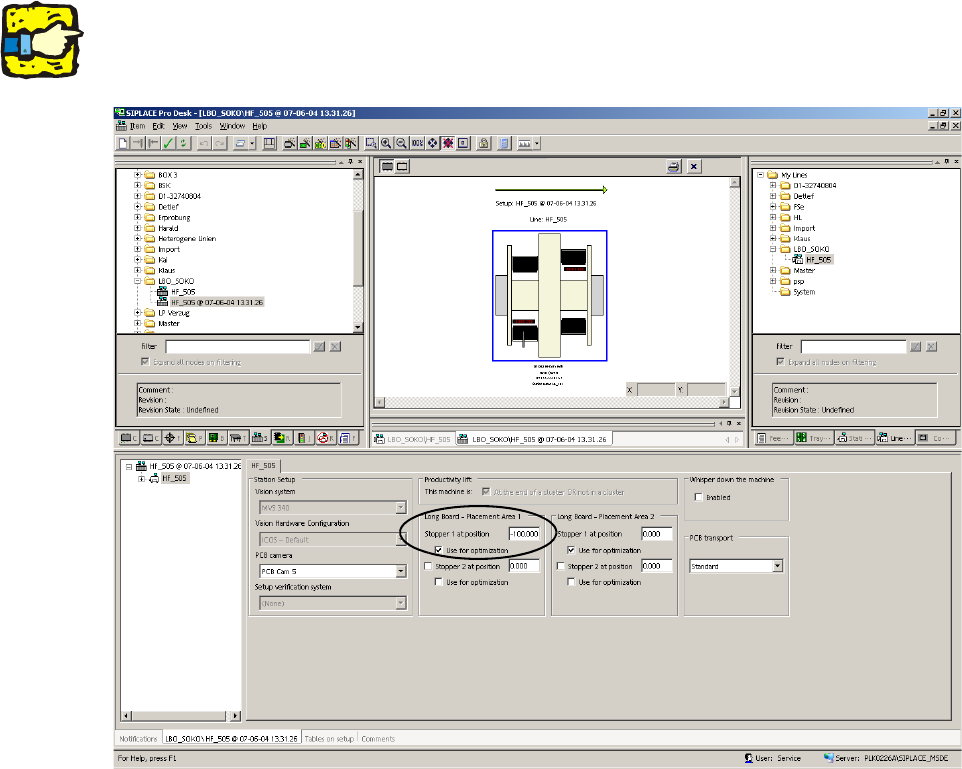
: Change to the actual setup.
: Fill out the offset values for the "long board - placement area 1" for "stopper 1 at position" and
set the flag for the optimization.
1
This value must be negative. 1
1
1
1
1
1
1
1
1
1
1
1
SIPLACE 1 Assembly instructions Special design Stopper for placement area 1 (00166322-01) SIPLACE HF-series
06/2007 Edition
27
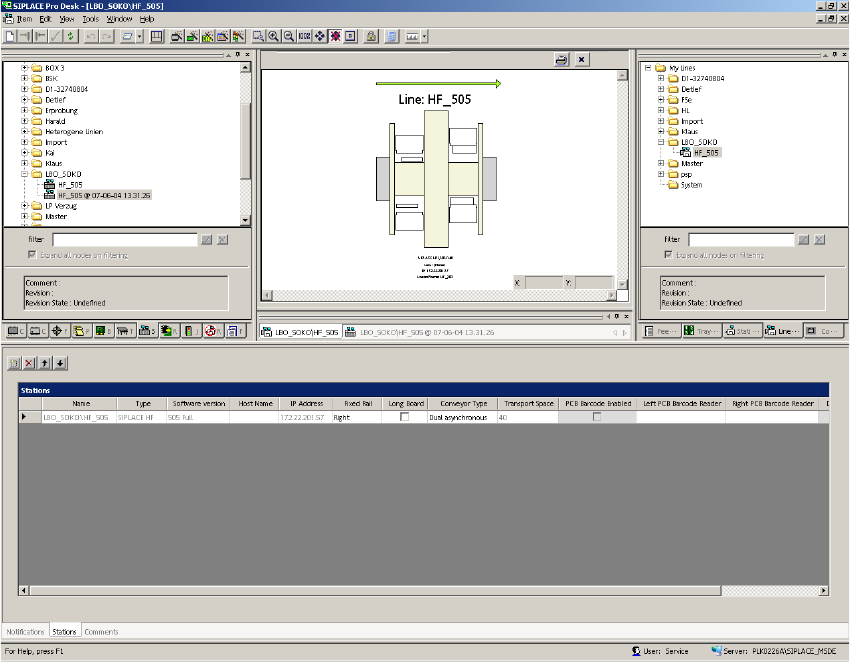
: Change back to the view "Line" and disable the flag "Long board".
1
1
: Start the optimization and send the job to the SIPLACE machines.
1
1
1