SIPLACE-SX4-DX4-用户手册.pdf - 第73页
Service Work 3.5.1 Replacing the X Axis In cremental Encode r [03020588-xx] Gantries Service Manual SIPLACE SX4/DX4 73 Installation ► Clean the reading surface of the incremental encoder with a cloth and ethanol o r with…
Service Work
Gantries 3.5.1 Replacing the X Axis Incremental Encoder [03020588-xx]
72 Service Manual SIPLACE SX4/DX4
Removal
► Switch off the machine, disconnect it from the power supply and secure it to prevent unauthorized
reactivation. Observe the instructions in section "1.2 Preparatory Work..." [ ➙ 12].
► Unplug the incremental encoder press-fit connection from the head interface.
► Unthread the connection cable as far as the incremental encoder (2).
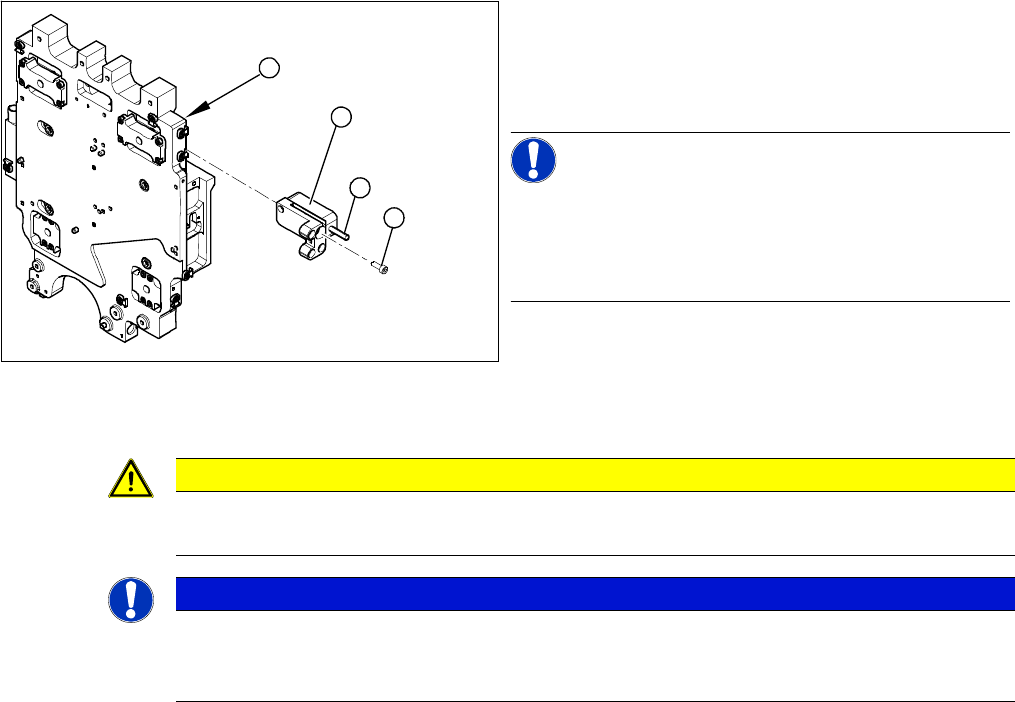
► Loosen the three screws (3) fastening the incremental encoder (2) of the X axis and carefully remove
the incremental encoder.
1. Head plate - front view
2. Incremental encoder
3. 3 x fastening screws
4. Grub screw (secured with Loctite No. 241)
NOTICE!
Grub screw on the incremental encoder
If the incremental encoder is installed on the head plate
of a CFK 04 or 06 gantry, the grub screw is without func-
tion. Do not loosen or tighten this grub screw.
3
4
1
2
CAUTION
HF – CFK02 gantry
Refer to the relevant guide for the CFK02 gantry.
NOTICE
Recommendation
► We recommend that you always perform these tasks from the opposite side, over the other
gantry. You may need to use a stepladder or something similar to help you.
Service Work
3.5.1 Replacing the X Axis Incremental Encoder [03020588-xx] Gantries
Service Manual SIPLACE SX4/DX4 73
Installation
► Clean the reading surface of the incremental encoder
with a cloth and ethanol or with a cleansing tip.
► Loosely fasten the incremental encoder (2) with three
fastening screws (3).
► The incremental encoder must be aligned with a
0.75 mm gap (for the old read head [03020588-xx]
0.4 mm) to the scale. Use the corresponding thick-
ness gauge (plastic).
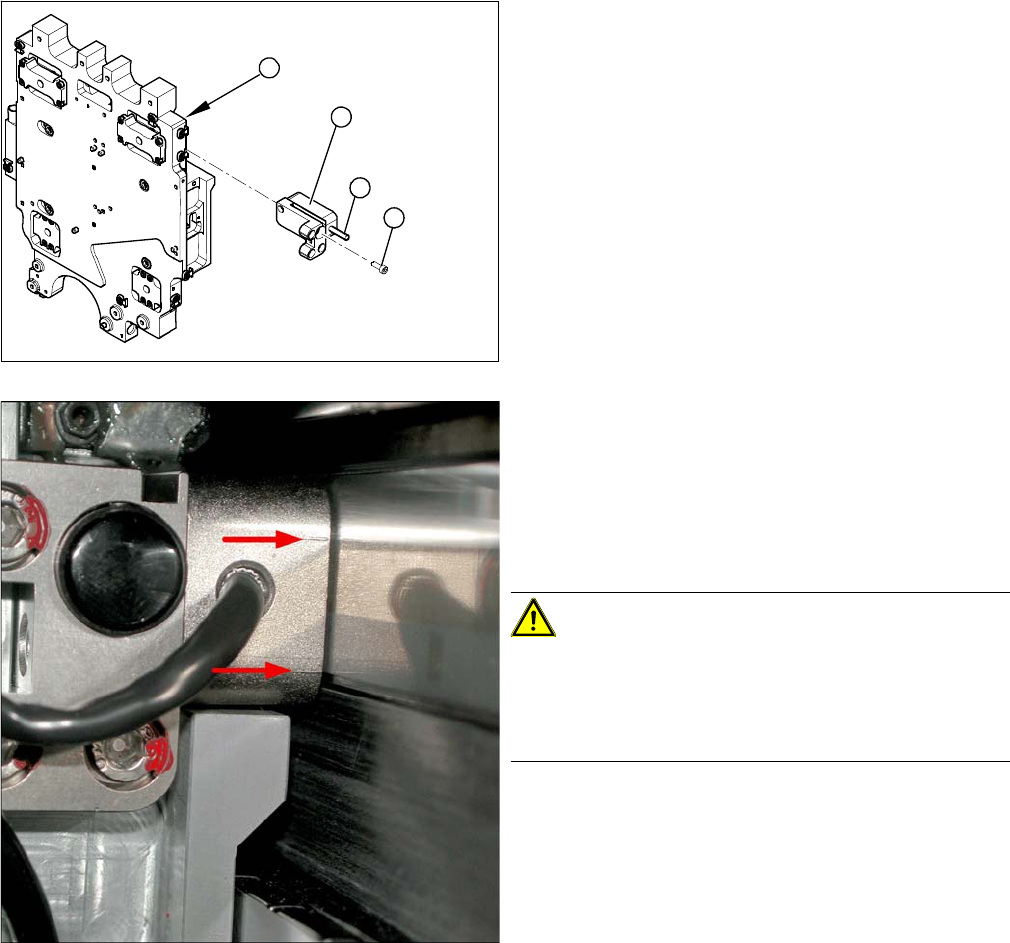
Casting marks on the incremental encoder
► You must set the exact height to the scale.
► Align the incremental encoder, using the two casting
marks (arrows), which mark the read area.
► Tighten the fastening screws.
► Reconnect to the electricity supply (connector X14 or
X15).
CAUTION!
Check how the cables are run!
Make sure that the axes can be moved without damaging
the cables.
Fasten the cables with cable ties.
► Move the gantry into the end stopper and check that
the buffer does not come into contact with the cable.
3
4
1
2
Service Work
Gantries 3.5.2 Replacing the Y Axis Incremental Encoder [03017754-xx]
74 Service Manual SIPLACE SX4/DX4
3.5.2
3.5.2 Replacing the Y Axis Incremental Encoder [03017754-xx]
Replacing the Y Axis Incremental Encoder [03017754-xx]
Parts, equipment and tools
▪ Read head MS22.74 X/Y 950mm [03090202-xx] (replaces: [03017754-xx])
Removal/installation
NOTICE
Head interface
The new read head for the X axis "Read head MS22.74 X/Y 950 mm" [03090201-xx] may only
be fitted with a "Gantry interface gantry 1 and 3" from FS03 [03059908-03] or "Gantry interface
gantry 2 and 4" [03059909-03].
The read head can only be fitted together with a new " Scale Siplace SX4 Y axis (2320 mm)"
[03093791-xx]. If an old read head is upgraded to the new version MS22, you will also need to
replace the scale.
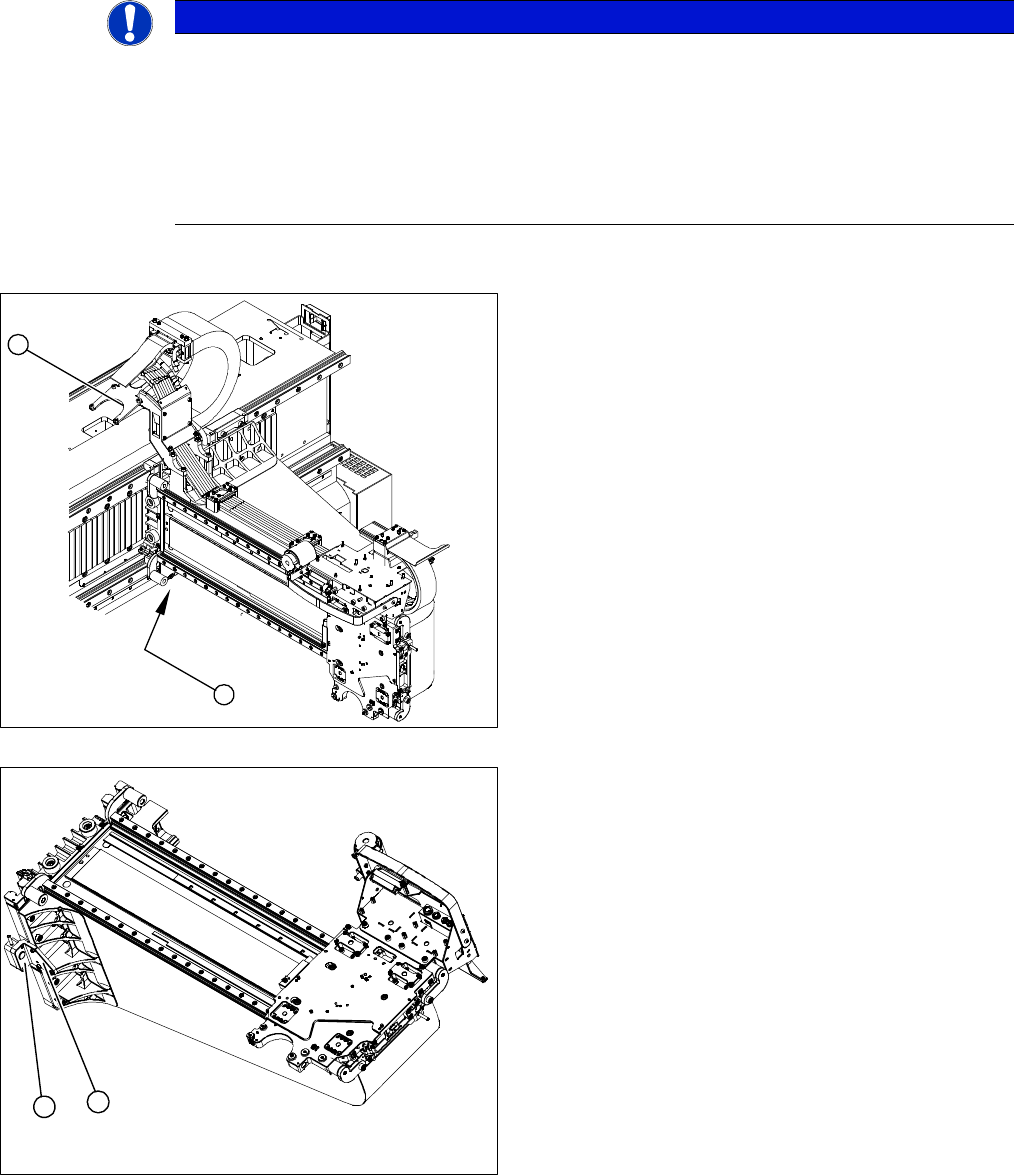
1. Position of the Y axis incremental encoder
2. Installation point for gantry interface
► Unplug the incremental encoder press-fit connection
from the gantry interface (2).
► Unthread the connection cable as far as the incre-
mental encoder.
► Loosen the three screws fastening (1) the incremen-
tal encoder (2) of the Y axis and carefully lift off the
incremental encoder (2).
► Clean the reading surface of the incremental encoder
with a cloth and ethanol or with a Q tip.
► Install the incremental encoder (2) with the three fas-
tening screws so that there is a gap of 0.75 mm be-
tween the incremental encoder (2) and the scale (for
old read head [03017754-xx]: 0.4 mm). Use the cor-
responding thickness gauge (plastic).
1
2
1
2