CX200-4(Maint).pdf - 第55页
(27) L/R Conveyor Sections 1.3 Maintenance Spots 01 10-003 1-44 AFO01ETRP Fig. 4A58
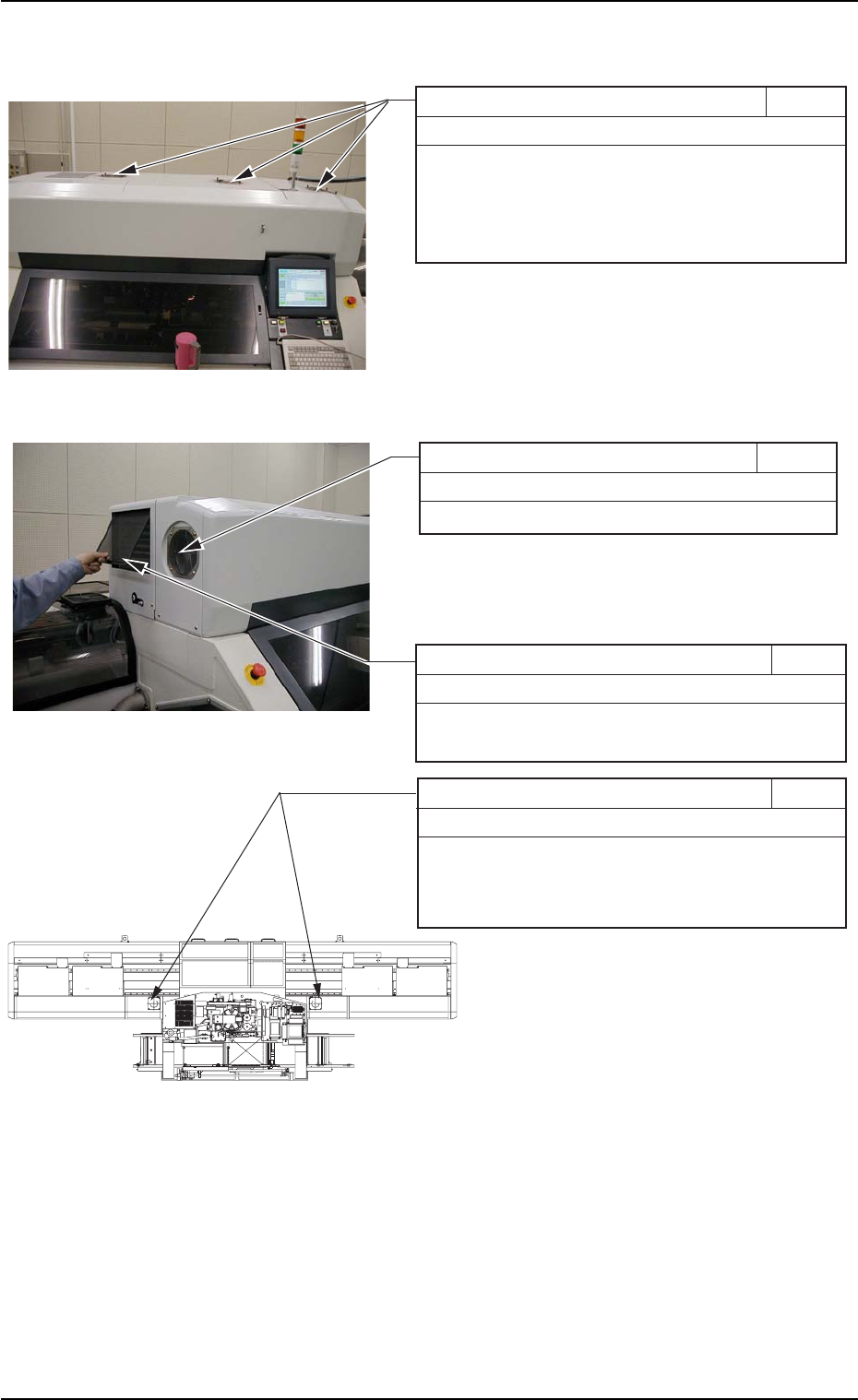
(26) Filters and Fans in Each Section
1.3 Maintenance Spots
0110-003 1-43 AFO01ETRP
Fans on Top of Machine 3M30
Every 3 Months Cleaning
Remove the filters from the cooling fans on the top
of the main body and clean them with a vacuum
cleaner.
After cleaning, put the filters back in place.
Filter of Main Body Driving Section 3M31
Every 3 Months Cleaning
Clean the filter with a vacuum cleaner.
Cooling Fans of Feeder Carriage Sections 3M33
Every 3 Months Cleaning
Remove the filters of the cooling fans and clean
them with a vacuum cleaner.
After cleaning, put the filters back in place.
Filter of Oil Cooler 3M32
Every 3 Months Cleaning
Detach the filter and clean it with a vacuum cleaner.
After cleaning, put the filter back in place.
Fig. 4A55
Fig. 4A56
Fig. 4A57 Top View of Machine
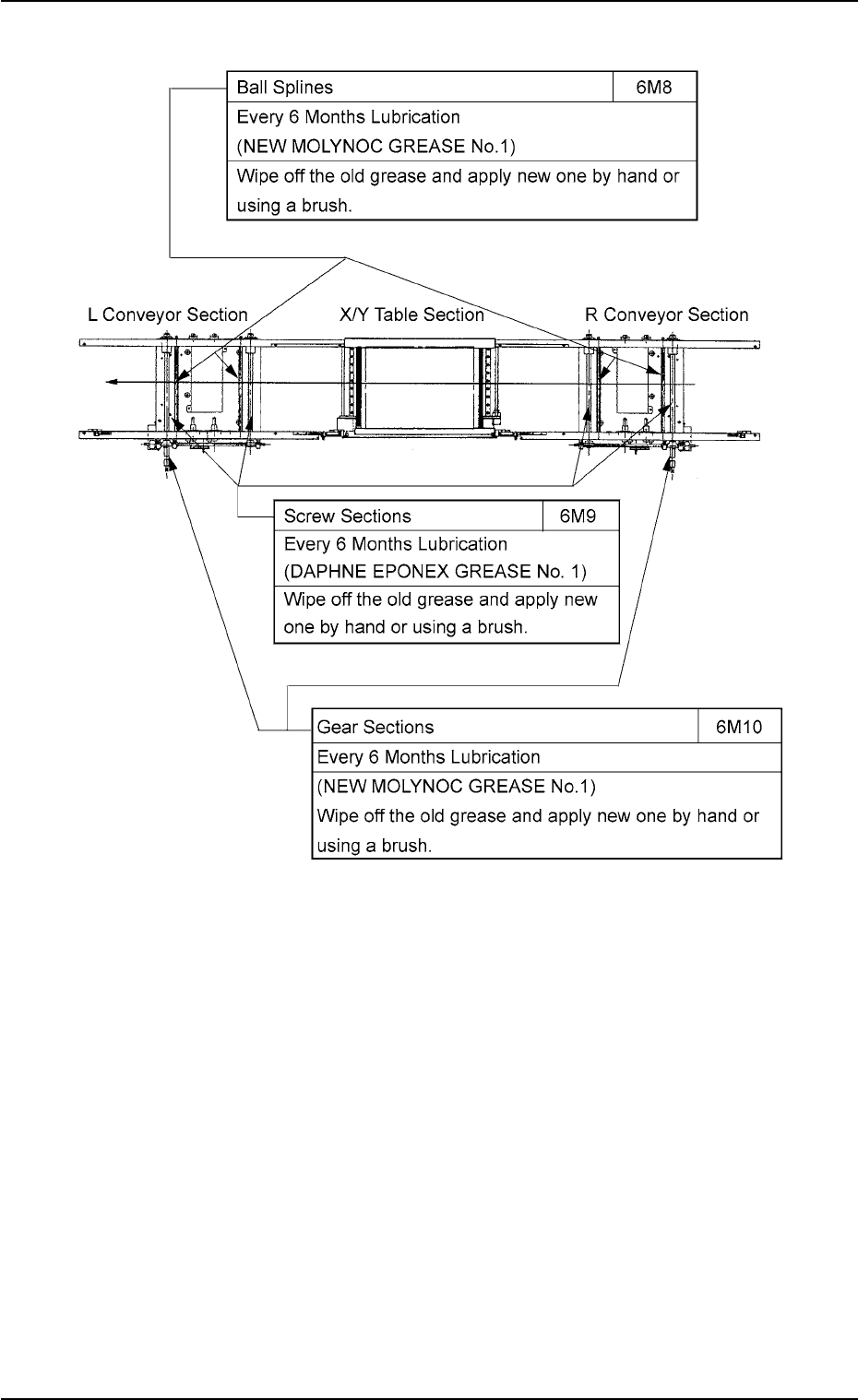
(27) L/R Conveyor Sections
1.3 Maintenance Spots
0110-003 1-44 AFO01ETRP
Fig. 4A58
1.4 Maintenance Method
1.4.1 Air Source
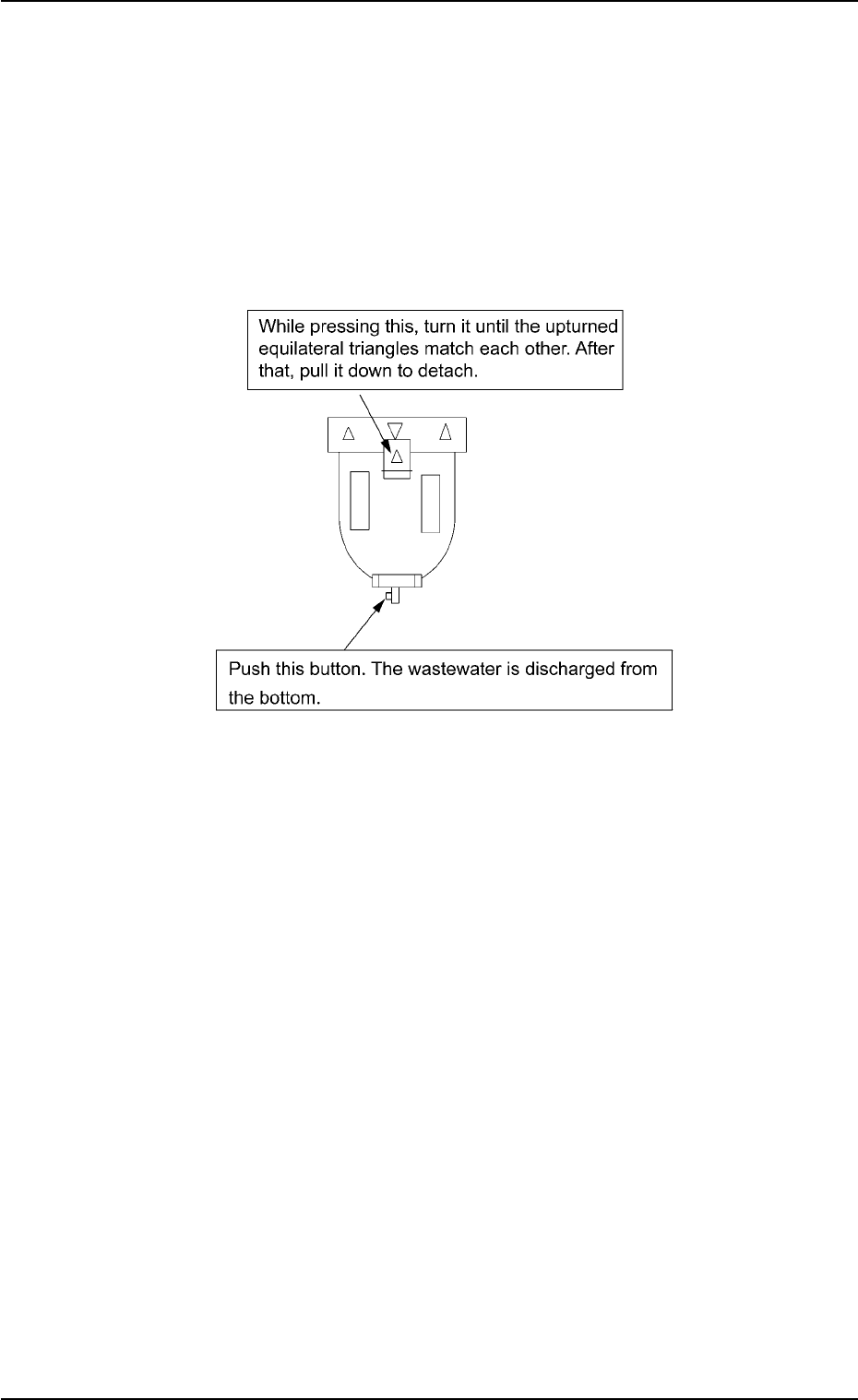
(1) Purging
Place a container, etc., under a filter case and press the button lo-
cated at the lower section of the filter case to drain the wastewater
(dirty water, sometimes mixed with oil) from the case.
Fig. 4A60
(2) Filter Detachment and Attachment
Turn the knob until the upturned equilateral triangles match each
other as shown in the figure above and pull down the case. The
case can easily be detached. The case can also be locked by match-
ing the upturned and downturned equilateral triangles.
To detach the filter, remove the outer case and turn the inner filter
counterclockwise.
Follow the reverse procedure to attach the filter.
(3) Filter Cleaning
Use an air gun to clean the filters once in three months or whenever
they get dirty.
01 10-003 1-45
AFO01ETRP
1.4 Maintenance Method