CX200-4(Maint).pdf - 第90页
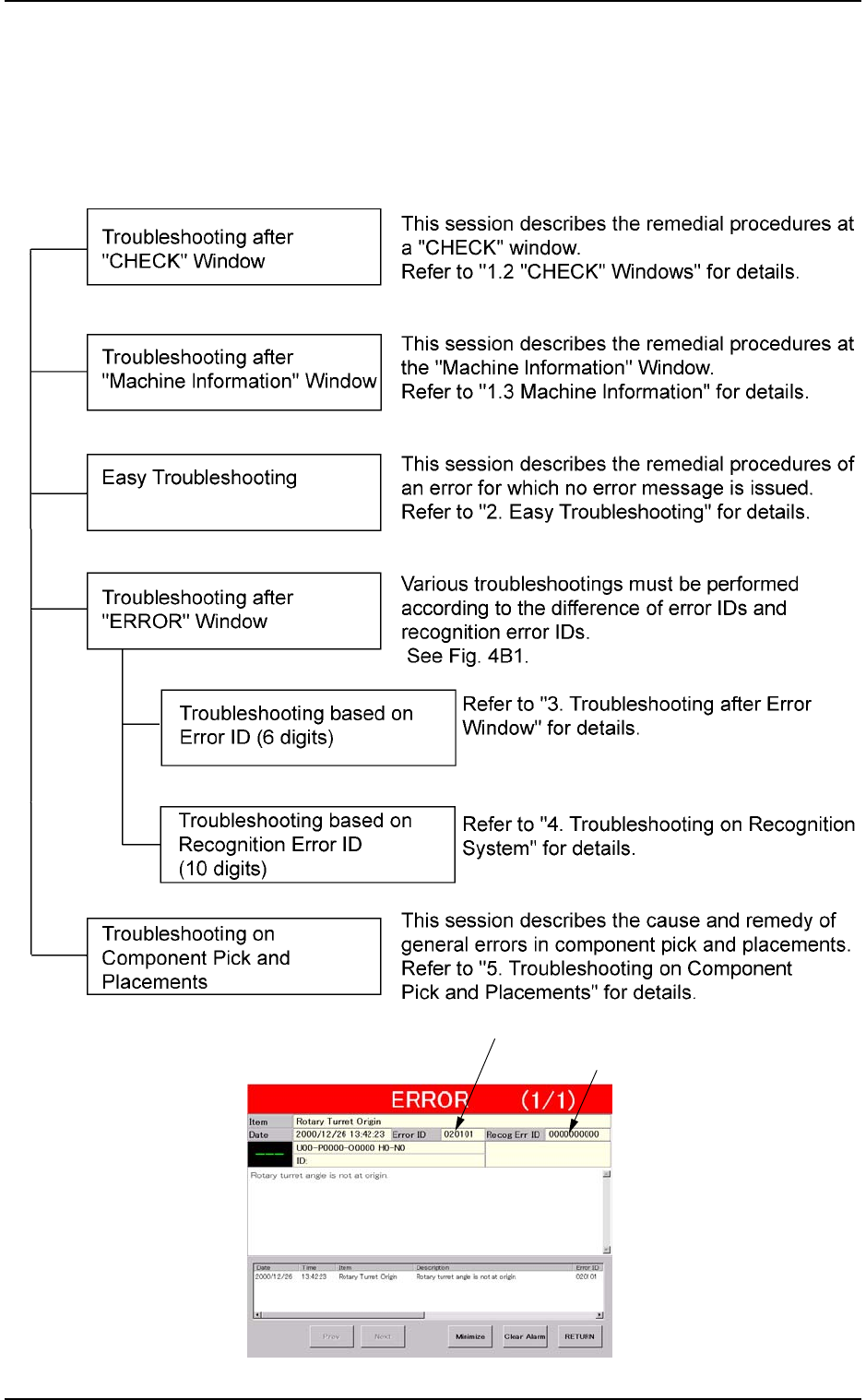
1. Scope 1. 1 Scope of T roubleshooting The troubleshooting is composed as follows. Fig. 4B1 01 10-003 2 - 1 AFO01ETRP 1. Scope Error ID (6 digits) Recognition Error ID (10 digits)

01 10-003 2-B AFO01ETRP
1. Scope
1.1 Scope of Troubleshooting
The troubleshooting is composed as follows.
Fig. 4B1
01 10-003 2-1
AFO01ETRP
1. Scope
Error ID (6 digits)
Recognition Error ID (10 digits)
1.2 “CHECK” Windows
1.2.1 “CHECK” Windows
• Window Layout
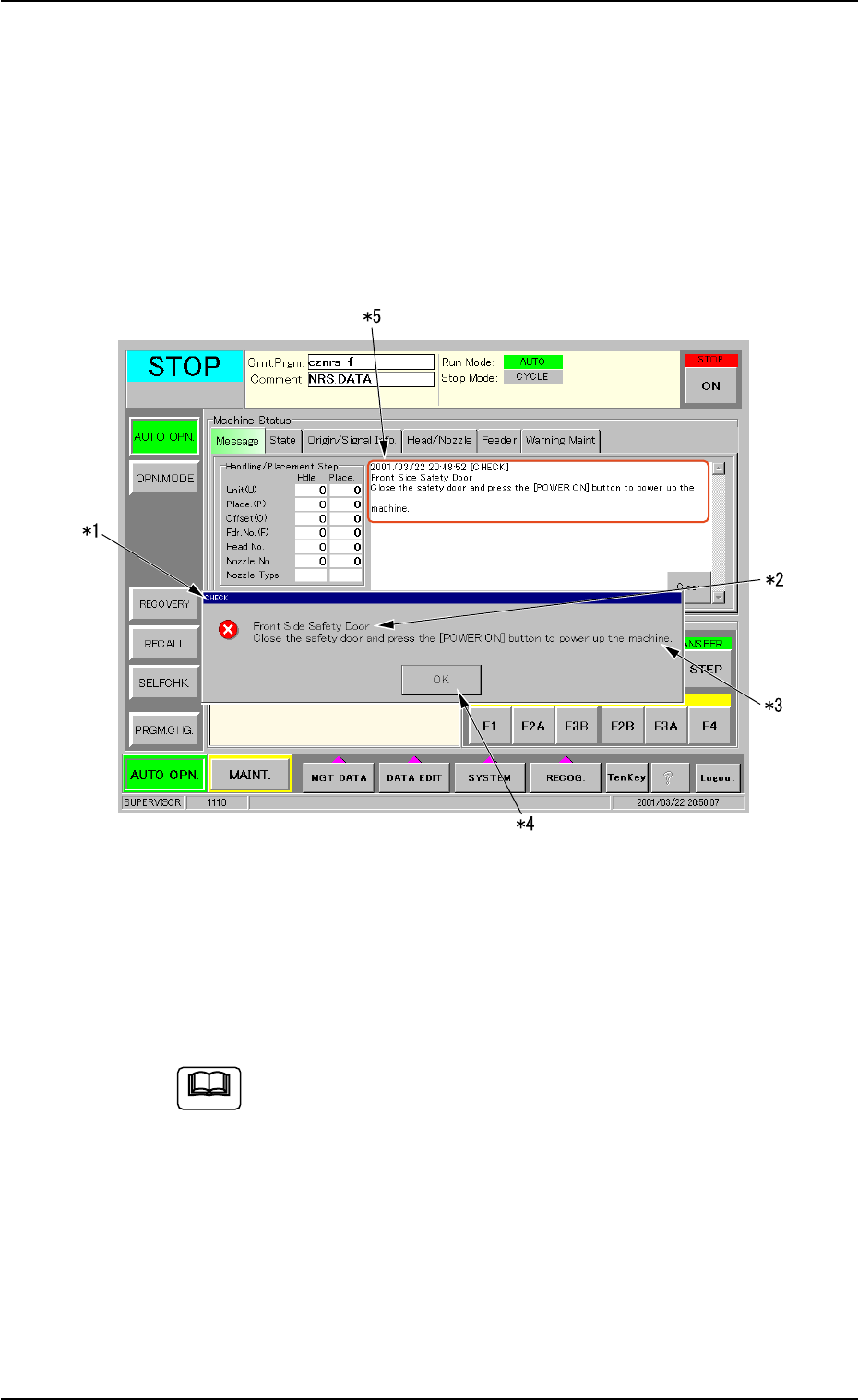
When the machine is not reset to its normal condition after an operator
makes an error operation or an error occurs in the operation system, a
window like the following opens.
Fig. 4B2 Example of “CHECK” Window
• Window Composition
*1 Check Message
A check message is issued and displayed.
Refer to “1.2.2 List of Check Messages” for details.
*2 Display Field A
Displayed is the scope of the check message.
*3 Display Field B
Displayed are the details of the check message.
01 10-003 2-2
AFO01ETRP
1.2 “CHECK” Windows
Note