YS24X_Ope_E.pdf - 第103页
2-28 2 asic operation n Precautions when positioning the dual-lane T he push-up pins for the dual-lane are specially designed to avoid the interference with the push-up plate. T he component taller than 20mm at the bot…
2-27
2
asic operation
5
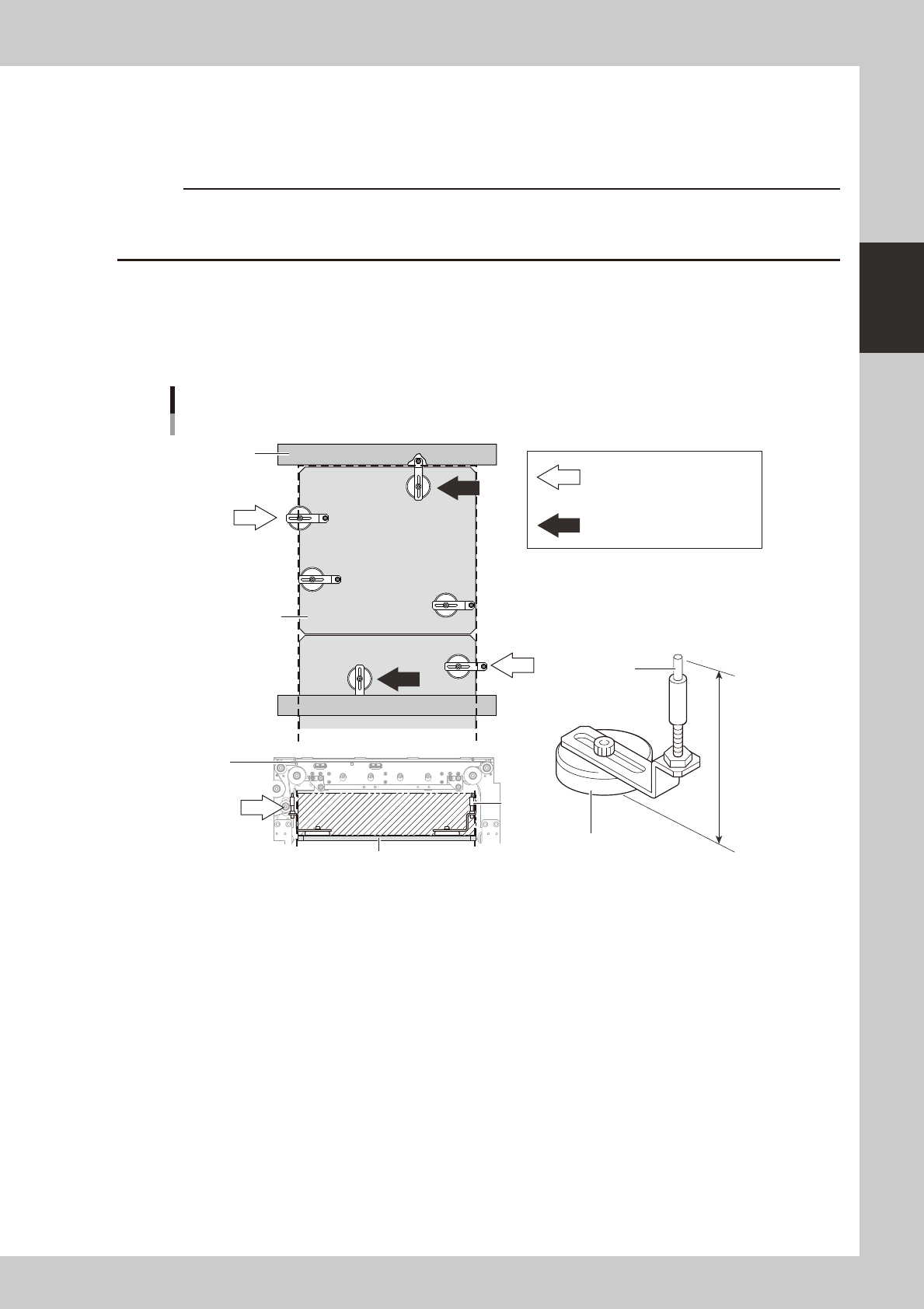
Place the push-up pins in the correct positions on the push-up plate.
Push-up pins are attached on the push-up plate by magnet. Considering the shape and size of the
board, place the push-up pins on the push-up plate so that they uniformly support the board, including
the edge of the board.
c
Set the push-up pins in positions where they will not interfere with the conveyor rails and other parts when the push-up
not change this height.
n
Precautions when positioning the dual-stage
When positioning the dual stage (one board on each stage), be especially aware of where push-up pins are arranged on
stage 2. By referring to the figure below, arrange push-up pins on the stage so that they do not protrude from the push-up
plate.
OK
OK
OK
NG
NG
NG
NG
NG
NG
NG
NG
76mm
Support pin
Push-up pin
Height and arrangement (stage 2)
Magnet stand
Conveyor
frame
Conveyor
frame
Push-up
plate
Push-up pin is under the conveyor
frame.
Push-up pin or magnet stand
protrudes from the left or right
edge of push-up plate
(area enclosed by dotted line).
Push-up pin
Push-up plate
23204-L4-10
2-28
2
asic operation
n
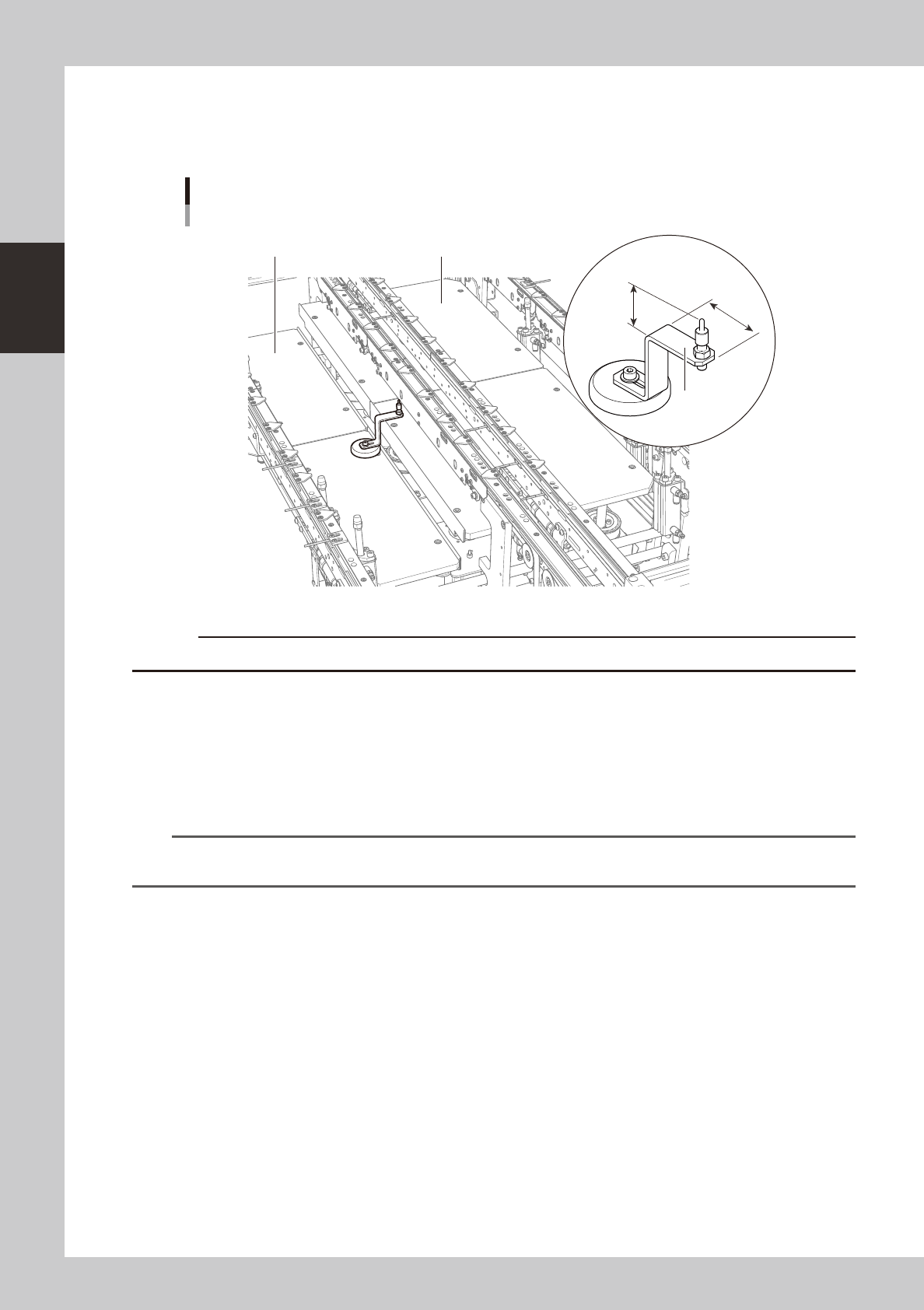
Precautions when positioning the dual-lane
The push-up pins for the dual-lane are specially designed to avoid the interference with the push-up plate.
The component taller than 20mm at the bottom side of the board may interfere with the "AA" part in the picture below.
PU1 (Fromt side)PU2 (Rear side)
23.7mm
41mm
AA
Push-up pin
Dual -lane
23236-L4-00
c
Please do not use the push-up pins from other machines to a dual-lane machine.
6
Raise the push-up plate.
Ensure safety, cancel emergency stop, and then press the [Push Up] button on the "Conveyor" screen.
Select the lane in case of the dual-lane machine. The push-up plate moves up to clamp the board.
7
Check that the board is uniformly clamped on the conveyor.
Lightly tap on the board and also check for warping of the board from the side. If the board is
supported evenly with no warping, the adjustment is okay.
TIP
It may be convenient to mark the positions of the push-up pins on the plate (with a label, magic marker, etc.) for each
board type.
e
8
Remove the board from the conveyor.
Press the [Push Up] button on the "Conveyor" screen to lower the push-up plate, press the emergency
stop button, and then remove the board. Select the lane in case of the dual-lane machine.
2-29
2
asic operation
4. Preparing the component supply unit
4.1 Tape feeders
4.1.1 Setting the tape
c
Always use a temporary tape set station or a power station for the off-line setup to set the tape. The tape cannot be
set directly on the mounter.
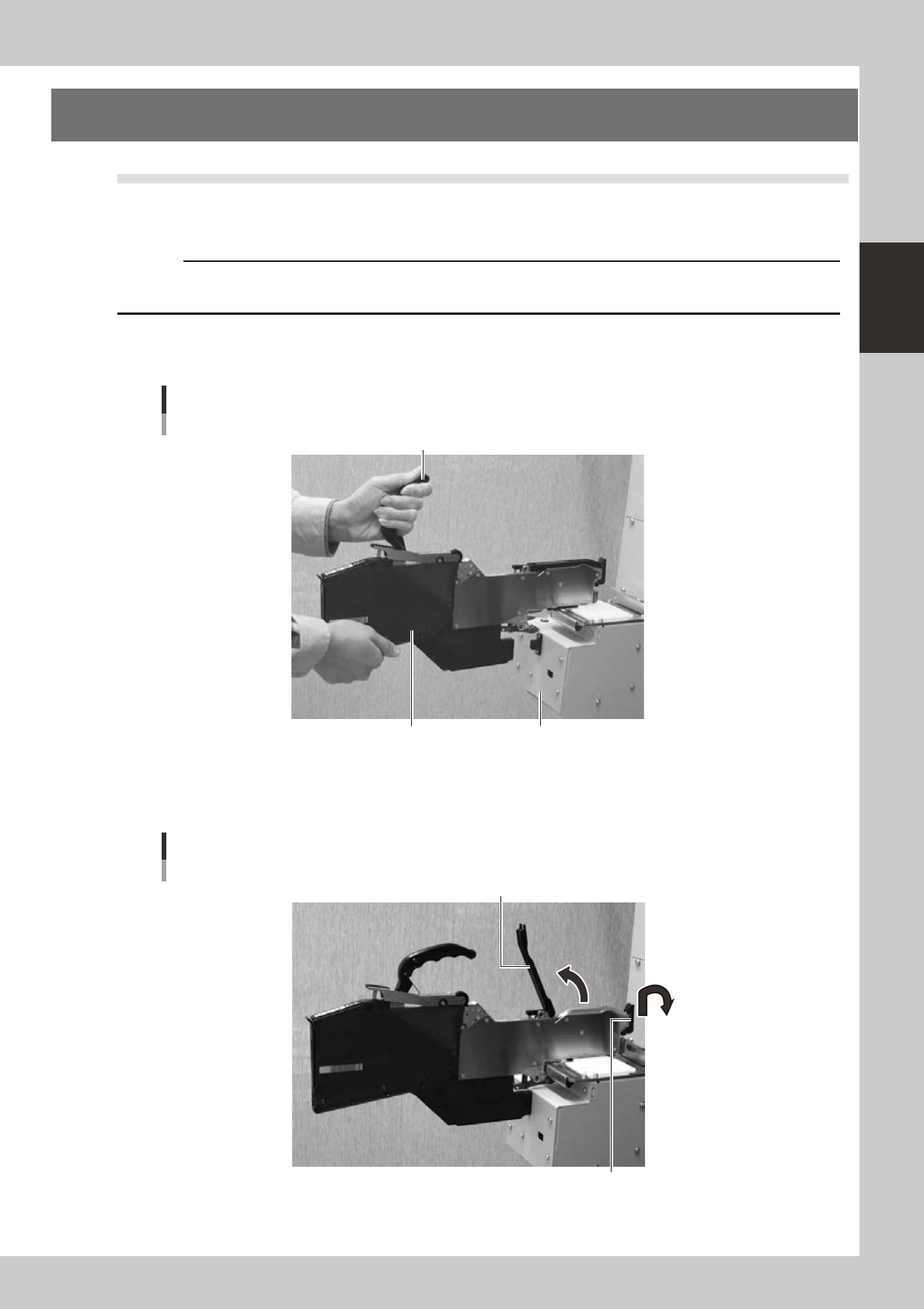
1
Set the feeder.
Place the feeder in the temporary tape set station or power station for the off-line setup.
Setting the feeder
Handle
Feeder Temporary tape set station
23205-L4-00
2
Raise the tape guide assembly.
Lower the front lever for the tape guide while lifting it, and raise the tape guide assembly.
Raising the tape guide assembly
Tape guide assembly
Tape guide front lever
23206-L4-00