YS24X_Ope_E.pdf - 第107页
2-32 2 asic operation 9 T ake up an y slack in the top tape. Pull the top tape gently towards the arr ow shown in the photo and release to automatically wi nd the tape. Winding the top tape to remove slack T op tape 23…
2-31
2
asic operation
7
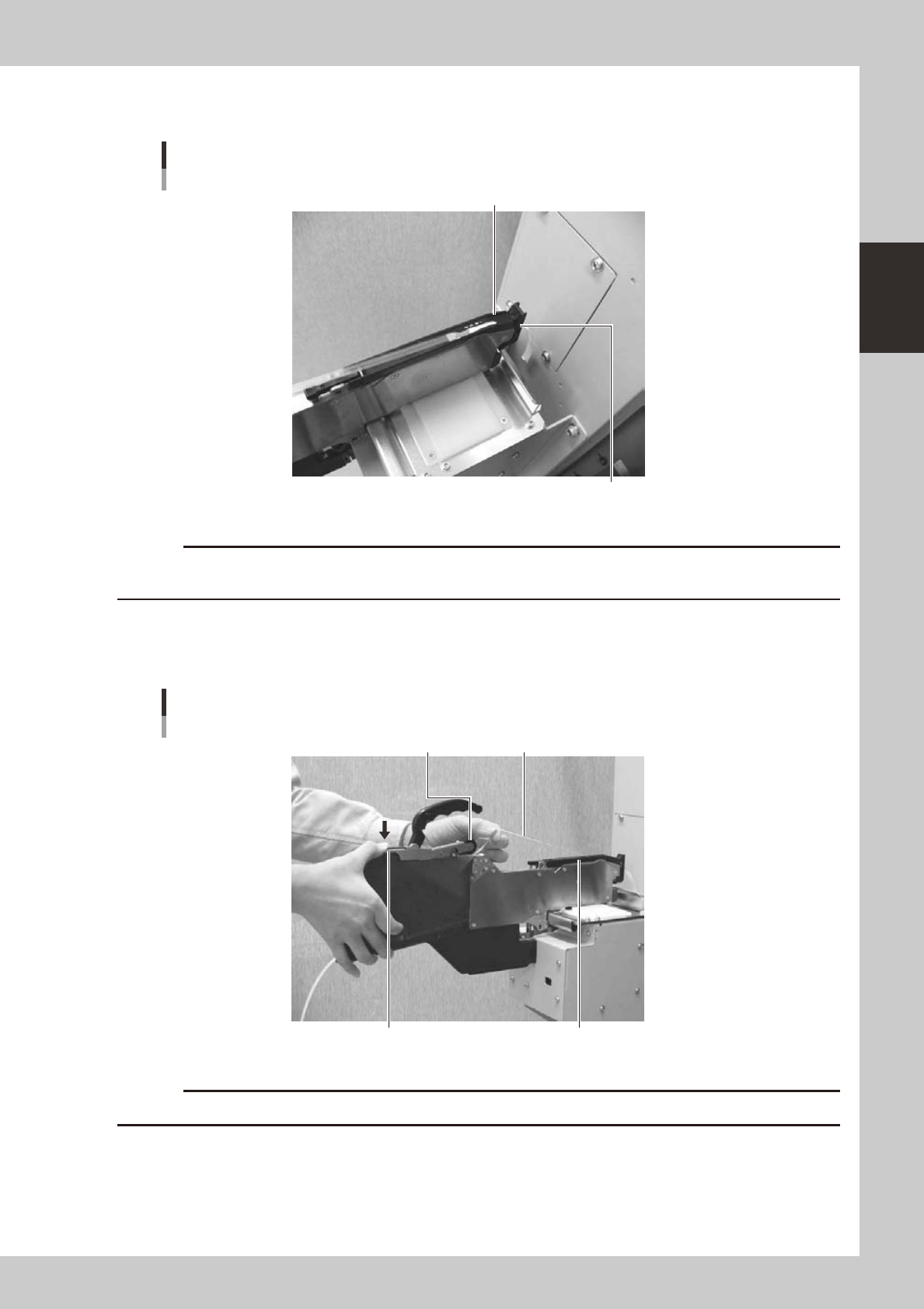
Clamp the tape guide assembly.
Set the carrier tape so it engages with the teeth on the sprocket.
Clamping the tape guide assembly
Tape guide assembly
Tape guide front lever
23209-L4-00
c
guide assembly during clamping.
8
Set the top tape in the take-up roller.
Clamp the section of the take-up roller lever shown in the photo to form a gap in the take-up roller,
insert some of the top tape into that gap, then release the take-up roller lever to grip the top tape.
Setting the top tape
Top tapeTake-up roller
Take-up roller lever Tape guide assembly
23210-L4-00
c
Check that the top tape has not become twisted between the take-up roller and the tape guide assembly.
2-32
2
asic operation
9
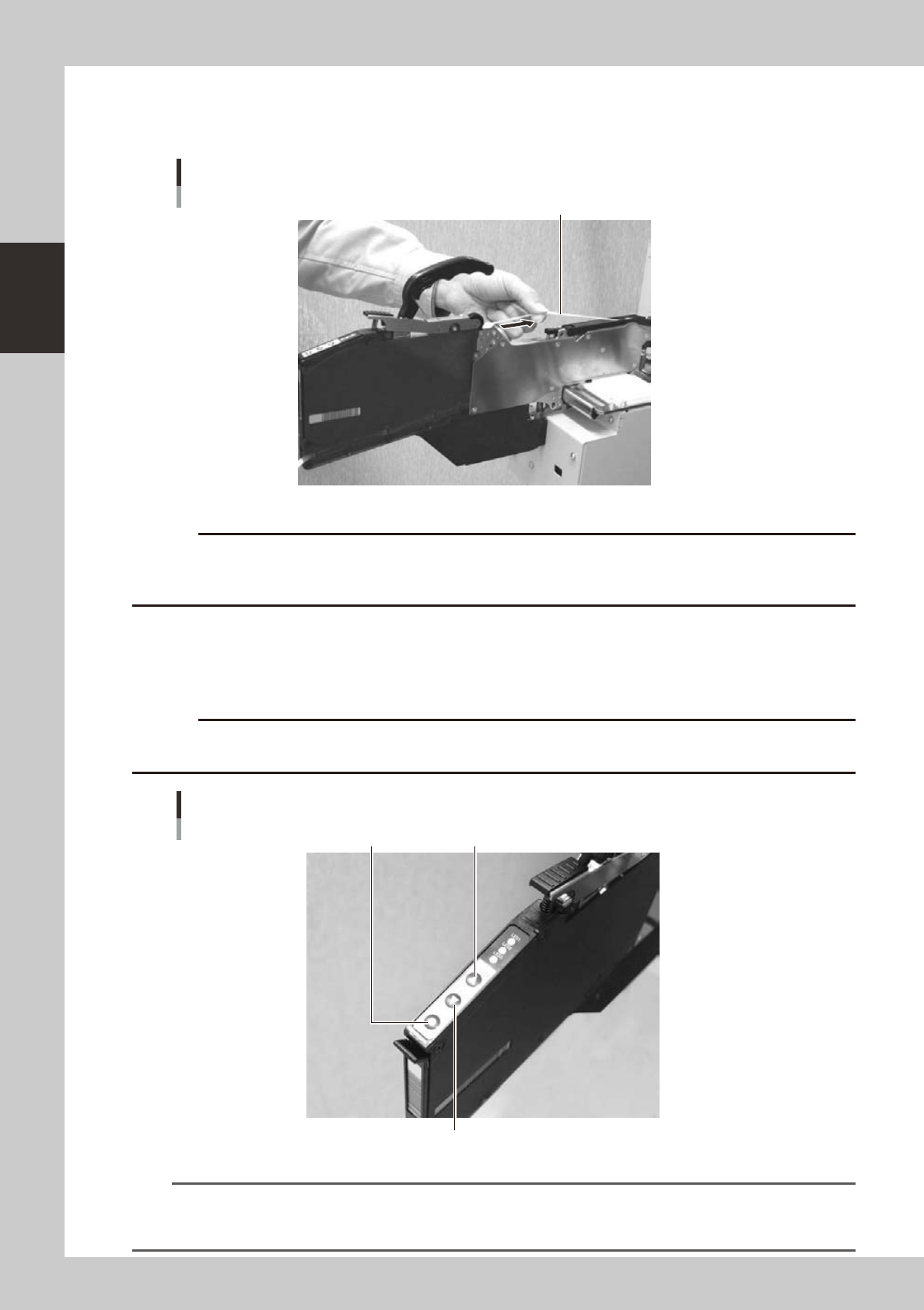
Take up any slack in the top tape.
Pull the top tape gently towards the arrow shown in the photo and release to automatically wind the
tape.
Winding the top tape to remove slack
Top tape
23211-L4-00
c
0
Feed the components to the pickup position.
Press the [FEED] button on the feeder body to convey the components to the pickup position. To return
the components to the feeder, press the [BACK] button. The tape feeds 2 millimeters each the button is
pressed.
c
advance the carrier tape.
[FEED] button, [BACK] button, [FUNC] button
[BACK] button
[FEED] button[FUNC] button
23212-L4-00
TIP
• The feed pitch will always be 2 mm each time the [FEED] or [BACK] button on the feeder body is pressed,
regardless of the pitch setting. Holding down either of these buttons feeds the tape continuously.
• Use the [FUNC]+[FEED] buttons to feed the tape at the feed pitch that was set.
2-33
2
asic operation
q
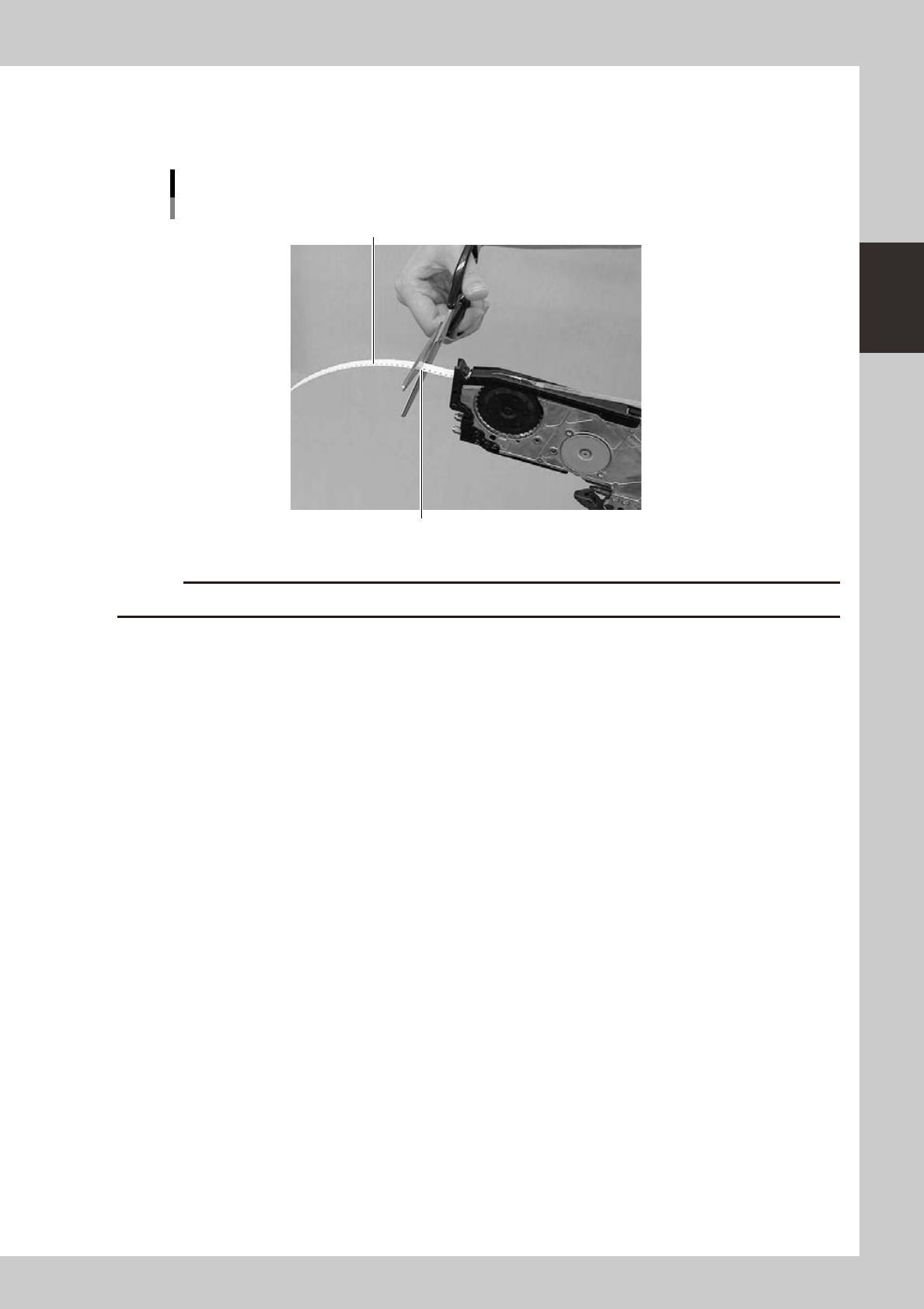
Cut the carrier tape.
After feeding the components to the pickup position, cut the carrier tape at the position, approximately
1 to 2 cm from the exit for the tape before setting the feeder to a machine.
Cutting the carrier tape
Carrier tape
Cut the tape leaving about 1 to 2 cm margin.
23216-L4-00
c