YS24X_Ope_E.pdf - 第108页
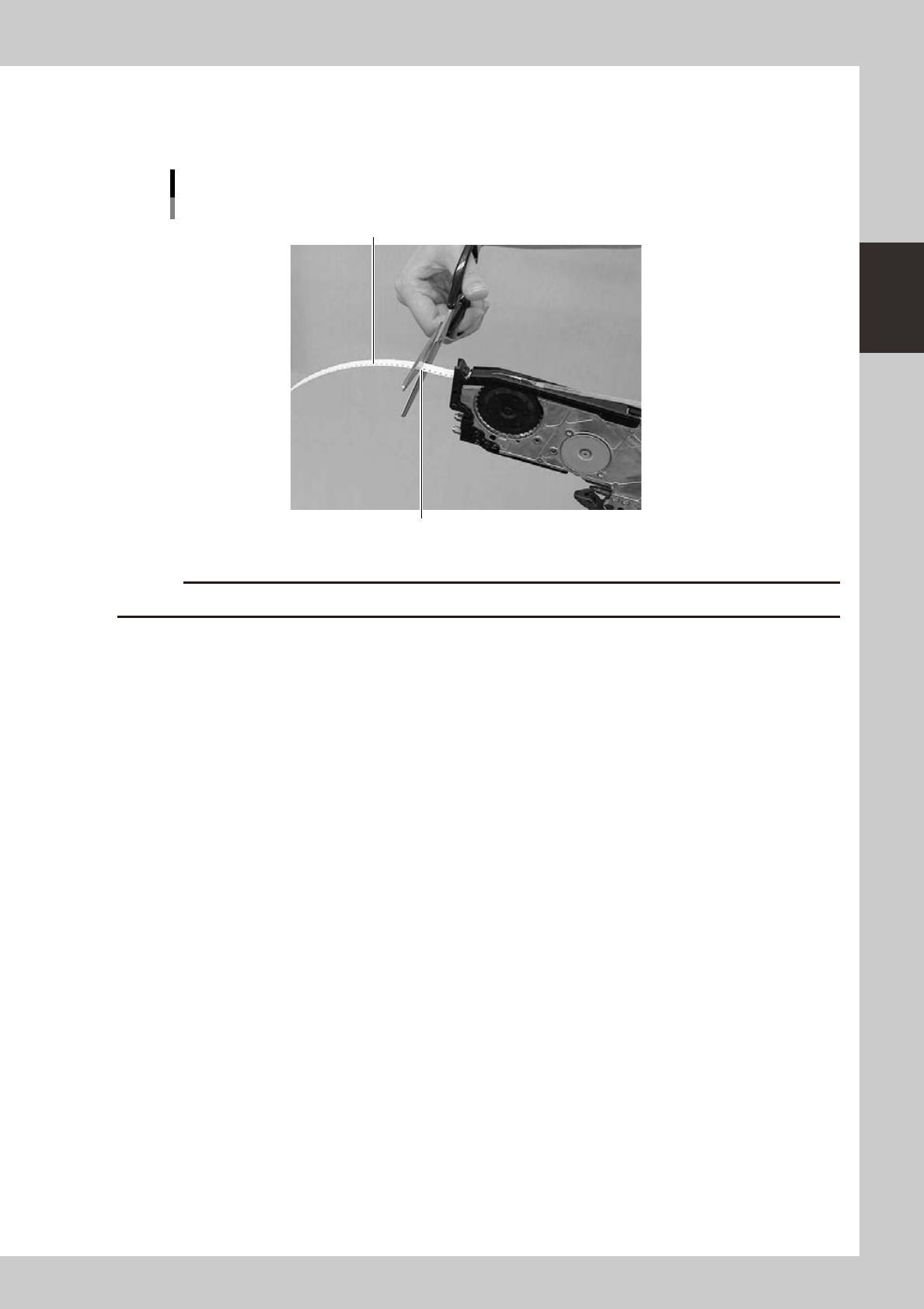
2-33 2 asic operation q Cut the c arrier tape. After feeding the components to the pickup posit ion, cut the carrier tape at the position, approximately 1 to 2 cm from the exit for the tape befor e setting the feeder t…
2-32
2
asic operation
9
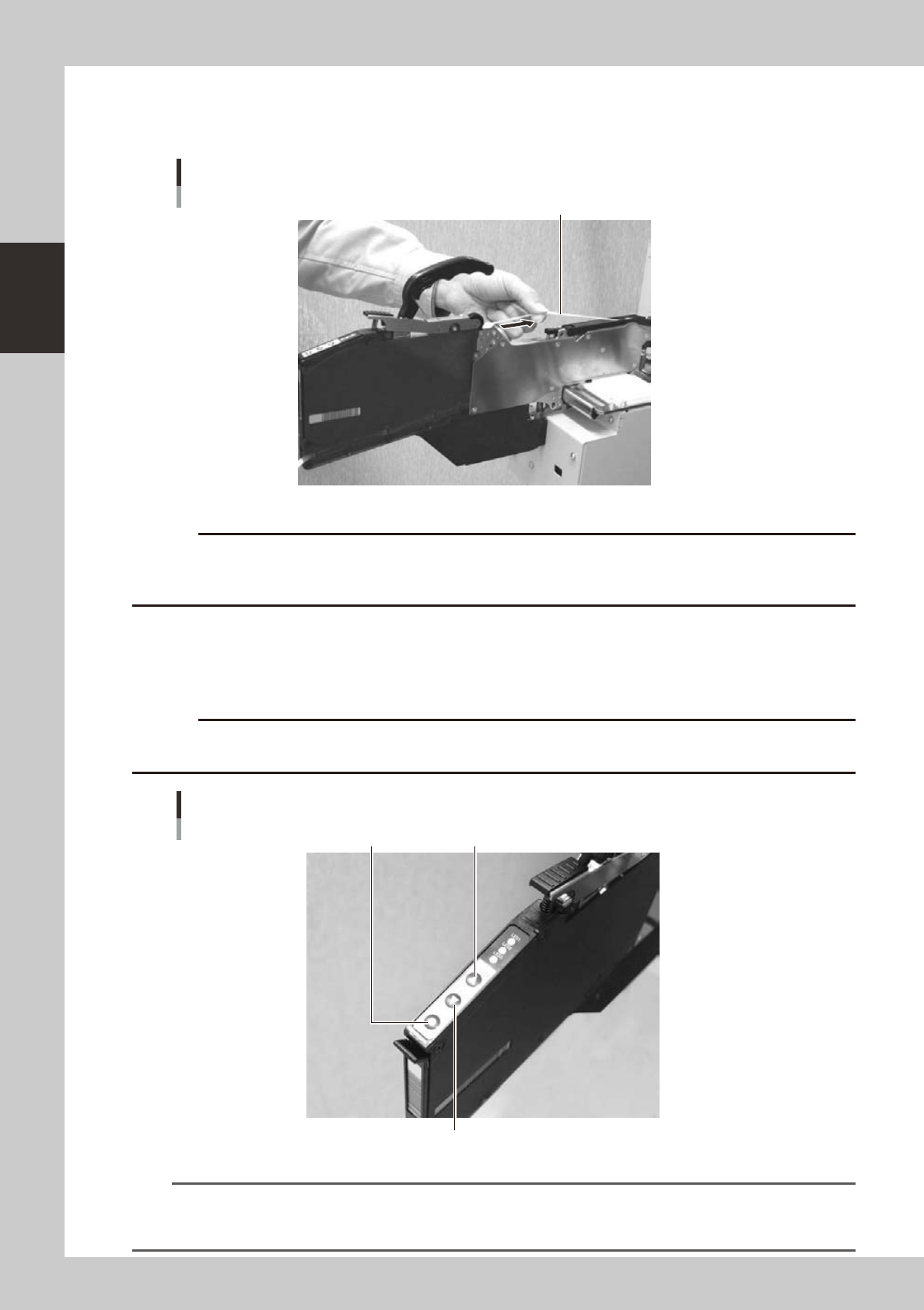
Take up any slack in the top tape.
Pull the top tape gently towards the arrow shown in the photo and release to automatically wind the
tape.
Winding the top tape to remove slack
Top tape
23211-L4-00
c
0
Feed the components to the pickup position.
Press the [FEED] button on the feeder body to convey the components to the pickup position. To return
the components to the feeder, press the [BACK] button. The tape feeds 2 millimeters each the button is
pressed.
c
advance the carrier tape.
[FEED] button, [BACK] button, [FUNC] button
[BACK] button
[FEED] button[FUNC] button
23212-L4-00
TIP
• The feed pitch will always be 2 mm each time the [FEED] or [BACK] button on the feeder body is pressed,
regardless of the pitch setting. Holding down either of these buttons feeds the tape continuously.
• Use the [FUNC]+[FEED] buttons to feed the tape at the feed pitch that was set.
2-33
2
asic operation
q
Cut the carrier tape.
After feeding the components to the pickup position, cut the carrier tape at the position, approximately
1 to 2 cm from the exit for the tape before setting the feeder to a machine.
Cutting the carrier tape
Carrier tape
Cut the tape leaving about 1 to 2 cm margin.
23216-L4-00
c
2-34
2
asic operation
4.1.2 Setting a tape feed pitch
The following sections explain the procedures for pitch setting when "Reference of feeder pitch" was set to
"Feeder setup".
n
Setting a pitch from the mounter
1
Open the feeder screen.
Install the feeders in advance while checking their positions on the "Required Parts" screen that opens
with the [Required Parts] button on the Setup screen.
Press the [Unit] button and then select the [Feeder] tab to open the feeder screen.
2
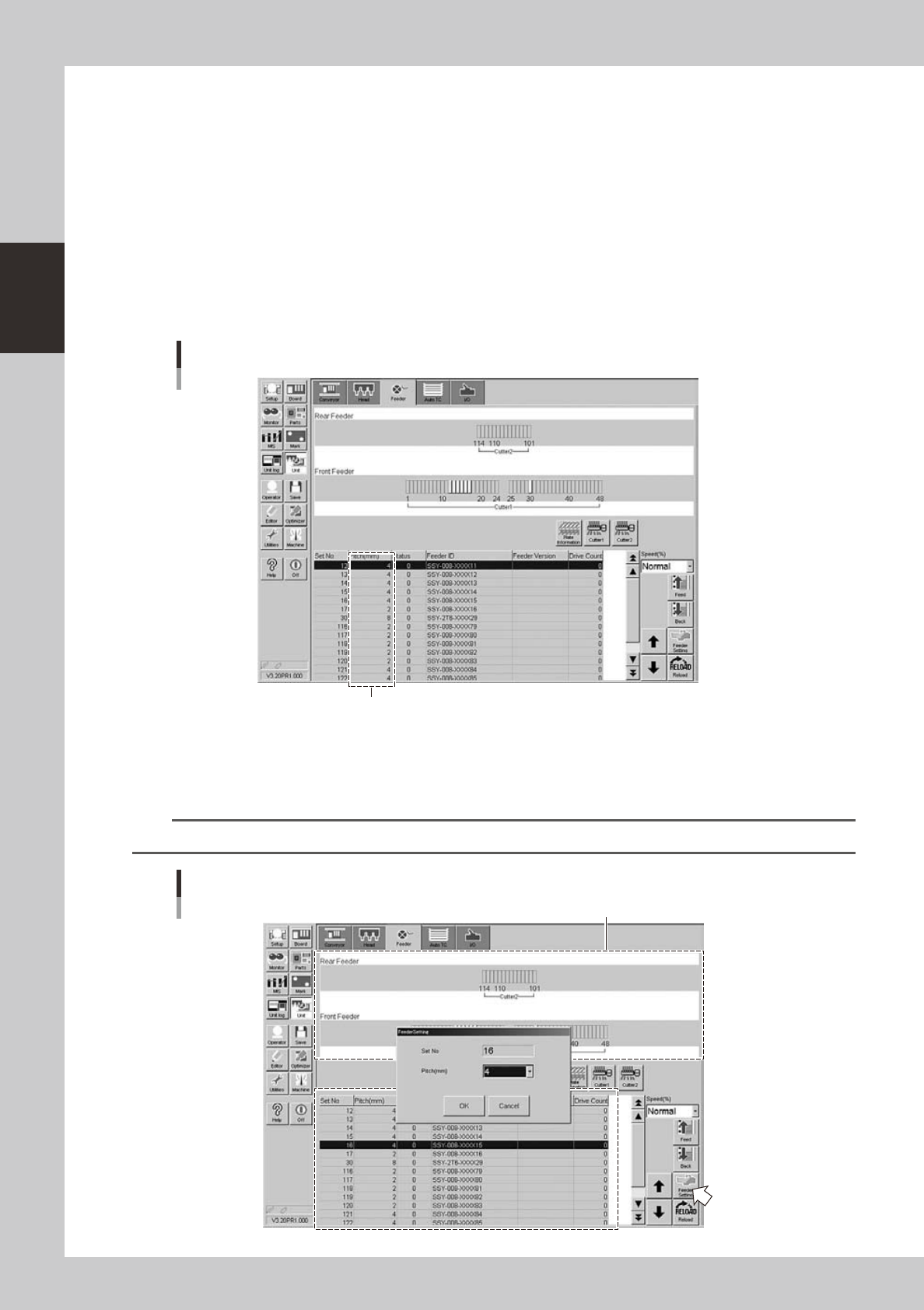
Check the tape feed pitch of the feeder you want to set.
The feed pitch for each feeder is displayed on the feeder screen.
Checking the feed pitch
Feed pitch
24219-L4-00
3
Open the feeder setup dialog box.
Select the feeder for which you want to set the feed pitch, and then press the [Feeder Setting] button
to open the feeder setting dialog box.
TIP
You can select a feeder in the feeder layout diagram or from the feeder list.
Feeder setup dialog box
Feeder layout diagram
24220-L4-00