YS24X_Ope_E.pdf - 第110页
2-35 2 asic operation 4 Set the tape feed pitch. From the "Feed Pitch" drop-down list, select the feed pitch that matches the components in the fee der , and then press the [OK] button. Setting the tape feed …
2-34
2
asic operation
4.1.2 Setting a tape feed pitch
The following sections explain the procedures for pitch setting when "Reference of feeder pitch" was set to
"Feeder setup".
n
Setting a pitch from the mounter
1
Open the feeder screen.
Install the feeders in advance while checking their positions on the "Required Parts" screen that opens
with the [Required Parts] button on the Setup screen.
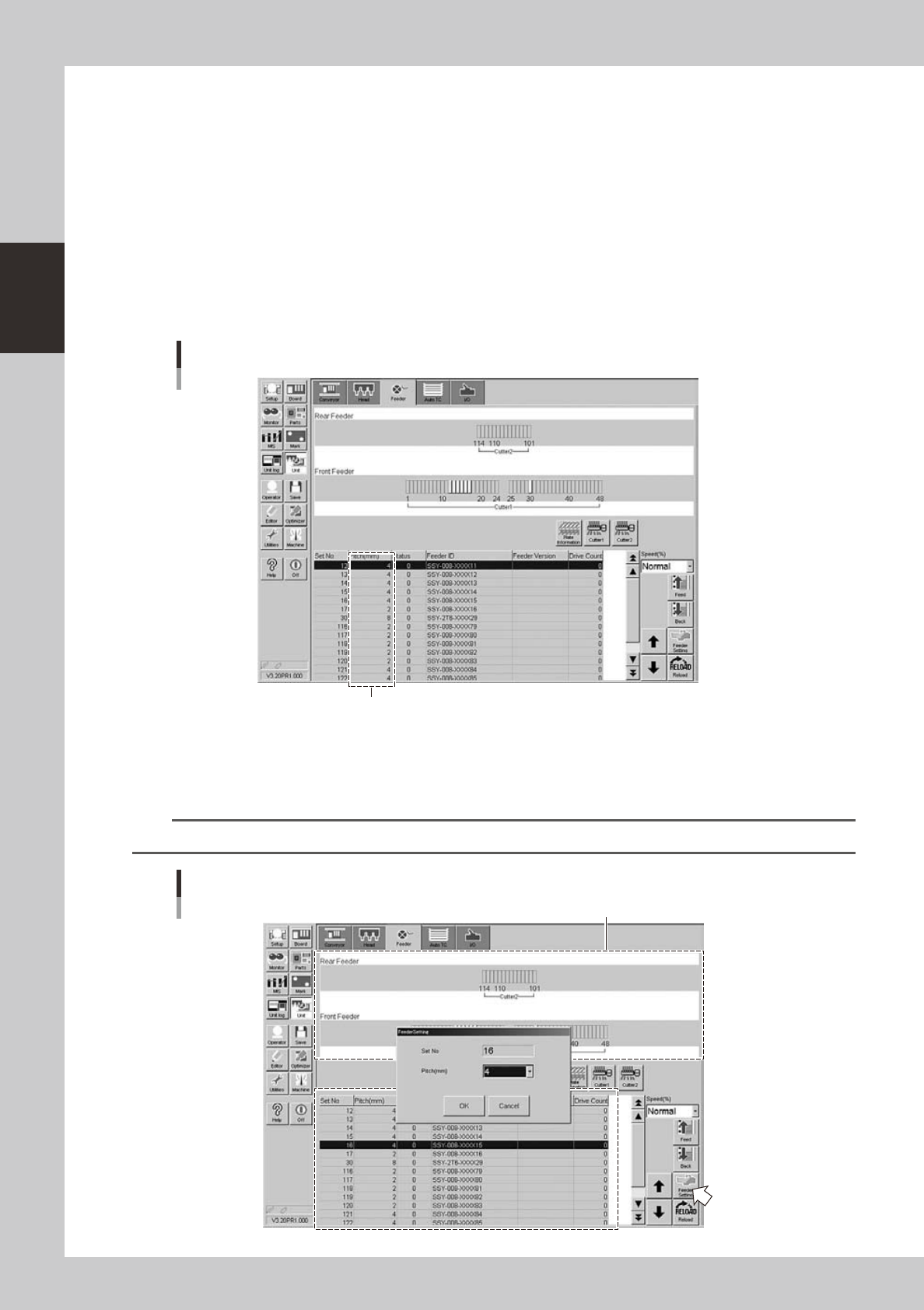
Press the [Unit] button and then select the [Feeder] tab to open the feeder screen.
2
Check the tape feed pitch of the feeder you want to set.
The feed pitch for each feeder is displayed on the feeder screen.
Checking the feed pitch
Feed pitch
24219-L4-00
3
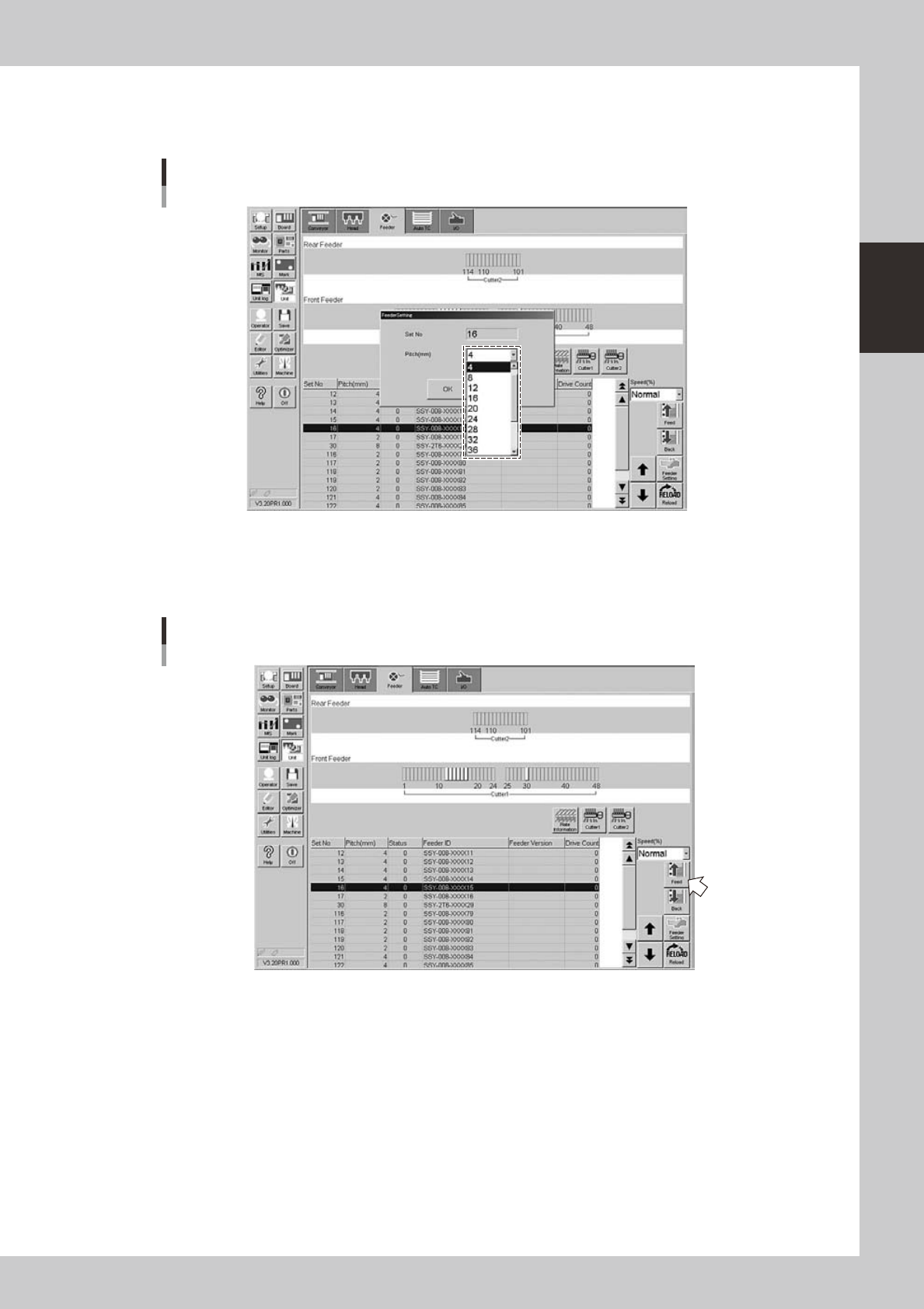
Open the feeder setup dialog box.
Select the feeder for which you want to set the feed pitch, and then press the [Feeder Setting] button
to open the feeder setting dialog box.
TIP
You can select a feeder in the feeder layout diagram or from the feeder list.
Feeder setup dialog box
Feeder layout diagram
24220-L4-00
2-35
2
asic operation
4
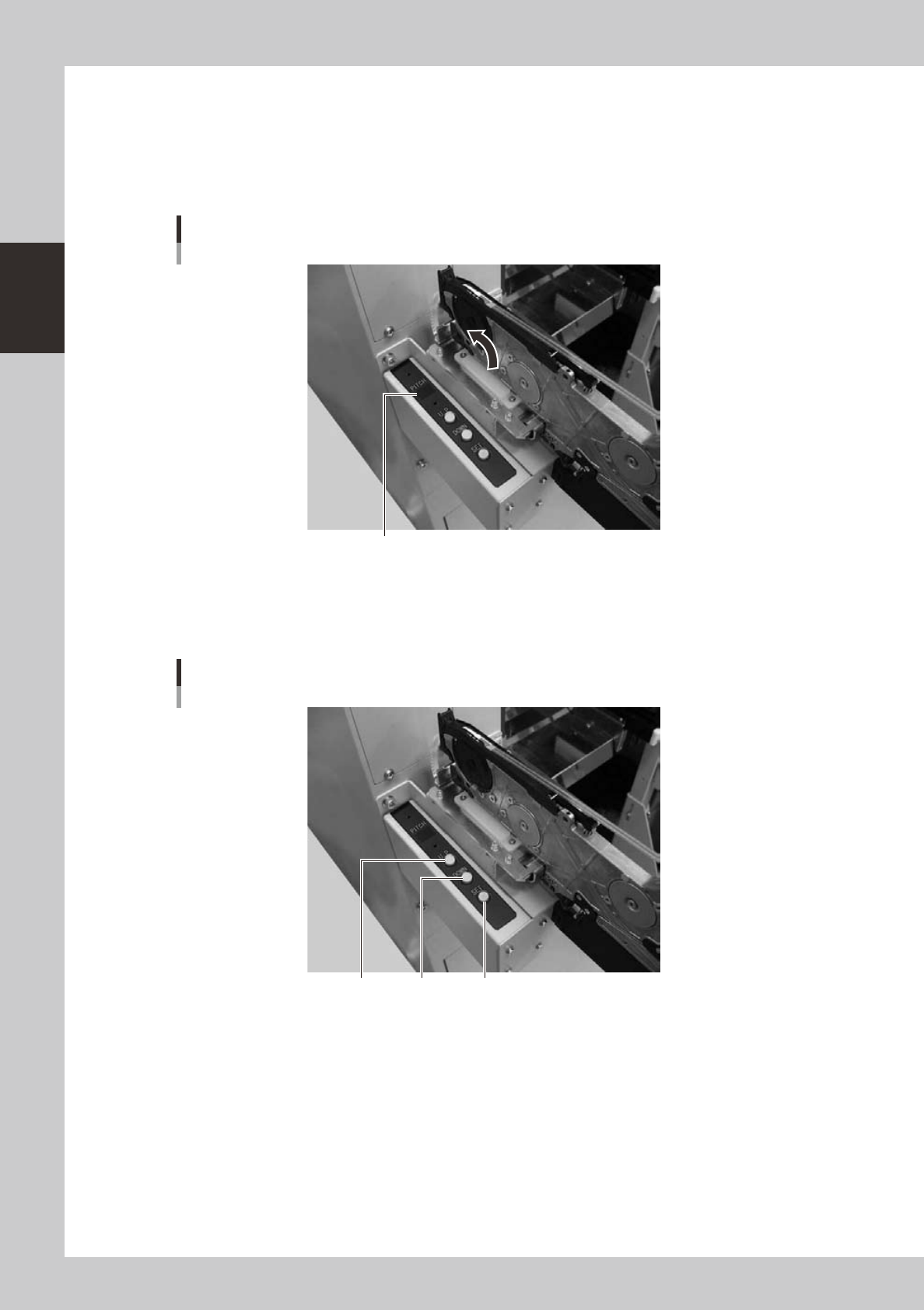
Set the tape feed pitch.
From the "Feed Pitch" drop-down list, select the feed pitch that matches the components in the feeder,
and then press the [OK] button.
Setting the tape feed pitch
24221-L4-00
5
Check the tape feed operation.
Press the [Feed] button on the lower right of the screen to check that the tape is fed at the pitch you
set.
Checking the feed pitch
24222-L4-00
2-36
2
asic operation
n
Setting a pitch from each station
The following describes the procedure for setting a tape feed pitch using the temporary tape set station or
power station for the off-line setup.
1
Check the tape feed pitch of the feeder.
The tape feed pitch is indicated on the display as shown below.
Checking the tape feed pitch
Display
23213-L4-00
2
Set the tape feed pitch.
Press the [UP] or [DOWN] button to set the feed pitch that matches the components in the feeder, and
then press the [SET] button to determine the setting.
Setting the tape feed pitch
[SET][UP] [DOWN]
23214-L4-00