YS24X_Ope_E.pdf - 第114页
2-39 2 asic operation 4.2 Wide multi-stick feeder 4.2.1 Installation of tracks and sticks 1 Install the tr acks on the slope plate. Place the tracks of the right width for the stic ks you desire to use on the slope pla…
2-38
2
asic operation
4.1.3 Installation on a mounter
Observe the following instructions for installing the tape feeder on a mounter.
e
1
Press the emergency stop button and then open the cover.
Press the emergency stop button on the mounter to stop mounter operation.
c
it.
2
Clean the surface of the feeder bank.
Parts or debris caught in the machine will tilt the feeder, interfering with stable pickup.
3
Place the tape reel in position of the reel holder.
Tape reels can be placed alternately in the upper and lower reel holders.
4
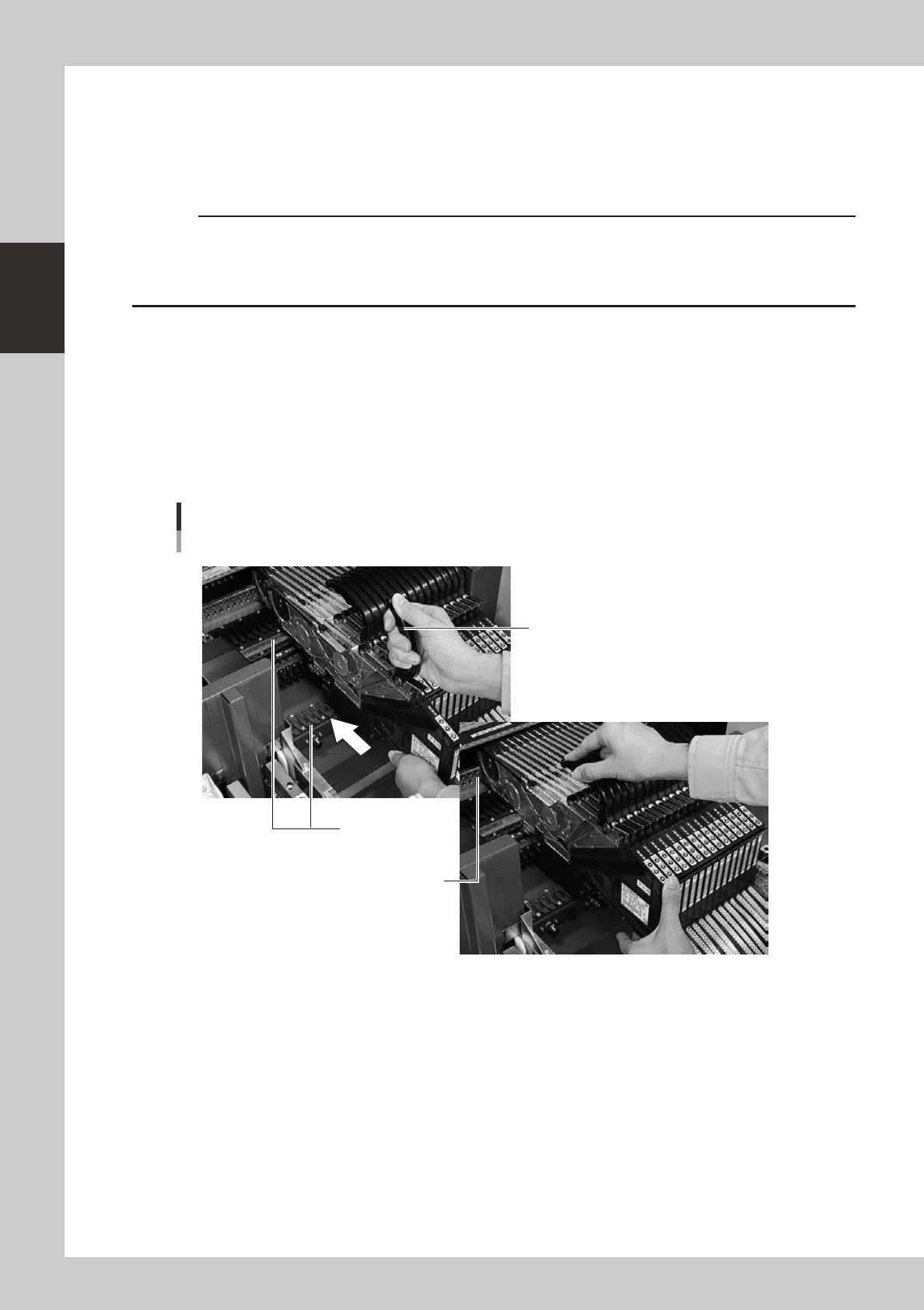
Set the feeder.
Raise the handle, align the target mark to the feeder installation position, and slide the feeder on the
rail to insert it to the location pin hole.
Attachment of the feeder
Tape feeder
Handle part
Rail
Location pin hole
22226-L4-00
5
Check the following points to make sure that the feeder is properly installed.
• Top tape is no loose.
• Feeder is properly inserted all the way.
2-39
2
asic operation
4.2 Wide multi-stick feeder
4.2.1 Installation of tracks and sticks
1
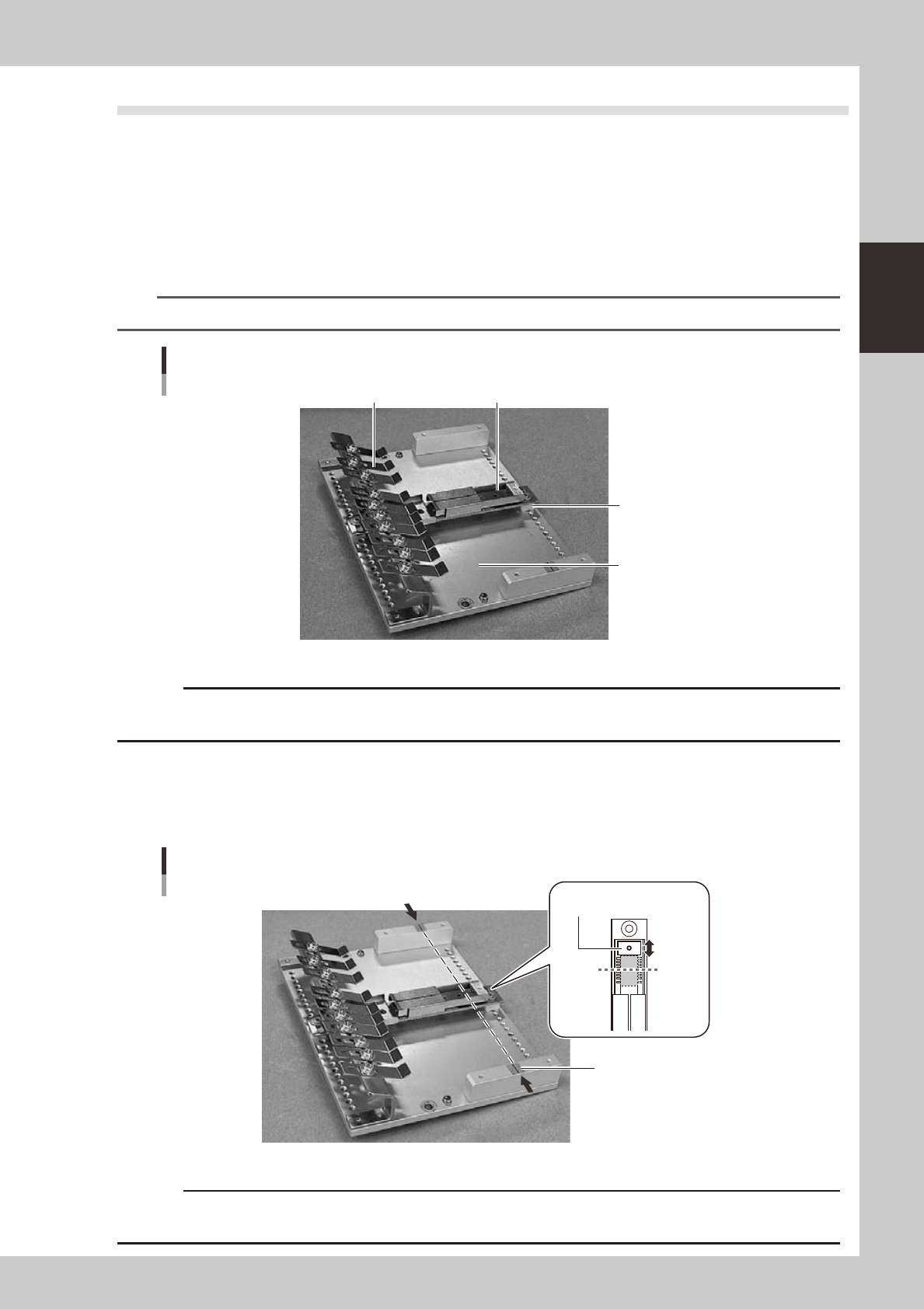
Install the tracks on the slope plate.
Place the tracks of the right width for the sticks you desire to use on the slope plate and secure them
with screws.
If the height of the tracks is lower than that of the slope plate, fit the spacers (provided with unit)
between the tracks and slope plate so that the pickup height will be the same.
n
NOTE
For detailed information on the pick height and stick height, refer to the User’s Manual for SS feeder.
Installation of the tracks
Slope plate
Spacer
Track
Stick restraint
23217-L4-00
c
as collision with the head.
2
Adjust the stopper position.
The line shown in the illustration below is the component pickup point.
Loosen the screws on the back of the tracks and adjust the stoppers to match the pickup point and the
center of the component.
Pickup point
Pickup point
Line
Stopper
Pickup
point
23218-L4-00
c
Use supply components of 36 mm or less in length. Components longer than 36 mm cannot be supplied when the
feeder operates.
2-40
2
asic operation
3
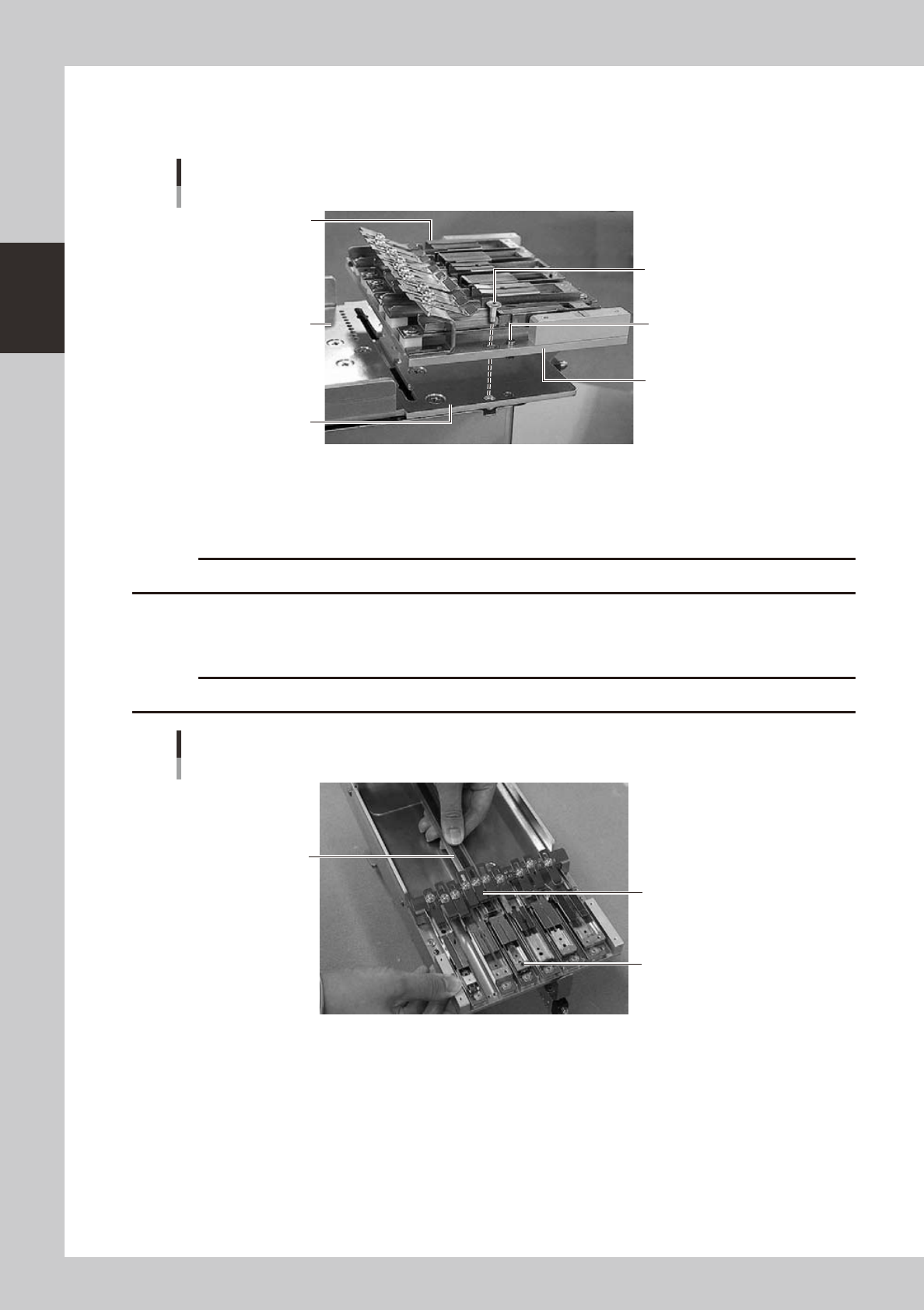
Install the slope plate on the feeder.
Insert the knock-pin of the slope plate to the upper plate and secure two positions with the slope plate
securing screws.
Installation of the slope plate
Slope plate
Knock-pin
Slope plate securing
screw
Slope plate securing
screw
Upper plate
Feeder
23220-L4-00
4
Remove rubber pieces from sticks.
Rubber pieces are attached to the both ends of stick-type components to maintain electronic
components in place. Remove these rubber pieces before use.
c
Handle carefully so that electronic components do not fall out of the sticks.
5
Insert the sticks in the tracks.
Pass the stick under the stick restraint as shown in the illustration below to insert the stick to the track.
c
Install the components in the correct direction with the correct side up.
Insertion of the sticks
Stick Restraint A
Stick
Track
23221-L4-00