YS24X_Ope_E.pdf - 第119页
2-44 2 asic operation 4.3.1 Setting the component trays in the pallet Several component tr a ys can be set on one pallet (depending on the size of tra ys). Set the tra ys as described below . 1 Remo ve the tra y clamp …
2-43
2
asic operation
4.3 Tray changer (sATS
II
)
n
Precautions when handling pallets and magazines
Observe the following points when handling pallets and magazines.
• Store pallets and magazines in a clean environment where dust, grime and oil will not adhere.
• Take care not to drop pallets and magazines or apply excessive force or impacts. If a pallet or magazine is warped or
deformed by, for example, dropping, do not use it.
• Avoid hurting yourself on the edges of the pallets or magazines.
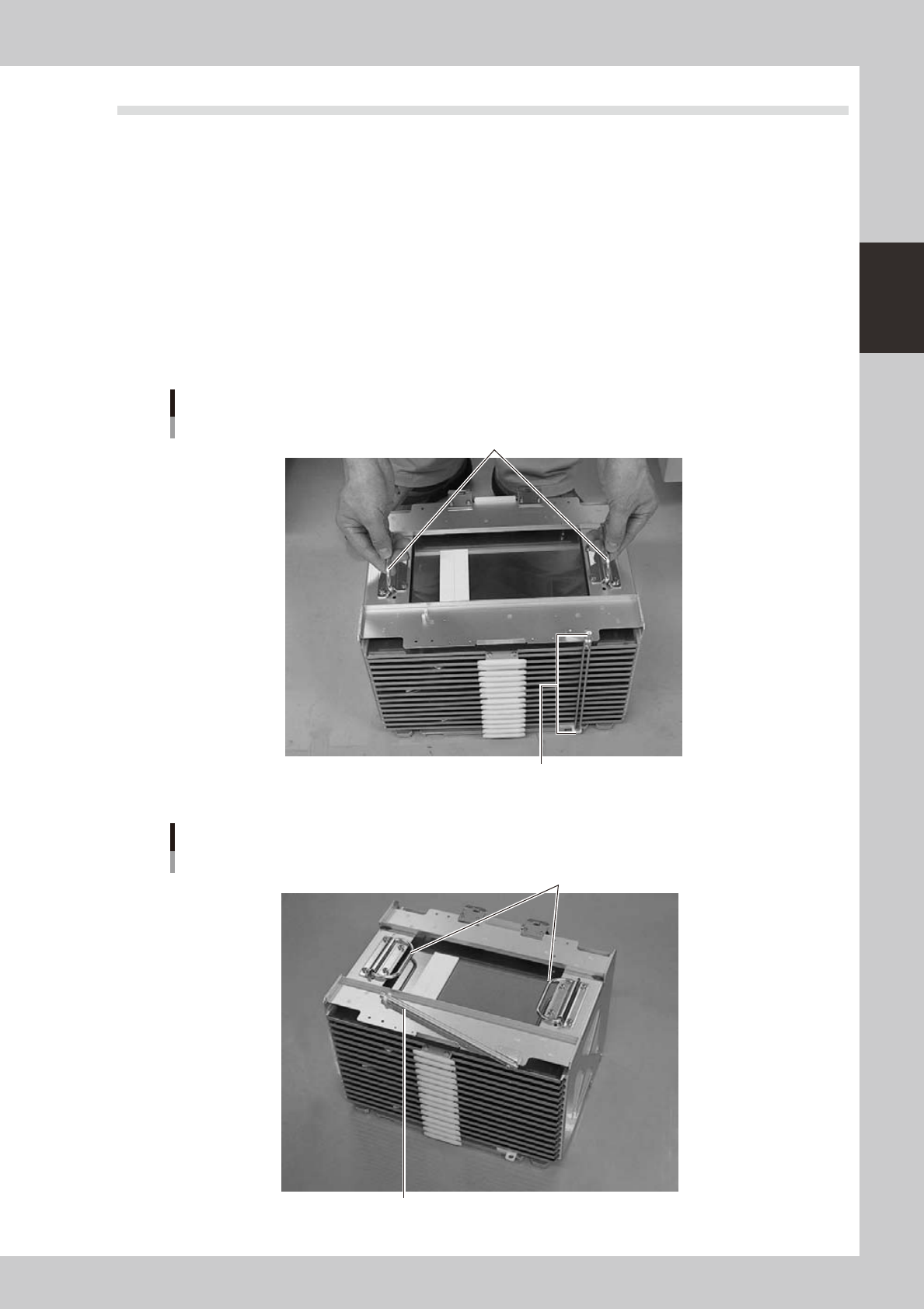
• When carrying a magazine, use the handles on the upper right/left of the magazine and do not let the magazine tilt.
• Carry the magazine with the pallet retainer rod affixed at top and bottom as shown in photo A. This will prevent the
pallets stored in the magazine from slipping out while being carried.
• When setting the magazine in the sATS
II
magazine rack, pull the pallet retainer rod upwards and then fold it on the
upper surface as shown in photo B. Also be sure to always fold the left and right handles down on the top section.
Photo A
Grip as shown when carrying a magazine
Handles
Fit the pallet retainer rod on at top and bottom.
23227-L4-00
Photo B
When setting a magazine in the rack
Fold down the handles.
Pull the pallet retainer rod upwards and then fold it down on the top surface.
23228-L4-00
2-44
2
asic operation
4.3.1 Setting the component trays in the pallet
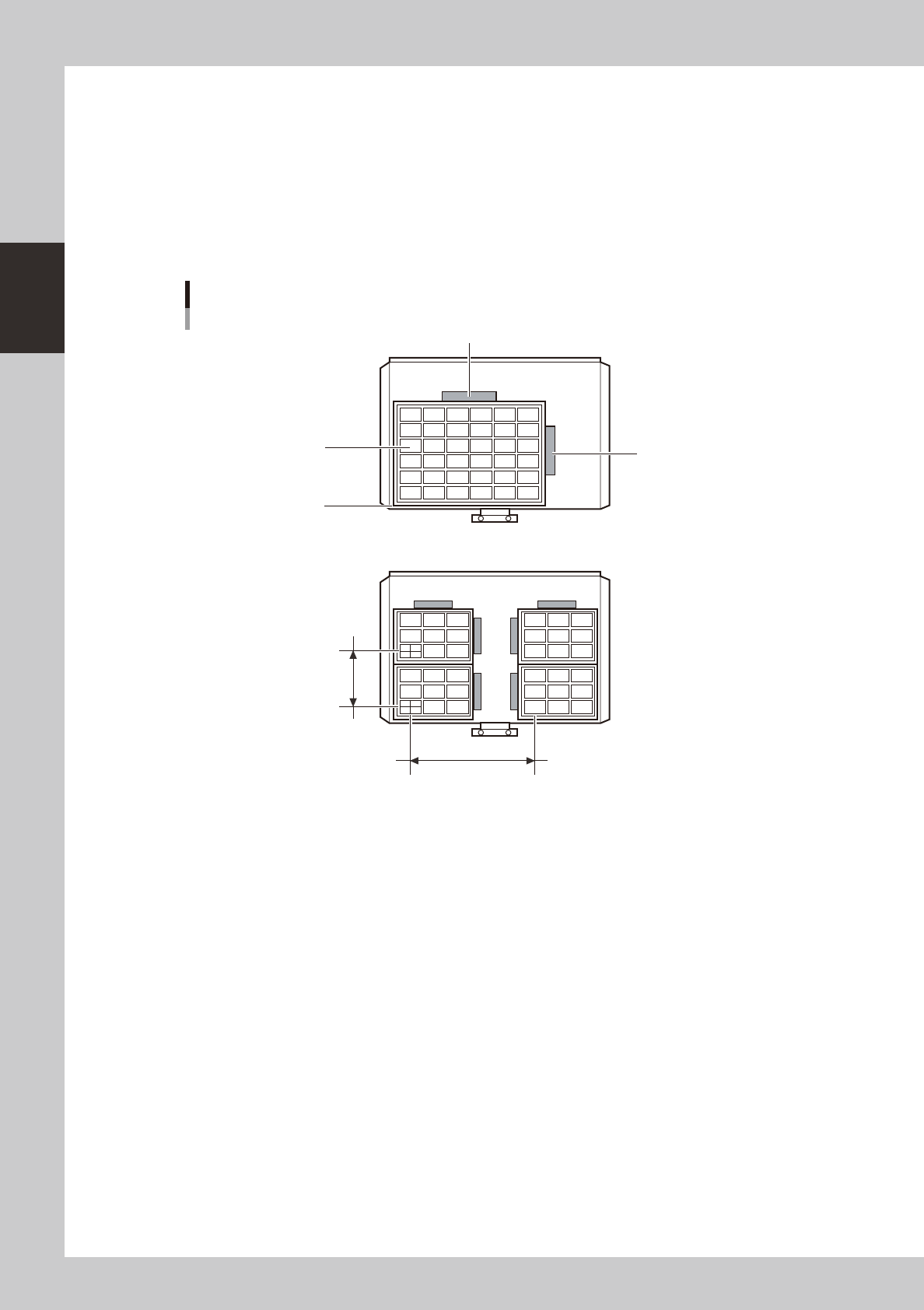
Several component trays can be set on one pallet (depending on the size of trays). Set the trays as described
below.
1
Remove the tray clamp magnets.
2
Set the component tray on the pallet.
Set so the corner of the component tray is aligned with the pallet reference position (pallet origin point).
After setting the tray, clamp it in place with the magnets.
Clamping the component tray
Using one tray
Using several trays
Tray pitch X
Clamping magnet
Clamping magnet
Tray
Tray pitch Y
Tray reference position
(pallet origin position)
23229-L4-00
3
Check that the component tray is clamped.
Press only on the tray to make sure it is securely clamped by the magnet.
2-45
2
asic operation
4.3.2. Setting the pallet in the magazine
1
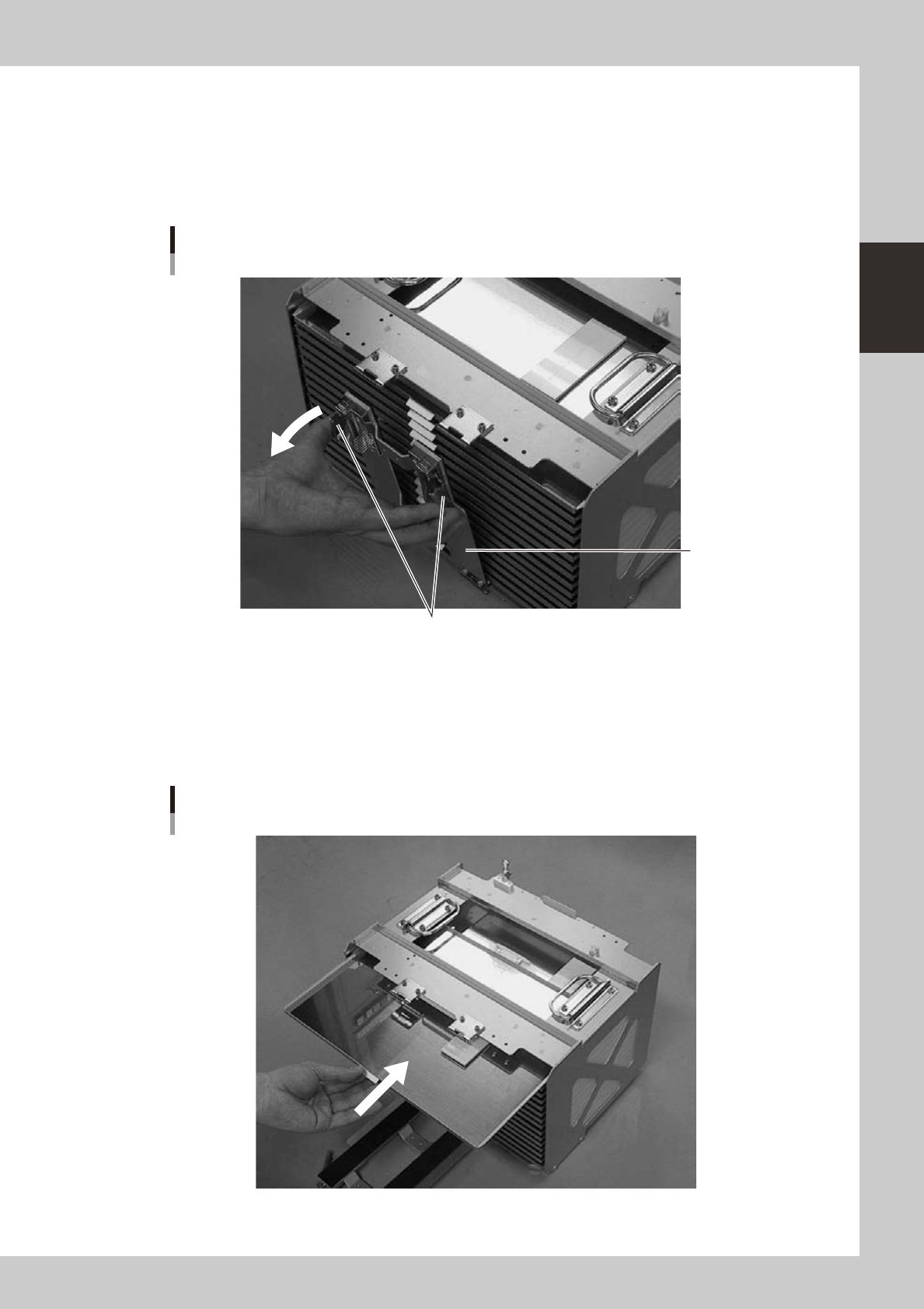
Place the magazine on a flat and level surface.
2
Open the pallet retainer door.
Open the pallet retainer door while depressing the latch levers.
Pallet retainer door
Latch levers
Pallet retainer door
23230-L4-00
3
Insert the pallet.
While keeping the pallet level, insert it into the correct magazine shelf. The pallet pullout piece should
be on the inner side. Insert it gently inwards until it contacts the pallet retainer rod on the opposite side.
(If replacing a pallet, first extract the previous (used) pallet from the magazine before inserting the new
pallet inside.)
Inserting the pallet
23231-L4-00