YS24X_Ope_E.pdf - 第122页
2-47 2 asic operation 4.3.3 Replacing a magazine or pallets T he sA TS II should be servo-ON w hen replacing a magazine or pallets. Even during automatic operation, y ou can replace a magazine whic h is not currently b…
2-46
2
asic operation
4
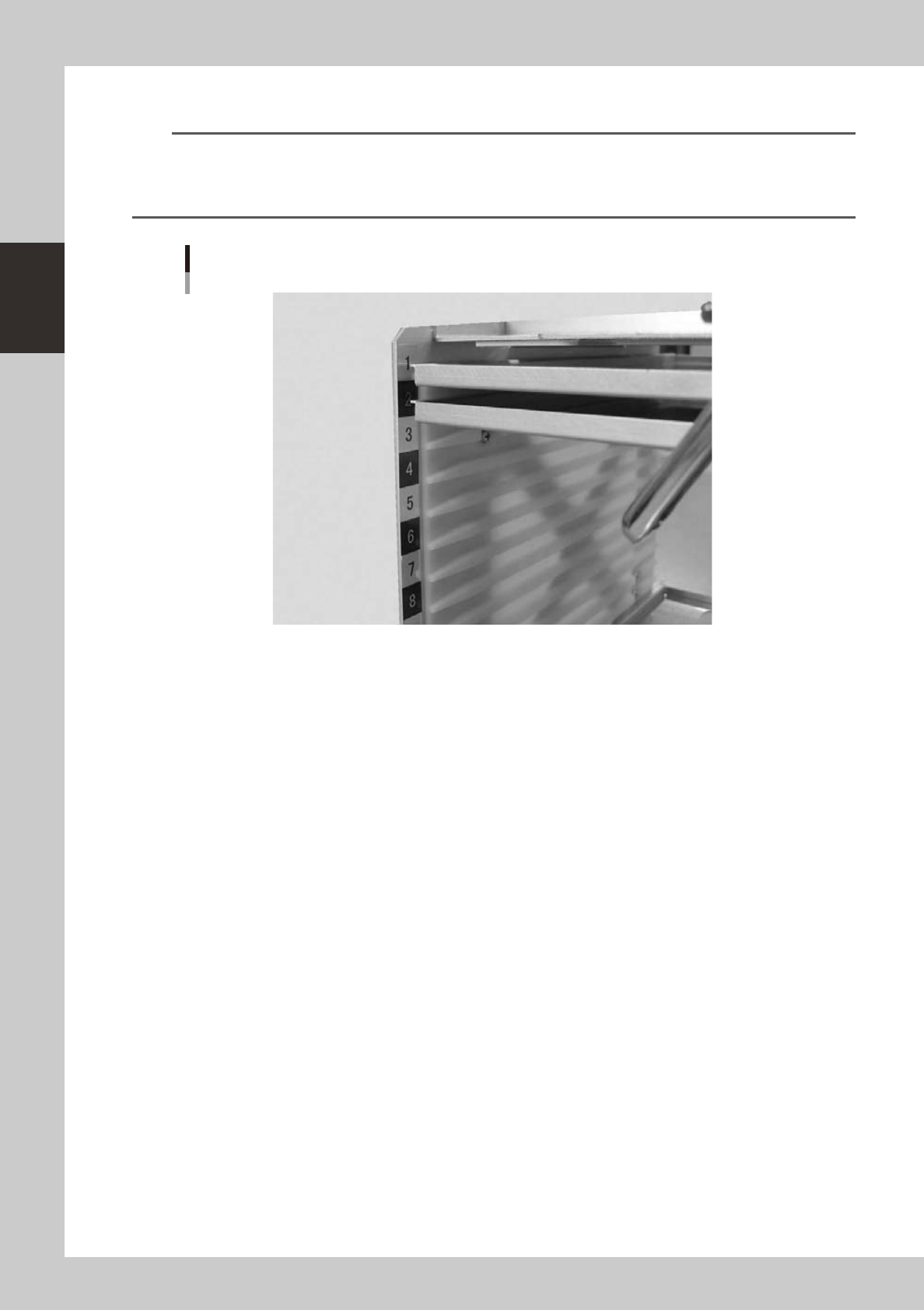
Insert all the required pallets into the correct magazine shelves.
n
NOTE
• Labels with black and silver numbers are afxed to both sides of the magazine to show the shelf number and
prevent inserting a pallet into the wrong position.
• Insert the pallet into the shelf that was set in the "Pallet No. Start" and "Pallet No. End" parameters in the [Parts] - [Tray]
information.
Pallet insertion shelf number
23232-L4-00
5
Close the pallet retainer door.
Close the door while depressing the latch levers.
2-47
2
asic operation
4.3.3 Replacing a magazine or pallets
The sATS
II
should be servo-ON when replacing a magazine or pallets. Even during automatic operation, you
can replace a magazine which is not currently being used or pallets in that magazine. This section explains
how to replace a magazine and pallets.
1
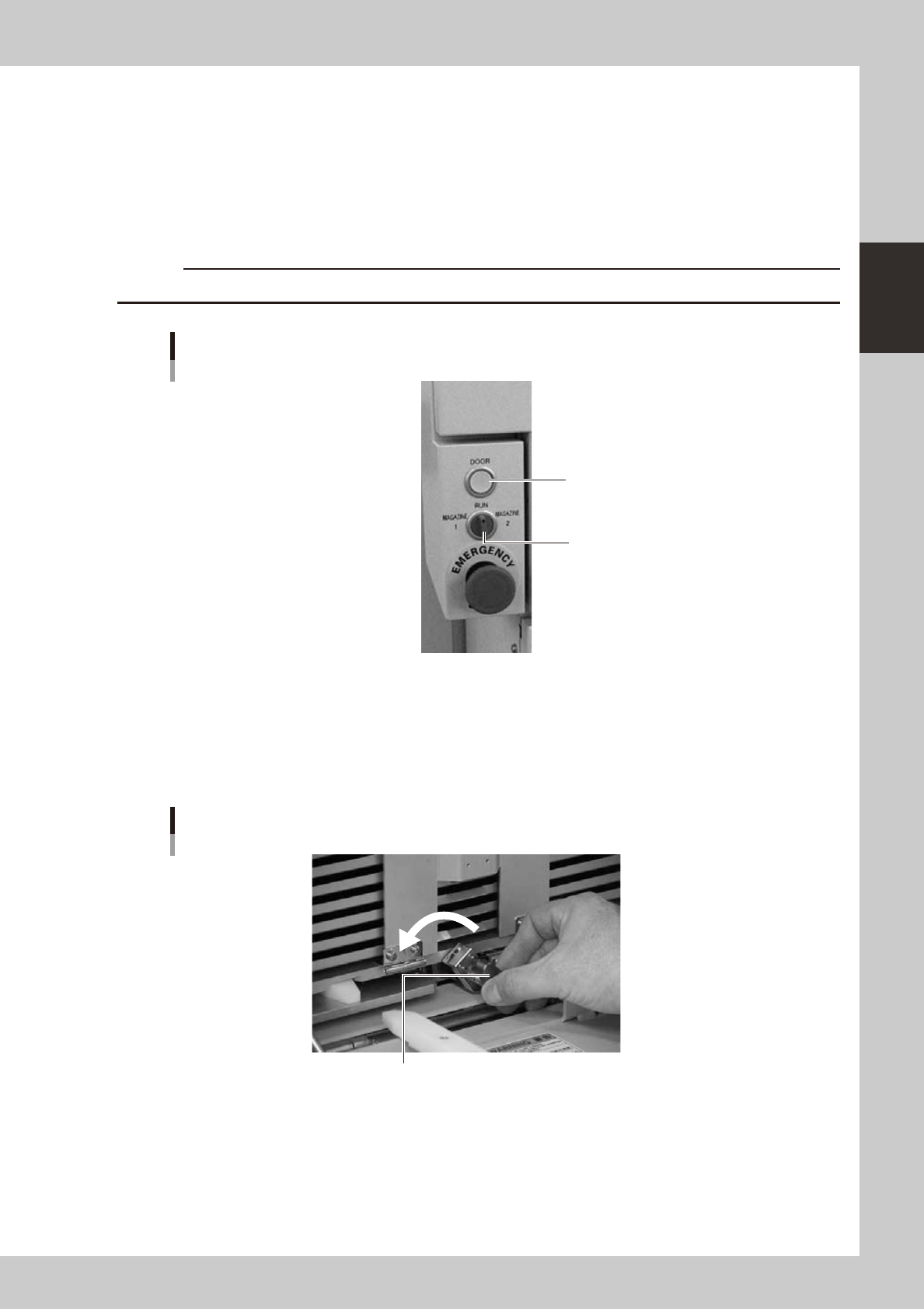
Select the magazine.
Set the DOOR switch to "MAGAZINE 1" or "MAGAZINE 2". The selected magazine moves up or down to
standby position. The magazine door then unlocks and the DOOR indicator lamp turns off.
c
Automatic operation stops due to an error if you select a magazine for the pallet currently in use.
DOOR switch
DOOR indicator lamp
DOOR switch
23233-L4-00
2
Open the magazine door.
Pull down the handle to open the magazine door.
3
Unclamp the magazine.
Turn the clamp lever to the left while pulling it.
Magazine clamp
Turn the clamp lever to the left to unclamp the magazine.
23234-L4-00
2-48
2
asic operation
4
Replace the pallets (when replacing pallets only).
Proceed to step 6 when exchanging the magazine.
1. Open the pallet retainer door.
Open the pallet retainer door while depressing the latch levers.
2. Replace the pallets.
3. Return the pallet retainer door to the original position.
5
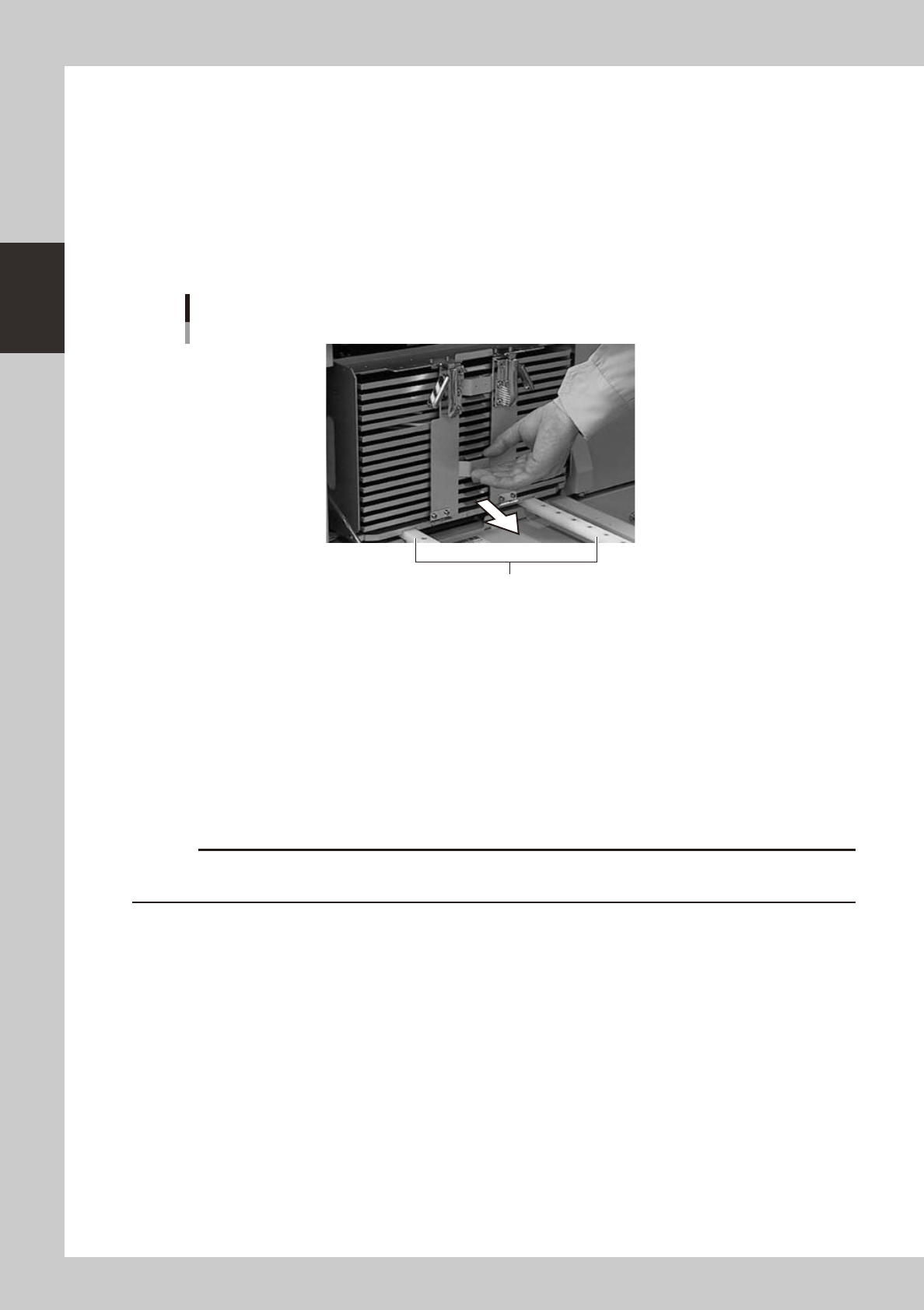
Pull out the entire magazine.
Holding the handle on the pallet retainer door, slowly pull the magazine straight out.
Pulling out the magazine
Guide
23235-L4--00
6
Insert the new magazine.
Align the grooves in the bottom of the magazine with the guides on the inner side of the magazine door,
and slowly insert in until the magazine stops.
7
Clamp the magazine.
While pulling the clamp lever, turn it to the right to clamp the magazine.
8
Close the magazine door.
9
Return the DOOR switch to "RUN".
The magazine door is closed and the DOOR indicator lamp lights up.
c
Automatic operation stops due to an error if an instruction to replace the currently used pallet is issued while you are
exchanging a magazine or pallets