YS24X_Ope_E.pdf - 第125页
2-50 2 asic operation 3 Open the P arts screen. Press the [Parts] button to open the Parts screen and select the component from the upper list . Parts screen 24225-L4-00 4 Displa y the basic par ameters. Select the [Ba…
2-49
2
asic operation
5. Settings on the mounter side
After installing the tape feeders and the tray changer in the surface mounter, you must make settings for the
mounter.
5.1 Setting the "Package" parameter.
Tape feeder :
Set the "Package", "Tape Type" and "Feed Pitch" parameters.
Wide multi-stick feeder :
Set the "Package", "Feeder Type", and "Feed Timer Offset" parameters.
Tray changer :
Set the "Package" and "Feed Type" parameters.
1
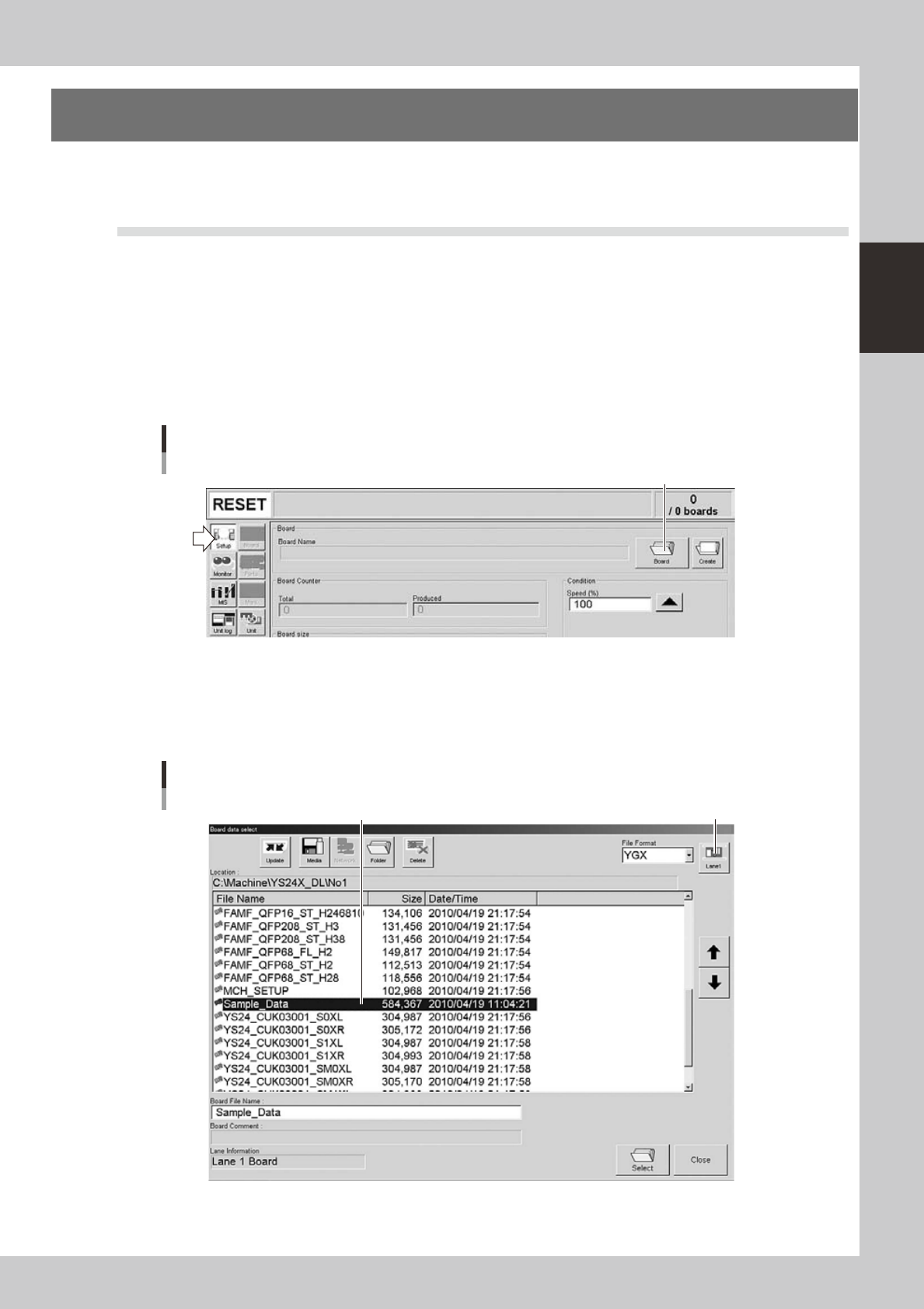
Open the "Board data select" screen.
On the Setup screen, press the [Board] to open the "Board data select" screen.
Setup screen
[Board] button
[Board] button
24223-L4-00
2
Select the board data.
Select the board data in the list and press the [Select] button.
In dual-lane machines, press the lane select button to display the lane to be used for production and
then select the board data. (When producing boards using both lanes, select "Lane combination".)
Select the board data. Lane select button
"Board data select" screen
Example of Dual-lane
24224-L4-10
2-50
2
asic operation
3
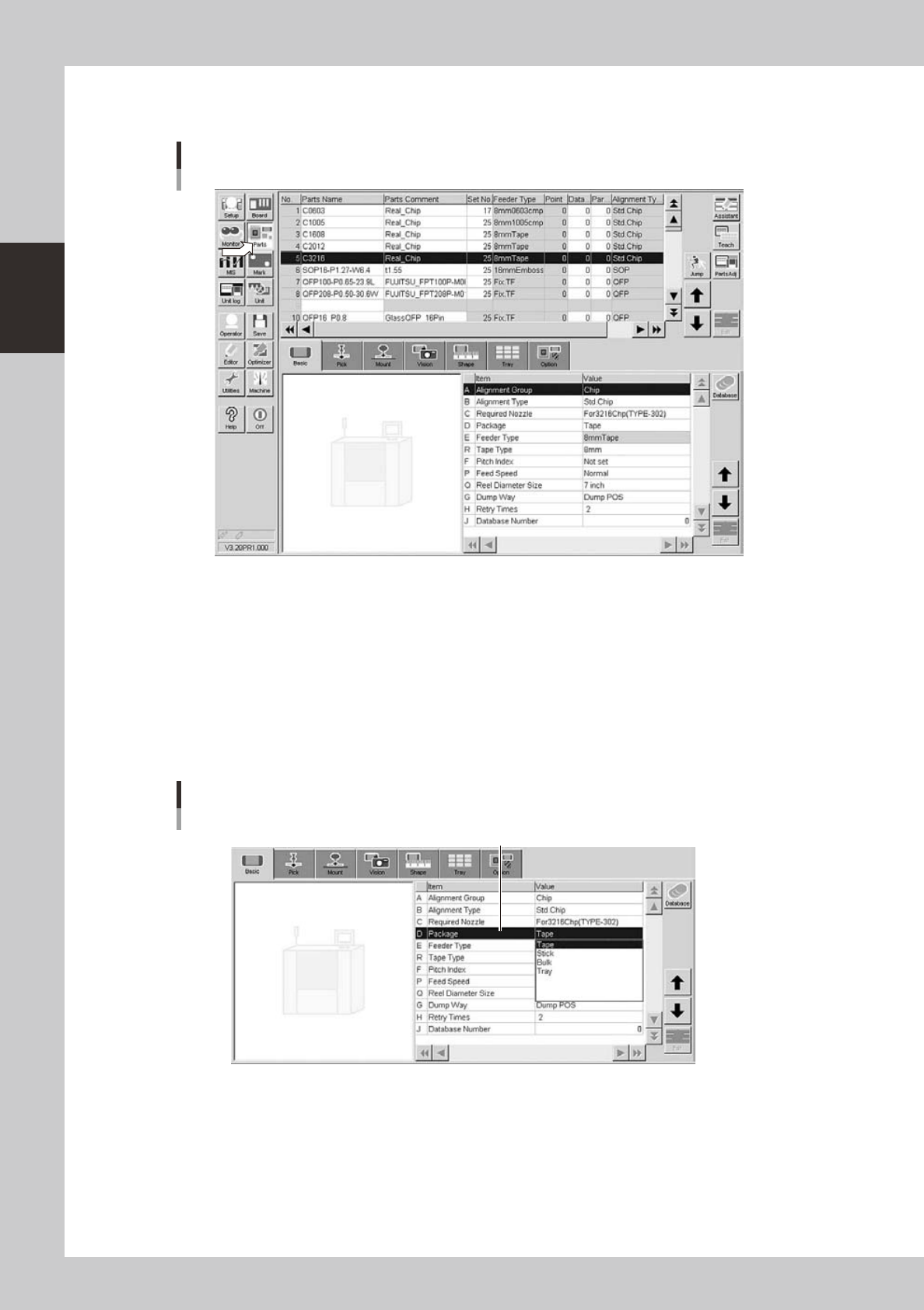
Open the Parts screen.
Press the [Parts] button to open the Parts screen and select the component from the upper list.
Parts screen
24225-L4-00
4
Display the basic parameters.
Select the [Basic] tab to display the basic parameters.
5
Set the "Package" parameter.
Double-click the "Package" parameter field and select an appropriate package from the drop-down
list.
• Tape components: Tape
• Stick components: Stick
• Tray components: Tray
[Parts]-[Basic] screen
"Package" parameter
"D Package"
24226-L4-00
2-51
2
asic operation
n
Tape components and stick components
6
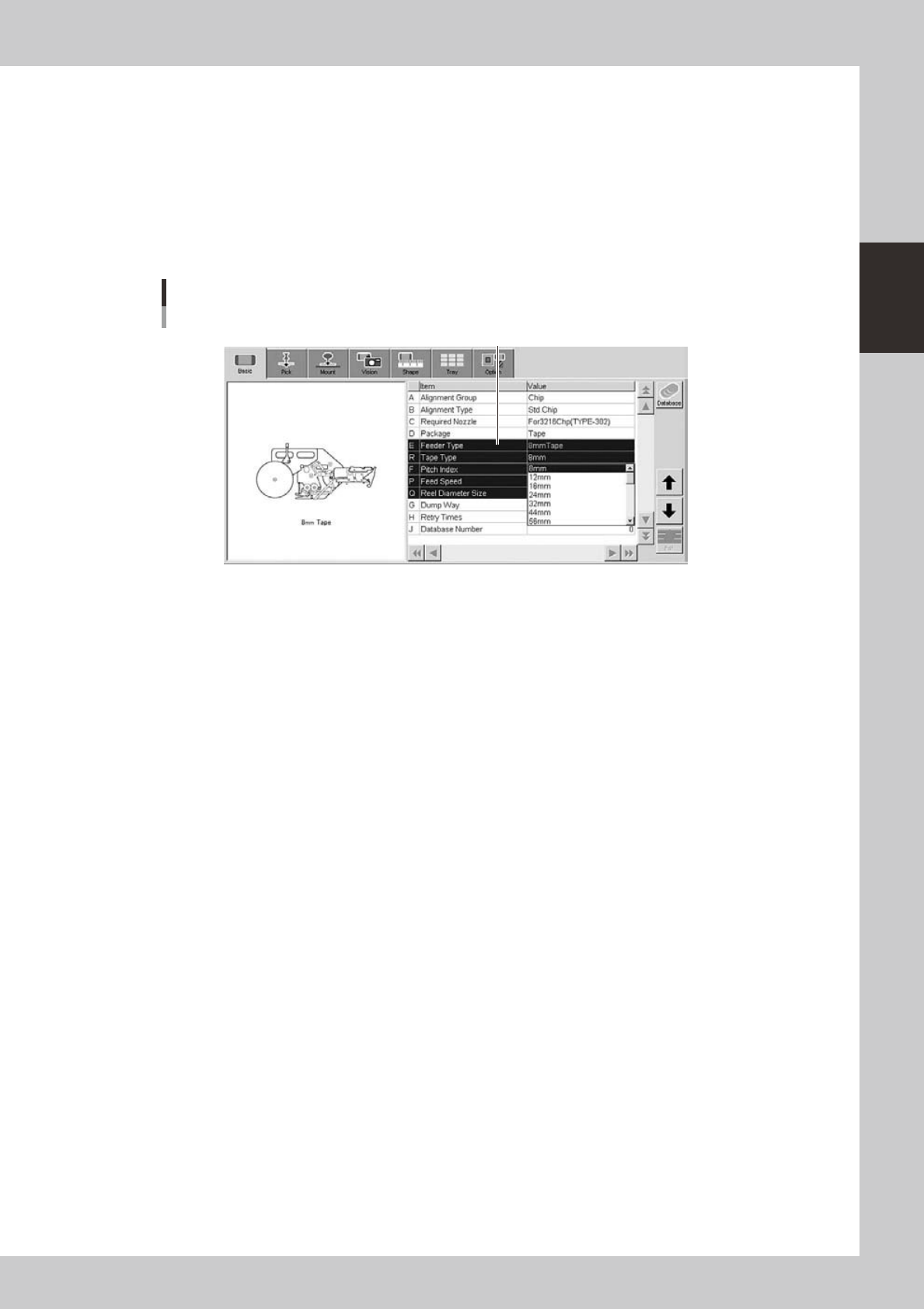
Set the "Tape Type" and "Feeder Type" parameters.
• Tapecomponents:
Double-click the "Tape Type" parameter field and select a desired tape type from the drop-down list.
The "Feeder Type" parameter setting is not needed.
• Stick components:
Double-click the "Feeder Type" parameter field and select “Wide multi-stick” from the drop-down list.
The "Tape Type" parameter setting is not needed
[Parts]-[Basic] screen
"Tape Type" parameter
"R Tape Type"
24227-L4-00
The "Tape Type" parameter changes as the "Package" parameter is changed, so set it to the correct
setting.