YS24X_Ope_E.pdf - 第128页
2-53 2 asic operation n When using tray components 6 Set the "F eeder T ype" parameter . Select "Auto TC" from the drop-down lis t. [Parts]-[Basic] screen "Feeder T ype" parameter "Fe…
2-52
2
asic operation
7
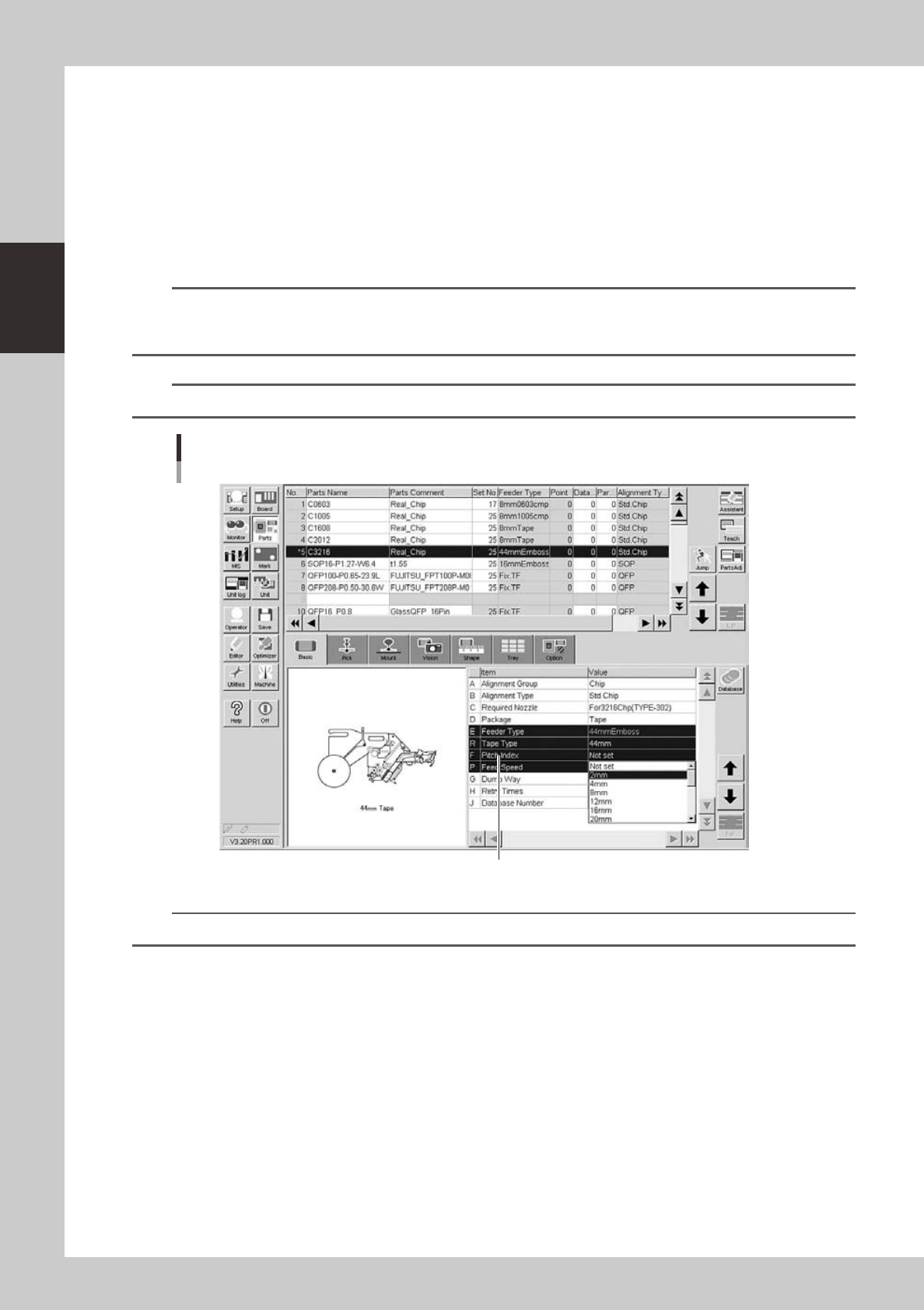
Set the “Pitch Index” and “Feed Timer Offset” parameters.
• Tape components:
Double-click the "Pitch Index" parameter field and select a correct feed pitch from the drop-down list.
The "Feed Timer Offset" parameter setting is not needed.
• Stick components:
Double-click the “Feed Timer Offset” parameter field and set a value ranging from “+4.0 sec.” to “-3.5 sec.”
from the drop-down list.
The "Pitch Index" parameter setting is not needed.
n
NOTE
Generally, the timer value of the machine setting has been set at “2 sec.”. So, if you set a value smaller than “-2.0
sec.”, the calculation value inside the machine becomes “0 sec.”. Therefore, this input value becomes invalid. At this
time, “Normal (0)” applies to the parameter setting.
n
NOTE
This parameter does not appear when "Reference of feeder pitch" is set to "Feeder setup".
[Parts]-[Basic] screen
"Pitch Index" parameter (Example of tape feeder)
"F Pitch Index"
24228-L4-00
TIP
For more details, refer to the User’s Manual for SS feeder.
2-53
2
asic operation
n
When using tray components
6
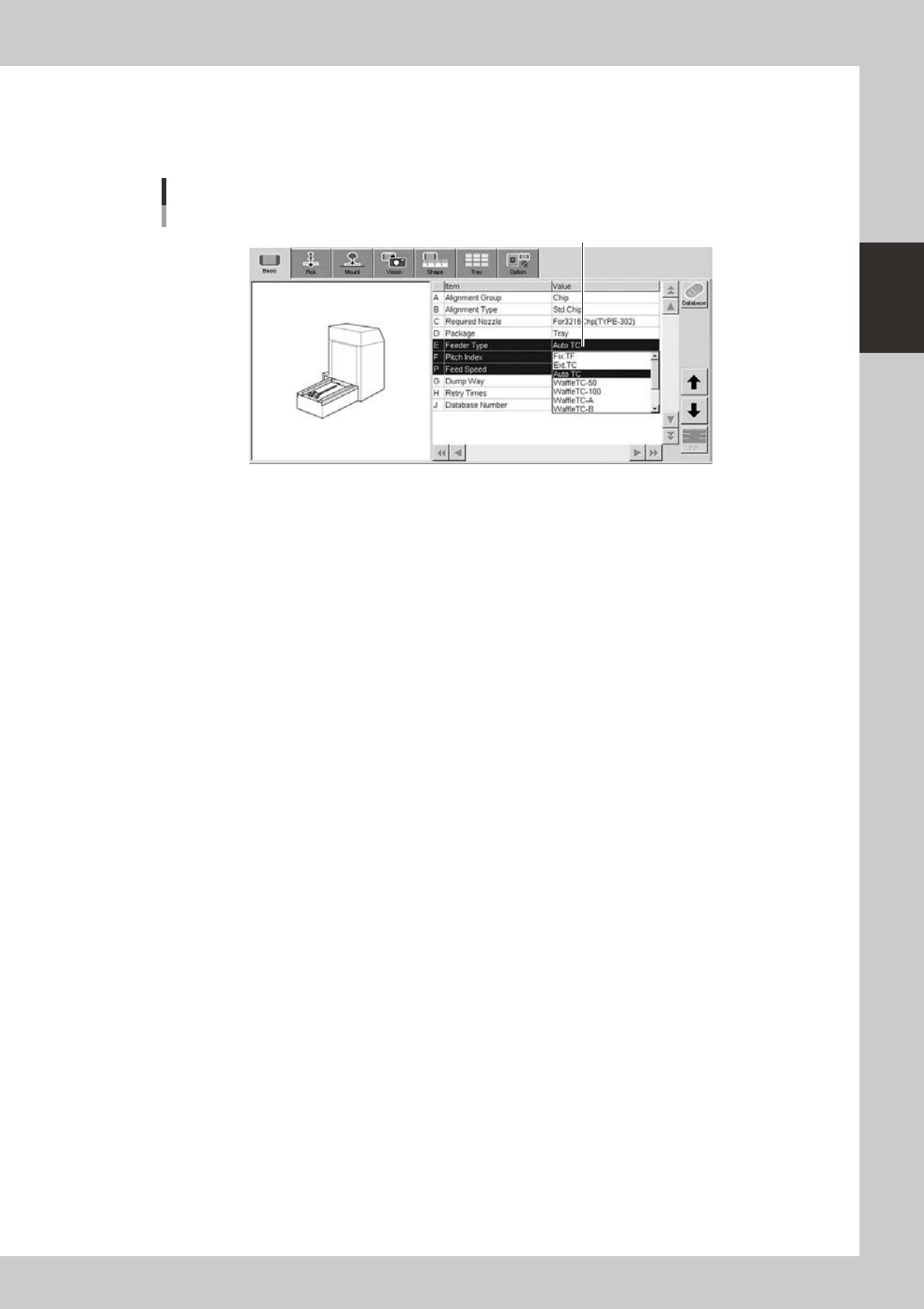
Set the "Feeder Type" parameter.
Select "Auto TC" from the drop-down list.
[Parts]-[Basic] screen
"Feeder Type" parameter
"Feeder Type"
24232-L4-00
2-54
2
asic operation
5.2 Operation check
After installing the feeders and making their settings, check to see if they operate correctly.
n
Tape feeder
1
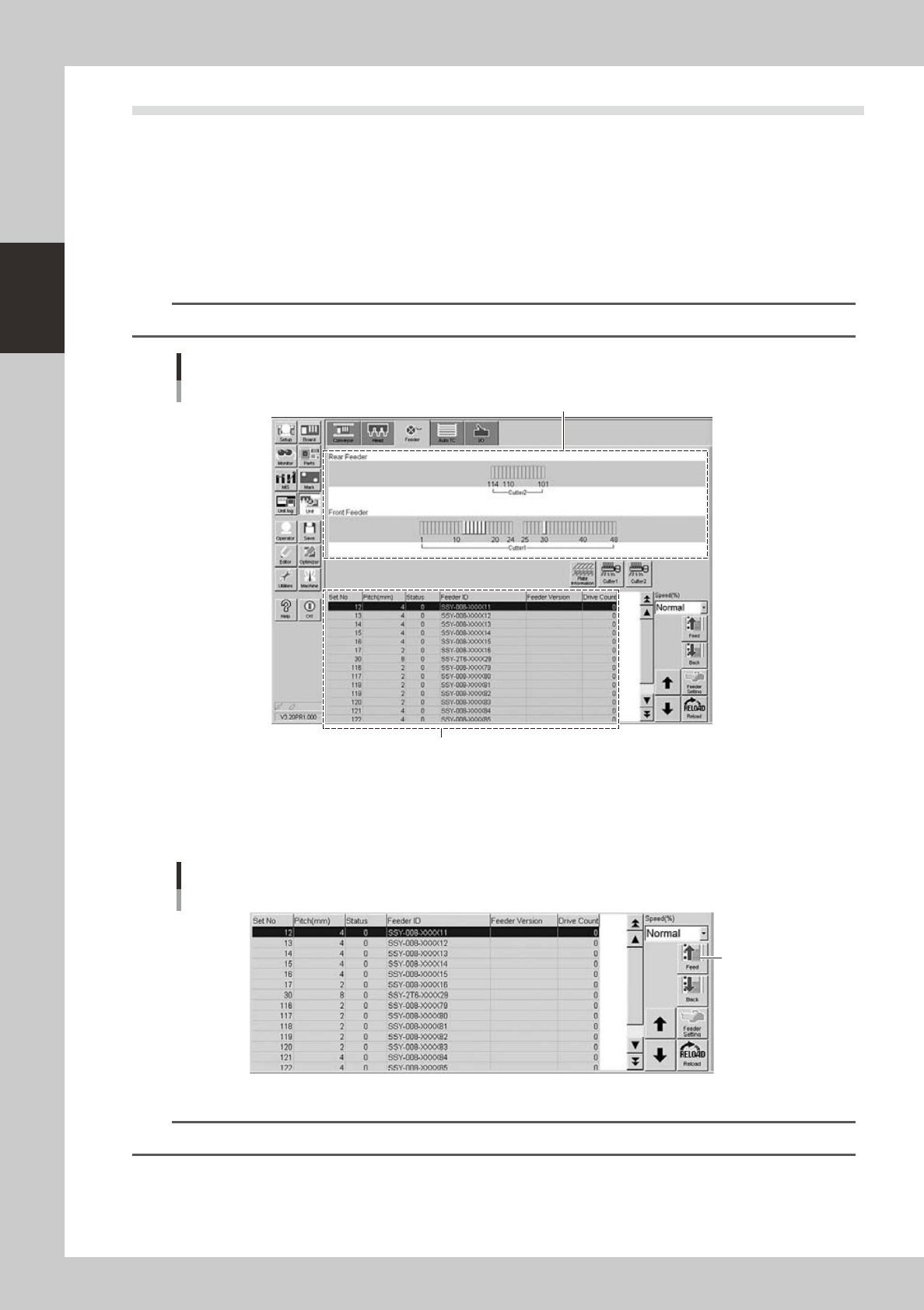
Open the feeder screen.
Press the [Unit] button and then select the [Feeder] tab to open the feeder screen.
2
Select the feeder.
Select the feeder to check the operation.
TIP
You can select a feeder in the feeder layout diagram or from the feeder list.
Feeder screen
Selecting the feeder
Feeder list
Feeder layout diagram
24229-L4-00
3
Check the feeder operation.
Press the [Feed] button on the lower right of the screen to check that the tape is fed at the correct
pitch.
Feeder screen
Checking the operation
[Feed] button
24230-L4-00
n
NOTE
When a feeder with a pitch of 4mm or more is installed, check the top component and its position.