YS24X_Ope_E.pdf - 第129页
2-54 2 asic operation 5.2 Operation check After installing the feeders and making their settings, chec k to see if they operate correctly . n T ape feeder 1 Open the feeder screen. Press the [Unit] button and then sele…
2-53
2
asic operation
n
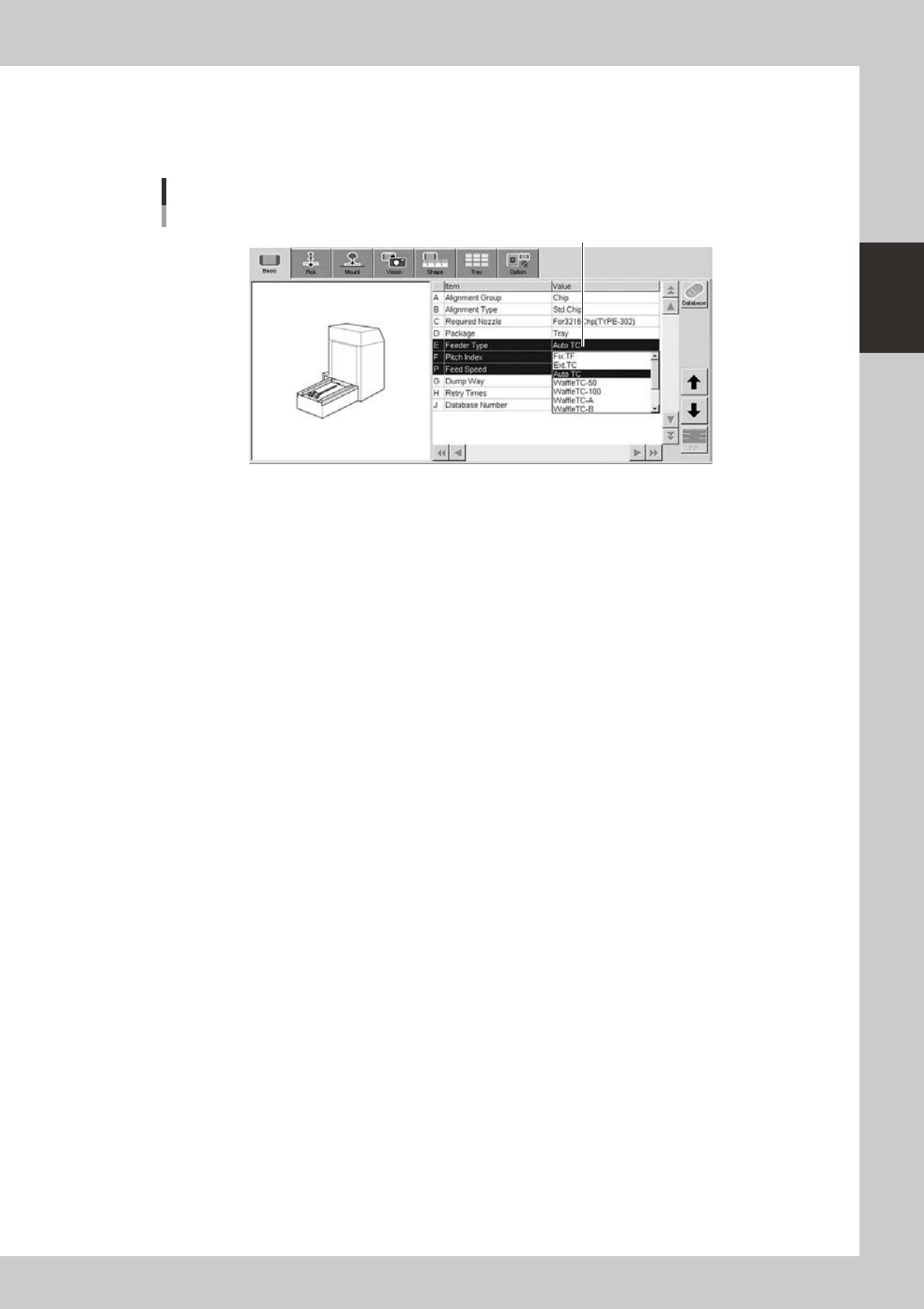
When using tray components
6
Set the "Feeder Type" parameter.
Select "Auto TC" from the drop-down list.
[Parts]-[Basic] screen
"Feeder Type" parameter
"Feeder Type"
24232-L4-00
2-54
2
asic operation
5.2 Operation check
After installing the feeders and making their settings, check to see if they operate correctly.
n
Tape feeder
1
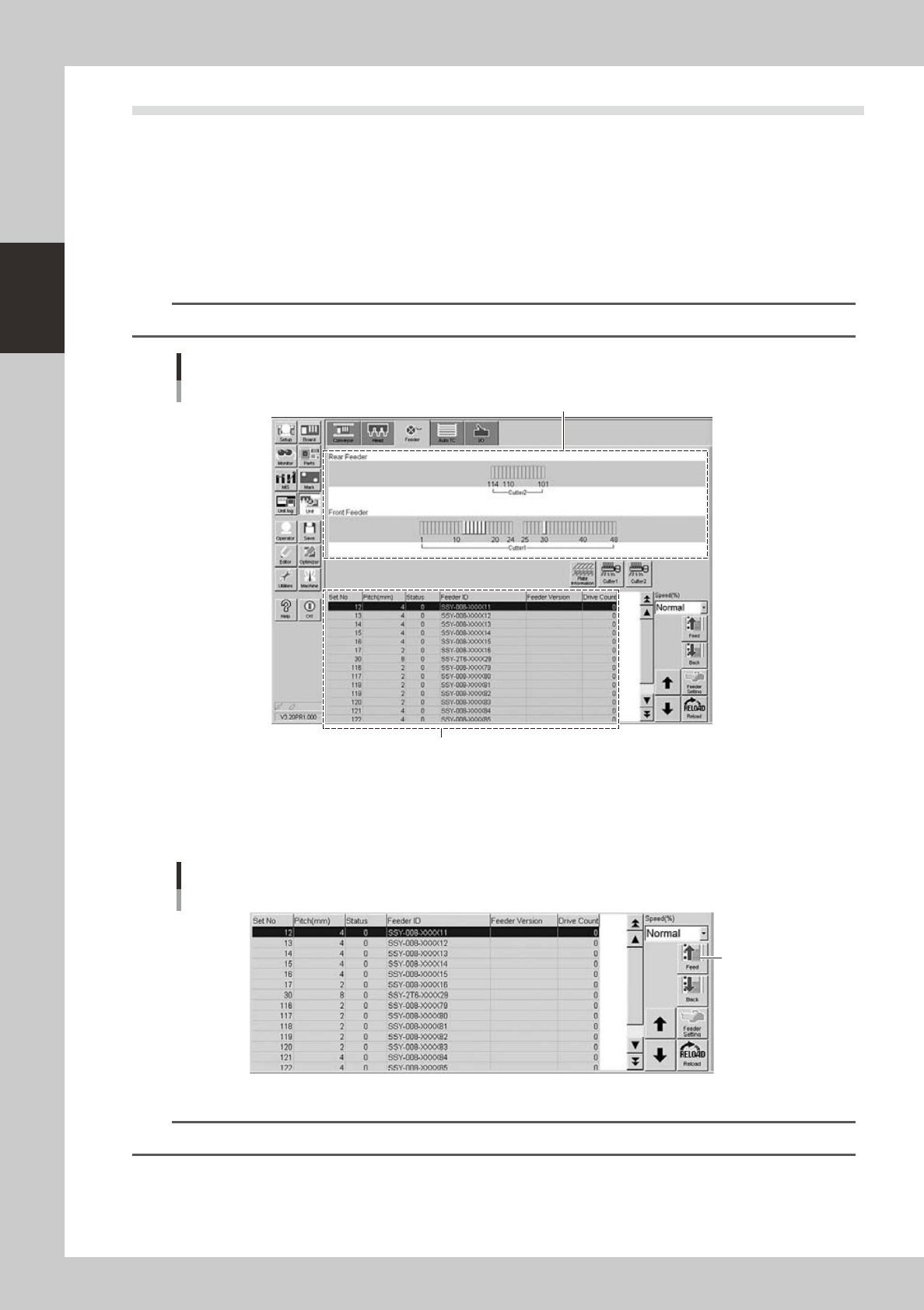
Open the feeder screen.
Press the [Unit] button and then select the [Feeder] tab to open the feeder screen.
2
Select the feeder.
Select the feeder to check the operation.
TIP
You can select a feeder in the feeder layout diagram or from the feeder list.
Feeder screen
Selecting the feeder
Feeder list
Feeder layout diagram
24229-L4-00
3
Check the feeder operation.
Press the [Feed] button on the lower right of the screen to check that the tape is fed at the correct
pitch.
Feeder screen
Checking the operation
[Feed] button
24230-L4-00
n
NOTE
When a feeder with a pitch of 4mm or more is installed, check the top component and its position.
2-55
2
asic operation
n
Wide multi-stick feeder
Check if operation is correct after setting the wide multi-stick feeder on the mounter.
There are two types of checking: one is by clicking a software button (on the device screen) and the other is by
pressing a button on the feeder.
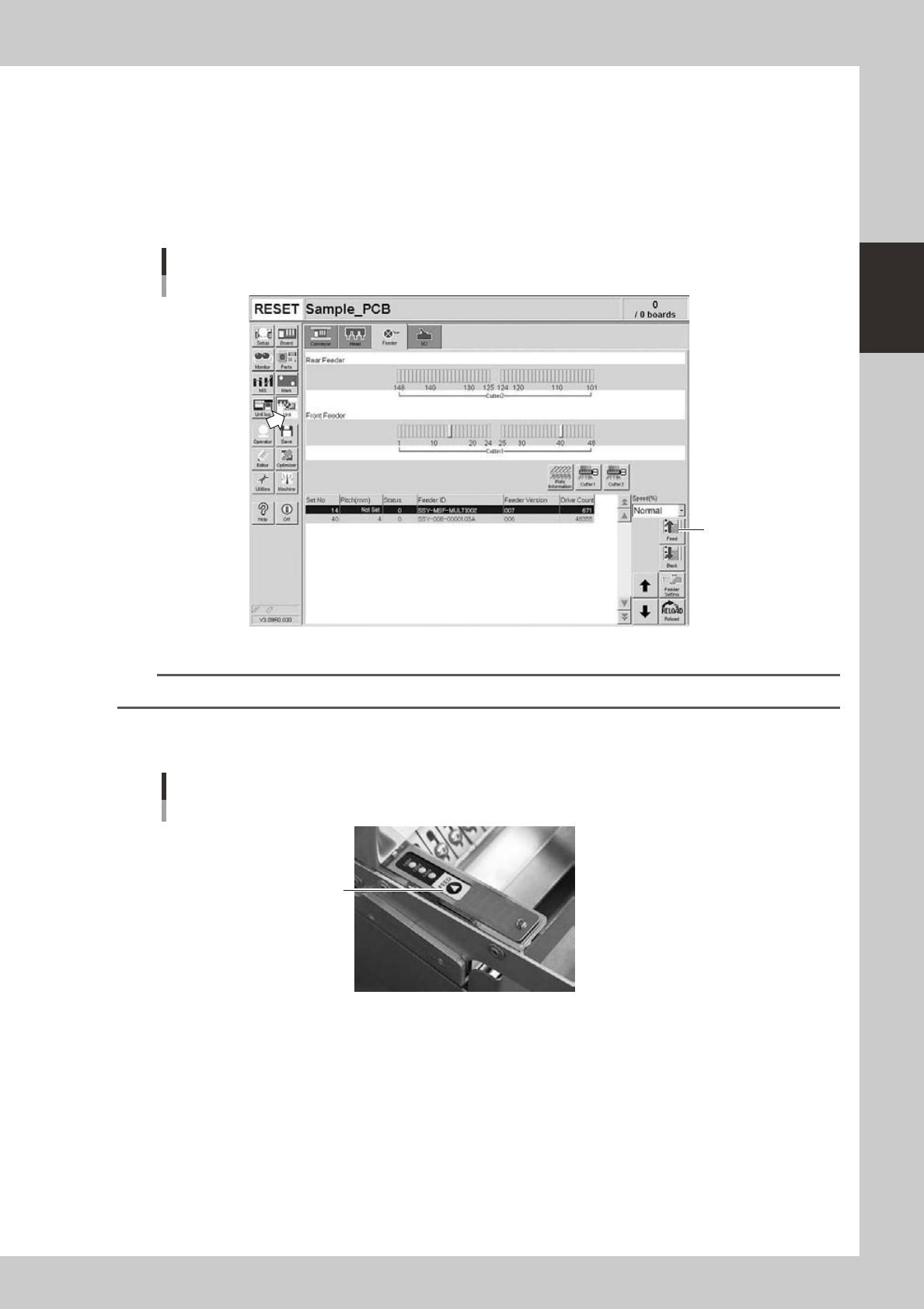
1. Using a software button
Click the [Unit] button and select a feeder in the [Feeder] tab. Click the [Feed] button in the right side of the screen and
the feeder will vibrate for two seconds to feed components.
Operation check
Unit screen
Click here
24231-L4-00
n
NOTE
When using the multi-stick feeder, you cannot use the (Back) button. (This button is disabled.)
2. Using a feeder button
Press the [Feed] button of the feeder and the feeder will vibrate for two seconds to feed components.
Operation check
Feeder unit
[FEED] button
23219-L4-00