YS24X_Ope_E.pdf - 第141页
3-9 3 Starting and ending pr oduction 1.2.1 Selecting the blocks T o select the blocks where y ou want to skip mounting components, place a chec k mark in the chec k boxes for those blocks. (Directly clic k the chec k bo…
3-8
3
Starting and ending production
1.2 Using the "block skip function"
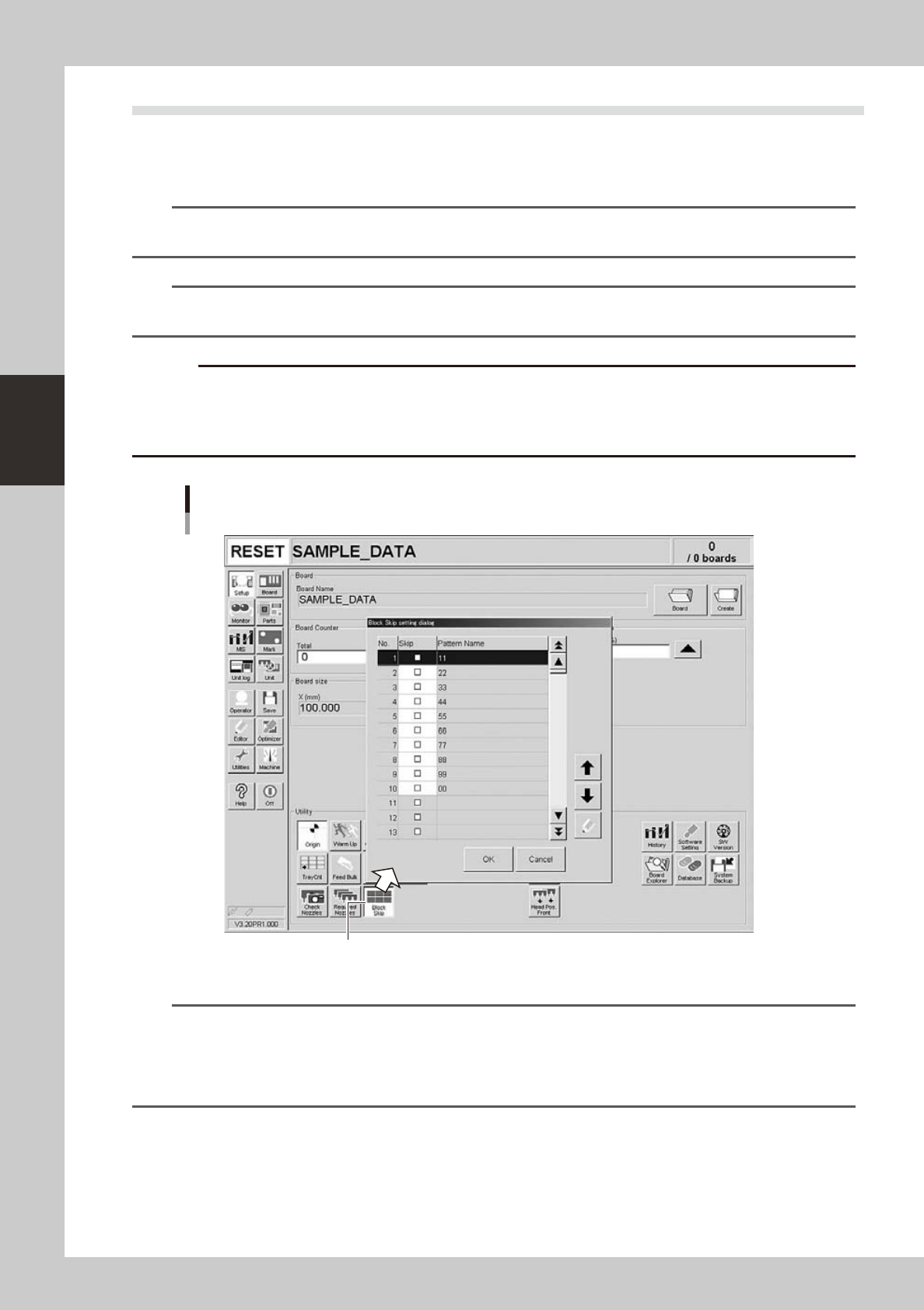
When board data with block distribution performed is loaded, the [Block Skip] button on the Setup screen
becomes active. Pressing this button opens the "Block Skip Utility" dialog box to enable the block skip
function. Use this function when you want to skip mounting components in each block.
n
NOTE
When producing boards using both lanes of dual-lane machines, use the [Lane select] button to select the lane
before continuing operation.
n
NOTE
The block skip function can only be used for board data with block distribution performed (with note data). See the
separate "YS Series Programming Manual" for information on block distribution.
c
performed.
This function cannot be used for board data if it has 512 or more block offsets before block distribution is performed.
[Block Skip] button
"Block Skip Utility" dialog box
24320-L4-00
n
NOTE
The block skip function is enabled when the [Block Skip] button is ON (pressed).
To disable this function, press the [Block Skip] button to turn it OFF.
This function is also disabled when board data with a different name is loaded or the power is turned OFF. The [Block
Skip] button on the Setup screen automatically turns OFF in this case.
Component mounting in each block will not be skipped unless the [Block Skip] button is ON.
3-9
3
Starting and ending production
1.2.1 Selecting the blocks
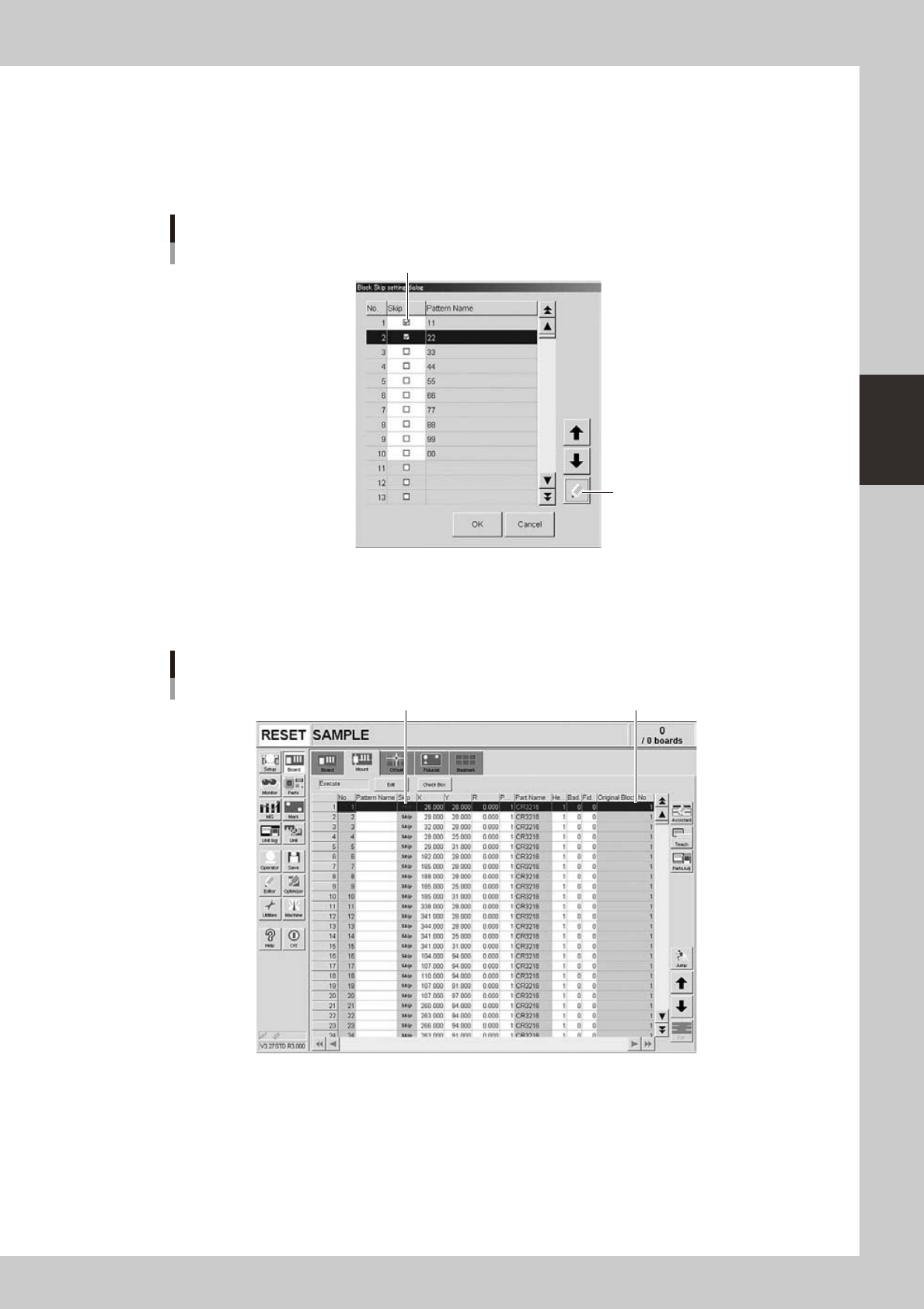
To select the blocks where you want to skip mounting components, place a check mark in the check boxes for
those blocks. (Directly click the check boxes or press the [Check] button after selecting the blocks.)
After placing the check marks, press the [OK] button to complete the settings. The [Block Skip] button on the
Setup screen then turns ON.
[Check] button
Selecting the blocks to be skipped
Place a check mark for the blocks to be skipped.
24321-L4-00
Data for the blocks that are set to be skipped can be checked on the [Mount] parameter tab of the Board
screen. The message "Skip" is displayed in the "Skip" column of those data as shown below, and they cannot
be edited on this screen. The "Original Block No." shows the block to which the data to be skipped belongs.
Block No. to which each data belongs.
Checking the blocks
Message "Skip" is displayed.
24322-L4-00
3-10
3
Starting and ending production
1.2.2 Starting operation
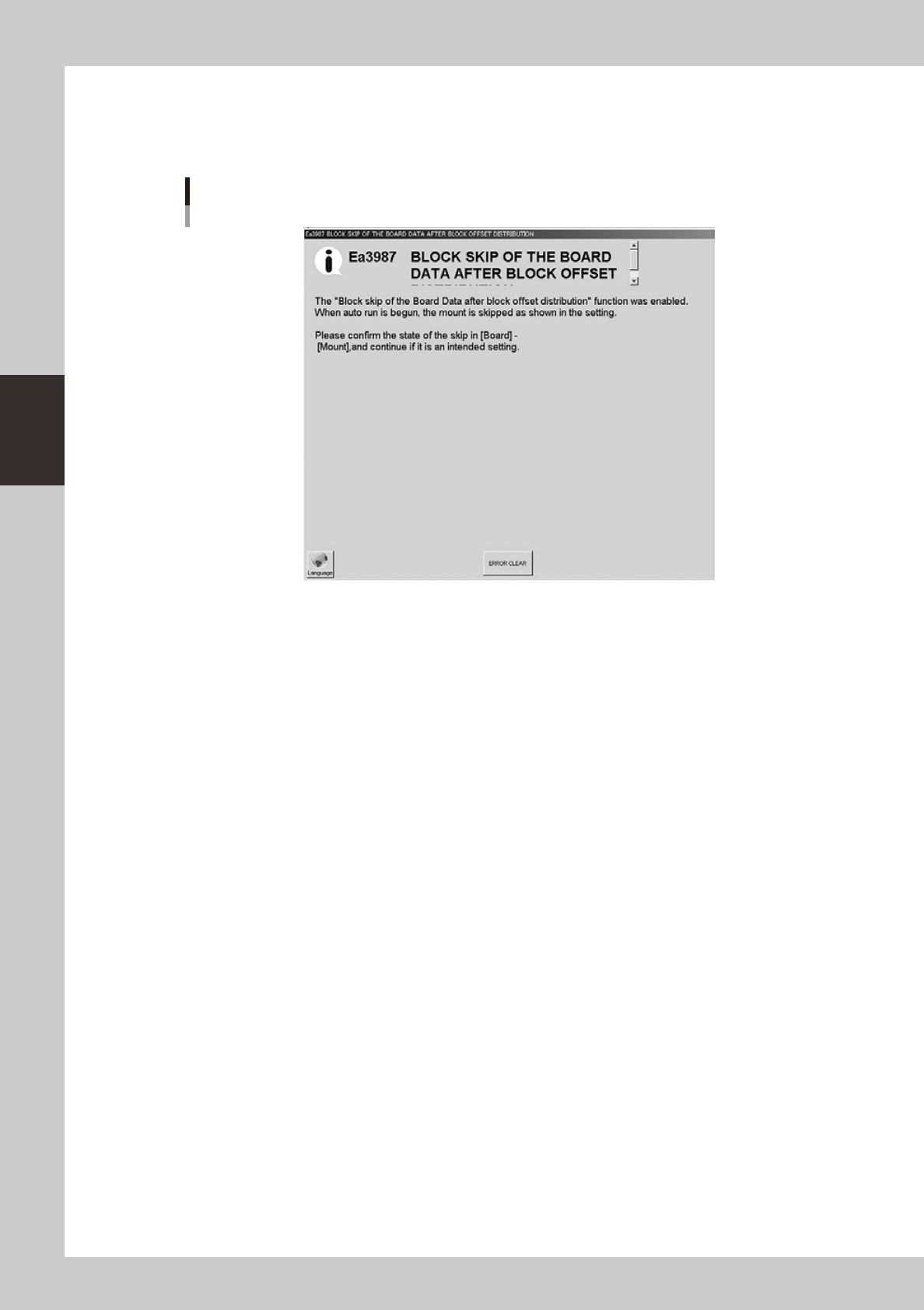
When the block skip function enabled, the following message appears only once when starting operation.
Clear the message and restart operation unless there is a problem.
Block skip confirmation message
24323-L4-00