YS24X_Ope_E.pdf - 第142页
3-10 3 Starting and ending pr oduction 1.2.2 Star ting operation When the block skip function enabled, the follo wing message appears only once when starting operation. Clear the message and restart operation unless ther…
3-9
3
Starting and ending production
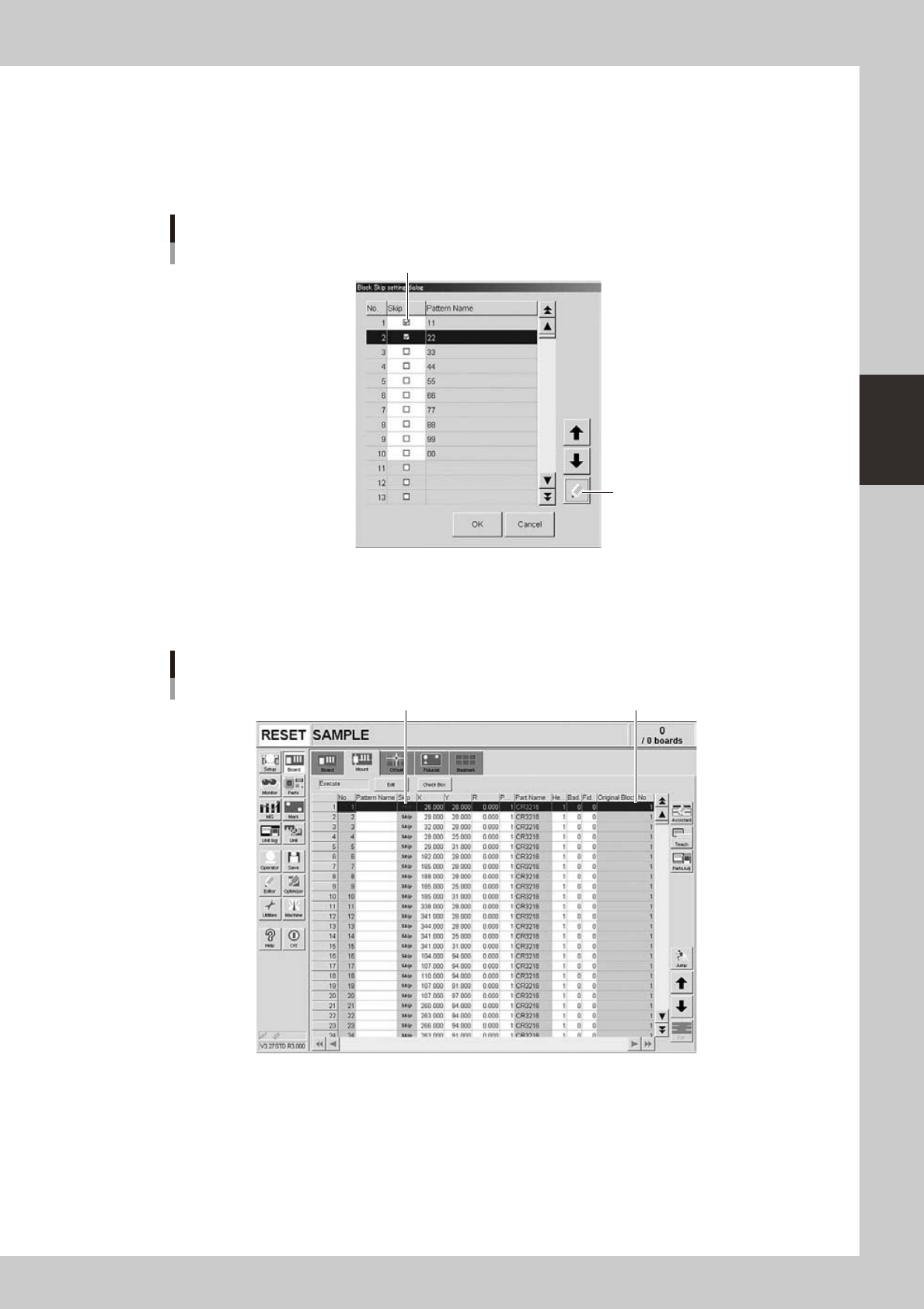
1.2.1 Selecting the blocks
To select the blocks where you want to skip mounting components, place a check mark in the check boxes for
those blocks. (Directly click the check boxes or press the [Check] button after selecting the blocks.)
After placing the check marks, press the [OK] button to complete the settings. The [Block Skip] button on the
Setup screen then turns ON.
[Check] button
Selecting the blocks to be skipped
Place a check mark for the blocks to be skipped.
24321-L4-00
Data for the blocks that are set to be skipped can be checked on the [Mount] parameter tab of the Board
screen. The message "Skip" is displayed in the "Skip" column of those data as shown below, and they cannot
be edited on this screen. The "Original Block No." shows the block to which the data to be skipped belongs.
Block No. to which each data belongs.
Checking the blocks
Message "Skip" is displayed.
24322-L4-00
3-10
3
Starting and ending production
1.2.2 Starting operation
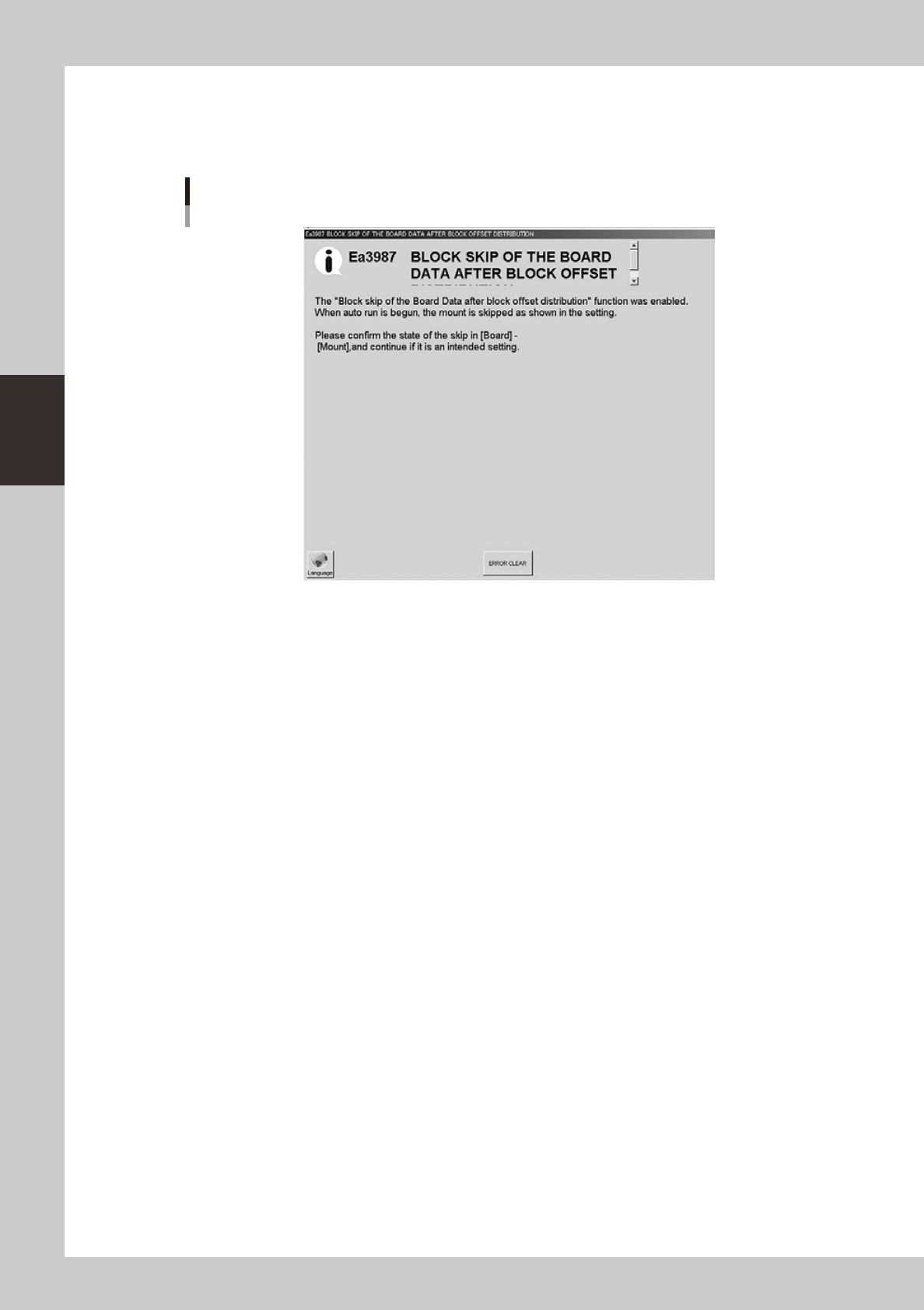
When the block skip function enabled, the following message appears only once when starting operation.
Clear the message and restart operation unless there is a problem.
Block skip confirmation message
24323-L4-00
3-11
3
Starting and ending production
2. Ending production and turning power off
Use the following procedure to end board production.
1
Stop machine operation.
There are four methods for stopping the machine operation.
e
1. Emergency stop button:
Press this button to trigger emergency stop. Do not use this button in normal operation.
2. [STOP] button (operation panel):
Pressing the [STOP] button stops the machine operation immediately. To resume operation, press the
[START] button on the operation panel.
3. [Cycle Stop] button (operation screen):
Pressing this button stops the machine operation just after components are mounted on the current
board.
4. [Convey-out stop] button (operation screen):
Use this button when you want to end production after completing component mounting on the
boards currently on the conveyor. All boards on the conveyor are carried out after component
mounting, but new boards are not carried in from the upstream side.
c
2
Reset the operation.
Press the [RESET] button on the operation panel. The machine then returns to the board production
standby status.
3
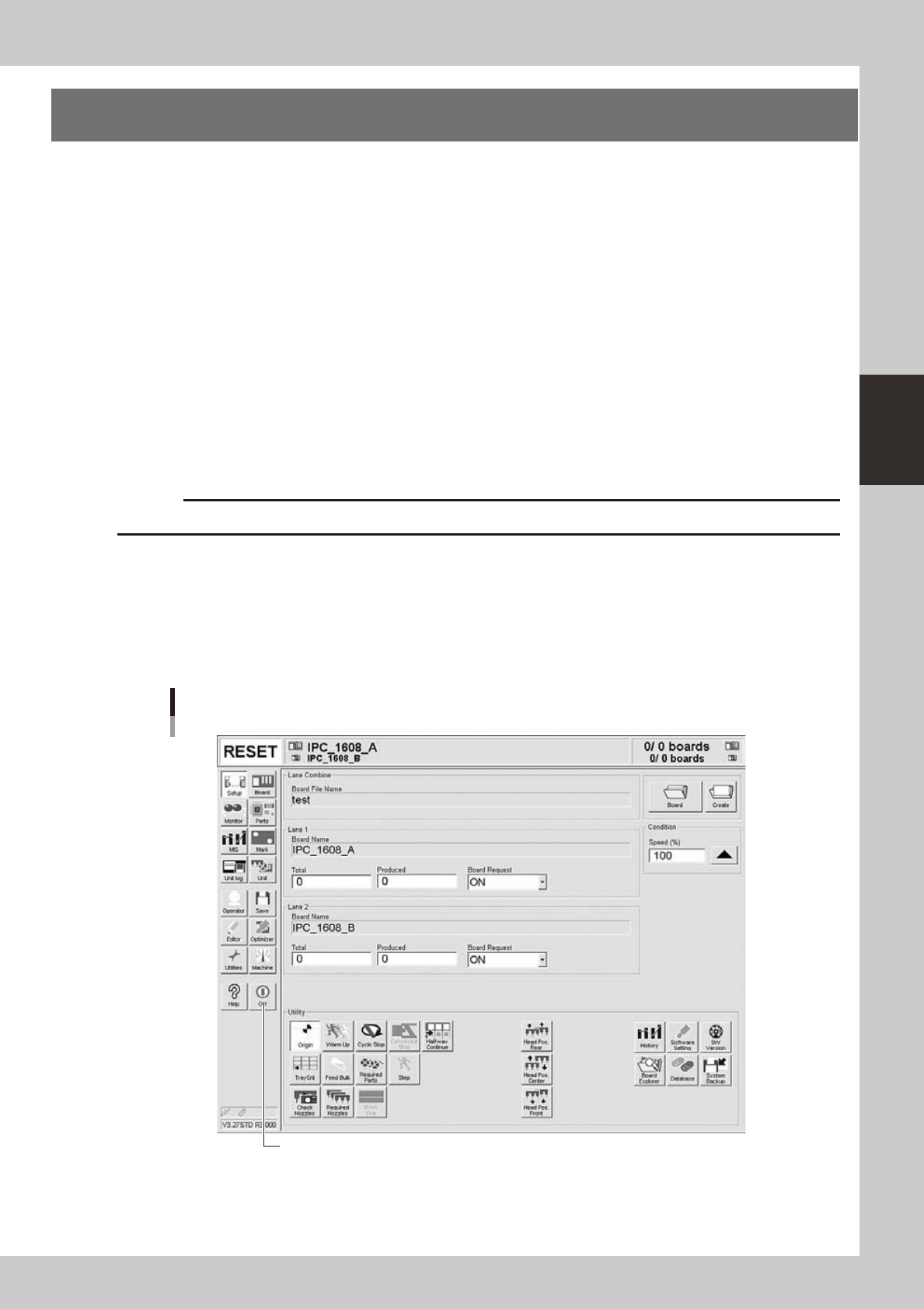
Press the [Off] button.
Press the [Off] button in the left button area of the screen.
[Off] button
[Off] button
24306-L4-10