YS24X_Ope_E.pdf - 第55页
1-18 1 Part names and functions 5. Pallet indicator lamp T he indicator lamp for the pallet No. set in the parts information is lit up. When the tra y components on a pallet are used up, the indicator lamp for that palle…
1-17
1
Part names and functions
4.2 Supplying components from tray changer (sATS
II
)
Tray changer (sATS
II
) part names and functions are described below.
n
NOTE
The sATS
II
can only be installed in single - lane machines.
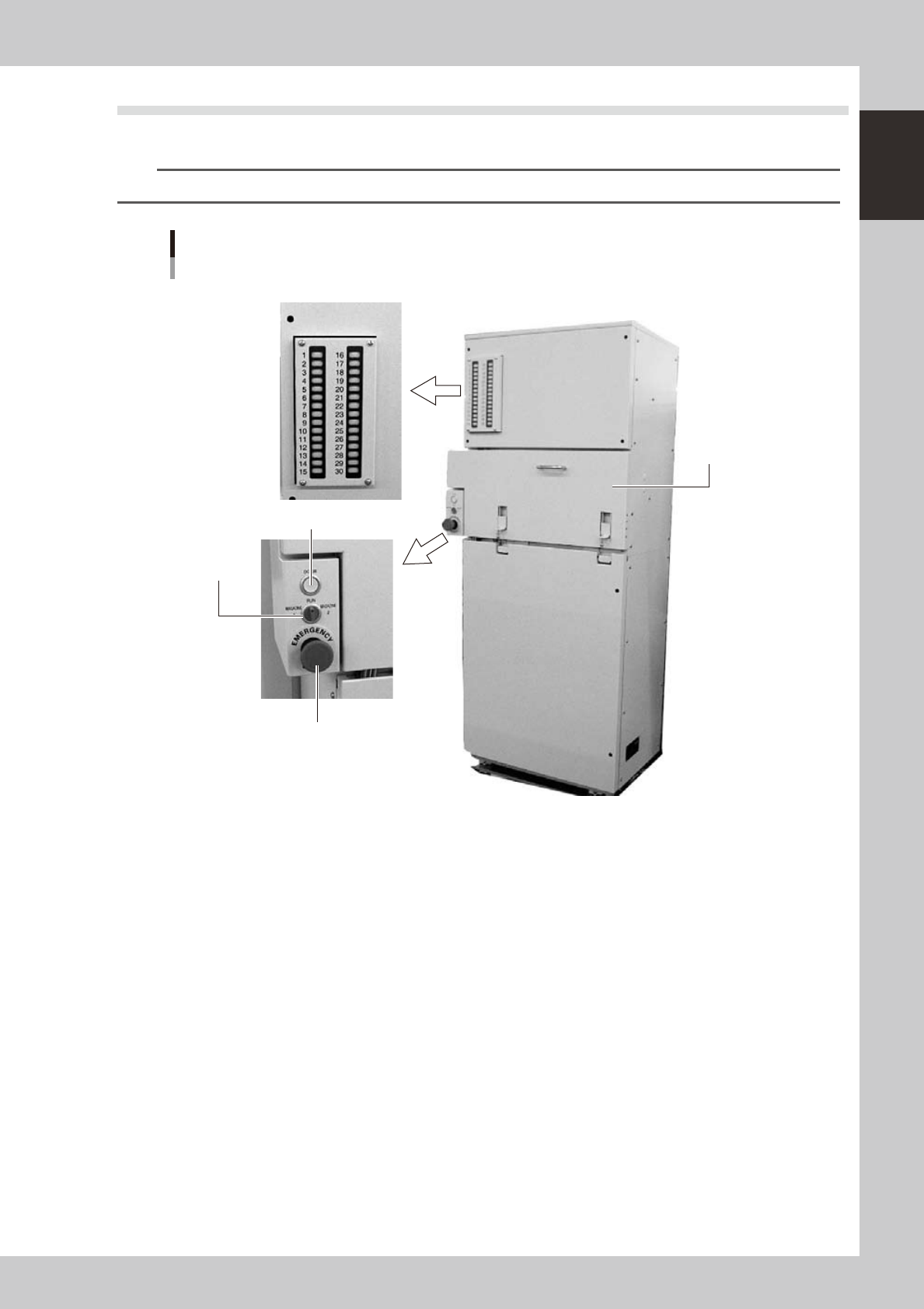
sATSII main unit
Pallet insertion side
1. Magazine door
2. Emergency stop button
3. DOOR switch
4. DOOR indicator lamp
5. Pallet indicator lamp
23112-L4-00
1. Magazine door
Open this door when exchanging a pallet or a magazine. Two magazines (Magazine 1, Magazine 2) can be
accommodated vertically.
2. Emergency stop button
Pressing this button triggers emergency stop, the same as the emergency stop buttons on the mounter.
3. DOOR switch
Placing this switch in "MAGAZINE 1" or "MAGAZINE 2" unlocks the magazine door, so you can open it. When this switch
is in the RUN position, the door is locked and you cannot open it.
Place this switch in "MAGAZINE 1" when exchanging Magazine 1, and in "MAGAZINE 2" when exchanging Magazine 2.
4. DOOR indicator lamp
This indicator lamp lights up when the magazine door is locked and turns off when unlocked.
1-18
1
Part names and functions
5. Pallet indicator lamp
The indicator lamp for the pallet No. set in the parts information is lit up. When the tray components on a pallet are used
up, the indicator lamp for that pallet No. flashes (see below). Pallet indicator lamps No. 1 to No. 15 are for Magazine 1.
Pallet indicator lamps No. 16 to No. 30 are for Magazine 2.
After you set new pallets in the magazines, press the flashing indicator buttons to reset them.
n
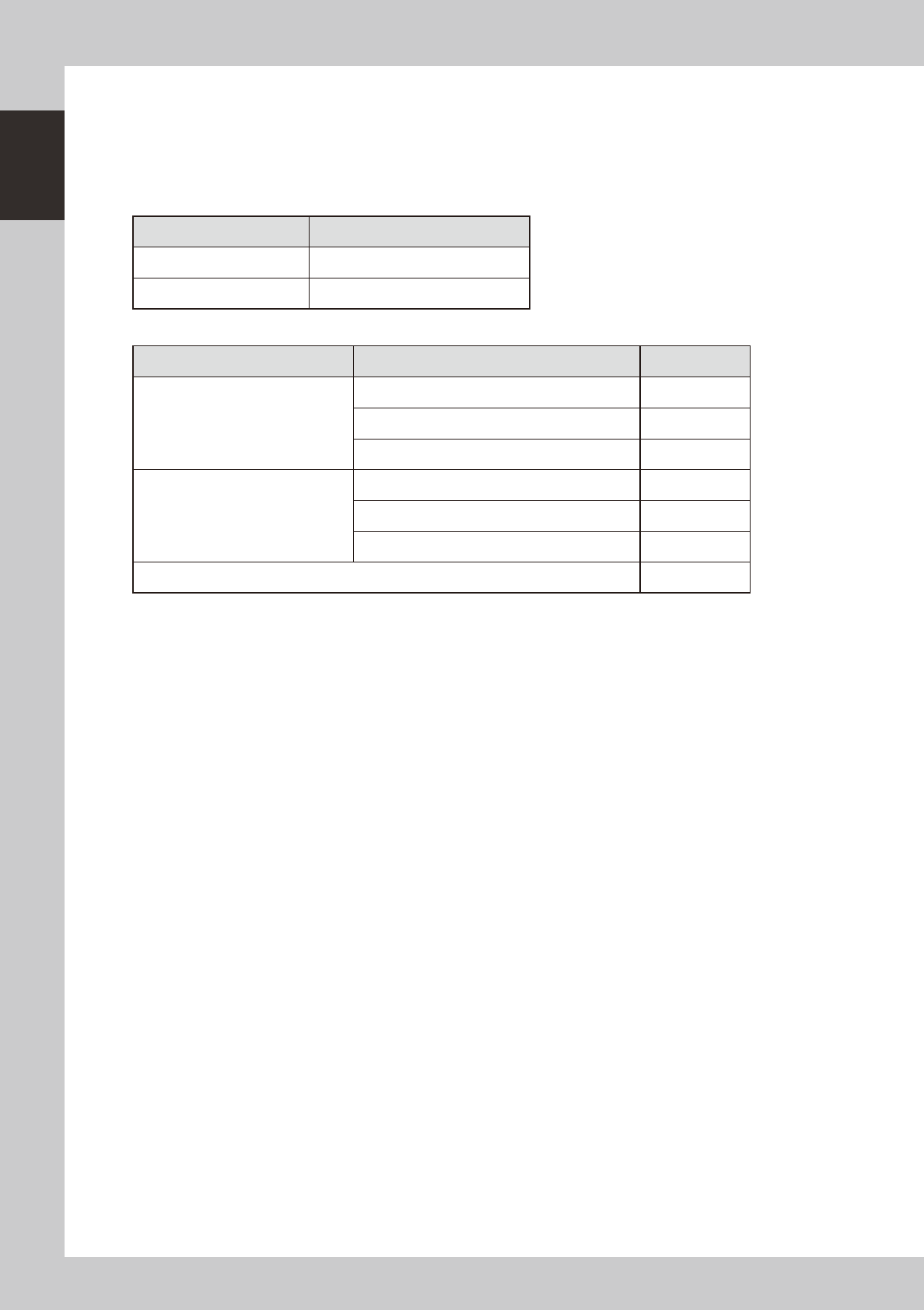
Relation between pallet indicator numbers and magazines
Pallet indicator number Magazine
1 to 15 Magazine 1 for stage 1
16 to 30 Magazine 2 for stage 1
n
Pallet indicator lighting pattern
Pallet condition Component condition Indicator status
One component type on one pallet
Components have been supplied. ON
Used up all components. Flashing
Components are currently being used. ON
Two or more components types on one
pallet
All components on pallet have been supplied. ON
Used up all components. Flashing
Used up at least one type of component. Flashing
Components to be used are not specified in board data. OFF
1-19
1
Part names and functions
5.
Conveyor unit
5.1
Conveyor unit
The conveyor unit used to clamp a board in mounting position is described below.
n
NOTE
In dual-lane machines, the front side is "Lane 1" and the rear side is "Lane 2".
4 5
2
3
1
6
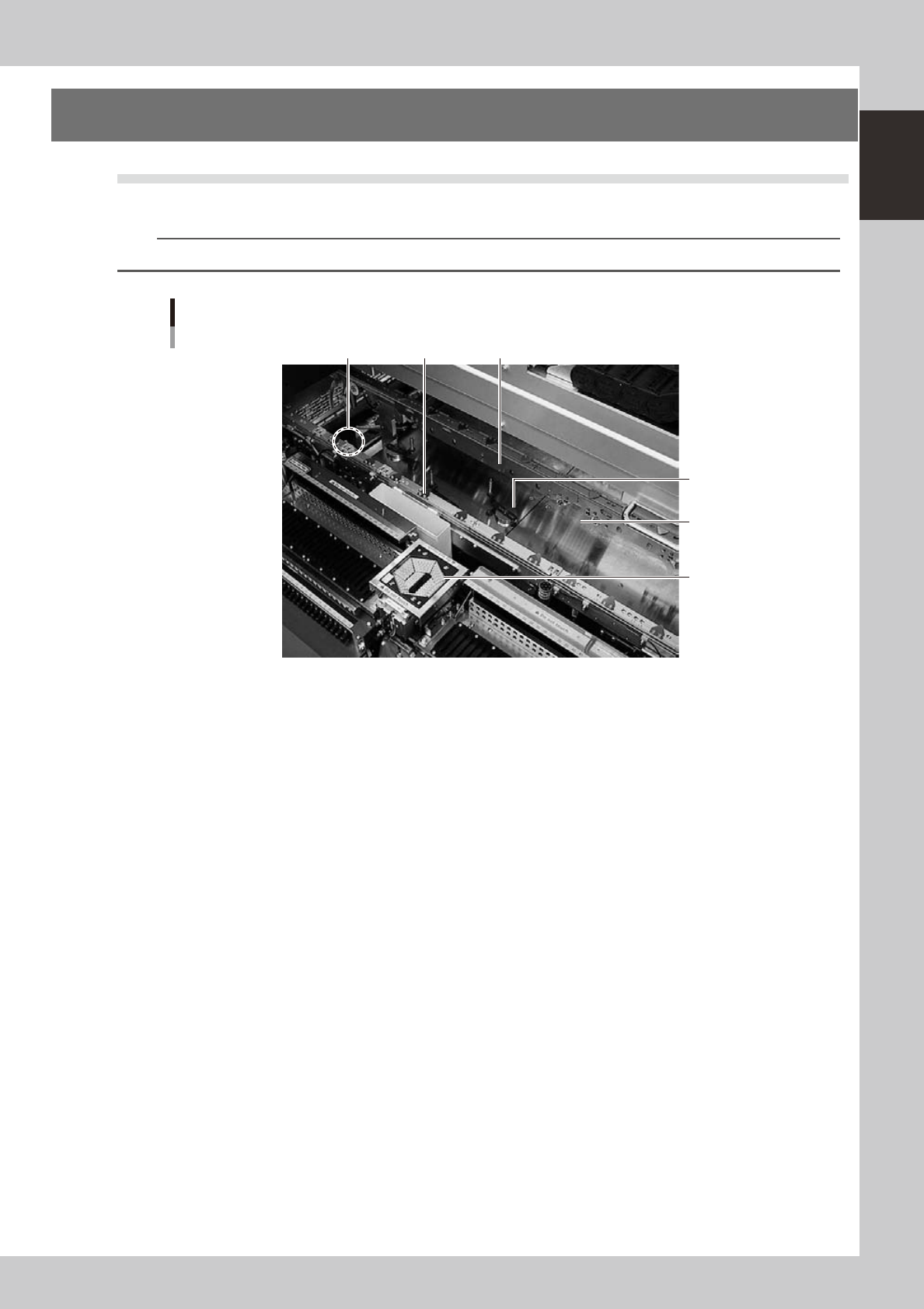
Conveyor unit
Example of Single-lane
23113-L4-00
1. Main stopper
When a board is carried in on the conveyor, the main stopper halts travel of the board in the component mounting
position.
In the case of dual-stage machines, the main stopper is installed at one location of stage 1 and two locations of stage 2.
The main stopper on stage 2 is changed to an appropriate one according to the board size.
2. Push-up plate
The push-up plate clamps the board up against the conveyor rails, with the supporter pins attached by magnet on the
push-up plate.
3. Push-up pins
These pins are arranged on the push-up plate and secure the board by pushing it up from the bottom.
4. Board hold plate (movable)
These plates hold the edges of the board from above when the board is clamped in the mounting position.
5. Board edge clamp unit
This unit clamps the board by pushing its edges up against the board hold plates.
6. Multi-vision camera (with vertically movable side-emitting light source)
One camera each is installed on the front and rear of the machine to perform component recognition.