YS24X_Ope_E.pdf - 第88页
2-13 2 asic operation 2.3 Unit screen T his section describes the manual operation buttons on the Unit screen. n Manual conveyor operation Conveyor manual buttons N Single-lane / Dual-lane N Dual-stage 4 2 1 6 5 3 7 …
2-12
2
asic operation
Button name Function
10 Step
Temporarily stops the machine at a specific position, for example, during initial
component mounting, test mounting, or trouble analysis.
11 Required Parts
Displays the component types and feeder positions that are set up for the production
to be started.
In dual-lane machines, the component types and feeder positions on both lanes are
displayed.
12 Feed Bulk Not currently used.
13 Tray Cnt
Displays the number of tray components that have been used.(Single - lane / Dual -
lane+sATS
II
)
14 Check Nozzles
Checks if nozzle tips for chip components are dirty or clogged by acquiring their
images.
15 Required Nozzles Displays a list of nozzles to be used.
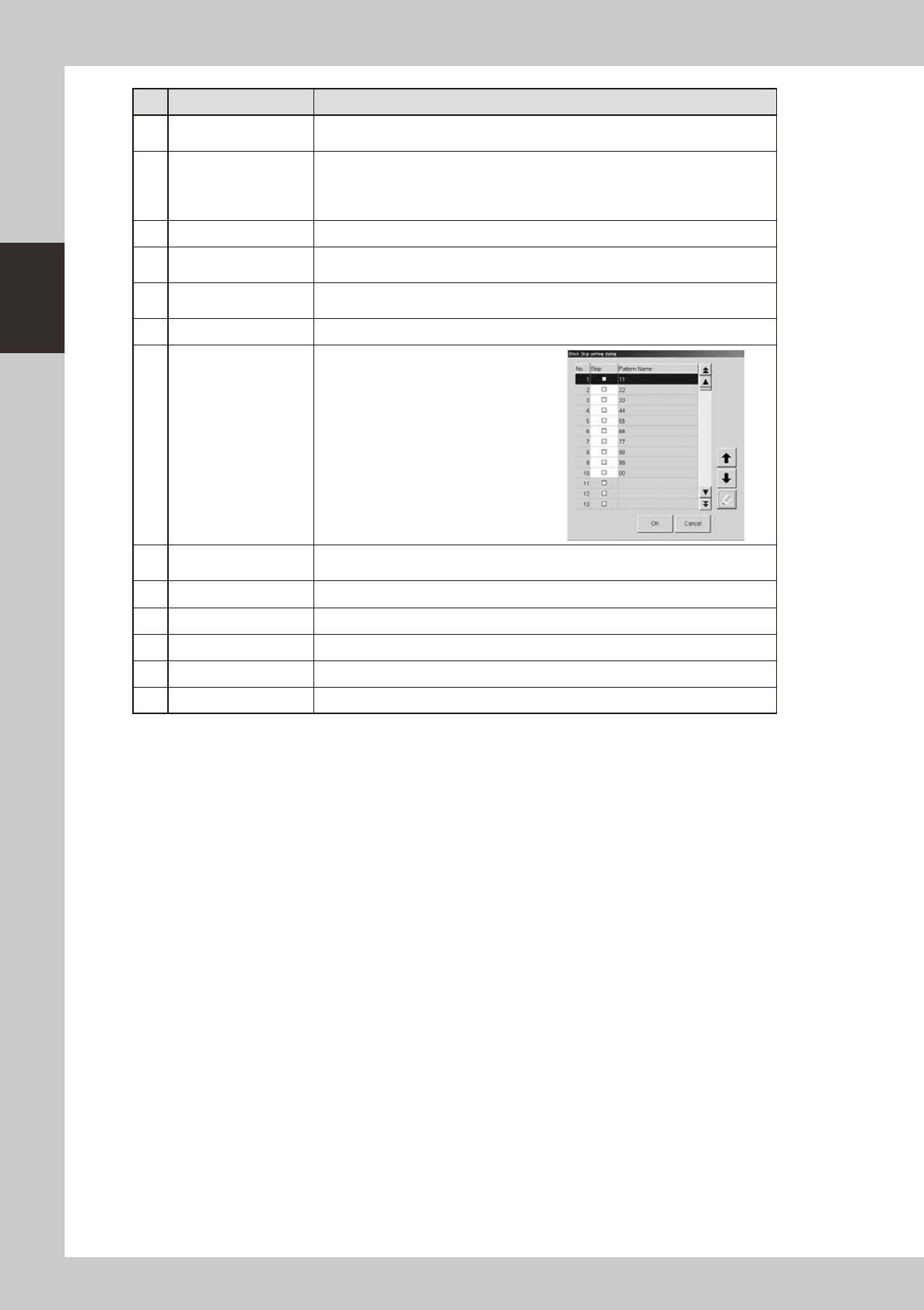
16 Block skip
This button becomes active when
board data with block distribution
performed is loaded.
Pressing this button displays the
"Block Skip Utility" dialog box that
allows you to set whether to skip
mounting components in each block.
17 Mount Position
Moves the conveyor to the component mounting position for the setup of the backup
pin. (dual-stage machines only)
18 Transfer Position Moves the conveyor to the transfer position when a board is carried in manually.
19 Head Pos. Front Moves both A and B heads to the front of the machine.
20 Head Pos. Center Moves both A and B heads to the center of the machine.
21 Head Pos. Rear Moves both A and B heads to the rear of the machine.
22 Width Changes the conveyor width.
2-13
2
asic operation
2.3 Unit screen
This section describes the manual operation buttons on the Unit screen.
n
Manual conveyor operation
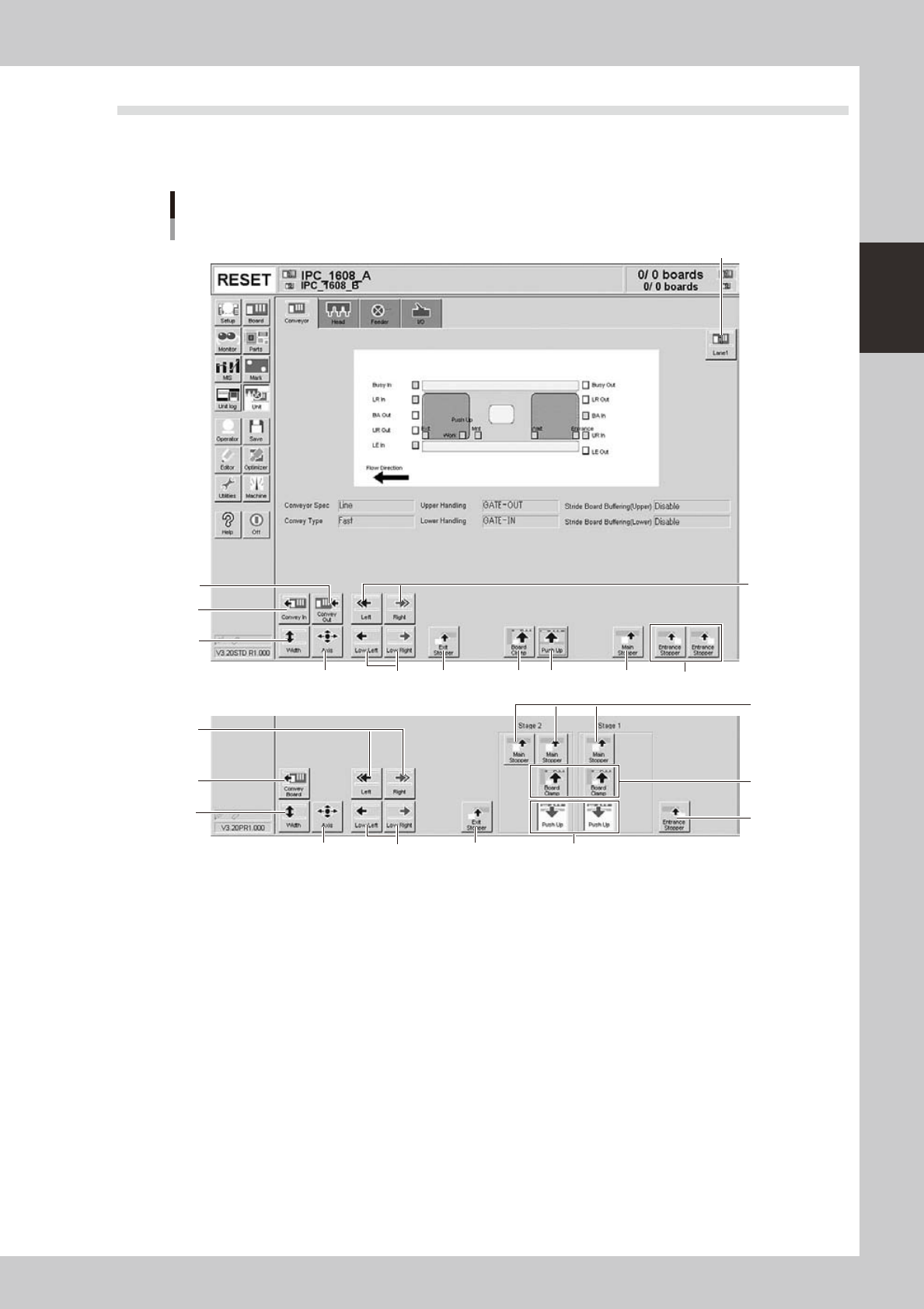
Conveyor manual buttons
NSingle-lane / Dual-lane
NDual-stage
4
2
1
6
5
3
7
8 10 11 9 12
2
4
6
75
9
10
11
12
8
24204-L4-10
1. Lane select button (Dual-lane machines)
Switches the display between Lane 1 and Lane 2.
2. [Convey Board] button (Dual-stage), [Convey In] button (Single-lane / Dual-lane)
Moves the board from the conveyor entrance or standby position to the clamp position and clamps it.
3. [Convey Out] button (Single-lane / Dual-lane)
Unclamps the board and moves it to the exit stopper position.
2-14
2
asic operation
4. [Width] button
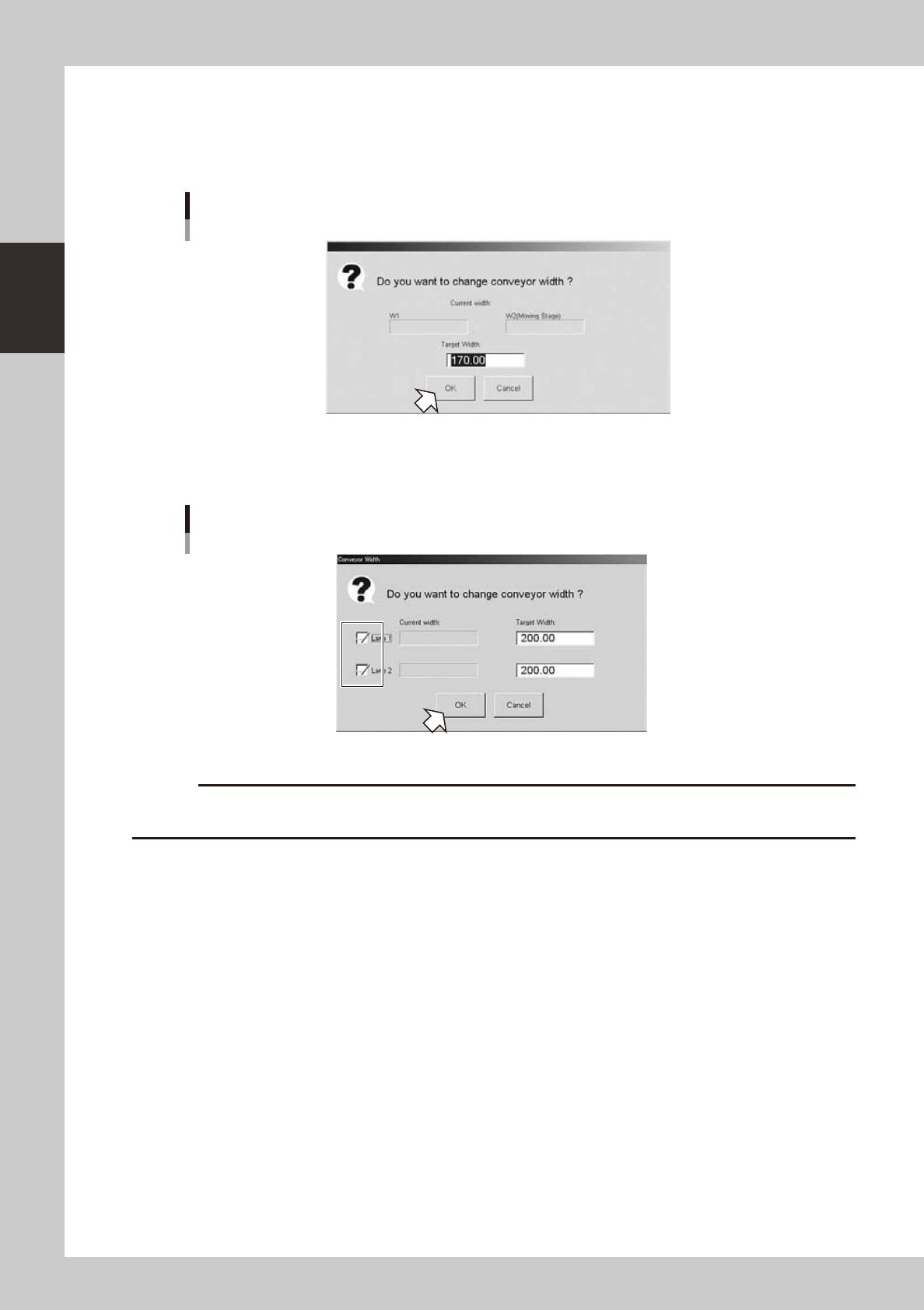
Use this button to adjust the conveyor width to match the width of boards to be produced.
Pressing this button displays the "Conveyor Width" dialog box. Check the conveyor width and press the [OK] button. The
conveyor rail automatically changes to the specified width.
"Conveyor Width" dialog box
Example of Dual-stage
24205-L4-10
In dual-lane machines, the conveyor width can be specified for each lane.
When using only one lane, enter the conveyor width after clearing the check box for the lane that is not to be used.
"Conveyor Width" dialog box
Dual-lane
24234-L4-00
c
conveyor units.