Printer 600 Machine Programming.pdf - 第85页
0$&+,1 (352*5$0 0,1* 67$*( 35,17,1 67(302'( Software Version 07SP04 User Manual 1.85 5. Select Step (F1). 6. Select Step (F1). 7. Select Step (F1). 8. Select Step (F1) 9. Select Step (F1) 10. Select Ste…
0$&+,1(352*5$00,1*
67$*(35,17,167(302'(
1.84 User Manual Software Version 07SP04
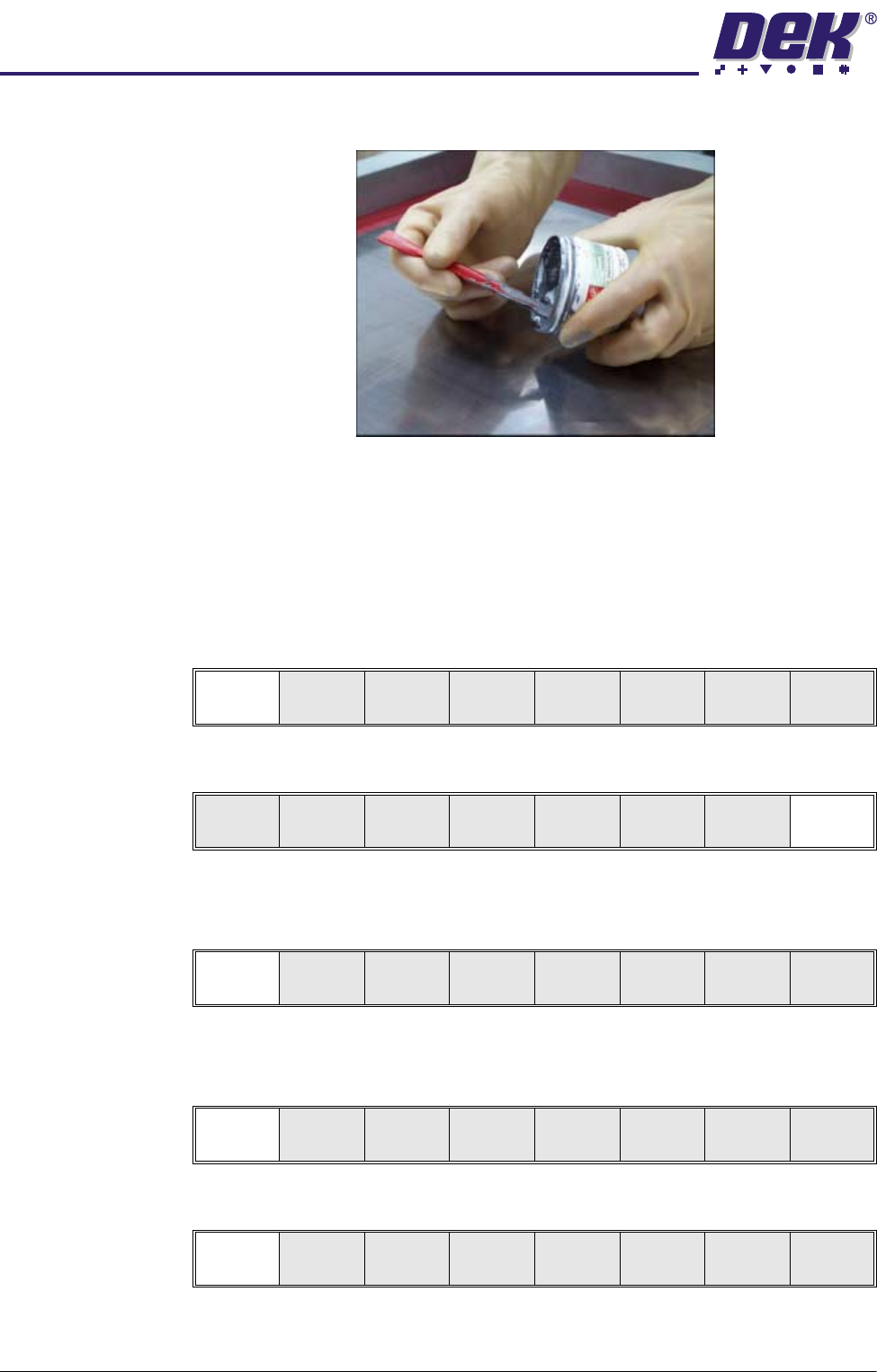
4. Load the solder paste onto the stencil.
5. Either:
a. Close the front printhead cover.
or
b. Raise the drop down panel and lower the printhead shutter.
6. Press the System button.
7. Select Continue (F1).
8. Select Exit (F8)
Run a Product in
Step Mode
1. Select Run (F1).
2. Load a board on to the conveyor.
3. Select Auto Board (F1).
4. Select Step (F1).
Continue
Auto
Dispense
Manual
Load
Load
Cart.
Print
Directn
Exit
Run
Open
Cover
Paste
Load
Clean
Screen
Adjust Setup Monitor Maint.
Auto
Board
Manual
Board
Knead
Paste
Exit
Step
Open
Cover
Inspect
Setup
Single Exit
0$&+,1(352*5$00,1*
67$*(35,17,167(302'(
Software Version 07SP04 User Manual 1.85
5. Select Step (F1).
6. Select Step (F1).
7. Select Step (F1).
8. Select Step (F1)
9. Select Step (F1)
10.Select Step (F1)
11. Select Auto Board (F1)
12.Remove the board from the conveyor and inspect the print for alignment. If
the alignment is satisfactory go to Step 16, if the alignment needs adjusting,
calculate the following:
X Offset, Y Offset and θ Offset.
13.Select Edit Data (F3)
14.Enter the X Offset, Y Offset and θ Offset, calculated in Step 12 to both the
Forward and Reverse set of offsets.
15.Repeat Steps 1-12 until the alignment is correct for both a forward and
reverse print.
16.If 2D Inspection is being used continue with Stage 8, if 2D Inspection isn’t
Step
Open
Cover
Inspect
Setup
Single Exit
Step
Open
Cover
Fiducial
Setup
Adjust
Search
Step
Search
Reset
Single Exit
Step
Open
Cover
Fiducial
Setup
Adjust
Search
Step
Search
Reset
Single Exit
Step
Open
Cover
Fiducial
Setup
Adjust
Search
Step
Search
Reset
Single Exit
Step
Open
Cover
Fiducial
Setup
Adjust
Search
Step
Search
Reset
Single Exit
Step
Inspect
setup
Single Exit
Auto
Board
Manual
Board
Single Exit
Auto
Adjust
Load
Data
Edit
Data
Setup
Squeegee
Change
Screen
Change
Tool ing
Change
Language
Exit

0$&+,1(352*5$00,1*
67$*(35,17,167(302'(
1.86 User Manual Software Version 07SP04
being used go to Stage 9.