ISM-2000_OPE - 第32页
Software 3.1 rev_0 1 Edition 06/20 16 - Reproduction forbidden a Page 32 Storage Solut ions Soft ware Operating Manual It allows to go inside the management of a session. You can also enter into the manage session by mak…
Software 3.1 rev_01 Edition 06/2016 - Reproduction forbidden
a
Page 31
Storage Solutions Software Operating Manual
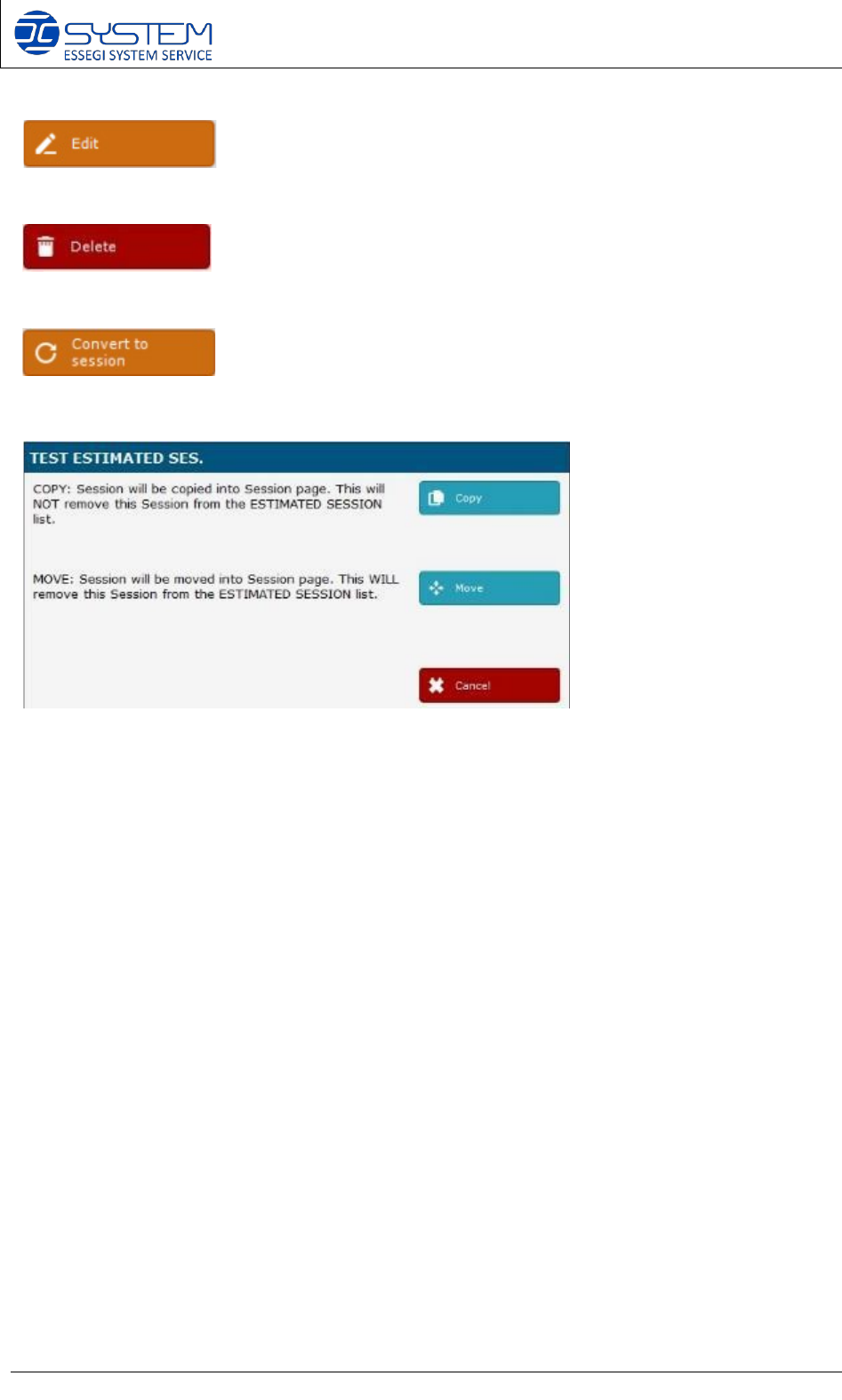
It allows to enter into selected session.
It allows to delete the selected session.
It allows to convert the selected estimated session into a real session. By pressing this button,
you will have two options:
1- Copy: the estimated session will be copied into the “Sessions” page.
2- 2- Move: the estimated session will be moved into the “Sessions” page.
- END OF THE ORDERS PLANNER -
Software 3.1 rev_01 Edition 06/2016 - Reproduction forbidden
a
Page 32
Storage Solutions Software Operating Manual
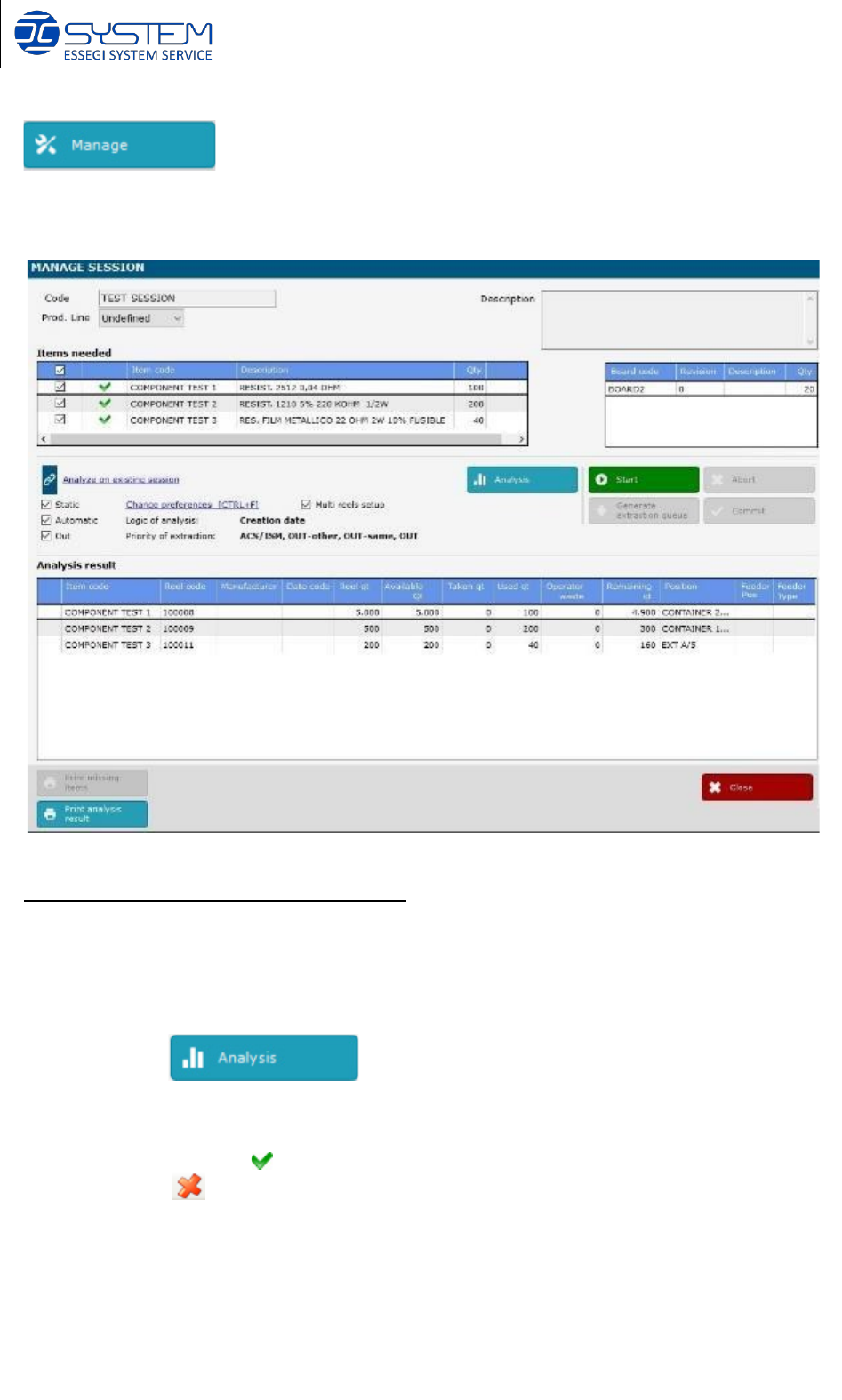
It allows to go inside the management of a session. You can also enter into the manage session
by making double click directly on the desired session.
When pressed, the following windows is opened:
Session analysis and starting procedure:
1. Inside the “Items needed” field you can see all items (components P/Ns) needed to
make this session (Work Order)
After clicking , the software will analyze if all components are available,
and which reels will be used for production.
If checked, the symbol , it means that the item is available for production, if the item is not
available, the is displayed. At this point it is possible to select or deselect the items
intended to use in the session.
Software 3.1 rev_01 Edition 06/2016 - Reproduction forbidden
a
Page 33
Storage Solutions Software Operating Manual
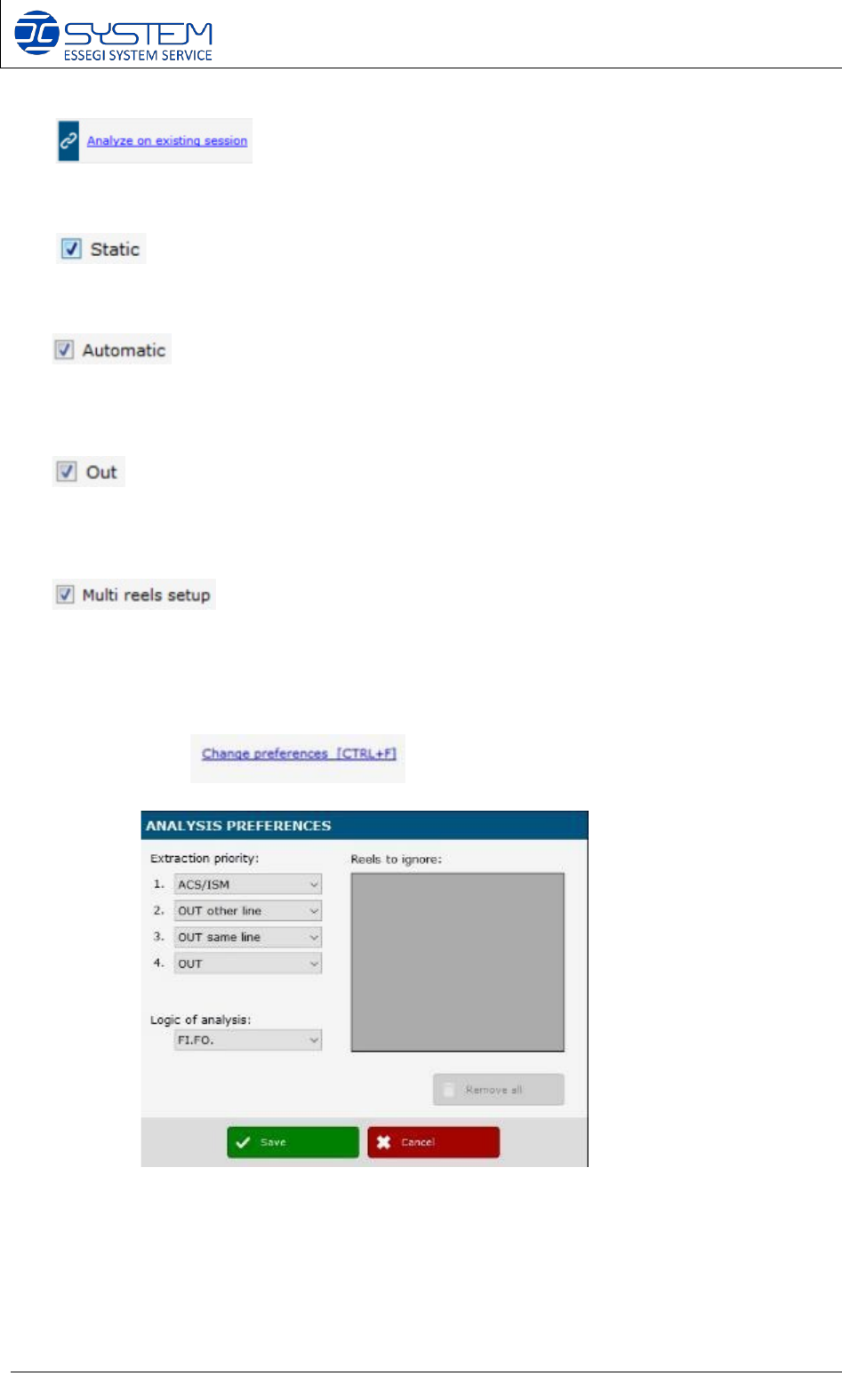
2. This will allow you to analyze the session on another
one. Basically it will open the Production Planner (see below).
3- If marked, the software will consider the material inside the Static containers. If
unmarked, software will consider only the material outside the Static containers.
If marked, software will consider the material inside the automatic containers.
If unmarked, software will consider the material outside the automatic containers (e.g. in
OUT position, External storage, Static containers)
If marked, software will consider the material with position OUT. If unmarked,
software will consider only the material inside the automatic container or in static containers
or in external position.
If marked, software will analyze the feasibility of the P&P setup taking in
account the “multi reels setup”, if indicated in the board. A multi reels setup is a setup that
require two or more reels of the same components. If unmarked, software will not consider
the multi reels setup indicated in the board.
4. By opening the , you can visualize the following window:
Here you can select your “Extraction priority” preferences and your “Logic of analysis”
preference:
a. Extraction priority: here you can select from where the software has to analyze
the Unique IDs to make your production:
i. ACS/ISM: software will give priority to the reels inside the ACS/ISM
systems