ISM-2000_OPE - 第4页
Software 3.1 rev_0 1 Edition 06/20 16 - Reproduction forbidden a Page 4 Storage Solut ions Soft ware Operating Manual 1. Softw are The machine is provided with a dedicated so ftware named AUTOSMD w hose clear and intuiti…
Software 3.1 rev_01 Edition 06/2016 - Reproduction forbidden
a
Page 3
Storage Solutions Software Operating Manual
CONTENTS
1. Software ......................................................................................................................... 4
2. Initial Page ...................................................................................................................... 5
3. Main Window .................................................................................................................. 6
4. Customer internal P/Ns management: Items (F2) ........................................................... 7
5. Customer unique IDs management: Reels (F3) ............................................................ 12
6. BOM management: Boards (F4) ................................................................................... 20
7. Work Orders management: Sessions (F5) .................................................................... 24
8. Extraction Queues (F6) ................................................................................................. 42
9. Containers (F7) ............................................................................................................. 44
10. Ultraflex 3600 container ................................................................................................ 47
11. Static Containers (F8) ................................................................................................... 58
12. Stats (F9) ...................................................................................................................... 59
13. SETUP: Setup............................................................................................................... 60
Software 3.1 rev_01 Edition 06/2016 - Reproduction forbidden
a
Page 4
Storage Solutions Software Operating Manual
1. Software
The machine is provided with a dedicated software named AUTOSMD whose clear and intuitive
graphic allows the total management of the state of the machine, functions, commands and
parameters
.
It also allows to monitor the components on stock inside the cabinets, and needed to make the
production process.
The operator interface with this software is made by:
• monitor
• keyboard
• track-ball
installed on the front part of the machine frame. The computer is placed inside the machine
base.
The following part is a detailed description of the management software, paying particular
attention to the meaning of the different fields and functions as well as the operating data.
Software 3.1 rev_01 Edition 06/2016 - Reproduction forbidden
a
Page 5
Storage Solutions Software Operating Manual
2. Initial Page
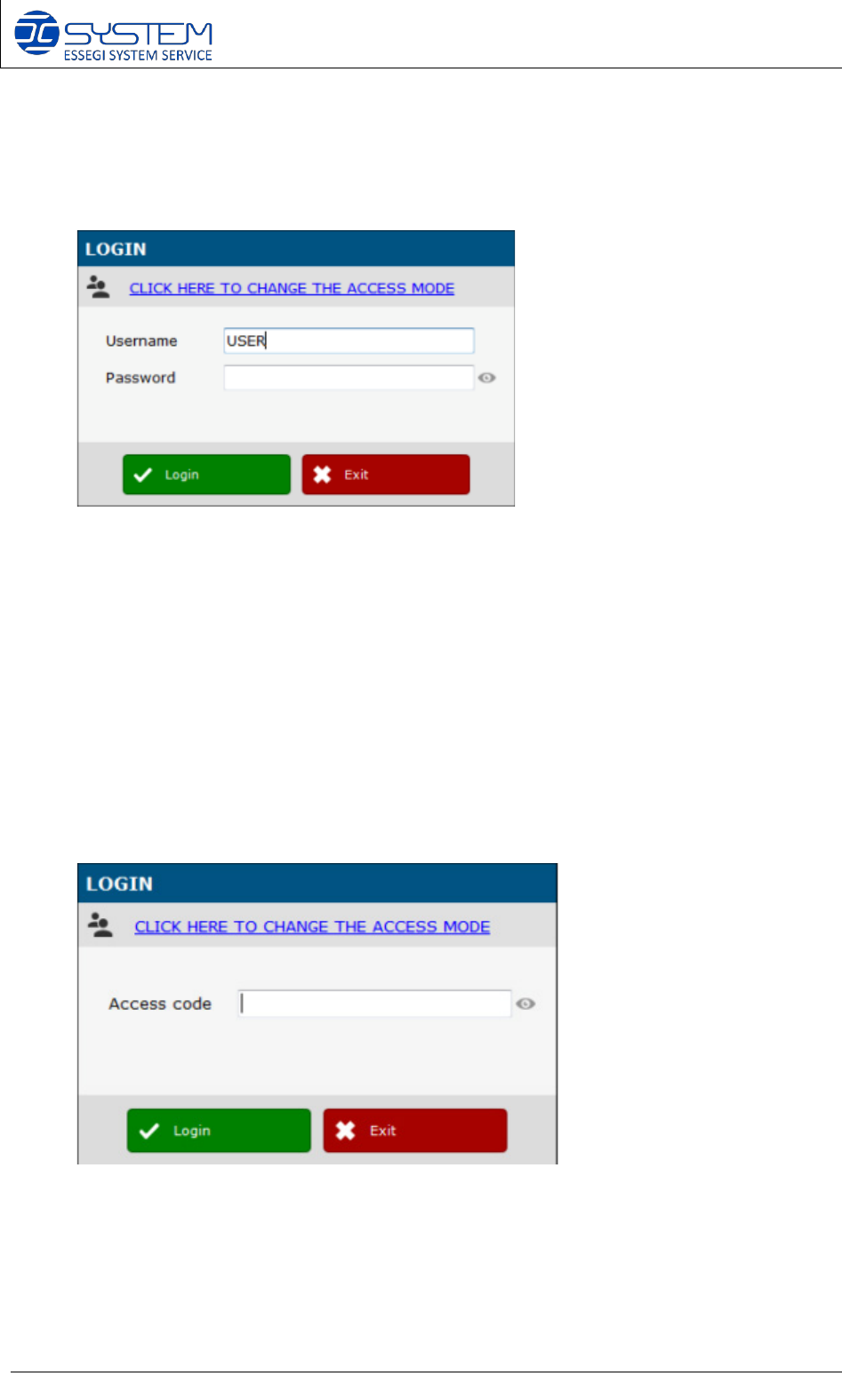
Insert username and password to access the software.
For the first log-in, use the following data: USERNAME: USER
PASSWORD: AUTOSMD
To change the access data see section SETUP 5.8.11
You can create a fast “Access code” for each user, to allow a faster login by digit directly this
code instead of username and password. Access code needs to be unique. You cannot have
two users with the same Access code: