ISM-2000_OPE - 第42页
Software 3.1 rev_0 1 Edition 06/20 16 - Reproduction forbidden a Page 42 Storage Solut ions Soft ware Operating Manual 8. E xtraction Q ueues (F 6) From this window, y ou can “ Play ” , “ Pause ” , “ Ab ort ” all extract…
Software 3.1 rev_01 Edition 06/2016 - Reproduction forbidden
a
Page 41
Storage Solutions Software Operating Manual
5. The pre-started session will be in orange colour. This because a pre-started session, to
become a “real” session, need to be analyse again as soon the “mother” session will be
closed. This procedure is needed to be 100% sure that the material prepared for the setup,
is enough to complete the production, even if you had some unexpected wasted
components during the production of the “mother session”. After the final analysis, the
pre-started session can be started as a “real” session.
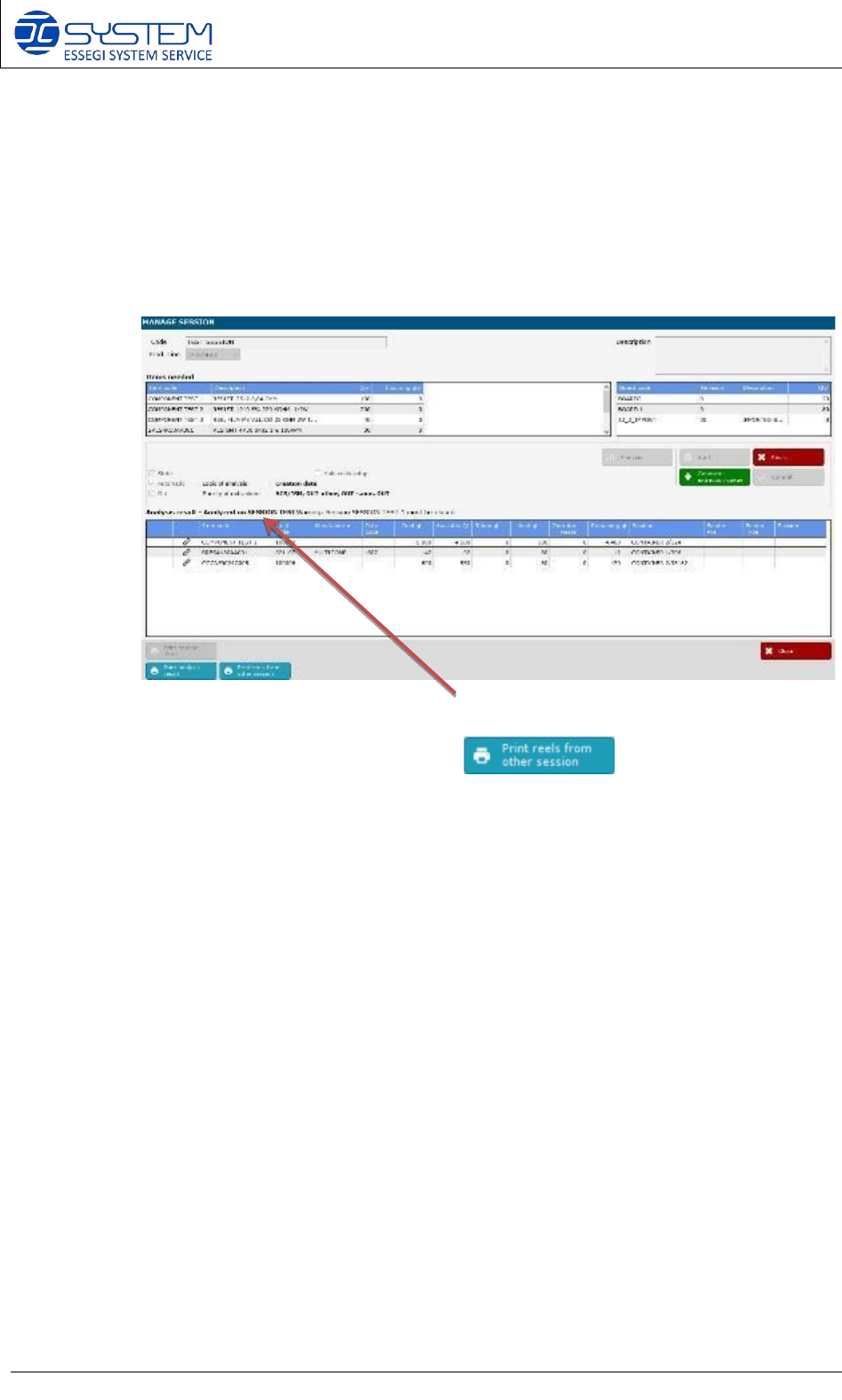
6. Inside the MANAGE SESSION of a pre-started session (see picture below)
You can see which is the “mother” session, and you can make the print out of the
linked reels from the other sessions (this print out is really
useful to know which reels you have to take when the “mother” session stops”.
Software 3.1 rev_01 Edition 06/2016 - Reproduction forbidden
a
Page 42
Storage Solutions Software Operating Manual
8. Extraction Queues (F6)
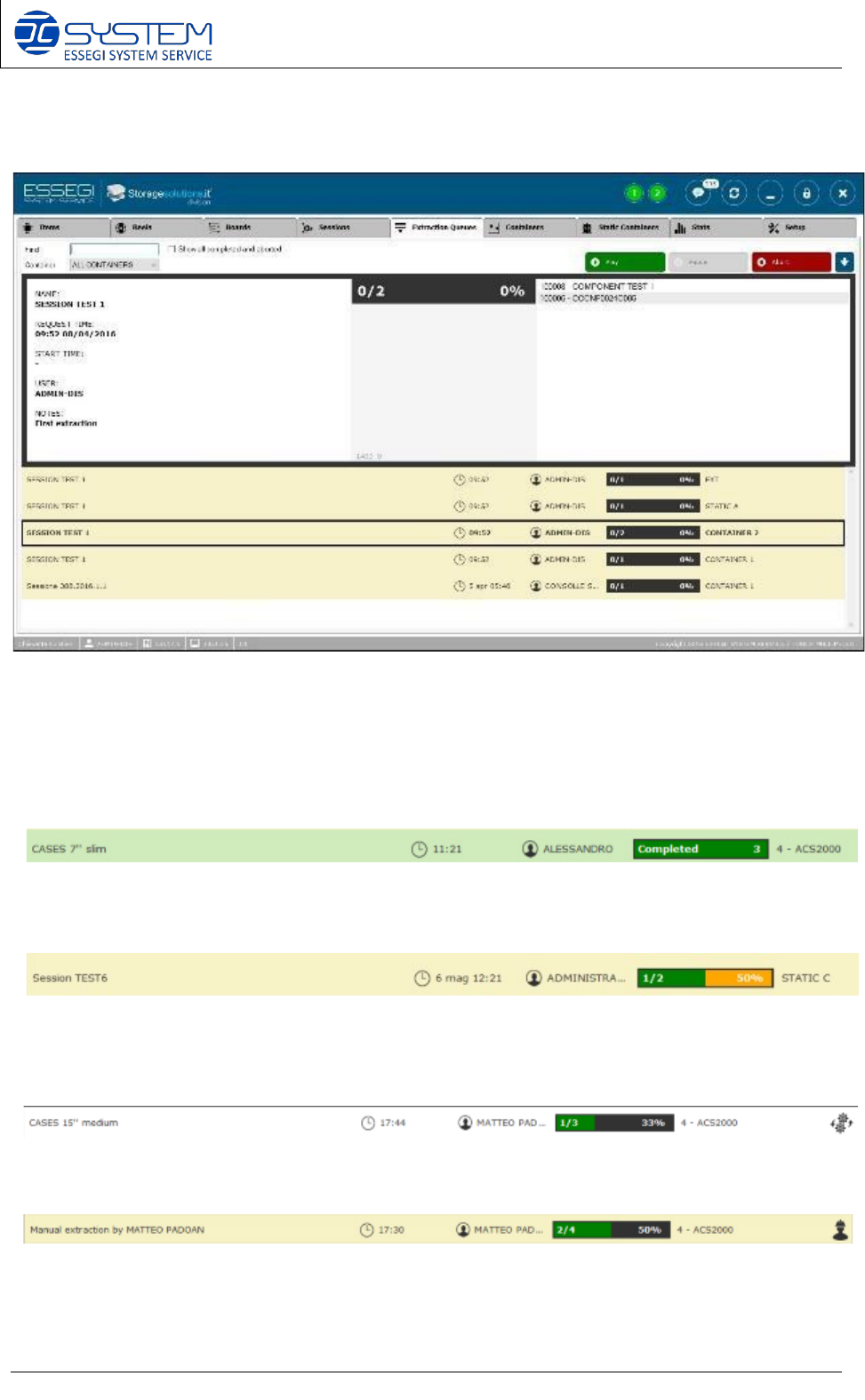
From this window, you can “Play”, “Pause”, “Abort” all extraction queues created.
You can see and manage all queues, for each container, static container, external storage.
By selecting an extraction queue you can visualize all details.
Extraction queue correctly completed.
Extraction queue partially completed. Partially completed means that some components, of
some “partial use” reels, have not been taken yet.
Extraction queue running.
Software 3.1 rev_01 Edition 06/2016 - Reproduction forbidden
a
Page 43
Storage Solutions Software Operating Manual
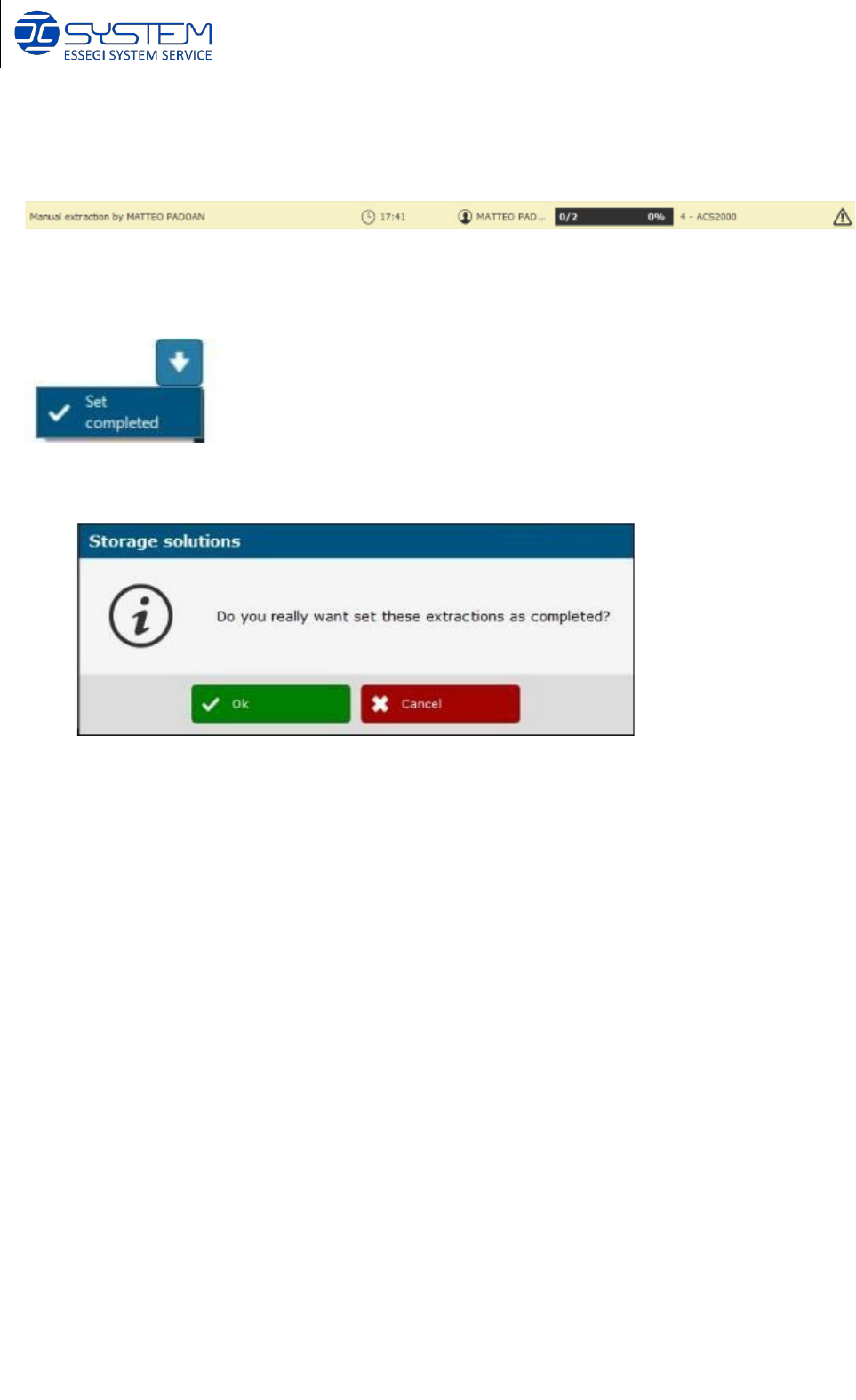
Extraction queue paused that need operator action due to reel format change.
Extraction queue paused due to machine error. Initialization needed.
Here you can force and set manually a queue as completed. Before
forcing the extraction as completed, a confirmation dialog will appear: