ISM-2000_OPE - 第43页
Software 3.1 rev_0 1 Edition 06/20 16 - Reproduction forbidden a Page 43 Storage Solut ions Soft ware Operating Manual Extraction queue paused that need opera tor action due to reel f ormat chan ge. Extraction queue paus…
Software 3.1 rev_01 Edition 06/2016 - Reproduction forbidden
a
Page 42
Storage Solutions Software Operating Manual
8. Extraction Queues (F6)
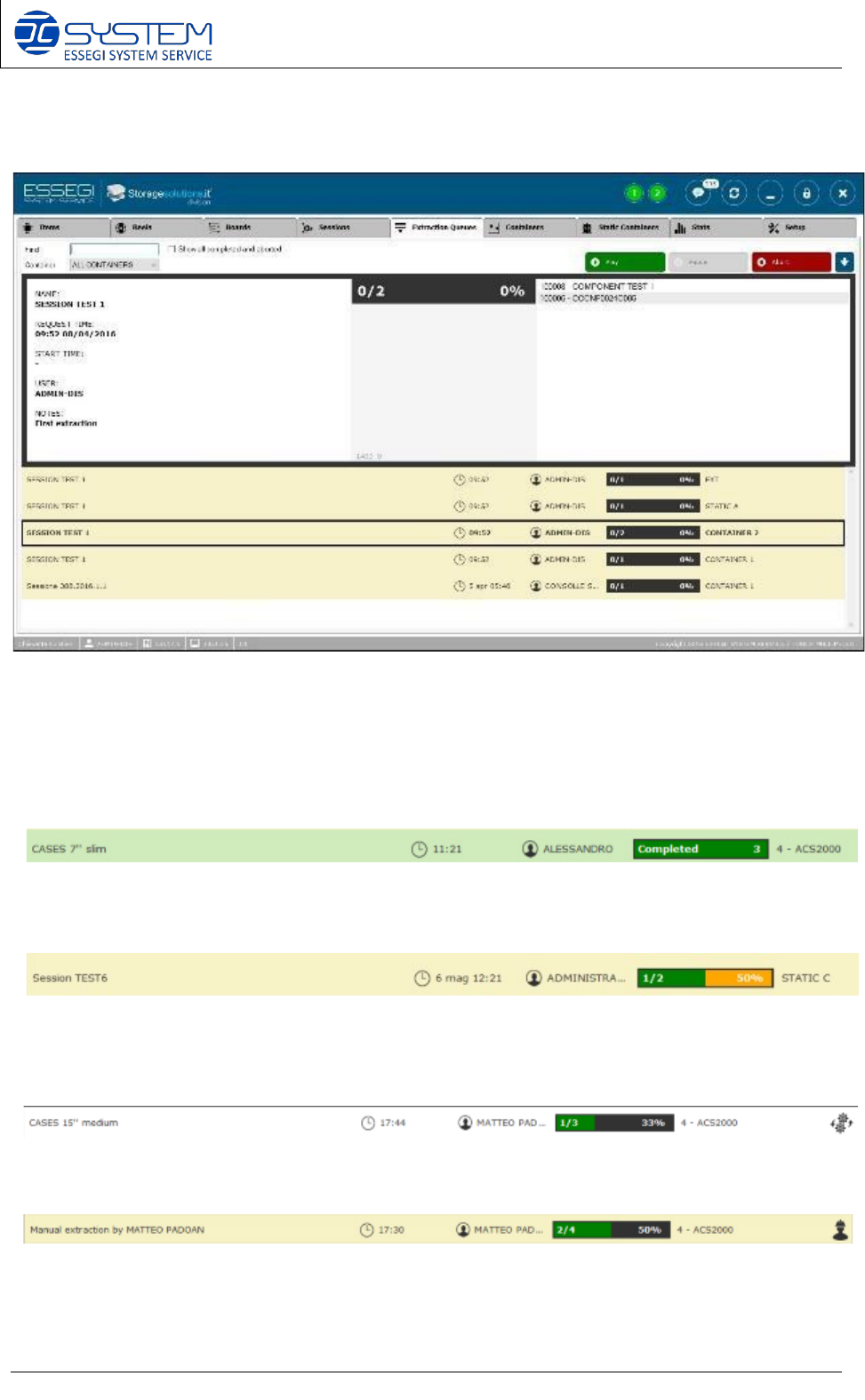
From this window, you can “Play”, “Pause”, “Abort” all extraction queues created.
You can see and manage all queues, for each container, static container, external storage.
By selecting an extraction queue you can visualize all details.
Extraction queue correctly completed.
Extraction queue partially completed. Partially completed means that some components, of
some “partial use” reels, have not been taken yet.
Extraction queue running.
Software 3.1 rev_01 Edition 06/2016 - Reproduction forbidden
a
Page 43
Storage Solutions Software Operating Manual
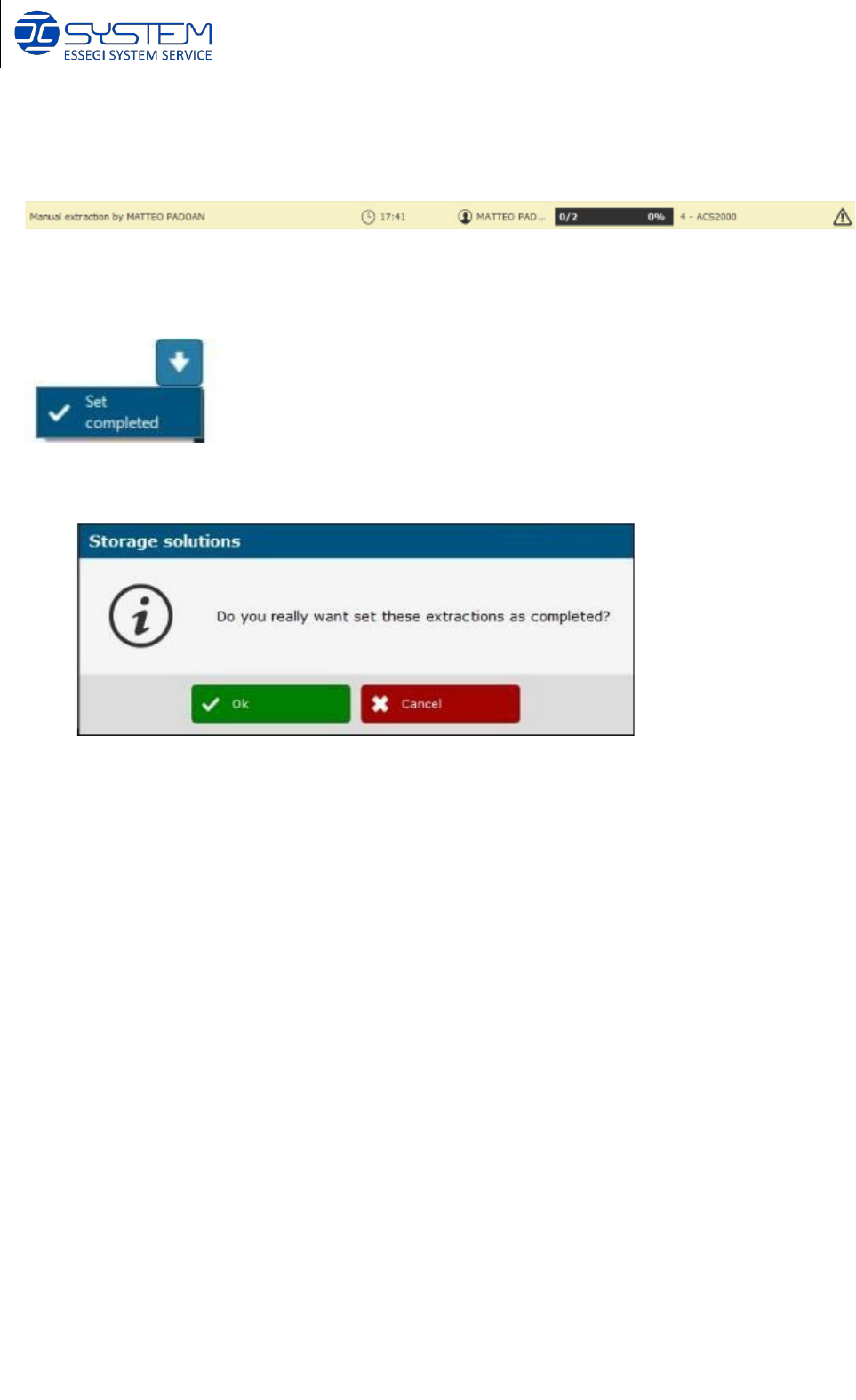
Extraction queue paused that need operator action due to reel format change.
Extraction queue paused due to machine error. Initialization needed.
Here you can force and set manually a queue as completed. Before
forcing the extraction as completed, a confirmation dialog will appear:
Software 3.1 rev_01 Edition 06/2016 - Reproduction forbidden
a
Page 44
Storage Solutions Software Operating Manual
9. Containers (F7)
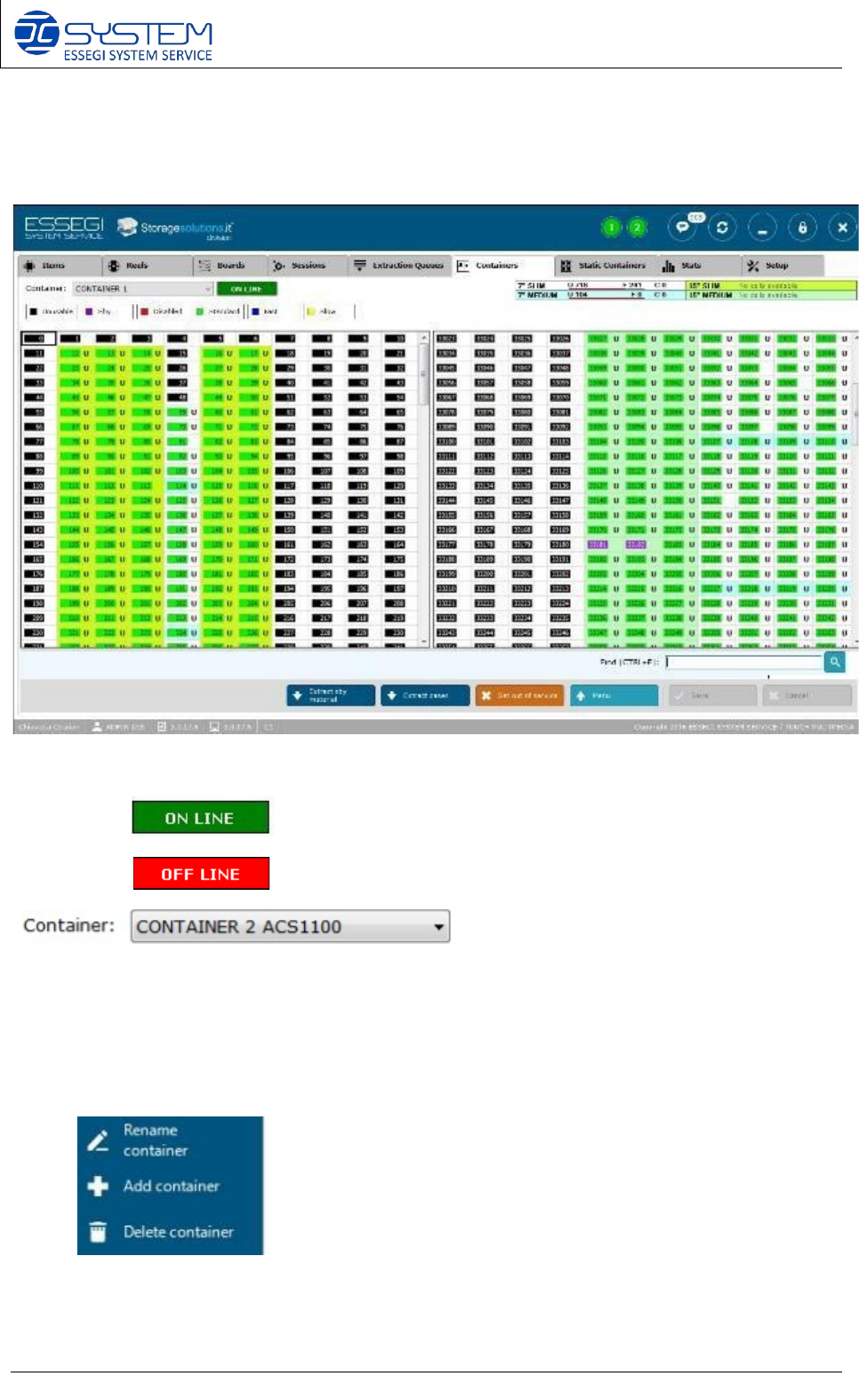
The container can be:
• On Line:
• Off Line:
From here you can select the container you want to visualize.
NOTE: by making right click on this field, you will open the following menu:
Rename: to change the name of the container
Add container: to add new container/s to the Data Base
Delete Container: to delete a container/s from the Data Base
Used cell: Indicate how many positions are in use (U), how many are free (F), and how many
empty cases (C).