ISM-2000_OPE - 第47页
Software 3.1 rev_0 1 Edition 06/20 16 - Reproduction forbidden a Page 47 Storage Solut ions Soft ware Operating Manual 10. Ul traflex 3600 con tainer In t he ult raflex container, t here are t wo columns whi ch show the …
Software 3.1 rev_01 Edition 06/2016 - Reproduction forbidden
a
Page 46
Storage Solutions Software Operating Manual
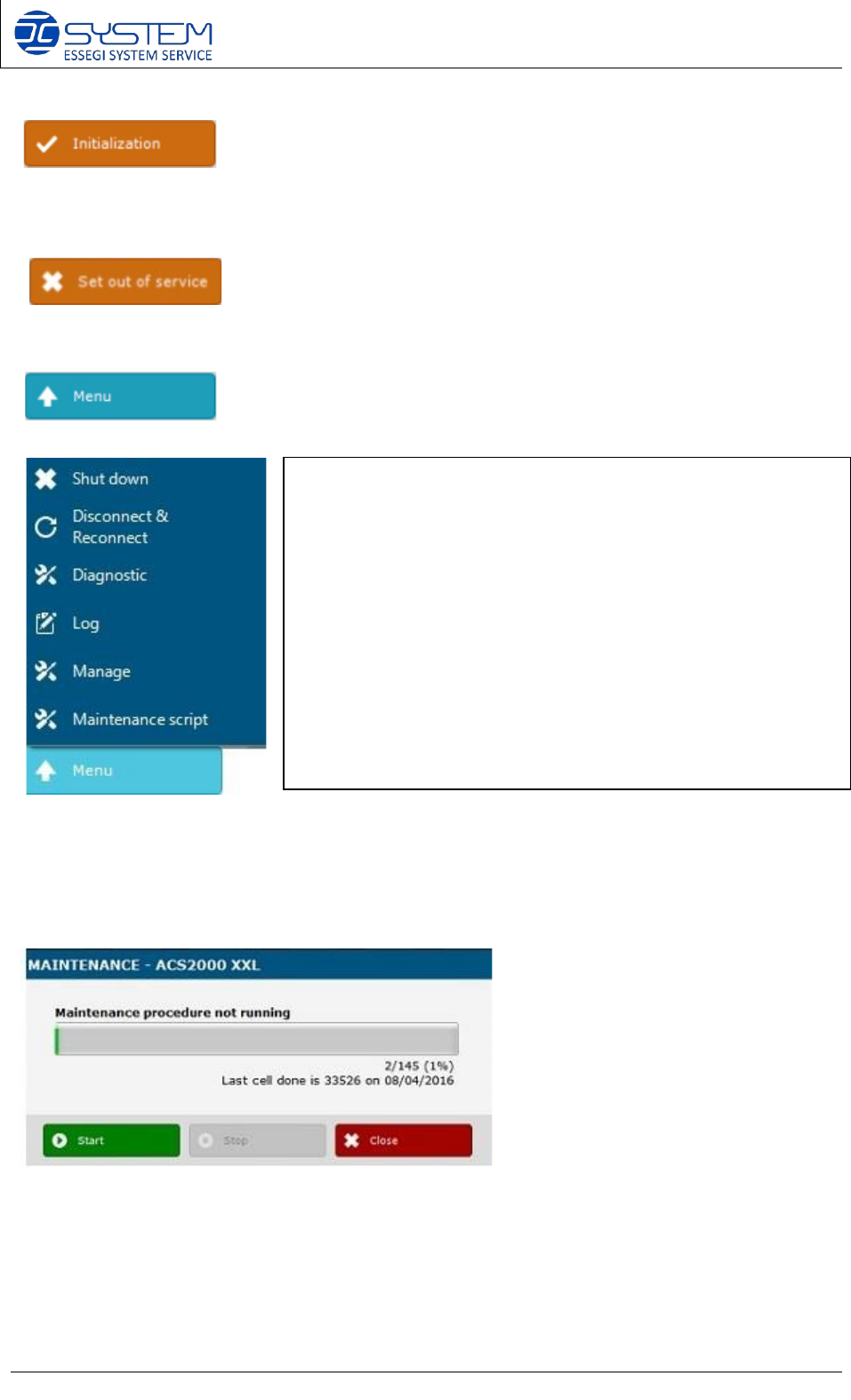
Initialization: to initialize the container. Initialize the container means to reset all axes and bring
them in the “home” position.
Set Out of Service: to set the container out of service
By pressing this button, you will open the following menu:
Maintenance script
This script is used to sort cases around of accumulator. If you select this function, will appear
this following window:
You can stop the maintenance script at any time and you can how many cells the script will sort
and last cell sorted. It is possible to stop temporarily to make some extractions/insertions and
then re-start from the last sorted cell.
Shut down: it will shut down windows and the container PC.
Disconnect & Reconnect: it will disconnect and reconnect
the container.
Diagnostic: it will open the DIAGNOSTIC page (see below)
Log: it will visualize the logs related to this container
Manage
: it will visualize the CONTAINER MANAGEMENT from
where you can see all movements of the container.
Maintenance script: it will start a maintenance script (see
below)
Software 3.1 rev_01 Edition 06/2016 - Reproduction forbidden
a
Page 47
Storage Solutions Software Operating Manual
10. Ultraflex 3600 container
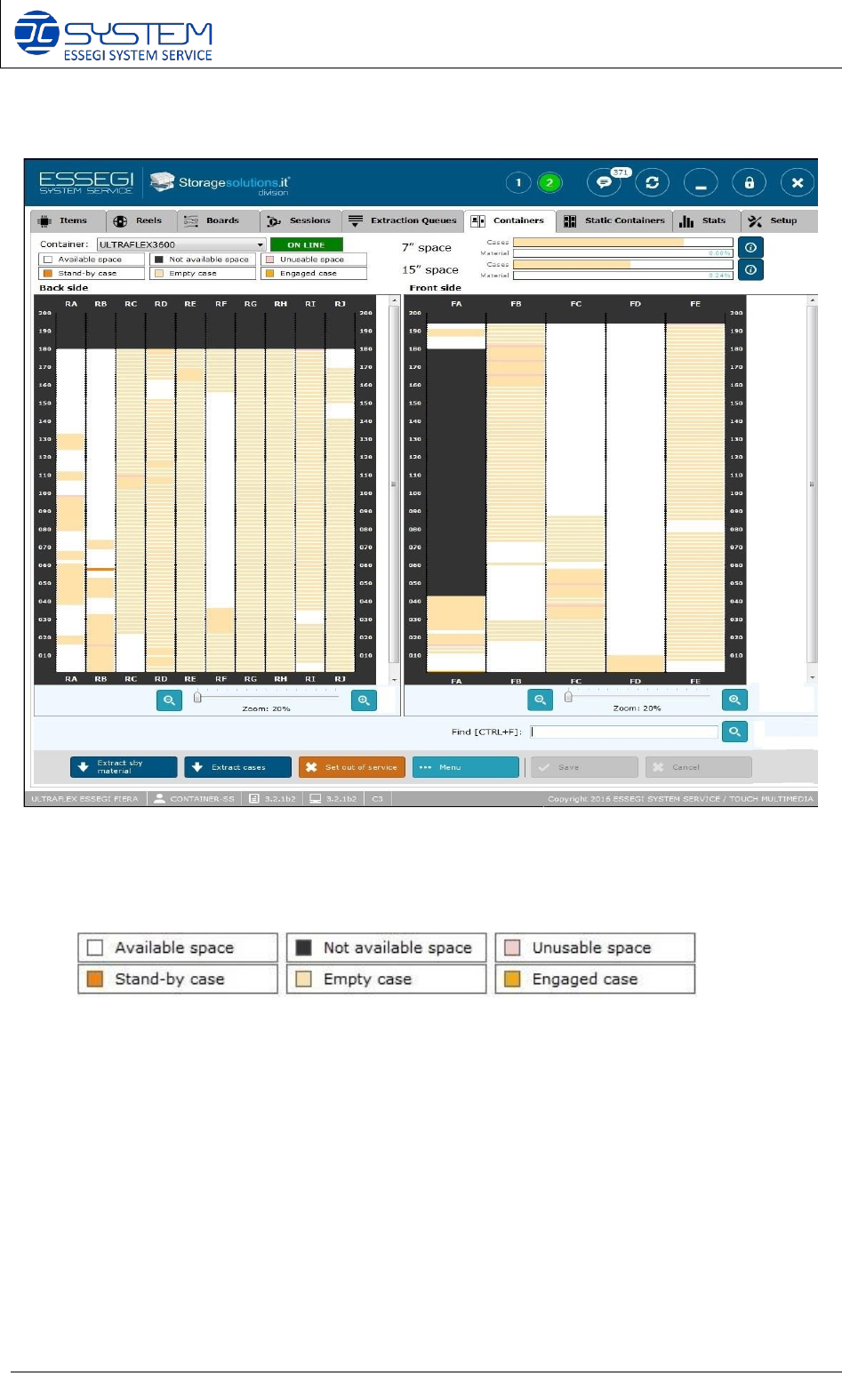
In the ultraflex container, there are two columns which show the reel in rear side (Back side) and
in Front side. These two columns show a new concept about positions: there aren’t cells as in the
ISM2000 container but there is empty space to fill because a particular algorithm calculates the
encumbrance of the cases and places them so it is possible to save space.
In this situation, it is possible to talk about:
- Available space: it can be used to archive reels
- Not available space: no reel can be archived in this space
- Unusable space: there isn’t the possibility to archive a reel because it is too small.
- Stand-by case: the outbox material can be located everywhere because there isn’t a space
devoted to stand-by material.
- empty case: it shows space occupied by empty cases
- Engaged case: space occupied by case with material (reels, sticks, etc.)
Software 3.1 rev_01 Edition 06/2016 - Reproduction forbidden
a
Page 48
Storage Solutions Software Operating Manual
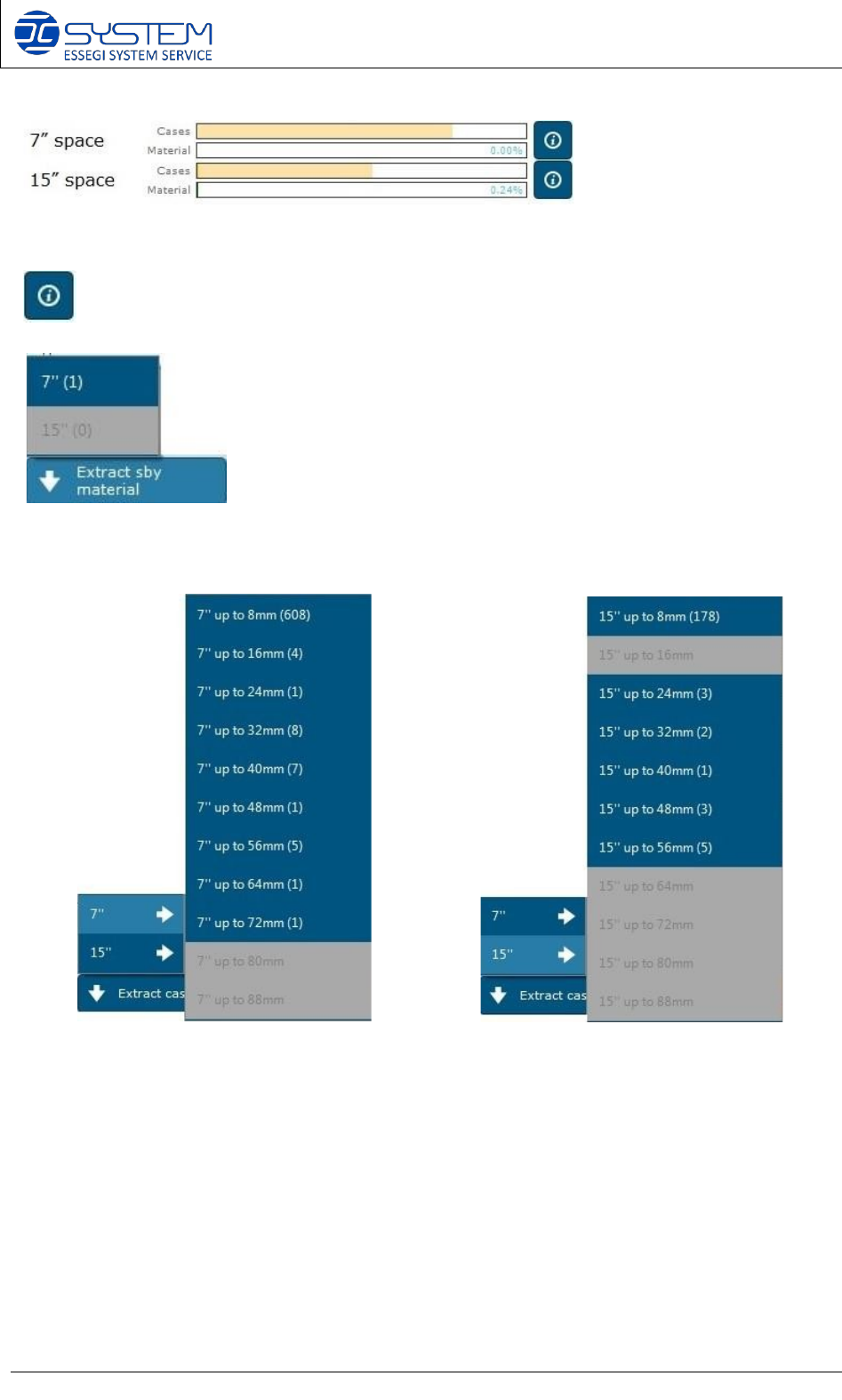
At the top right corner, you can see how much space is occupied by cases or reels. If you click
you can see all combinations of the material to place.
To extract stand-by material, you have to click the “Extract sby material” button and choose the
format to extract.
Click “extract cases” button to extract cases: there are two formats but with different height
because every case can have small bricks to increase the height. The machine can recognize
the height of the case by the photocells.