ISM-2000_OPE - 第53页
Software 3.1 rev_0 1 Edition 06/20 16 - Reproduction forbidden a Page 53 Storage Solut ions Soft ware Operating Manual ULTRAFLEX I NTERFACE If you access to the cons ole using the username C ONTAINER, you can open a new …
Software 3.1 rev_01 Edition 06/2016 - Reproduction forbidden
a
Page 52
Storage Solutions Software Operating Manual
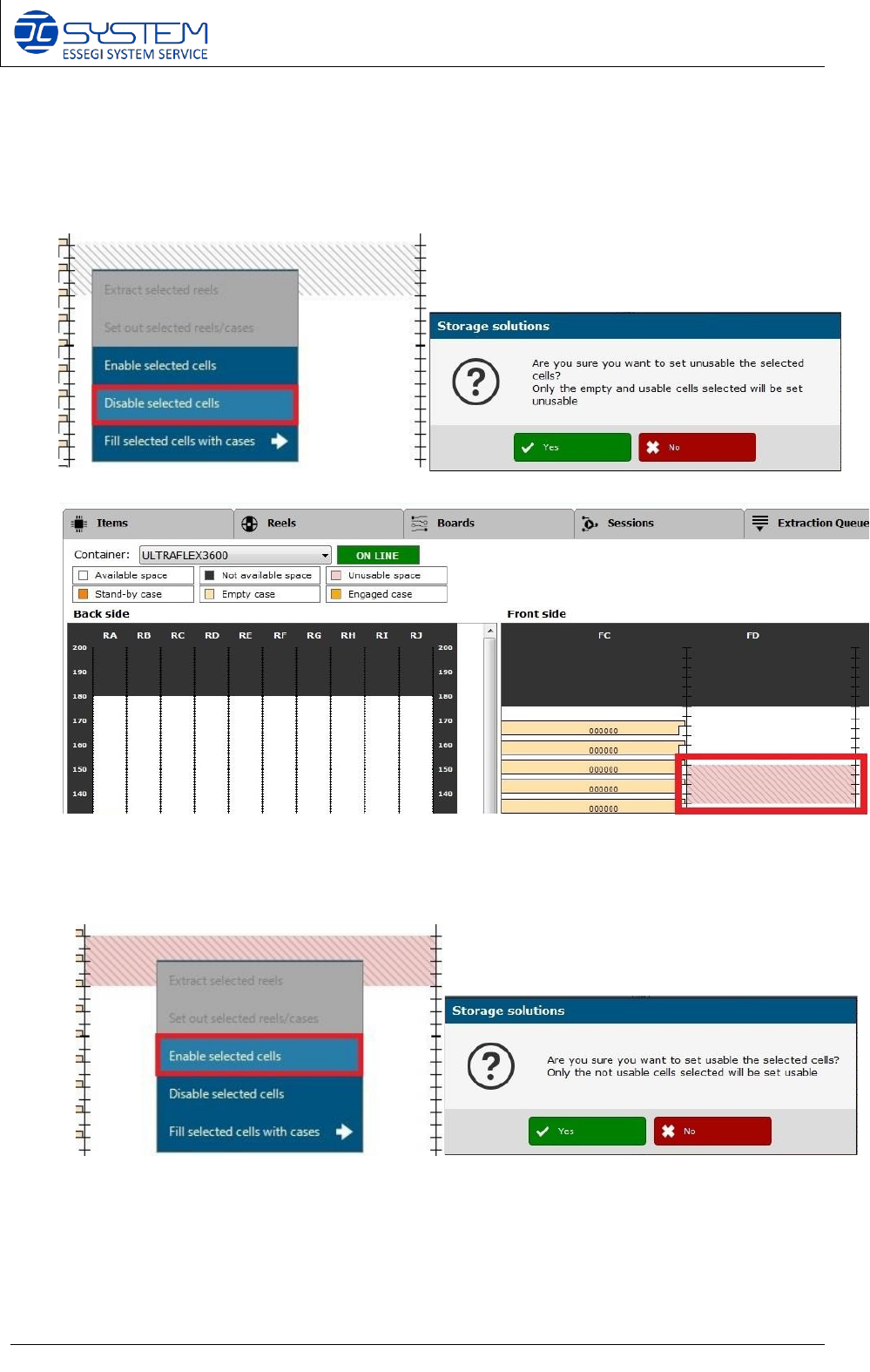
An operator can also disable a specific cell: the machine will not use the cell because it will be
unusable space (pink colour).
To disable a cell, the operator has to select the cell and click the right button of the mouse and
then “DISABLE SELECTED CELLS”. This following warning will appear to the operator:
It is always possible to enable the cell just disabled: after confirming the warning, the space
will turn from pink to white colour and the cell will be used again.
Software 3.1 rev_01 Edition 06/2016 - Reproduction forbidden
a
Page 53
Storage Solutions Software Operating Manual
ULTRAFLEX INTERFACE
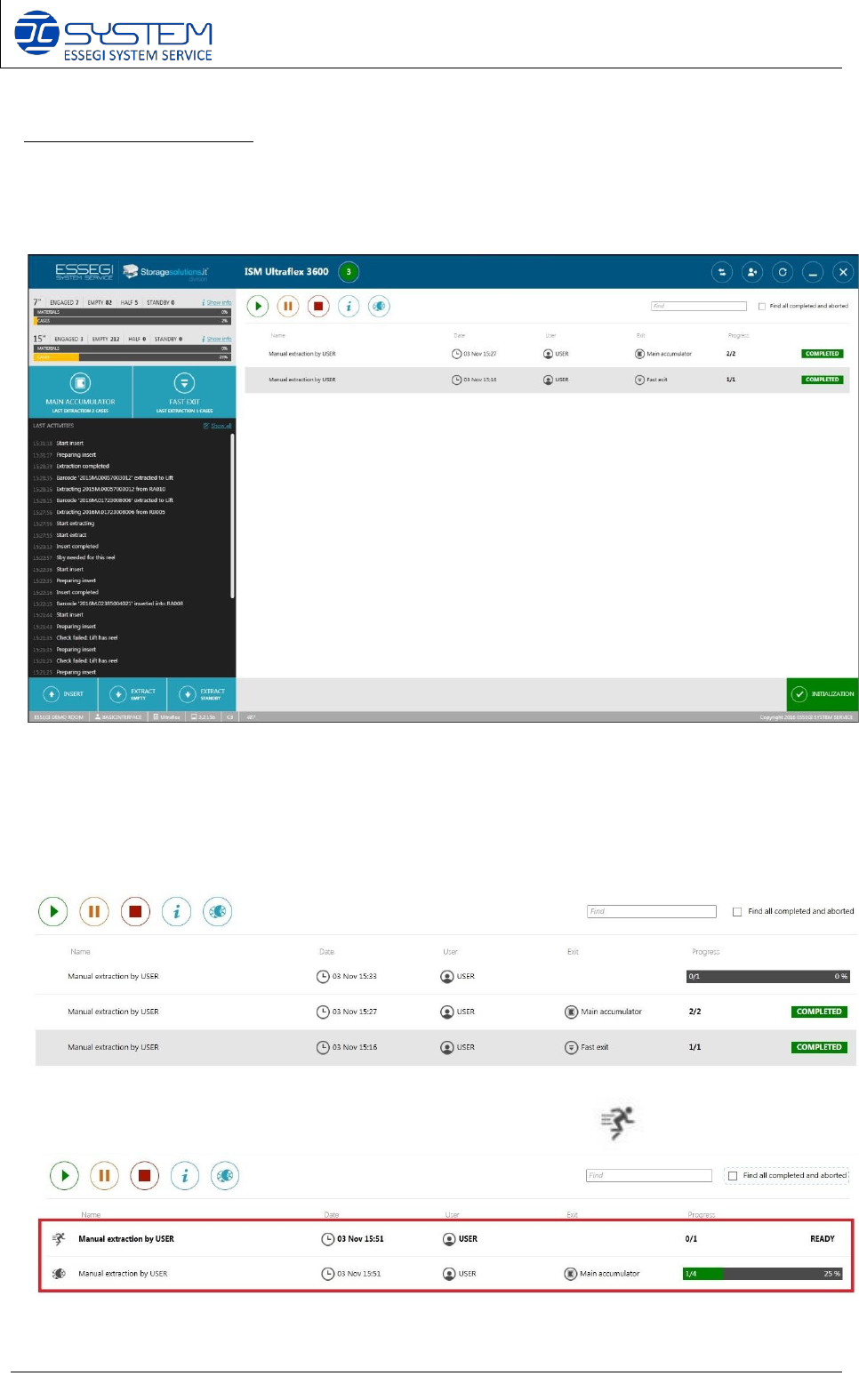
If you access to the console using the username CONTAINER, you can open a new interface for
Ultraflex machine.
On the right side, the interface shows information about the extractions and at the bottom, there
is the initialization button.
The operator can see where the machine extracts reels (Fast exit or Main accumulator), the
progress of the extraction and details about the extraction.
When an operator makes a priority extraction, this following icon will appear:
Software 3.1 rev_01 Edition 06/2016 - Reproduction forbidden
a
Page 54
Storage Solutions Software Operating Manual
In case of priority extraction, the software temporarily stops the extraction queue to extract the
reel required with the extraction priority. When the machine extracted the reel into the fast exit
then the system can continue with the extraction queue started before.
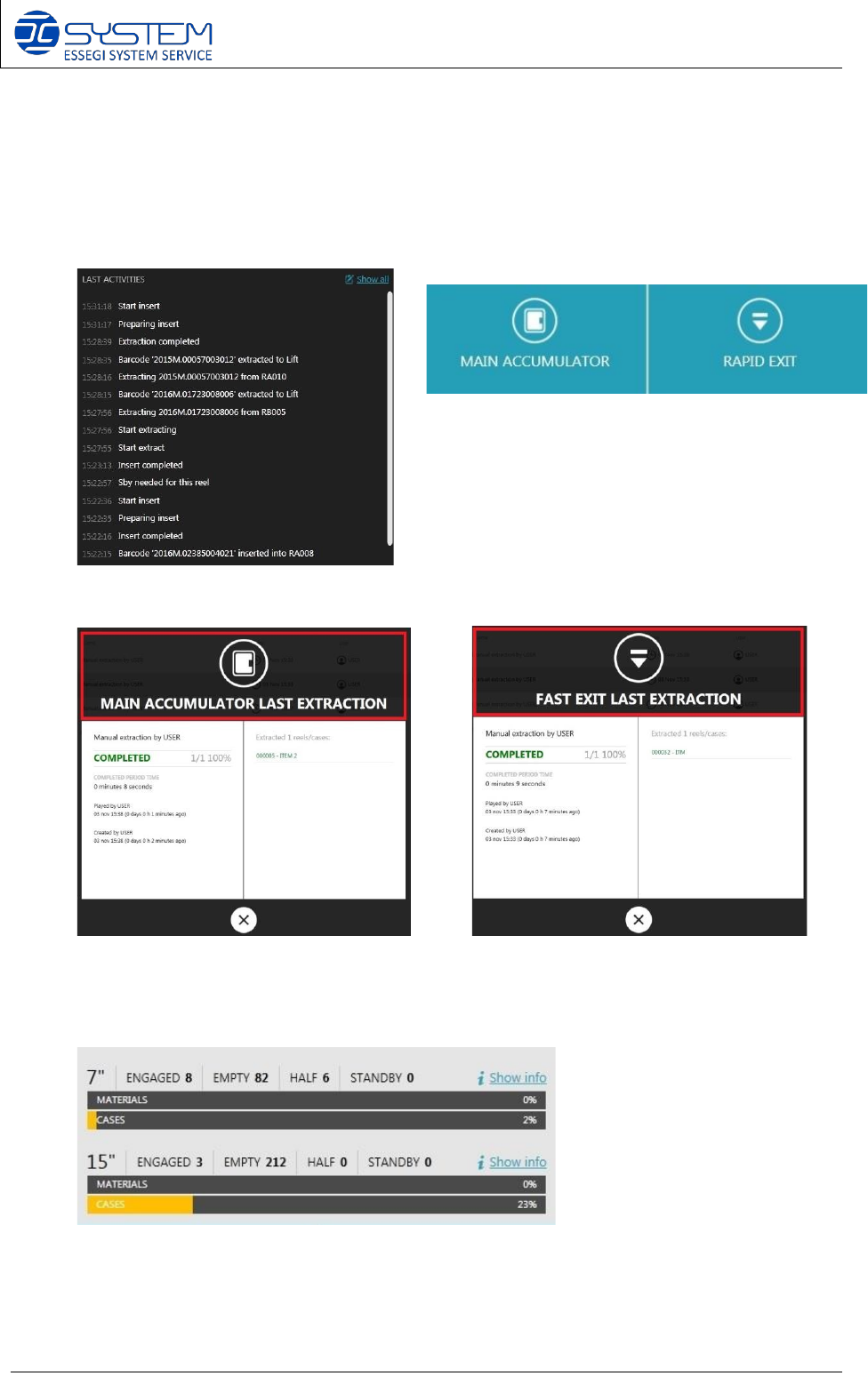
In the middle on black section, there are logs about operations just done.
These buttons are needed to check the last
operations just made into the accumulator or in
to the rapid exit.
The operator will see these following windows:
At the top-left side, it is possible to see how many cases or reels are archived inside the
machine.
HALF CASES: Half cases are cases which contain only 1 reel. For this reason, they can be
extracted to insert another reel in the other position.