00193687-06_Installation SIPLACE Explorer2.1_DE.pdf - 第121页
Installations- und Konfigurationsanleit ung SIPLACE Explorer 5 Deinstallation Ausgabe 11/2006 DE 121 5 Deinst allation In SIPLACE Explorer V2.1 gibt es zur Deinstalla tion einen sog. Modify-Dialog. Diesen können Sie aus …
4 Konfiguration Installations- und Konfigurationsanleitung SIPLACE Explorer
4.3 Datenbank Einstellungen Ausgabe 11/2006 DE
120

Installations- und Konfigurationsanleitung SIPLACE Explorer 5 Deinstallation
Ausgabe 11/2006 DE
121
5 Deinstallation
In SIPLACE Explorer V2.1 gibt es zur Deinstallation einen sog. Modify-Dialog. Diesen können Sie
aus dem Windows-Menü starten. Anschließend stehen Ihnen drei Deinstallationsvorgänge zur
Verfügung: 5
–Modify
Verwenden Sie diese Funktion, wenn Sie einzelne Komponenten zu der aktuellen
SIPLACE Explorer V2.1 hinzufügen wollen, oder wenn Sie installierte Komponenten aus
der aktuellen SIPLACE Explorer V2.1 deinstallieren wollen.
(siehe Seite 123)
–Repair
Verwenden Sie diese Funktion, falls die aktuell installierte SIPLACE Explorer V2.1 nicht
mehr fehlerfrei funktioniert, bzw. wenn einzelne Komponenten versehentlich entfernt
wurden. Dabei wird die Installation des vorhergegangenen Setups wiederhergestellt.
(siehe Seite 125)
–Remove
Verwenden Sie diese Funktion, wenn Sie SIPLACE Explorer V2.1 komplett deinstallieren
wollen.
(siehe Seite 127)
5 Deinstallation Installations- und Konfigurationsanleitung SIPLACE Explorer
5.1 Modify-Dialog starten Ausgabe 11/2006 DE
122
5.1 Modify-Dialog starten
→ Öffnen Sie den SIPLACE Explorer 2.1 - Installshield-Assistent über das Windows-Menü
Start → Programme → SIPLACE Explorer 2.1 → Modify-Uninstall.
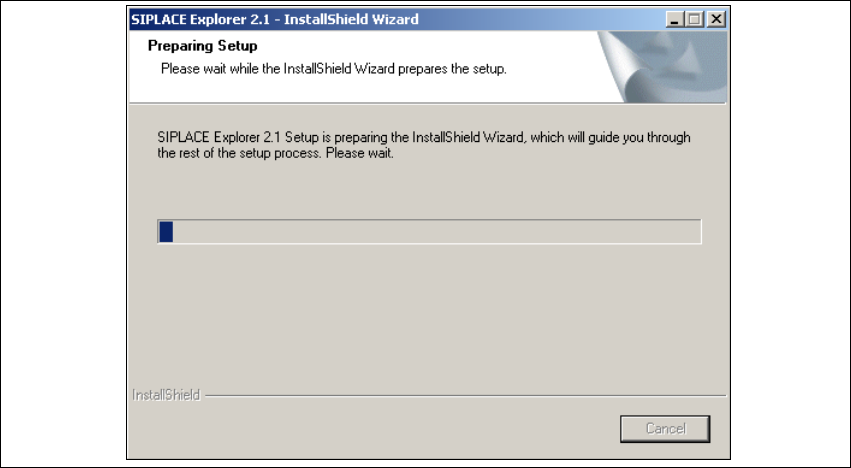
→ Der Installshield-Assistent für SIPLACE Explorer 2.1 wird vorbereitet.
5
Abb. 5 - 1 SIPLACE Explorer 2.1 - Installshield-Assistent
→ Der Willkommen Bildschirm öffnet sich. Wählen Sie aus, welchen Vorgang Sie durchführen
wollen.